


Blog updated with the most recent Shopify and eCommerce strategies on 05/02/2026.
Supercharge Your Shopify Store with Marketing Automation: Your Ultimate Guide to Growth
Ready to ignite your efficiency, skyrocket conversions, and scale your revenue on Shopify? This deep-dive guide unpacks how Shopify marketing automation tools harness triggers, conditions, and actions to streamline your operations, deliver hyper-personalized customer experiences, and fuel e-commerce expansion. You’ll grasp the essence of marketing automation, master essential workflow setups, pinpoint the top apps for 2025, and unlock advanced tactics for every stage of your customer’s journey. We’ll also cover crucial setup best practices, common pitfalls to sidestep, real-world success stories, and the key metrics to track—all engineered to set your store up for unstoppable growth.
What Exactly Is Shopify Marketing Automation and How Does It Drive E-commerce Success?
Shopify marketing automation is all about architecting smart workflows that leverage predefined triggers, conditions, and actions. These workflows automatically execute tasks—like dispatching personalized emails or applying customer tags—the instant specific events occur. This dramatically cuts down manual effort and significantly boosts conversion rates. For instance, a well-timed abandoned cart reminder can recapture up to 15% of lost sales. By automating these processes, you liberate valuable time to concentrate on high-level strategy while ensuring you don’t miss out on crucial revenue opportunities.
What Are the Core Components of Shopify Marketing Automation?
Effective Shopify marketing automation platforms are built around three fundamental features:
- Triggers: These are the event detectors that kick off your automations, such as a new subscriber joining your list, a customer abandoning their cart, or an order being successfully completed.
- Conditions: These act as your audience filters, allowing you to segment your customers based on their behavior, past purchase history, demographic data, or other key attributes.
- Actions: These are the automated responses, such as sending a targeted email, an SMS message, a push notification, or applying a specific tag to a customer’s profile.
How Does Marketing Automation Elevate the Customer Experience on Shopify?
Marketing automation revolutionizes customer experience by delivering precisely the right content to the right person at the perfect moment. By leveraging segmentation criteria like browsing patterns and purchase history, you can create truly personalized interactions that drive engagement. This includes:
- Suggesting products that perfectly match a customer’s browsing history.
- Automatically sending special birthday greetings or loyalty program rewards.
- Crafting promotional offers that are uniquely tailored to each individual customer.
These personalized touches not only foster deeper customer loyalty but also increase average order value and build stronger, lasting relationships.
What Are the Primary Advantages of Implementing Shopify Marketing Automation?
Automating your marketing processes yields three major benefits:
- Peak Efficiency: Dramatically reduces time spent on repetitive tasks and minimizes the potential for human error.
- Accelerated Sales Growth: Recovers lost sales from abandoned carts, drives cross-sells and upsells, and nurtures customers toward repeat purchases.
- Actionable Data Insights: Provides detailed performance metrics for every workflow, enabling continuous refinement and optimization.
Together, these advantages lead to a richer customer lifetime value while conserving your precious time and resources.
Boost Sales and Maximize Customer Lifetime Value Through Email Automation
Marketing automation is your secret weapon for building genuine customer relationships and significantly increasing customer lifetime value (CLV). These automated sequences allow you to cultivate trust and connection with your audience in countless powerful ways.
This citation powerfully reinforces the article’s core message about the transformative impact of marketing automation on customer relationships and overall CLV.
Your Step-by-Step Blueprint for Setting Up Shopify Marketing Automation
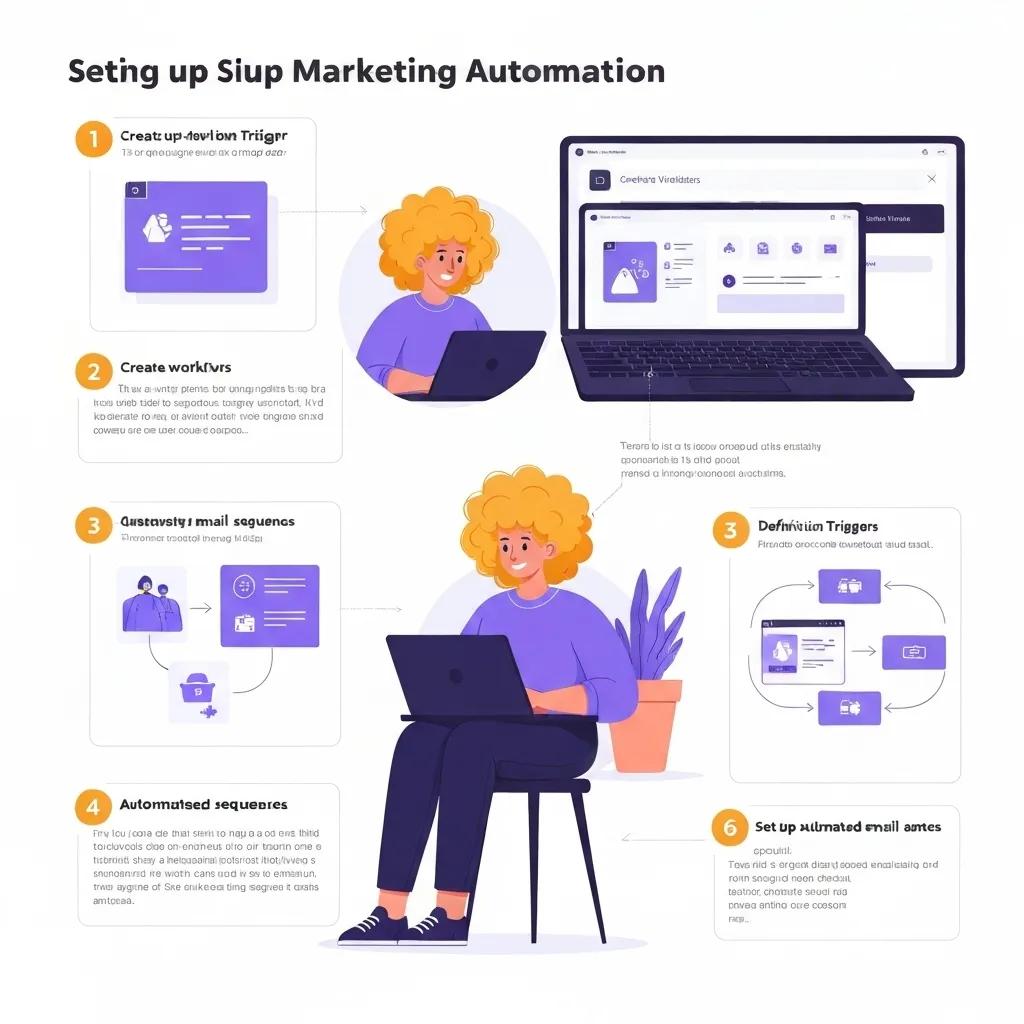
Getting started with automation involves mapping your desired outcomes to specific workflows, whether you’re using Shopify Flow or a dedicated marketing app. The process typically involves connecting your triggers (the events), defining your conditions (the filters), and assigning your actions (the automated responses).
How Do You Master Abandoned Cart Recovery Automation on Shopify?
Abandoned cart recovery is a critical workflow that automatically engages customers who leave items in their checkout. Here’s how to set it up:
- Navigate to Marketing & automation within your Shopify Admin and select Create workflow.
- Choose the Customer abandons checkout trigger to initiate the sequence.
- Implement a delay condition, typically 1–4 hours, to allow customers time before you reach out.
- Configure an Email notification action, linking it to your preferred email service provider.
- Personalize the email with dynamic cart contents and a compelling call-to-action.
Effectively executing this flow can reclaim lost revenue by re-engaging customers before they disappear, often boosting cart recovery rates by more than 10%.
Shopify Abandoned Cart 2025: Your Playbook to Recover 20% More Sales
In 2025, the average Shopify abandoned cart rate hovers around 70%. Fortunately, automated email sequences are proven to recover between 10% and 20% of these abandoned carts.
This source provides crucial, up-to-date statistics on abandoned cart rates and the proven effectiveness of automated recovery strategies, directly supporting the article’s focus on this workflow.
What Are the Secrets to Crafting High-Performing Welcome Email Series?
A well-designed welcome series is essential for building brand trust and driving that crucial first purchase. To maximize its impact:
- Perfect Timing: Dispatch the initial email the moment a customer subscribes, followed by a second email 24 hours later, and a third 72 hours after that.
- Compelling Content: Introduce your brand story, showcase your best-selling products, and offer an exclusive new-customer discount code.
- Smart Segmentation: Tailor your messaging tone based on how the subscriber joined your list (e.g., from a social ad versus a site popup).
When executed effectively, these welcome sequences typically achieve impressive open rates exceeding 50% and conversion rates around 5%.
How Can You Build Custom Shopify Flow Workflows for Seamless Automation?
Shopify Flow is your go-to visual builder for automating tasks across your store without needing to write a single line of code. Here’s how to create your own custom workflows:
- Install the Shopify Flow app directly from the Shopify App Store.
- Select Create workflow and choose a relevant trigger, such as when product inventory drops below a specific threshold.
- Define your conditions, for example, filtering by “product type = ‘t-shirts’.”
- Assign actions, like sending a notification to your staff or tagging products that need restocking.
- Thoroughly test your workflow in sandbox mode before activating it for live operations.
Shopify Flow empowers you to automate a wide range of tasks related to orders, customers, inventory, and much more.
What Are Some Standout Examples of Effective Shopify Flow Automations?
Here’s a look at some popular Flow automations and the tangible results they deliver.
Each of these workflows automates critical operational tasks, freeing up your valuable time for strategic initiatives like marketing planning and product development.
Discover the Top Shopify Marketing Automation Apps for Your Store in 2025
Choosing the right app is key to unlocking the full potential of automation. Comparing the leading solutions will help you find the perfect fit for your store’s unique scale, budget, and feature requirements.
What Powerful Features Does Klaviyo Bring to Shopify Marketing Automation?
Klaviyo excels with its advanced email and SMS automation capabilities, sophisticated segmentation tools, real-time analytics dashboard, and a library of ready-to-use templates. Its seamless integration with Shopify ensures automatic syncing of customer and order data, powering highly dynamic and personalized marketing campaigns.
How Does Omnisend Facilitate Seamless Omnichannel Automation on Shopify?
Omnisend consolidates your email, SMS, push notifications, and in-app messaging into a single, intuitive workflow builder. Its user-friendly drag-and-drop editor and integrated campaign analytics make orchestrating complex omnichannel strategies straightforward, ensuring consistent brand messaging across every customer touchpoint.
What Are Mailchimp’s Key Strengths and Weaknesses for Shopify Stores?
Mailchimp offers solid foundational email automation features, a collection of easy-to-use templates, and accessible entry-level pricing plans. However, its integration depth with Shopify isn’t as robust as specialized apps, often requiring third-party connectors to achieve real-time data synchronization and advanced segmentation capabilities.
How Do Other Leading Apps Stack Up: GetResponse, ActiveCampaign, Drip, Privy, Picreel?
Store owners should weigh features against cost and specific use cases. The table below highlights the key differentiators among top contenders.
How Do You Select the Perfect Marketing Automation App for Your Shopify Store?
Make your choice by carefully evaluating these critical factors:
- Integration Depth: Prioritize native Shopify syncing over reliance on third-party connectors.
- Channel Reach: Determine if you need email-only capabilities or true omnichannel support.
- Segmentation Power: Assess the app’s ability to build dynamic audiences based on granular behavior.
- Reporting & Analytics: Look for detailed insights into campaign performance and ROI.
- Budget & Scalability: Ensure the pricing structure aligns with your projected store growth.
Aligning the app’s capabilities with your long-term marketing strategy is essential for seamless scaling and sustained success.
How Can Shopify Marketing Automation Transform Your E-commerce Customer Journey?
By strategically mapping automated workflows to each stage of the customer lifecycle, you can ensure consistent, engaging communication from initial discovery right through to long-term loyalty.
What Automations Shine During the Awareness Stage?
At the awareness stage, your automations should focus on capturing leads and introducing your brand:
- Engaging Pop-ups: Trigger pop-ups based on page scroll or exit intent to capture email addresses.
- Targeted Social Ads: Deploy automated ads to retarget visitors who explored key product collections.
- Instant Welcome SMS: Immediately connect with new subscribers via SMS, highlighting your brand’s core value propositions.
These tactics are highly effective at converting casual browsers into genuinely interested leads.
How Can Automation Drive Consideration: Product Recommendations and Browse Abandonment?
Nurture undecided prospects with personalized automated flows that:
- Deliver browse abandonment emails to individuals who viewed products but didn’t add them to their cart.
- Present dynamic product recommendations based on items they’ve viewed or previously purchased.
- Activate cart recovery pop-ups for visitors lingering on product pages without completing a purchase.
These precisely targeted messages encourage deeper exploration and increase time spent on your site.
What Are the Most Effective Automations for the Acquisition Stage?
Optimize conversions at the crucial checkout stage with automation that:
- Applies automatic discounts for first-time buyers directly at checkout.
- Sends timely checkout reminders via email or SMS for incomplete purchases.
- Leverages order confirmation pages for strategic upsells, suggesting complementary products.
These strategies reduce friction points and effectively boost your average order value.
How Do You Automate Loyalty and Post-Purchase Engagement on Shopify?
Post-purchase workflows are vital for cementing long-term customer relationships:
- Send personalized thank-you emails that include discount codes for future repeat orders.
- Launch targeted win-back campaigns for customers who haven’t engaged in 60–90 days.
- Offer loyalty program invitations automatically when customers reach specific spending milestones.
Consistent, timely re-engagement cultivates loyal brand advocates and drives sustained revenue.
Unlock Advanced Shopify Marketing Automation Strategies for Maximum Growth

Take your marketing to the next level with sophisticated segmentation, seamless omnichannel orchestration, and the power of AI.
How Does Hyper-Personalization at Scale Elevate Shopify Store Performance?
Personalization at scale leverages deep customer insights—like location, total lifetime spend, and expressed preferences—to deliver uniquely tailored content. This approach can boost open rates by as much as 30% and significantly increase repeat purchases by ensuring maximum relevance.
What Advanced Customer Segmentation Techniques Can You Employ in Shopify Automation?
Go beyond basic demographics with these powerful segmentation methods:
- Behavioral Cohorts: Group customers based on their specific site engagement patterns and interactions.
- RFM Analysis: Segment your audience by Recency, Frequency, and Monetary value of their purchases.
- Predictive Clusters: Utilize machine learning models to identify prospects with the highest potential lifetime value (LTV).
Each of these techniques allows for more precise targeting and a greater return on your marketing investment.
How Do You Implement True Omnichannel Marketing Automation on Shopify?
Omnichannel workflows synchronize your messaging across all customer touchpoints. A single, cohesive workflow can:
- Initiate a welcome email sequence.
- Send an SMS reminder if the email remains unopened.
- Display a targeted retargeting ad on social media platforms.
This unified strategy ensures a consistent brand experience and amplifies your conversion potential.
The Definitive Omnichannel Marketing Strategy: Mastering the Approach (2024)
Shopify provides robust tools to automate your customer communications, guaranteeing a consistent and seamless experience across every channel. This includes automated email and SMS messages designed to connect with your customers effectively.
This source underscores the critical role of automation in achieving a successful omnichannel strategy, a central theme of this article’s discussion on Shopify marketing automation.
How Can AI and Predictive Analytics Supercharge Your Shopify Marketing Automation?
AI models can accurately forecast purchase likelihood, determine optimal send times, and suggest the most relevant products. Predictive analytics enables automated email cadences, dynamic discount adjustments, and proactive identification of customers at risk of churning—future-proofing your store for data-driven, sustainable growth.
What Are the Best Practices for A/B Testing and Optimizing Your Shopify Automations?
Continuous improvement is the cornerstone of effective automation. Focus on these key practices:
- Test rigorously: Experiment with subject lines, send times, and content variations within isolated audience segments.
- Analyze key metrics: Closely monitor open rates, click-through rates (CTR), and conversion rates to gauge performance.
- Iterate quarterly: Refine your workflows every three months, incorporating valuable learnings into your strategy.
A structured approach to experimentation ensures your automations consistently adapt to evolving customer behavior.
Navigating Common Challenges and Avoiding Pitfalls in Shopify Marketing Automation
Even the most powerful automation tools require diligent management to prevent overreach and costly errors.
How Can You Prevent Over-Automation and Maintain Genuine Customer Engagement?
Strike the perfect balance between frequency and relevance by:
- Limiting workflows to a maximum of 2–3 meaningful touches per customer each week.
- Varying your content themes to prevent message fatigue and maintain interest.
- Implementing pause conditions that automatically halt campaigns when engagement metrics dip below set thresholds.
This approach ensures your communications remain exciting rather than intrusive.
What Are the Most Common Setup Mistakes and How Can You Fix Them?
Be aware of these frequent misconfigurations and their solutions:
- Trigger Loops: Workflows that continuously re-trigger themselves. Resolve by adding specific exclusion conditions.
- Incorrect Delays: Emails sent either too soon or too late. Adjust timing based on detailed analysis of customer behavior patterns.
- Missing Personalization Tags: Resulting in blank fields in your messages. Conduct thorough template testing before launching.
Rectifying these issues is crucial for restoring the reliability and effectiveness of your workflows.
How Do You Ensure Data Accuracy and Maintain Compliance in Shopify Automation?
Uphold data integrity and compliance by:
- Conducting regular audits of your customer segments to remove outdated or invalid information.
- Implementing strict GDPR and CCPA consent checks before targeting customers in the EU or California.
- Ensuring nightly data synchronization to prevent discrepancies between Shopify and your automation platform.
Accurate, compliant data is the bedrock of trustworthy and effective marketing campaigns.
Real Shopify Stores Achieving Remarkable Growth Through Marketing Automation
These compelling case studies showcase tangible results and best practices put into action by successful merchants.
What Results Are Clients Seeing with Abandoned Cart Automation?
Our clients consistently recover an average of 10–15% of abandoned carts, directly translating into a 5–12% uplift in overall store revenue. Automated reminders strategically timed at one and twenty-four hours post-abandonment demonstrate the highest recovery rates.
How Has Email Automation Significantly Boosted Customer Lifetime Value?
Through sophisticated email sequences for post-purchase cross-selling and targeted win-back campaigns, we routinely see customer lifetime value increase by 20–30% within a 12-month period by keeping customers actively engaged with relevant offers.
What Are Exemplary Success Stories of Omnichannel Automation on Shopify?
One merchant experienced a remarkable 25% surge in repeat orders by seamlessly integrating email, SMS, and push notifications within unified workflows. This ensures their messages consistently reach customers on their preferred communication channels.
Essential Tools and Metrics for Monitoring Your Shopify Marketing Automation Performance
Measuring your success is not just important—it’s critical for ongoing optimization and validating your return on investment.
Which Key Performance Indicators (KPIs) Best Reflect Shopify Automation Success?
Keep a close eye on these vital metrics:
- Recovery Rate: The percentage of abandoned carts successfully recovered.
- Conversion Rate: The effectiveness of turning leads into paying customers.
- Click-Through Rate (CTR): Measures engagement with your automated messages.
- Customer Lifetime Value (CLV): Tracks the total revenue generated per customer over their entire relationship with your brand.
These KPIs provide clear insights into the effectiveness of your workflows and their direct impact on revenue.
How Can You Leverage Google Search Console and Rank Trackers for Your Automation Content?
Monitor the organic visibility of your automation guides by:
- Tracking impressions and clicks for specific long-tail search queries (e.g., “Shopify abandoned cart workflow setup”).
- Observing your rankings for featured snippets and questions appearing in the “People Also Ask” section.
- Continuously refining your on-page content to capture new, relevant PAA questions.
Strong SEO performance is key to driving sustained, qualified traffic to your valuable content resources.
What Are the Best Practices for Internal Linking and Structured Data in Shopify Automation Content?
Employ descriptive anchor text when linking to related cluster pages (e.g., “Explore Shopify email automation strategies”). Implement schema markup directly in your code (outside of markdown) for step-by-step guides to enhance snippet eligibility and visibility, all while maintaining a clean content flow.
How Do You Keep Your Shopify Marketing Automation Content Fresh and Aligned with Industry Trends?
Establish a proactive quarterly review process that includes:
- Scrutinizing Shopify’s release notes for any new features or updates.
- Incorporating emerging best practices, such as the latest advancements in AI-driven segmentation.
- Refreshing all statistics, case studies, and data points with the most current information.
Consistent updates are essential for maintaining your authority and ensuring your content remains highly relevant and valuable.
Elevate your Shopify marketing automation strategy by implementing proven workflows, selecting the ideal tools, and committing to continuous optimization driven by data. For personalized expert guidance and enterprise-grade solutions tailored to your business, discover our comprehensive suite of services at Black Belt Commerce: Your Shopify Marketing Automation Experts. Aim for seamless customer journeys, measurable growth, and a decisive competitive advantage in 2025 and well into the future.
Quick Answer: Shopify marketing
Shopify Marketing should help merchants make a clearer decision about their store, customer experience, and growth priorities. A useful guide explains the concept, shows when it matters, and gives the reader a practical next step without forcing the topic into a generic template.
Key Takeaways
- Start with the search intent behind Shopify marketing: the reader needs a clear explanation before they are ready for a service conversation.
- Keep the advice practical and specific so the post feels editorial, useful, and worth sharing.
- Use the topic cluster links to connect the article to related BBC expertise instead of leaving it as a standalone blog post.
- Add a natural commercial bridge only after the article has answered the reader’s main question.
- Use the same-page Calendly CTA so qualified readers can book a strategy call without being sent to a long form.
How this connects to your Shopify growth strategy
This article should remain useful for readers researching Shopify marketing, but it also needs to show when the topic becomes a business decision. For the Shopify Growth and Marketing cluster, the commercial bridge is practical: once the reader understands the concept, the next step is deciding whether their current Shopify setup can support the desired experience, conversion path, and operational workflow. That is where expert planning, design, development, CRO, and SEO support can turn the idea into measurable store improvements.
Related Shopify resources
These internal resources support the Shopify Growth and Marketing topic cluster and help connect this guide to stronger commercial next steps:
- Shopify Growth and Marketing
- Shopify experts
- Shopify Plus agencies
- Shopify Growth and Marketing — Parent service page for the reader’s next commercial step
- Blackbelt Commerce — Home-page authority link for brand and core Shopify expertise
- Shopify Plus agencies — Money-page link requested for high-growth and Plus-agency intent
- Shopify custom development — Development service page for implementation and technical help
- Shopify CRO — Conversion service page for readers focused on revenue and lead generation
- Shopify landing page design — Related design and conversion article for custom storefront decisions
- custom e-commerce solution — Related custom ecommerce article that supports build-vs-template decisions
Questions store owners ask before taking action
What does Shopify marketing mean for a Shopify merchant?
For a Shopify merchant, Shopify marketing is about choosing or improving the store experience in a way that supports traffic, trust, conversion, and long-term operations.
When should a store owner get expert help?
Expert help becomes useful when the decision affects SEO, conversion, theme architecture, integrations, migration risk, or revenue-critical customer journeys.
How should this topic connect to a broader content cluster?
The post should link to a parent service page, related support articles, and money pages so Google and AI systems understand how the article supports a broader area of expertise.
What is the lead-generation goal of this article?
The article should educate first, then guide qualified readers toward booking a strategy call when they need help applying the advice to their own store.
What should be avoided during optimization?
Avoid filler, unrelated phrases, invented statistics, broken formatting, duplicated CTAs, and any edit that makes the article feel less helpful or less polished.
Future articles needed for topical dominance
To build deeper topical authority around this cluster, these supporting topics should be created later and linked back into this article:
- Shopify Marketing Checklist for Shopify Store Owners: Creates a practical support article that turns the Shopify Growth and Marketing topic into an actionable review tool.
- Common Shopify Marketing Mistakes and How to Avoid Them: Captures problem-aware searches and gives BBC a natural place to explain implementation risks without hard selling.
- When to Hire Shopify Experts for Shopify Marketing: Connects informational demand to the expert-hiring money page while preserving educational intent.

