


Blog updated with the most recent Shopify and eCommerce strategies on 05/02/2026.
Mastering Shopify Payments: Your Ultimate Guide to Setup, Requirements, and Peak Performance
Unlocking Shopify Payments means seamless transaction processing, quicker fund disbursement, and robust fraud protection designed to propel your online store forward. This comprehensive guide is crafted for driven e-commerce leaders, offering a complete roadmap from activation to optimization. You’ll dive deep into setup procedures, eligibility essentials, cost structures, strategies to slash cart abandonment, and solutions for common hiccups. We’ll explore how Shopify Payments integrates flawlessly with your Shopify backend, detail supported regions and currencies, and reveal how to harness advanced capabilities for high-volume and international operations. Plus, gain valuable insights comparing it to other gateways and discover where to find expert support every step of the way.
What Exactly Is Shopify Payments and Why Is It Your Go-To Solution?
Shopify Payments is Shopify’s own integrated payment processing powerhouse, cutting out the need for external payment gateways. By managing credit card authorizations, sophisticated fraud detection, and payouts directly within your Shopify admin, it creates a frictionless checkout experience that’s proven to boost conversion rates.
What Are the Standout Features of Shopify Payments?
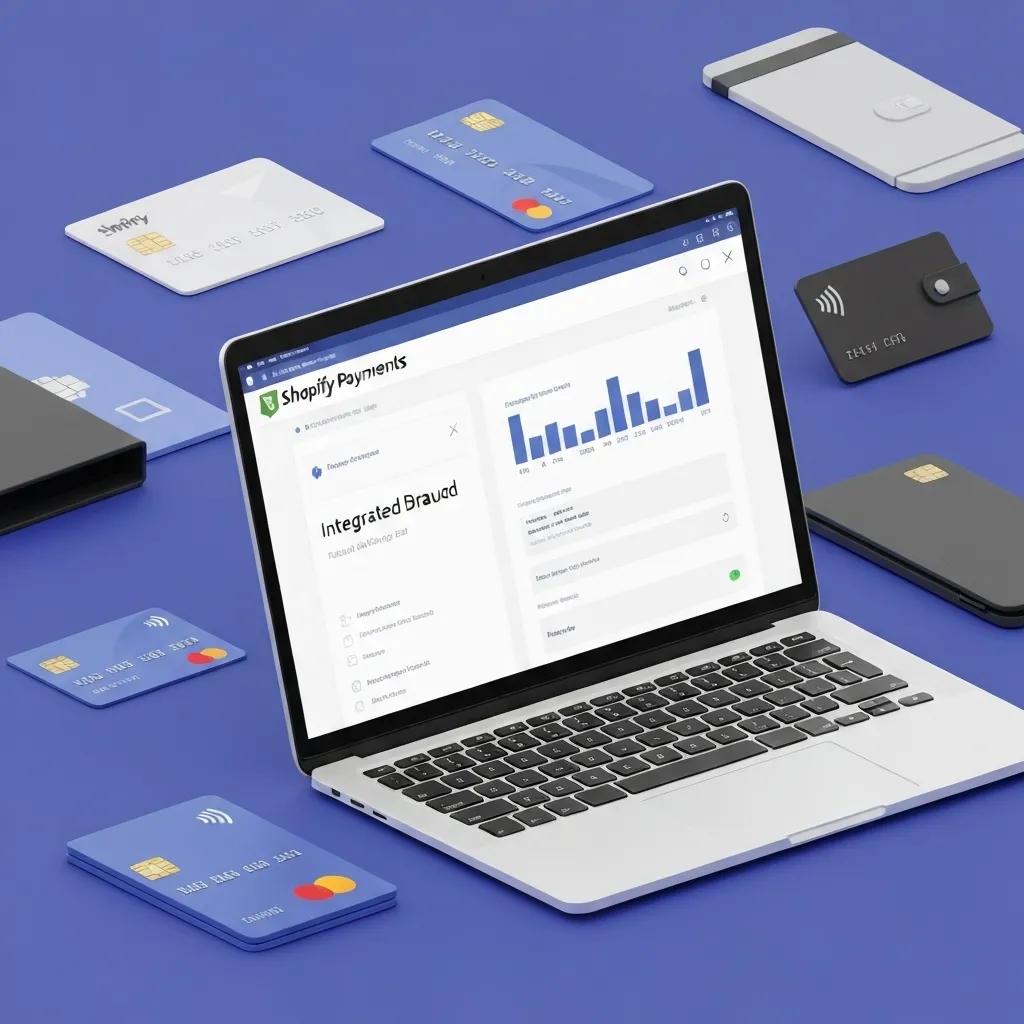
Shopify Payments boasts an integrated dashboard, cutting-edge fraud analysis, and seamless support for digital wallets.
- Unified Dashboard: Monitor transactions, chargebacks, and payout reports in real-time, all without leaving your Shopify environment.
- Advanced Fraud Defense: Built-in scoring flags potentially risky orders, significantly minimizing your exposure to fraud.
- Expedited Checkout: Support for Apple Pay and Google Pay dramatically speeds up purchases, especially on mobile devices.
- Diverse Payment Options: Accept a wide array of payment methods, including major credit cards, popular local wallets, and flexible buy now, pay later solutions.
These powerful features work in concert to streamline your payment operations and position your business for substantial sales growth.
Key Shopify Payments Capabilities
Shopify Payments delivers an integrated dashboard, sophisticated fraud analysis, and seamless digital wallet support, all designed to simplify payment operations and prepare your business for escalating sales volumes.
This source highlights the core functionalities of Shopify Payments, crucial for grasping its inherent advantages.
How Does Shopify Payments Elevate Your E-commerce Performance?
Shopify Payments streamlines the checkout process by eliminating disruptive redirects to third-party sites. This optimized flow can slash cart abandonment rates by an impressive 10–15 percent. Simultaneously, its integrated fraud analysis safeguards your revenue and protects sensitive customer information. With faster settlements—often within just one to three business days—you’ll enjoy improved cash flow, empowering you to reinvest more aggressively in inventory and marketing initiatives.
Which Countries and Currencies Does Shopify Payments Embrace?
Shopify Payments is currently available in over 20 countries and supports a vast array of more than 100 currencies.
Shopify Payments Global Reach
Shopify Payments is accessible in 23 countries, including key markets like the US, UK, Canada, and Australia. This extensive global coverage makes Shopify Payments an exceptional choice for merchants focused on international expansion and multi-currency sales strategies.
This source clarifies the geographical availability of Shopify Payments, a vital piece of information for merchants assessing their eligibility.
This extensive global support makes Shopify Payments a strategic asset for merchants aiming for international growth and multi-currency pricing strategies.
Your Step-by-Step Blueprint: Activating Shopify Payments
Activating Shopify Payments is a swift process involving the input of your business details, linking a bank account, and identity verification, enabling you to start accepting payments in mere minutes.
What Are the Precise Steps to Activate Shopify Payments within Your Shopify Admin?
To kickstart Shopify Payments, navigate to Settings > Payments in your Shopify admin and select Activate Shopify Payments. You’ll then need to provide your business type, EIN or VAT number, and bank account details for payouts. Once submitted, Shopify will verify your information, and you’ll be ready to process transactions without needing any external gateways.
How Do You Seamlessly Connect Your Business Bank Account to Shopify Payments?
Connecting your bank account requires the account holder’s name, routing number (for US businesses), IBAN (for EU businesses), and the bank’s address. After entering this information under Payout Details, Shopify will initiate a small verification deposit and confirm your account within 1–2 business days.
What Verification Documents Are Essential for Shopify Payments Activation?
- A valid government-issued ID (such as a driver’s license or passport)
- Proof of business registration (e.g., articles of incorporation, business license)
- A bank statement or voided check that matches the payout account details
Submitting accurate and complete documentation is key to expediting your account approval and ensuring full compliance.
How Long Does the Entire Shopify Payments Setup Process Typically Take?
The active data entry for account setup usually takes under 15 minutes. Bank account verification typically concludes within 1–2 business days. Document review might add an extra 1–3 business days, depending on your region and the current volume of applications.
Understanding the Requirements and Eligibility for Shopify Payments
Shopify Payments adheres to specific requirements based on your operational country, business structure, and legal standing to ensure compliant and secure payment processing.
What Business Information Is Required to Utilize Shopify Payments?
- Your legal business name and physical address
- Your Employer Identification Number (EIN) or VAT registration number
- The owner’s personal details (name, date of birth, social security number)
- Your bank account details for receiving payouts
Providing precise information enables Shopify to conduct necessary Know Your Customer (KYC) checks and maintain adherence to all financial regulations.
Which Supported Countries and Business Types Are Eligible for Shopify Payments?
Eligibility extends to a wide range of business structures, including sole proprietorships, LLCs, corporations, and non-profits, provided they are located in supported countries. Merchants selling products that are permitted (excluding high-risk items like adult products or certain pharmaceuticals) can activate Shopify Payments without extensive underwriting.
Can You Use Shopify Payments If You Don’t Have a Formal Business License?
Absolutely. Sole proprietors operating without a formal business license can often use Shopify Payments in many regions by providing their personal tax identification and proof of address. However, for corporations and LLCs, submitting official registration documents is mandatory to satisfy KYC requirements and prevent any setup delays.
Decoding Shopify Payments Fees: Costs and Payouts Explained
Shopify Payments features transparent transaction and dispute fees that vary by card type and regional pricing structures, offering clear cost management for your business.
What Are the Standard Transaction Fees Charged by Shopify Payments?
Transaction fees typically range from 2.4 percent + 30¢ to 2.9 percent + 30¢ for each successful card payment. The exact rate depends on your specific Shopify plan and country. Fees for American Express transactions might be marginally higher.
Shopify Payments Fee Structure
Shopify Payments stands out with no monthly fees, setup fees, or hidden charges, beyond the standard credit card processing rates and your Shopify subscription. Transaction fees generally fall between 2.4% + 30¢ and 2.9% + 30¢ per successful card payment, influenced by your Shopify plan and location.
This source details the fee structure of Shopify Payments, essential knowledge for merchants to accurately budget for processing costs.
How Does the Shopify Payments Payout Schedule Operate?
- Daily payouts are available for merchants with a lower-risk profile and consistent transaction history.
- Every three days is the standard schedule for most accounts in North America and Europe.
- Weekly payouts are utilized in certain emerging markets.
Your settlement timing is clearly displayed in the Payouts report, offering a detailed breakdown of gross sales, refunds, and net deposits.
What Are the Fees Associated with Chargebacks and Disputes in Shopify Payments?
Each chargeback incurs a fee, typically around $15 USD, for the disputed transaction. If the dispute is successfully resolved in your favor, this fee is fully refunded. Employing proactive fraud analysis is a key strategy to minimize these potential costs.
What Strategies Can You Use to Minimize Your Shopify Payments Fees?
- Consider upgrading to higher-tier Shopify plans that offer reduced transaction rates.
- Focus on increasing your average order value to distribute fixed fees across larger sales amounts.
- Enable accelerated checkout options like Shop Pay to decrease card decline rates.
- Implement robust fraud prevention rules to significantly lower your risk of chargebacks.
Optimizing your fees directly translates to improved profit margins and a higher return on your marketing investments.
Elevate Your Sales: Optimizing Shopify Payments to Conquer Cart Abandonment
Implementing smart checkout practices and leveraging the full power of Shopify Payments features leads to superior customer experiences and demonstrably higher conversion rates.
What Are the Top Best Practices for Enhancing the Shopify Payments Checkout Experience?
Optimize your checkout flow by enabling one-click digital wallets, removing any non-essential form fields, and prominently displaying trust badges during the payment stage. Rigorous testing on mobile devices is crucial to ensure responsive layouts and lightning-fast load times, which are paramount given that over 50 percent of shoppers now use mobile devices.
How Does Shopify Payments Actively Prevent Fraud and Chargebacks?
The sophisticated fraud analysis engine scores every order by examining device fingerprints, past payment behavior, and IP address risk factors. Orders flagged as high-risk can be automatically routed for manual review or require additional verification, effectively stopping fraudulent transactions before they impact your business.
How Can You Maximize the Value of Shopify Payments Integrations with Third-Party Apps?
Seamlessly integrate with essential accounting tools like QuickBooks or Xero for automated financial reconciliation, leverage subscription platforms for managing recurring billing, and connect with advanced analytics dashboards to uncover deep insights into payment trends. These integrations drastically reduce manual workload and empower data-driven strategic decisions.
Troubleshooting Common Shopify Payments Issues: Swift Solutions
Understanding potential error messages and regional limitations empowers you to resolve payment disruptions quickly and maintain uninterrupted sales flow.
Why Might Shopify Payments Not Be Available in My Specific Country?
Shopify Payments may not be operational in certain regions due to local regulatory frameworks and the availability of suitable banking partnerships. Merchants in unsupported countries can effectively utilize Stripe or PayPal Express as alternative gateways until Shopify Payments expands its reach.
How Can I Resolve Verification or Account Setup Errors?
Verification errors often arise from discrepancies in business names or bank account details. Carefully reviewing all submitted documents for accuracy, ensuring the legal entity name is an exact match, and contacting your bank to confirm routing or IBAN details are the typical steps to resolve these issues, usually within 24–48 hours.
What Steps Should I Take If Payments Aren’t Processing Correctly?
Begin by checking Shopify’s status page for any system-wide updates. Next, examine the transaction logs within Settings > Payments to identify specific decline codes. Address common decline reasons—such as insufficient funds, expired cards, or incorrect billing information—by contacting your customers or suggesting alternative payment methods.
When Is It Advisable to Seek Expert Assistance for Shopify Payments Setup?
If you encounter persistent verification hurdles, need to configure complex cross-border payout structures, or require custom integrations for high-volume operations, engaging professional support can save you significant time and effort. Expert guidance ensures regulatory compliance, accelerates your setup, and helps you leverage advanced features for optimal performance.
Shopify Payments vs. Other Gateways: Making the Right Choice
A clear, comparative analysis is essential for merchants to select the payment solution that best aligns with their unique business model, balancing cost-effectiveness, user-friendliness, and global reach.
What Are the Key Advantages of Shopify Payments Over PayPal and Stripe?
Shopify Payments eliminates the need for separate gateway fees, provides unified reporting within a single dashboard, and integrates seamlessly with Shopify’s native chargeback management tools. Unlike standalone gateways, it requires no complex API keys or plugins, significantly reducing technical complexity.
When Should I Consider Using Alternative Payment Gateways?
Merchants dealing with high-risk products, requiring support for niche currencies, or needing specialized local payment options (like Alipay or WeChat Pay) might find it necessary to look beyond Shopify Payments. A thorough evaluation of your sales volume, product mix, and target markets will guide you toward the most suitable gateway selection.
How Can BlackBelt Commerce Empower Your Payment Solution Selection and Setup?
Leveraging deep expertise in the Shopify ecosystem, BlackBelt Commerce provides tailored gateway recommendations based on your specific market reach and business model. Our team excels at managing complex integrations, ensuring full regulatory compliance, and optimizing fee structures to maximize your profitability.
Scaling Up: Managing Shopify Payments for High-Volume and International Businesses
Successfully scaling your payment operations requires robust processes, comprehensive multi-currency capabilities, and seamless accounting integrations to maintain consistent cash flow across all markets.
What Are the Best Practices for Scaling Shopify Payments in High-Volume Stores?
High-volume merchants should implement automated reconciliation processes, consider establishing separate payout accounts for different regions, and configure custom fraud rules to strike an optimal balance between risk tolerance and order volume. Utilizing batch reporting and API integrations can significantly expedite your financial closing procedures.
How Do I Set Up Shopify Payments for Effective Cross-Border Sales?
Enable multi-currency pricing and local payment methods within Settings > Payments. Link local bank accounts for each currency you operate in, and configure automatic currency conversion where appropriate. Clearly displaying currency options during checkout enhances transparency and helps reduce abandoned carts.
How Can I Integrate Shopify Payments with Advanced Accounting and Subscription Systems?
Utilize native integrations or specialized middleware connectors to synchronize daily payout reports with your ERP platforms and subscription billing services. This ensures that recurring revenue streams are processed accurately and your financial records remain up-to-date without the need for manual data entry.
Your Go-To Resources for Shopify Payments Setup and Support
Accessing official documentation, engaging video tutorials, and leveraging professional services ensures you can resolve any query and continuously expand your knowledge base.
What Official Shopify Documentation Should I Consult?
The Shopify Help Center’s dedicated guide on “Setting up Shopify Payments” offers authoritative and up-to-date details on activation, requirements, and supported regions. Official documentation is consistently updated to reflect the latest policy changes and feature enhancements.
How Can BlackBelt Commerce Assist with Shopify Payments Setup and Optimization?
For bespoke implementation, in-depth optimization audits, and ongoing expert support, partner with BlackBelt Commerce – Shopify Experts | E-commerce Development & Optimization. Our certified Shopify professionals deliver flawless payment configurations and performance enhancements meticulously aligned with your ambitious growth objectives.
What Video Tutorials and Visual Guides Are Available for Shopify Payments?
Shopify’s official YouTube channel and Shopify Compass provide comprehensive step-by-step video walkthroughs, annotated screenshots, and practical demonstrations of best practices, covering everything from initial activation to advanced fraud settings.
Mastering Shopify Payments equips your online store with accelerated settlements, robust built-in security, and a streamlined checkout experience, all designed to maximize sales and minimize friction. By diligently following these activation steps, meeting all eligibility criteria, thoroughly understanding the fee structures, and applying strategic optimization best practices, you’ll unlock the full, transformative potential of Shopify’s native payment gateway. And when challenges arise—whether navigating complex cross-border payouts, scaling for high volumes, or implementing custom integrations—BlackBelt Commerce is your dedicated partner, ready to guide you toward sustained success and ensure your payment infrastructure is a powerful engine for growth.
Quick Answer: Set Up Shopify Payments
Set Up Shopify Payments should be evaluated through checkout trust, customer convenience, fees, fraud risk, payout timing, local expectations, and operational fit. Merchants should verify current Shopify, gateway, payment, and app terms before making decisions, then choose the setup that supports conversion without creating avoidable complexity.
Want a sharper Shopify growth plan?
Need a cleaner payment setup for your Shopify store? Book a strategy call and we will help you identify the safest, highest-impact next step.
Key Takeaways
- Use Set Up Shopify Payments to improve checkout trust, payment flexibility, fraud control, and operational clarity.
- Verify current Shopify, gateway, payment, app, and regional terms before relying on pricing or setup assumptions.
- Connect payment choices to conversion, customer expectations, cash flow, reporting, and support needs.
- Link naturally to Blackbelt Commerce money pages and the home page without weakening editorial trust.
- Use the same-page Calendly CTA only after helpful guidance has been delivered.
How this connects to your Shopify growth strategy
For the Shopify Growth, CRO, and Store Optimization cluster, this article should make Set Up Shopify Payments practical, specific, and commercially useful while protecting editorial trust. The bridge to Blackbelt Commerce should show when expert planning, implementation, SEO discipline, or Shopify Plus support can reduce risk and turn the reader’s next decision into measurable progress.
Want a sharper Shopify growth plan?
Use this guide as a decision tool. Then book a strategy call when you want a practical roadmap for your store.
Related Shopify resources
These internal resources support the Shopify Growth, CRO, and Store Optimization topic cluster and help connect this guide to stronger commercial next steps:
- Shopify CRO services
- Shopify experts
- Shopify Plus agencies
- Shopify CRO services — Primary money/service page for this search intent
- Blackbelt Commerce — Home-page authority link for brand and core Shopify expertise
- Shopify experts — Money-page link requested for expert-hiring intent
- Shopify Plus agencies — Money-page link requested for high-growth and Plus-agency intent
- Shopify custom development — Development service page for implementation and technical help
- Shopify checkout optimization — Related conversion article
- Shopify conversion optimization — Related CRO article
Questions store owners ask before taking action
How should merchants evaluate Set Up Shopify Payments?
They should compare customer trust, fees, payout timing, fraud risk, local expectations, reporting, app dependencies, and operational effort.
Should merchants rely on old payment-fee examples?
No. Payment and platform terms can change, so merchants should verify current Shopify, gateway, payment, and app terms before making decisions.
When should payment research become a strategy call?
A call is useful when checkout setup, fees, local options, integrations, or reporting affect revenue and customer experience.
Future articles needed for topical dominance
To build deeper topical authority around this cluster, these supporting topics should be created later and linked back into this article:
- Set Up Shopify Payments Checklist for Shopify Stores: Creates an actionable support article that can earn long-tail searches and link back to relevant money pages.
- Common Set Up Shopify Payments Mistakes That Hurt Shopify Revenue: Targets problem-aware readers and explains UX, SEO, conversion, and implementation risk.
- How Shopify Experts Prioritize Set Up Shopify Payments: Links informational intent to expert support without turning the main article into a sales pitch.
Want a sharper Shopify growth plan?
Ready to turn the advice in this article into an action plan? Open the calendar here and choose a time that works for you.

