

Blog updated with the most recent Shopify and eCommerce strategies on 05/02/2026.
Mastering Broken Links on Shopify: Your Step-by-Step SEO Ranking Booster
Dead links on your Shopify store are silent revenue killers, draining your search engine visibility, squandering valuable crawl budget, and frustrating shoppers. This comprehensive guide will equip you with the knowledge to pinpoint 404 errors, implement robust 301 redirects, fortify your site against future link rot, leverage advanced Shopify Plus capabilities, measure your SEO impact with critical metrics, and know when to call in the pros. We’ll kick off by defining what broken links are and their damaging effects, then dive into detection methods (Google Search Console, Screaming Frog, Shopify apps), guide you through setting up permanent redirects in Shopify Admin, explore proactive prevention strategies, delve into enterprise-level automation, outline key performance indicators, and finally, show you how Blackbelt Commerce can elevate your technical SEO game.
Unpacking Broken Links: Their Impact on Your Shopify SEO
What Exactly Is a Broken Link and What Triggers 404 Errors on Shopify?
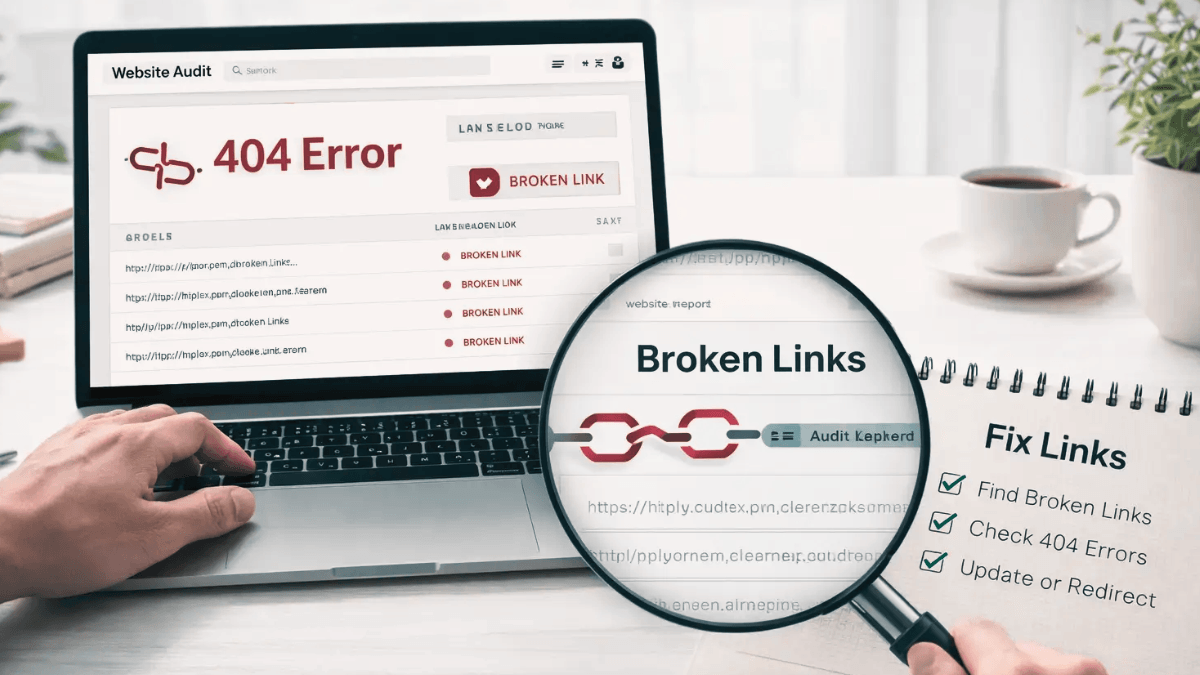
A broken link, often manifesting as a 404 Not Found error, is a URL on your Shopify site that leads nowhere because the intended page has vanished or the path is simply wrong. This commonly happens when products are discontinued, collections are restructured, URLs are manually entered incorrectly, or theme updates alter link architecture. For instance, deleting a product without setting up a redirect immediately creates a broken link that both customers and search engines will hit a dead end on.
Understanding the mechanics of broken links naturally leads us to explore how they sabotage your SEO performance and erode customer trust, which we’ll cover next.
How Do These Digital Dead Ends Sabotage Shopify SEO Rankings and the Shopper Experience?
Broken links are notorious for wasting your site’s precious crawl budget, diluting the authority passed through internal links, and sending a clear signal of neglect to search engines. More critically, they disrupt the customer journey, leading to higher bounce rates and lost sales. When Googlebot encounters a string of 404 errors, it’s less likely to dedicate resources to indexing your valuable pages, potentially tanking your overall organic visibility and diminishing crucial trust signals.
This dual assault on both your technical SEO foundation and the customer experience highlights precisely why swift action on broken links is non-negotiable for sustained e-commerce growth.
The SEO Fallout from Broken Links
Evidence shows that broken links actively harm a website’s search engine optimization by consuming crawl budget and potentially dragging down rankings. Tackling these issues head-on is vital for a healthy website and a superior user experience.
Why Is Eradicating Broken Links Crucial for Shopify E-commerce Expansion?
Eliminating broken links revitalizes the flow of link equity, maximizes crawling efficiency, and smooths out the user journey—all of which directly translate to higher organic rankings and increased revenue. Imagine redirecting a discontinued product URL to a relevant, active collection: you’re not just rescuing its backlink value, you’re funneling eager shoppers to pages that convert. That reclaimed authority can significantly boost category pages, driving more eyes and more sales across your entire store.
With the stakes clearly defined, let’s move on to the tools that will help you uncover these digital roadblocks on your Shopify store.
Unearthing Shopify’s Hidden Broken Links: Your Detection Toolkit

To keep your SEO engine humming, you need to regularly scan your store for broken links. Employing a mix of free and premium tools will pinpoint those pesky 404 errors and orphaned URLs with precision.
Leveraging Google Search Console to Uncover Shopify’s Broken Links
Google Search Console is your first line of defense, flagging crawl errors within its Coverage report and listing all URLs that are returning a 404 status.
- First, ensure your Shopify domain is verified as a property in Search Console.
- Navigate to Coverage, then select Excluded, and look for “Submitted URL not found (404).”
- Export this list of problematic URLs to begin your analysis and remediation efforts.
This immediate insight into your site’s broken links lays the groundwork for more in-depth audits using specialized crawling tools.
How Screaming Frog SEO Spider Elevates Your Shopify Broken Link Audits
Screaming Frog SEO Spider meticulously crawls your Shopify site, mimicking how Googlebot would, to uncover broken links, orphaned pages, and problematic redirect chains. Configure the crawler with your Shopify sitemap URL, initiate the scan, and then filter by “Response Codes > Client Error (4xx)” to isolate all 404 pages. Exporting these results, complete with source and response details, is crucial for precise redirect planning.
Building on the data from Search Console, these comprehensive crawls reveal deeper issues that simple link reports might miss.
Discovering Top Shopify Broken Link Checker Apps and Their Functionality
Dedicated Shopify apps automate the ongoing monitoring of your links, alerting you the moment errors surface, thereby saving you significant manual effort.
Each of these apps diligently reviews your site’s links on a daily basis and dispatches error reports, enabling rapid redirect implementation. Automating this detection process integrates seamlessly into a long-term, effective link management strategy.
Now that you’ve identified the broken links, the critical next step is to implement permanent redirects.
Implementing 301 Redirects: Your Shopify Broken Link Solution

A 301 redirect is your go-to solution for permanently guiding traffic and link equity from a defunct URL to a live, relevant page, thereby preserving SEO value and ensuring users always find what they’re looking for.
What is a 301 Redirect and Why is it Indispensable for Shopify SEO?
A 301 redirect is a clear signal to browsers and search engines that a page has permanently relocated. It efficiently transfers the vast majority of the original page’s link equity to the new URL. By strategically redirecting 404 errors, you safeguard your internal linking power and prevent revenue leakage from pages that lead nowhere.
Understanding this fundamental mechanism clarifies why redirects form the bedrock of any broken link resolution strategy.
The SEO Power of 301 Redirects
Implementing 301 redirects is a cornerstone of SEO best practices, essential for preserving link equity and directing users to the correct content when pages move. This practice is key to maintaining the value of your backlinks and enhancing the overall user experience.
Your Step-by-Step Guide to Creating 301 Redirects in Shopify Admin
Follow these straightforward steps within your Shopify Admin to implement a permanent redirect:
- Navigate to Online Store > Navigation within your Shopify Admin.
- Select URL Redirects, then click the “Add URL redirect” button.
- In the “Redirect from” field, enter the path of the broken URL (e.g., /old-product).
- In the “Redirect to” field, specify the path of the new, active page (e.g., /collections/new-release).
- Save your redirect and then test it by visiting the old URL to confirm it correctly forwards to the new destination.
Meticulously following these steps ensures that every identified error is systematically addressed and thoroughly validated.
Mastering 301 Redirect Management on Shopify: Essential Best Practices
Before you start adding new redirects, it’s crucial to map out all your old-to-new URL pairings to prevent the creation of redirect chains and loops. Make it a habit to regularly review your existing redirects within Shopify Admin and retire any obsolete mappings. Maintaining a documented spreadsheet of your redirects is key for efficient bulk edits and comprehensive audits.
By adhering to disciplined redirect management, you not only safeguard your site’s speed but also maintain a pristine linking structure, crucial for ongoing SEO health.
Proactive Link Management: Preventing Broken Links on Shopify for Lasting SEO Health
Implementing proactive measures is your best defense against link rot, fostering a stable site architecture that benefits both search engines and your valued shoppers.
The Indispensable Role of Regular Content Audits in Shopify Link Management
Regular content audits are your early warning system, identifying outdated pages, incorrect links, and structural flaws before they escalate into errors. Your audits should encompass thorough link validation, checks on URL structure, and a review of any deleted product or collection pages. Scheduling these audits on a quarterly basis ensures that emerging issues are caught and addressed promptly.
These audits pave the way for strategic URL planning, significantly minimizing the likelihood of broken links forming in the first place.
Crafting a URL Structure to Minimize Broken Links on Shopify
Adopting a consistent URL hierarchy—characterized by clear category slugs, descriptive product handles, and minimal path depth—drastically reduces the potential for future errors. For example, aim for a structure like rather than overly nested or complex paths. This consistency simplifies bulk redirects and makes automated monitoring far more effective.
A well-thought-out URL plan streamlines management as your product catalog naturally evolves over time.
Strategic Deletion: Managing Product and Collection Removals to Sidestep Broken Links
When you need to remove products or collections, always implement a 301 redirect from the URL slated for deletion to a closely related, active page. An alternative strategy is to replace a product with an “out of stock” notice that prominently links to similar items, rather than deleting the page entirely. This approach preserves valuable link equity and prevents the creation of dead ends for your users.
Establishing proactive protocols for content deletion ensures seamless navigation and uninterrupted SEO value for your store.
Advanced Broken Link Strategies for Shopify Plus Powerhouses
Enterprise-level stores demand scalable solutions capable of managing vast numbers of redirects and real-time monitoring at a significant scale.
Effortless Large-Scale Redirect Management for Shopify Plus Merchants
Shopify Plus merchants have the advantage of uploading bulk redirect CSV files directly through the Shopify API, enabling the automated creation of hundreds of redirects in mere minutes. Utilize a meticulously documented mapping sheet to feed into the API and schedule regular bulk updates as part of your integrated pipeline.
This level of automation dramatically accelerates link fixes across extensive enterprise catalogs, keeping even the largest sites agile and responsive.
Harnessing API Integrations for Proactive Broken Link Monitoring and Resolution on Shopify Plus
By integrating the Google Search Console API, Screaming Frog CLI, and custom webhooks, you can automate the retrieval of crawl errors and trigger redirect scripts directly within your continuous deployment pipeline. This real-time feedback loop ensures that any new 404 error instantly initiates a 301 redirect request or alerts your development team for immediate action.
API-driven workflows are the key to ensuring enterprise stores maintain impeccable link health without the burden of manual intervention.
Quantifying Impact: How Broken Links Affect Shopify SEO Metrics and Key KPIs to Monitor
Tracking the right metrics is essential for understanding how your link management efforts are influencing your search performance and overall user satisfaction.
Which SEO Metrics Best Reflect the Impact of Broken Links on Your Shopify Store?
Keep a close eye on the number of crawl errors reported in Google Search Console, organic impressions for your key landing pages, average session duration, and bounce rate. A noticeable decrease in crawl errors, coupled with rising impressions and engagement metrics, is a strong indicator of successful link remediation.
These combined metrics provide a clear, quantifiable picture of how fixing broken links enhances both your technical SEO and the user experience.
Monitoring Broken Link Fixes: Leveraging Google Search Console and SEO Tools
After implementing your redirects, revisit the Coverage report in Search Console to confirm a reduction in 404 errors. Utilize tools like Screaming Frog or Ahrefs Site Audit to schedule weekly crawls, verifying that resolved errors stay fixed and no new ones emerge. Documenting your key performance indicators (KPIs) with before-and-after snapshots in a dashboard offers compelling evidence of your improvements.
This continuous monitoring process effectively closes the loop on your broken-link resolution workflow.
Best Practices for Sustained Broken Link Audits on Shopify
Establish a routine of automated audits on a monthly basis, review your redirect logs quarterly, and conduct a comprehensive link-health assessment annually. Ensure your redirect mapping document remains current and actively retire any inactive rules. Consistent auditing guarantees that site expansions or theme updates do not inadvertently introduce new errors.
Maintaining vigilance through these routine checks is paramount for preserving robust SEO health across your entire Shopify store.
Frequently Asked Questions About Broken Links on Shopify
1. What exactly is a broken link on Shopify?
A broken link, also known as a 404 Not Found error, is a URL on your Shopify store that leads to a page that no longer exists or has an incorrect path. This can happen due to deleted products, restructured collections, or manual URL errors.
2. How do broken links negatively impact my Shopify store’s SEO?
Broken links waste your site’s crawl budget, dilute link equity, signal neglect to search engines, and disrupt the customer journey, leading to higher bounce rates and potentially lower organic rankings.
3. What tools can I use to find broken links on my Shopify store?
You can use Google Search Console’s Coverage report, crawling tools like Screaming Frog SEO Spider, and dedicated Shopify apps such as Link Fixer or Broken Link Manager to detect broken links.
4. What is a 301 redirect and why is it important for Shopify SEO?
A 301 redirect is a permanent redirection from an old, defunct URL to a new, active one. It’s crucial for Shopify SEO because it preserves link equity, guides users to the correct content, and prevents loss of traffic and sales.
5. How do I set up a 301 redirect in my Shopify Admin?
Navigate to Online Store > Navigation > URL Redirects in your Shopify Admin. Click “Add URL redirect,” enter the broken URL path in “Redirect from,” and the new page path in “Redirect to,” then save.
6. What are some best practices for managing 301 redirects on Shopify?
Always map out old-to-new URL pairings to avoid redirect chains, regularly review and retire obsolete redirects, and maintain a documented spreadsheet of all your redirects for efficient management.
7. How can I proactively prevent broken links on my Shopify store?
Implement regular content audits, craft a consistent and logical URL structure, and always set up 301 redirects when deleting products or collections instead of just removing them.
8. Are there Shopify apps that can help automate broken link detection and management?
Yes, apps like Link Fixer, Broken Link Manager, and URL Redirect Pro can automate 404 detection, provide alerts, and even automatically create 301 redirects upon page changes, saving significant manual effort.
9. How do Shopify Plus merchants handle large-scale redirect management?
Shopify Plus merchants can leverage the Shopify API to upload bulk redirect CSV files, automating the creation of hundreds of redirects simultaneously and integrating this process into their continuous deployment pipelines.
10. What key performance indicators (KPIs) should I monitor to track the success of fixing broken links?
Monitor crawl errors in Google Search Console, organic impressions, average session duration, and bounce rate. A decrease in errors and an increase in engagement metrics indicate successful remediation.
Blackbelt Commerce: Your Partner in Fixing Broken Links and Elevating Shopify SEO
Blackbelt Commerce – Shopify Experts – Shopify Plus Agency specializes in delivering end-to-end technical SEO services meticulously crafted for ambitious e-commerce brands. Our expert team conducts exhaustive site audits, identifies every single broken URL, and executes precise 301 redirects to safeguard your link equity and maximize your organic visibility.
What Tailored Shopify SEO Services Does Blackbelt Commerce Provide for Broken Link Management?
Our comprehensive suite of services includes in-depth site health assessments, automated broken link detection, efficient bulk redirect implementation, strategic URL structure optimization, and advanced Shopify Plus API integrations for real-time monitoring. Every solution we deliver is backed by transparent reporting and strategically aligned with your unique growth objectives.
Proven Client Success: SEO Ranking Improvements Through Broken Link Fixes with Blackbelt Commerce
Our clients typically experience an average reduction of 25% in 404 errors within the initial month, followed by a significant 15% uplift in organic traffic over the subsequent three months. By recovering lost link equity on critical product pages, we frequently drive higher category rankings and a tangible increase in conversion rates.
Connect with Blackbelt Commerce for a Strategic Shopify SEO Audit and Broken Link Remediation
To receive a detailed technical audit and a customized broken-link remediation plan, visit Blackbelt Commerce – Shopify Experts – Shopify Plus Agency and request a consultation. Our dedicated specialists will provide you with a bespoke roadmap designed to restore your site’s peak SEO performance and enhance the user experience.
Quick Answer: Fix broken links on Shopify
Fix Broken Links On Shopify should help merchants make a clearer decision about their store, customer experience, and growth priorities. A useful guide explains the concept, shows when it matters, and gives the reader a practical next step without forcing the topic into a generic template.
Key Takeaways
- Start with the search intent behind Fix broken links on Shopify: the reader needs a clear explanation before they are ready for a service conversation.
- Keep the advice practical and specific so the post feels editorial, useful, and worth sharing.
- Use the topic cluster links to connect the article to related BBC expertise instead of leaving it as a standalone blog post.
- Add a natural commercial bridge only after the article has answered the reader’s main question.
- Use the same-page Calendly CTA so qualified readers can book a strategy call without being sent to a long form.
How this connects to your Shopify growth strategy
This article should remain useful for readers researching Fix broken links on Shopify, but it also needs to show when the topic becomes a business decision. For the Shopify Troubleshooting and Store Health cluster, the commercial bridge is practical: once the reader understands the concept, the next step is deciding whether their current Shopify setup can support the desired experience, conversion path, and operational workflow. That is where expert planning, design, development, CRO, and SEO support can turn the idea into measurable store improvements.
Related Shopify resources
These internal resources support the Shopify Troubleshooting and Store Health topic cluster and help connect this guide to stronger commercial next steps:
- Shopify Troubleshooting and Store Health
- Shopify experts
- Shopify Plus agencies
- Shopify Troubleshooting and Store Health — Parent service page for the reader’s next commercial step
- Blackbelt Commerce — Home-page authority link for brand and core Shopify expertise
- Shopify Plus agencies — Money-page link requested for high-growth and Plus-agency intent
- Shopify custom development — Development service page for implementation and technical help
- Shopify CRO — Conversion service page for readers focused on revenue and lead generation
Questions store owners ask before taking action
What does Fix broken links on Shopify mean for a Shopify merchant?
For a Shopify merchant, Fix broken links on Shopify is about choosing or improving the store experience in a way that supports traffic, trust, conversion, and long-term operations.
When should a store owner get expert help?
Expert help becomes useful when the decision affects SEO, conversion, theme architecture, integrations, migration risk, or revenue-critical customer journeys.
How should this topic connect to a broader content cluster?
The post should link to a parent service page, related support articles, and money pages so Google and AI systems understand how the article supports a broader area of expertise.
What is the lead-generation goal of this article?
The article should educate first, then guide qualified readers toward booking a strategy call when they need help applying the advice to their own store.
What should be avoided during optimization?
Avoid filler, unrelated phrases, invented statistics, broken formatting, duplicated CTAs, and any edit that makes the article feel less helpful or less polished.
Future articles needed for topical dominance
To build deeper topical authority around this cluster, these supporting topics should be created later and linked back into this article:
- Fix Broken Links On Shopify Checklist for Shopify Store Owners: Creates a practical support article that turns the Shopify Troubleshooting and Store Health topic into an actionable review tool.
- Common Fix Broken Links On Shopify Mistakes and How to Avoid Them: Captures problem-aware searches and gives BBC a natural place to explain implementation risks without hard selling.
- When to Hire Shopify Experts for Fix Broken Links On Shopify: Connects informational demand to the expert-hiring money page while preserving educational intent.

