


Mastering Google Penalties: Your Step-by-Step Blueprint for Shopify Site Recovery with Powerful SEO Tactics
Google penalties strike when a Shopify store crosses the line with search engine guidelines, leading to plummeting rankings and traffic that can bring your revenue to a grinding halt. This comprehensive guide will equip you with the knowledge to pinpoint, diagnose, conquer, and sidestep both manual and algorithmic penalties on your Shopify site, all while harnessing top-tier strategies and specialized tools. We’ll dive deep into:
- What Google penalties truly are and why they’re a critical concern for Shopify SEO
- The essential diagnostic steps using Google Search Console, Analytics, and thorough site audits
- A detailed recovery roadmap: conducting content audits, cleaning up your link profile, implementing technical fixes, and submitting reconsideration requests
- Proactive strategies and constant vigilance to keep future penalties at bay
- The must-have apps and tools to streamline your penalty management process
- Real-world success stories showcasing effective recovery journeys
- Strategic implementation of structured data to fortify your site
With over two decades of combined e-commerce development mastery, Blackbelt Commerce is dedicated to empowering ambitious store owners through every stage of SEO recovery and building lasting growth.
Unpacking Google Penalties: How They Hit Your Shopify Store
A Google penalty is essentially a mandated demotion in search rankings that directly cripples your Shopify store’s visibility, triggering immediate drops in organic traffic and lost sales. This section will define what penalties are, differentiate between manual actions and algorithmic shifts, spotlight common triggers for Shopify sites, and clearly outline the impact on your SEO and traffic.
What Exactly Is a Google Penalty?
A Google penalty is an enforcement measure applied when a website’s content or link structure breaches search engine rules, resulting in diminished rankings or even complete removal from search results. These penalties can stem from direct reviews by Google’s webspam team or from automated algorithm updates. Either way, they severely hamper your ability to be discovered by shoppers online.
As an SEO professional, you must grasp that a penalty directly suppresses organic traffic, sabotages your sales funnels, and chips away at your brand’s credibility. The journey to recovering a penalized Shopify store begins with accurately identifying whether your visibility slump is due to a penalty or simply natural market fluctuations.
Manual Actions vs. Algorithmic Penalties: What’s the Difference?
Manual actions are specific penalties handed down by Google reviewers for clear violations of their guidelines, whereas algorithmic penalties are automatically triggered when Google’s updated algorithms detect issues with your on-page or off-page SEO.
- Google’s manual reviewers flag specific problems, such as unnatural link patterns or cloaking tactics.
- Automated algorithms, like Panda and Penguin, apply broad quality filters without human intervention.
- Manual actions necessitate a formal reconsideration request; recovery from algorithmic penalties involves implementing corrective measures that satisfy the updated algorithm.
Understanding this distinction is key to tailoring your recovery strategy: addressing specific flagged violations for manual actions versus enhancing your site’s overall quality to meet algorithmic standards.
Common Culprits: What Triggers Google Penalties on Shopify?
Shopify stores can fall victim to penalties for a variety of common missteps:
- Duplicate or thin content, often arising from product variations
- Backlink profiles that appear unnatural or spammy
- Incorrectly implemented structured data markup leading to schema errors
- Deceptive practices like hidden text, keyword stuffing, or cloaking
- Poor performance metrics, including slow load times and mobile usability issues
Tackling these issues requires a dual approach of content refinement and technical SEO adjustments, creating a unified path toward recovery.
The Ripple Effect: How Google Penalties Devastate Shopify SEO and Traffic
A penalty typically results in an immediate demotion in search rankings, often pushing pages off the first page of results and slashing organic clicks by a significant 30% to 80%.
The Devastating Impact of Google Penalties on Website Traffic
Research consistently shows that Google penalties can trigger dramatic declines in organic traffic, frequently ranging from 30% to a staggering 80%. This sharp drop directly impacts a website’s visibility and its capacity to generate revenue.
The long-term fallout can be severe:
- Diminished traffic leads to lower conversion rates
- Loss of repeat customers who previously found you through search
- Erosion of keyword authority, demanding months to rebuild rankings
Fully appreciating this impact is crucial for motivating a structured recovery plan that not only restores rankings but also ensures sustained performance.
Your Diagnostic Toolkit: Uncovering Google Penalties on Your Shopify Site
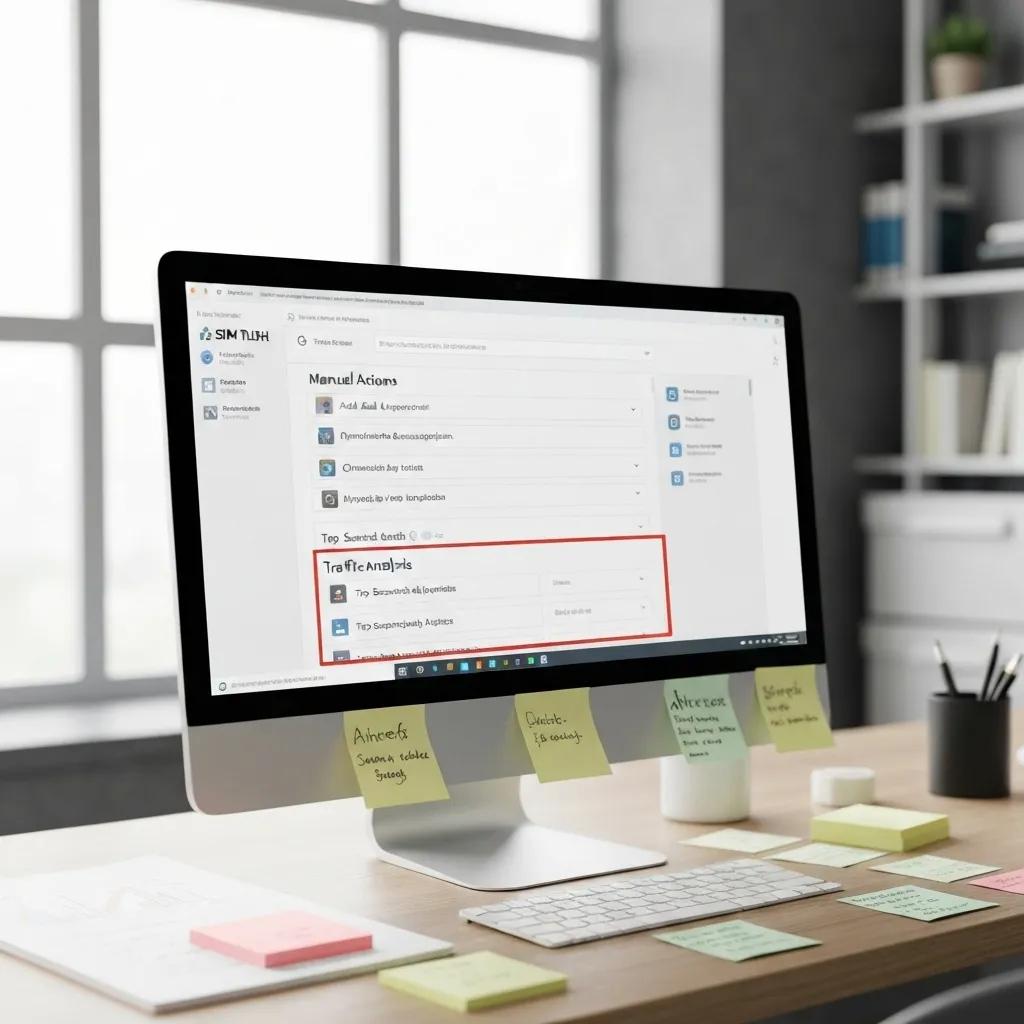
Leveraging Google Search Console to Spot Manual Actions
- Access your Google Search Console account and navigate to the Security & Manual Actions section, then select Manual Actions.
- Carefully review any listed issues and their specific details.
- Export the violation data to meticulously track your progress and resolution status.
If a manual action is flagged, initiate remediation of the violations immediately before submitting a reconsideration request.
Detecting Algorithmic Penalties Through Traffic and Performance Deep Dives
Algorithmic penalties typically reveal themselves as abrupt drops in organic traffic that coincide with known Google algorithm update dates.
- Within Google Analytics, conduct a year-over-year comparison of your daily sessions.
- Overlay your traffic graphs with Google’s official algorithm update calendar.
- Pinpoint specific pages that have experienced steep declines in impressions and clicks.
A clear correlation between a core update and a significant traffic freefall strongly suggests an algorithmic penalty, guiding you to focus on enhancing content quality and refining your backlink profile.
Essential Site Audit Steps for Diagnosing Shopify Penalties
A comprehensive audit of your Shopify site is vital for uncovering on-page, content, and backlink issues:
- Crawl your entire site to identify any 4xx/5xx errors and problematic redirect chains.
- Scan for duplicate page titles, meta descriptions, and instances of thin content.
- Conduct a thorough backlink audit to flag any toxic or low-quality links.
- Assess your mobile usability and page speed metrics.
- Validate your structured data implementation using Google’s Rich Results Test.
This all-encompassing audit provides the foundational data needed for targeted recovery actions.
Identifying Shopify-Specific SEO Pitfalls That Lead to Penalties
Shopify’s inherent templated structure can often lead to duplicate content issues and canonical tag misconfigurations.
- Scrutinize URL parameters, especially those related to product variants, which can inadvertently create duplicate pages.
- Ensure that your canonical tags are correctly pointing to the primary product URL.
- Consolidate content by merging similar collections or strategically using `noindex` tags on low-value pages.
Resolving these platform-specific intricacies is crucial for preventing recurring infractions and supporting a successful recovery.
The Ultimate Recovery Playbook: Fixing Shopify Google Penalties Step-by-Step
Conducting a Content Audit and Rectifying Duplicate or Thin Content
Begin your recovery process by systematically purging or significantly enhancing underperforming content.
- Identify pages with minimal word counts, missing product descriptions, or content that lacks originality.
- Rewrite thin content to inject unique value, detailed specifications, and user-centric information.
- Consolidate duplicate pages and implement 301 redirects where appropriate.
A meticulous content audit re-establishes your thematic authority and ensures you meet the quality standards mandated by Google’s algorithms.
Revitalizing Your Backlink Profile and Mastering the Disavow Tool
Toxic backlinks actively erode your site’s trust signals and can trigger manual penalties related to link schemes.
- Export your complete backlink profile using powerful tools like Ahrefs or SEMrush.
- Tag low-quality domains and initiate outreach for link removals.
- Generate a disavow file that meticulously lists all unresolved toxic links.
- Upload this disavow file through the Disavow Links tool within Google Search Console.
This rigorous cleanup process reinstates healthy backlink metrics and fulfills the prerequisites for manual action removal.
Crucial Technical SEO Fixes for Shopify Penalty Recovery
Addressing technical roadblocks is essential for removing friction in how Google crawls and indexes your site.
Resolving technical issues restores stable indexing and optimal performance, paving the way for regained search visibility.
Submitting a Winning Reconsideration Request for Manual Actions
- Provide a concise summary of the violations you identified and subsequently fixed.
- Detail your remediation efforts with a clear, step-by-step log.
- Attach compelling supporting evidence, such as screenshots, disavow files, and content revision examples.
- Submit your request through the “Request Review” feature in Google Search Console.
A well-articulated, evidence-backed request demonstrates your commitment to compliance and significantly accelerates the penalty removal process.
Fortifying Your Shopify Store: Preventing Future Google Penalties
Embracing White Hat SEO Best Practices for Shopify Success
Commit to ethical optimization methods that strictly adhere to Google’s guidelines:
- Generate original, in-depth content for both products and your blog.
- Cultivate relationships to earn genuine link opportunities.
- Implement structured data correctly for products, reviews, and organizational information.
- Prioritize optimization for Core Web Vitals and mobile speed.
Essential Shopify SEO Best Practices
Adopting white hat SEO techniques, such as crafting original content and building authentic backlinks, is paramount for avoiding Google penalties. These practices align perfectly with Google’s directives and foster sustainable organic growth.
Consistent application of white hat practices builds trust and dramatically reduces your risk of penalties.
Maintaining Constant Vigilance: Monitoring Your Shopify Site for Penalty Risks
Ongoing monitoring allows you to catch potential issues before they escalate into full-blown penalties:
- Schedule weekly checks within Google Search Console.
- Set up traffic-drop alerts in Google Analytics.
- Subscribe to notifications for major algorithm updates.
- Conduct comprehensive technical and content audits on a quarterly basis.
This proactive monitoring system acts as an early-warning mechanism for potential violations.
Shopify SEO Optimizations That Act as Penalty Shields
Leverage Shopify’s specialized settings to your advantage:
- Implement canonical URLs meticulously for all variant products.
- Configure your robots.txt file and meta tags strategically for low-value pages.
- Utilize descriptive alt attributes and compressed images to enhance speed and accessibility.
Platform-specific optimizations ensure ongoing compliance and build a resilient performance foundation.
Your Arsenal: Tools and Apps for Managing Google Penalties and Shopify SEO
Maximizing Google Search Console for Penalty Management Mastery
Google Search Console remains the definitive platform for detecting penalties and tracking your recovery progress:
- Regularly monitor the Manual Actions and Security Issues reports.
- Track performance metrics segmented by query and page.
- Utilize the URL Inspection tool to validate your implemented fixes.
- Export data for in-depth offline analysis and comprehensive reporting.
This indispensable tool forms the core of your penalty management workflow.
Top Shopify SEO Apps for Penalty Detection and Recovery Support
Several powerful Shopify apps can significantly streamline your essential tasks:
- SEO Doctor: Ideal for identifying on-page SEO issues.
- Rewind Backlink Monitor: Perfect for keeping a close eye on your link profile.
- Smart SEO: Offers automated management of schema markup and meta tags.
Integrating these apps reduces manual workload and enforces best practices consistently.
How Ahrefs and SEMrush Elevate Backlink and Traffic Analysis
Leading third-party platforms provide unparalleled insights into your SEO landscape:
- Ahrefs excels at uncovering toxic links and analyzing competitor backlink strategies.
- SEMrush is invaluable for tracking keyword positions and alerting you to sudden ranking drops.
- Both tools feature robust site audit modules that pinpoint critical technical flaws.
Leveraging these advanced analytics tools empowers you to make data-driven recovery decisions.
Validating Structured Data to Dodge Schema-Related Penalties
- Integrate product, review, and local business schemas directly within your Liquid theme files or via a compatible app.
- Rigorously test each page using Google’s Rich Results Test tool.
- Systematically remove any deprecated or incomplete schema properties.
Accurate schema implementation not only enhances your SERP listings but also actively prevents violations related to spammy markup.
Real-World Triumph: Shopify Stores Rebounding from Google Penalties

Conquering Manual Action Penalties: A Retailer’s Story
An apparel retailer faced a severe “Unnatural Links” manual action. Their strategic response involved:
- Conducting an exhaustive audit of over 5,000 backlinks, removing or disavowing toxic domains.
- Significantly enhancing content quality across their most critical category pages.
- Submitting a meticulously detailed reconsideration request to Google.
Within just six weeks, their rankings for key product keywords returned to page one, driving a remarkable 45% increase in organic revenue.
Algorithmic Penalty Recovery: A Home Goods Success
A home goods shop experienced a drastic 60% traffic loss following a major core update. Their recovery efforts focused on:
- Upgrading thin product descriptions with unique, compelling details.
- Implementing substantial improvements to site speed and mobile user experience.
- Actively earning new editorial backlinks through targeted outreach campaigns.
Traffic rebounded robustly within three months, restoring lost conversions and boosting average session duration by an impressive 30%.
Key Lessons Learned from Successful Shopify Penalty Recoveries
The most critical takeaways from these success stories include:
- Prioritize exceptional content quality and user experience above all else.
- Maintain a pristine, natural, and healthy backlink profile.
- Leverage data-driven tools to identify potential issues proactively.
- Meticulously document all fixes and remediation steps for manual reviews.
These invaluable lessons form the bedrock of a resilient and repeatable recovery framework.
Your Burning Questions Answered: Shopify Google Penalties & Recovery FAQs
Store owners frequently inquire about recovery timelines, structured data errors, indicators of deindexation, and the impact of algorithm updates. We’ll address these critical topics here, maintaining a narrative flow rather than a strict Q&A format.
How Long Does Shopify Penalty Recovery Typically Take?
Recovery timelines vary significantly, ranging from a few weeks for manual actions to several months for algorithmic adjustments. Manual action removal can often be achieved within 4–8 weeks after a successful reconsideration, while broad quality improvements typically require 3–6 months of consistent SEO effort.
Can Shopify Stores Be Penalized for Structured Data Errors?
Absolutely. Incorrectly implemented or spammy schema markup can trigger structured data violations. Common mistakes include omitting required properties or using outdated schema types. Diligent validation with Google’s Rich Results Test is essential to prevent these markup-related penalties.
What Are the Signs My Shopify Site Has Been Deindexed by Google?
Key indicators of deindexation include zero impressions reported in Search Console, erratic crawl statistics, and the absence of your pages when performing a “site:yourdomain.com” search. A thorough review of your crawl and indexing reports within Search Console will confirm any deindexation issues.
What Is the Real Impact of Google Algorithm Updates on Shopify SEO?
Major core updates, such as Panda (focused on content quality) and Penguin (focused on link quality), place a premium on helpful content and ethical linking practices. Shopify stores that rely on thin product descriptions or engage in link schemes are particularly vulnerable to ranking volatility when these algorithms are rolled out.
What is a Google manual action?
A Google manual action is a penalty applied by a human reviewer from Google’s webspam team when they find that a website has violated Google’s Webmaster Guidelines. These actions are typically issued for severe violations like unnatural links, cloaking, or hidden text, and they require direct intervention and a reconsideration request to be lifted.
How do I check if my Shopify store has a Google penalty?
The primary way to check for a Google penalty is through Google Search Console. Navigate to the “Security & Manual Actions” section. If you have a manual action, it will be clearly listed there. For algorithmic penalties, look for sudden, significant drops in organic traffic in Google Analytics that coincide with known Google algorithm update dates.
What are common reasons for Google penalties on Shopify?
Common reasons for penalties on Shopify stores include duplicate content (often from product variations or templated pages), unnatural or spammy backlink profiles, keyword stuffing, hidden text, cloaking, and poor user experience metrics like slow page speed or mobile usability issues. Incorrectly implemented structured data can also lead to issues.
What is the Google Disavow tool and when should I use it?
The Google Disavow tool allows you to tell Google to ignore specific backlinks when assessing your site. You should use it when you have identified a significant number of toxic, spammy, or low-quality backlinks pointing to your Shopify store that you cannot get removed manually. It’s a last resort for cleaning up a harmful link profile, especially after a manual action for unnatural links.
How do I submit a reconsideration request for a manual action?
To submit a reconsideration request, first, meticulously fix all the violations identified in your Google Search Console manual actions report. Document every step of your remediation process. Then, within the Manual Actions report in Search Console, you’ll find an option to “Request Review.” Provide a detailed explanation of the issues and how you’ve resolved them, along with supporting evidence.
Does slow page speed on Shopify affect Google rankings?
Yes, slow page speed significantly affects Google rankings and user experience. Google prioritizes fast-loading websites, especially with its Core Web Vitals metrics. A slow Shopify store can lead to higher bounce rates, lower conversions, and a negative impact on your search visibility, potentially contributing to algorithmic demotions.
What are Core Web Vitals and why are they important for Shopify SEO?
Core Web Vitals are a set of specific factors that Google considers important in the overall user experience of a webpage. They include Largest Contentful Paint (LCP), First Input Delay (FID), and Cumulative Layout Shift (CLS). For Shopify SEO, optimizing these metrics is crucial because they directly influence your site’s ranking potential and ensure a smooth, enjoyable experience for shoppers, which Google rewards.
Should I use a Shopify SEO app for penalty recovery?
Shopify SEO apps can be highly beneficial for penalty recovery, especially for identifying and fixing common on-page issues, managing schema markup, and monitoring your site’s health. Apps like SEO Doctor or Smart SEO can automate many technical tasks, freeing you to focus on content quality and backlink cleanup. However, they should complement, not replace, a comprehensive manual audit and strategic recovery plan.
Implementing Structured Data & Schema Markup on Shopify: The Penalty-Proof Approach
Properly implementing structured data not only enhances your SERP listings but also actively prevents markup violations. Utilize product, review, and local business schemas within your Liquid theme and perform continuous validation to ensure ongoing compliance.
Essential Structured Data Types for Shopify Stores
Avoiding Spammy Structured Markup Penalties: Best Practices
To steer clear of markup penalties:
- Include only required and genuinely relevant properties.
- Never mark up content that is hidden from users or irrelevant to the page.
- Ensure your schema JSON-LD code remains perfectly synchronized with the visible content on the page.
This disciplined approach guarantees compliance and preserves your eligibility for valuable rich snippets.
Leveraging Schema.org Markup to Supercharge Shopify SEO and SERP Visibility
Embed JSON-LD scripts directly into your theme’s <head> section or utilize an app designed for schema insertion. Define essential properties like , , , , , and . Regularly test your implementation with the Rich Results tool to maintain your rich snippet status.
Proactive recovery strategies, unwavering continuous monitoring, and a steadfast commitment to ethical SEO practices are your most powerful tools for overcoming penalties and driving sustained growth for your Shopify store. By meticulously following this step-by-step guide, you will not only restore your rankings but also build robust defenses against future infractions, unlocking your store’s complete organic potential. If you require expert guidance, the seasoned Shopify SEO specialists at Blackbelt Commerce are ready to support you through every phase of penalty recovery and performance optimization.

