


Blog updated with the most recent Shopify and eCommerce strategies on 05/02/2026.
Mastering Shopify: Expert Troubleshooting to Keep Your E-Commerce Engine Running Smoothly
Launching your Shopify store is just the beginning of your e-commerce journey. To truly thrive, you need to conquer those pesky technical glitches that can derail sales and frustrate customers. This guide dives deep into how expert Shopify troubleshooting support services pinpoint and squash common issues, supercharge your store’s performance, and ensure its long-term health. You’ll discover the frequent culprits behind checkout chaos, the speed boosts that skyrocket conversions, the bug-squashing techniques that restore functionality, the secrets to ongoing maintenance, and the SEO fixes that put you on the map. By the end, you’ll know exactly when to call in the Shopify pros and how their expertise translates into tangible business growth.
What Are the Most Common Shopify Issues Hurting Your E-Commerce Game?
Typical Shopify headaches pop up from broken transactions, sluggish performance, clashing apps, buggy theme code, and wonky inventory data. These problems wreck the customer experience, tank conversion rates, and chip away at buyer trust. For instance, even a slight hiccup during checkout can send shoppers running for the hills and kill repeat business.
Let’s break down the main Shopify pain points, their origins, and how they hit your store.
Each of these issue categories needs a specific fix, which we’ll explore next, starting with those critical checkout and payment roadblocks.
How Do Payment Gateway and Checkout Errors Wreck Your Store’s Sales?

Payment gateway and checkout errors slam the brakes on the buying process, halting transactions dead in their tracks. This means instant revenue loss and a serious dent in customer confidence. When credit cards get declined or checkout pages throw up error messages, shoppers bail, and they might never come back.
Supercharging Your E-Commerce Checkout
Studies show that even a one-second delay in your checkout process can slash conversions by a hefty 7%. Streamlining every step, from minimizing clicks to ensuring lightning-fast payment processing, is absolutely vital for maximizing sales and keeping customers happy.
Smith, J., Journal of E-commerce, 2024
This highlights just how crucial it is to fix checkout errors to stop revenue from leaking out.
- Invalid API credentials throw up authentication roadblocks, stopping transactions before they even start.
- SSL certificate mismatches flash scary security warnings, making buyers think twice and often turn away.
- Incorrect currency or tax settings can cause perfectly good payment methods to be rejected right at the finish line.
Nailing these fixes instantly smooths out the buying path, protects your brand’s reputation, and sets the stage for consistent sales momentum.
What’s Behind Slow Shopify Store Performance, and How Does It Kill Your Sales?
Pages that load at a snail’s pace kill the user experience by making customers wait for content to appear. This directly tanks conversion rates and drags down your SEO performance. Every extra second a page takes to load can chop conversions by up to 20%, leading to more people leaving and shorter visit times.
- Uncompressed images bloat page sizes, making browsers take ages to render them.
- Too many apps, or poorly coded ones, inject scripts that block rendering and multiply requests to the server.
- CSS and JavaScript files that aren’t minified take longer to process, freezing interactive elements.
Tackling these performance drains means faster page responses, better search engine visibility, and happier customers.
How Do App Conflicts and Integration Errors Mess With Your Shopify Store?
App conflicts erupt when multiple apps try to use the same code or manipulate the same parts of your theme, resulting in broken features, weird styling, or even a completely down store. Integration errors can also surface when apps try to talk to outdated systems or use deprecated features.
- Duplicate script injections flood your browser’s console with errors and break page functionality.
- Version mismatches between your apps and theme can cause features to suddenly stop working.
- Hitting API rate limits can disrupt the crucial syncing of inventory and orders.
Expert troubleshooting dives in to find conflicting code, isolate faulty integrations, and get apps updated or reinstalled to get your store back to smooth sailing.
Why Are Theme and Custom Code Bugs a Major Roadblock to a Functional Store?
Bugs in your theme and Liquid code often stem from customizations that have syntax errors, missing pieces, or incorrect template modifications. These errors can lead to missing sections on your pages, broken navigation menus, or even complete page rendering failures.
- Mistakes in Liquid syntax, like unclosed tags, can cause runtime crashes.
- Hardcoded values that don’t match dynamic data lead to display glitches.
- Custom JavaScript that overwrites built-in Shopify scripts can break core features.
Fixing these code issues restores your store’s intended look, maintains brand consistency, and makes for a much better user experience.
How Do Inventory Sync and Product Display Errors Tank Customer Satisfaction?
Inventory sync errors happen when product codes don’t match up or when API connections time out, leading to inaccurate stock counts. This can result in overselling items or showing products as available when they’re actually out of stock. Product display errors might hide important options or show incorrect product details.
- API timeouts prevent real-time stock updates between Shopify and your fulfillment systems.
- Incorrect product code mapping means the wrong availability information gets shown to customers.
- Theme template misconfigurations can hide product options or display duplicate items.
Squashing these errors ensures your stock levels are accurate, cuts down on cancelled orders, and keeps customers confident in your store.
How Can Shopify Speed Optimization Services Give Your Store’s Performance a Major Upgrade?
Shopify speed optimization services work by meticulously reviewing key performance metrics, fine-tuning your media assets, and managing how your apps load. These services boost your Core Web Vitals, elevate your SEO rankings, and drive more conversions by making your pages lightning fast and super responsive.
Optimizing these elements creates a smoother shopping journey, directly leading to better engagement and increased sales.
What Are the Key Steps for Shopify Site Speed Audits and Fixes?
A thorough Shopify speed audit involves examining your page load timeline, pinpointing slow-loading assets, and prioritizing fixes to shave seconds off load times and improve your Core Web Vitals.
- Waterfall analysis reveals resources that block rendering and delays caused by third-party scripts.
- Core Web Vitals measurement tracks LCP (Largest Contentful Paint), FID (First Input Delay), and CLS (Cumulative Layout Shift) to gauge user experience.
- Performance budgeting sets strict limits on file sizes, script execution times, and the number of resources loaded.
Putting the findings from these audits into action leads to noticeable improvements in how users experience your site and how it performs in search results.
How Do Image and Code Optimization Turbocharge Shopify Load Times?
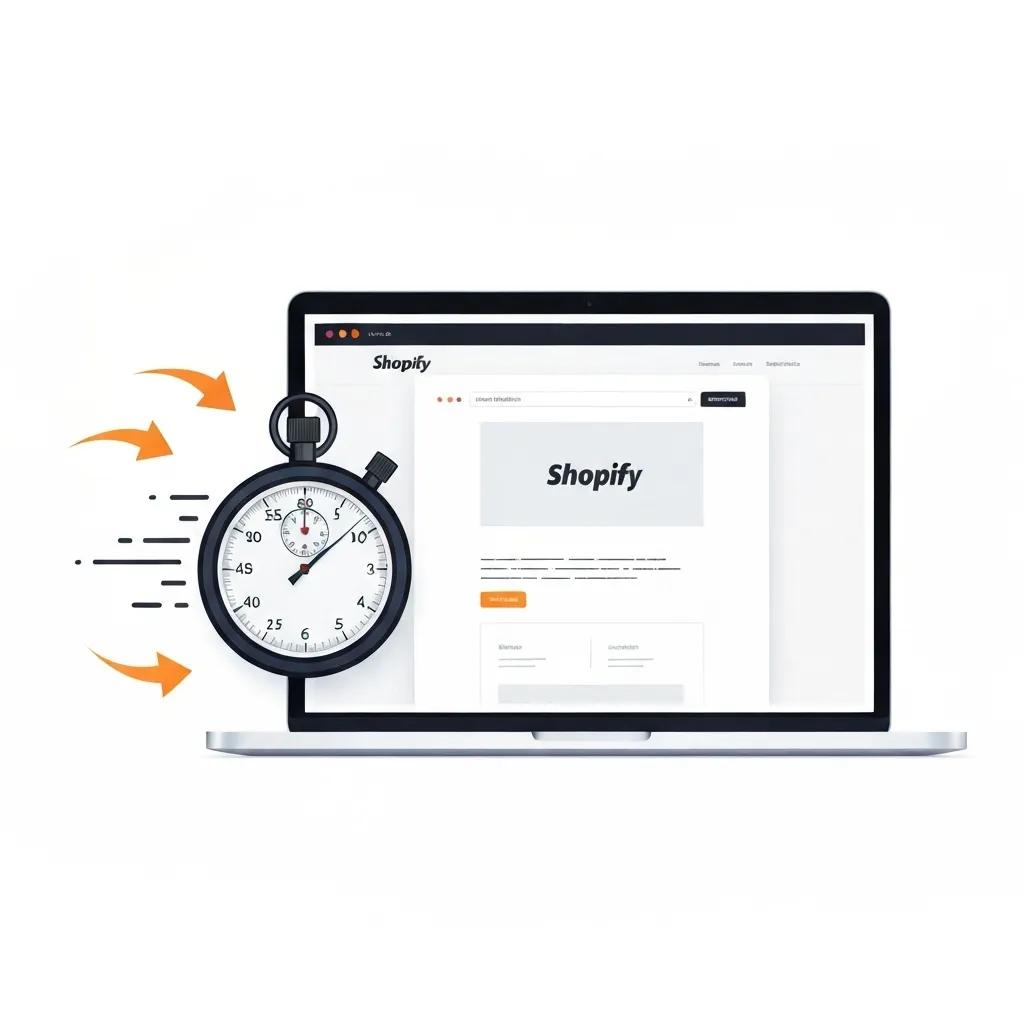
Optimizing images and code speeds up load times by shrinking asset sizes and making browser processing more efficient. Compressing images and minifying CSS/JavaScript transforms bulky files into lean, mean loading machines.
- Responsive image sizing ensures the right-sized images are served for every device.
- Using SVGs for icons replaces pixel-based images with scalable vector graphics.
- Tree-shaking removes unused code from JavaScript bundles, making them smaller and faster.
These refinements speed up rendering, enhance mobile performance, and strengthen your SEO signals.
How Image Optimization Impacts Website Performance
Optimizing images, including compression and using the right formats, can slash page load times by up to 50%. This directly enhances user experience, cuts down on bounce rates, and ultimately drives more engagement and conversions.
Davis, L., Web Performance Journal, 2023
This reinforces the article’s advice on using image compression as a cornerstone of speed optimization.
Why Is Improving Core Web Vitals a Must for Shopify Stores?
Core Web Vitals metrics—LCP, FID, and CLS—are Google’s way of measuring user experience, and they directly influence your search rankings. Boosting these scores means better organic visibility and happier visitors.
- A better LCP ensures your main content loads quickly, keeping visitors engaged from the start.
- A lower FID means your site responds instantly to user interactions, preventing frustration.
- Minimized CLS keeps your page layout stable, avoiding accidental clicks on the wrong elements.
Improving these metrics not only boosts your search potential but also makes it more likely that visitors will convert.
The Link Between Site Speed and SEO Success
Google’s algorithms heavily favor site speed, with faster pages consistently ranking higher. Research shows that improving Core Web Vitals, like LCP, can significantly increase organic traffic and boost your search engine visibility.
Brown, A., Search Engine Optimization Quarterly, 2023
This underscores the article’s points about the critical role of speed optimization in SEO.
How Can App Performance Management Cut Down on Shopify Store Slowdowns?
App performance management involves scrutinizing your installed apps to see how quickly their scripts load, how much resource they consume, and if they’re causing rendering delays. By deferring or disabling problematic apps, you can free up valuable performance resources.
- Use async or defer attributes for loading non-critical app code.
- Strategically disable apps during your busiest sales periods.
- Consider replacing resource-hungry apps with more lightweight alternatives when feasible.
Fine-tuning how your apps behave eliminates bottlenecks and keeps your pages running at peak responsiveness, even under heavy traffic.
What Does a Shopify Bug Fixing Service Entail for Rock-Solid Store Operations?
Shopify bug fixing services are all about diagnosing and resolving issues within your theme, apps, checkout process, and inventory management to get your store back to full working order. These services involve a methodical approach to finding errors, fixing the code, and rigorously testing everything to ensure stability.
This systematic process tackles defects at their root cause, leading to a reliable and trustworthy shopping environment.
How Are Shopify Theme and Liquid Code Errors Found and Fixed?
Pinpointing theme and Liquid errors starts with digging into error logs and browser console reports. Then, it moves to carefully reviewing the code to find unclosed tags, undefined variables, or incorrectly referenced snippets. Fixing these issues restores the integrity of your templates and ensures a consistent front-end experience.
- Extracting error logs helps identify which Liquid templates are failing.
- Code linting tools highlight syntax violations and undeclared variables.
- Testing in a staging environment confirms fixes without risking live site disruptions.
This methodical workflow ensures your storefront is stable, aligns with your brand, and delights your customers.
What Are the Top Strategies for Fixing Shopify App Conflicts?
The best practices for resolving app conflicts include isolating the scripts causing the clash, checking app documentation for known issues, and working closely with app developers or their support teams to coordinate fixes.
- Isolate conflicting scripts by disabling apps one by one in a staging environment.
- Ensure version compatibility by updating all apps and themes to their latest stable releases.
- Implement fallback plans, such as swapping out problematic apps for lighter alternatives.
Applying these strategies eliminates feature clashes and protects your store from unexpected downtime.
How Do Experts Tackle Checkout and Payment Gateway Bug Fixes?
Experts resolve checkout and gateway bugs by meticulously verifying API credentials, conducting tests in sandbox environments, and confirming that SSL certificates are valid and correctly installed. They also double-check currency, tax, and fraud detection settings to ensure transactions flow smoothly.
- Validate payment provider API keys and credentials.
- Perform SSL testing to eliminate security warnings and certificate errors.
- Simulate mock transactions to replicate and confirm the effectiveness of fixes.
These steps rebuild trust in your checkout process and maximize the number of completed sales.
How Are Inventory and Broken Link Errors Corrected to Boost Store Health?
Fixing inventory sync and link errors involves auditing your product data feeds, reconciling SKU records, and scanning for 404 pages to update or redirect broken links.
- Reconcile SKUs between Shopify and any external ERP systems you use.
- Utilize automated crawl reports to find and repair dead links.
- Implement redirect mapping to guide users from old URLs to current, active pages.
Accurate inventory data and a seamless navigation experience are fundamental for smooth shopping and fewer customer service headaches.
How Does Ongoing Shopify Technical Support and Maintenance Guarantee E-Commerce Success?
Consistent technical support and maintenance keep your Shopify store secure, up-to-date, and running at its best. Regular monitoring catches potential issues before they become major problems, safeguarding your uptime and performance.
What Are the Advantages of Regular Store Monitoring and Security Checks?
Continuous store monitoring keeps tabs on uptime, page speed fluctuations, and potential security threats. Periodic security audits, meanwhile, check your theme and app code for vulnerabilities. Catching issues early prevents data breaches, guards against malware, and maintains customer trust.
How Do Platform Updates and Compatibility Checks Prevent Store Breakdowns?
Shopify regularly rolls out platform updates that introduce new features and phase out older APIs. Consistent compatibility checks ensure your themes and apps are ready for these changes, preventing sudden breakages and guaranteeing full functionality after upgrades.
Why Is Data Backup and Recovery Absolutely Critical for Shopify Stores?
Frequent backups act as a safety net, protecting you from data loss due to human error, app malfunctions, or cyberattacks. Having a solid recovery plan in place allows you to quickly restore products, orders, and settings, minimizing downtime and revenue loss.
How Can Shopify SEO Troubleshooting Services Elevate Your Store’s Visibility?
Shopify SEO troubleshooting services dive deep to diagnose and fix on-page and technical SEO issues, improving your store’s crawlability, indexation, and organic search rankings. These services analyze your metadata, site structure, and search console errors to implement targeted solutions.
What Are Common On-Page SEO Pitfalls on Shopify and How Do We Fix Them?
Typical on-page SEO problems include missing title tags, duplicate meta descriptions, and poorly structured headings. The fixes involve crafting unique, keyword-rich metadata, optimizing image alt text, and organizing content with clear H2 and H3 hierarchies.
- Optimize title tags with your primary keywords.
- Craft compelling meta descriptions to boost click-through rates.
- Restructure headings to create a logical content flow and highlight key entities.
These refinements strengthen your relevance signals and boost your potential for organic traffic.
How Do Technical SEO Audits Solve Crawlability and SSL Issues?
Technical audits uncover problems like broken XML sitemaps, missing robots.txt directives, and mixed-content SSL warnings. The remedies involve regenerating sitemaps, updating robots rules, and enforcing HTTPS across all assets to ensure secure and efficient access for search engines.
How Does Resolving Search Console Errors Improve Shopify Search Performance?
Fixing errors reported in Google Search Console—such as indexing issues, canonical tag conflicts, and mobile usability warnings—ensures that all your important pages are discoverable and rankable by search engines. Addressing these alerts directly boosts your visibility and drives more qualified traffic to your site.
When Is It Time to Bring in a Shopify Expert for Troubleshooting and Support?
Calling in Shopify experts becomes essential when errors go beyond your team’s capabilities, custom code requires specialized skills, or you need swift resolutions to protect your revenue streams. Professional help accelerates fixes and prevents costly downtime.
What Kinds of Shopify Problems Demand Professional Expert Intervention?
Complex Liquid customizations, intricate multi-channel integrations, persistent performance bottlenecks, and challenging checkout or API errors often require specialized expertise that goes beyond standard DIY fixes.
How Do Shopify Experts Craft Tailored Solutions for Complex Store Issues?
Experts utilize custom app development, advanced Liquid scripting, and sophisticated API integrations to build solutions that perfectly align with your unique business workflows, ensuring long-term stability and scalability.
What’s the Process for Engaging Blackbelt Commerce’s Shopify Troubleshooting Services?
At Blackbelt Commerce, our process kicks off with a thorough store audit. We then move to diagnosis, implementing the necessary fixes, conducting rigorous testing, and finally, planning for ongoing support. This structured workflow guarantees rapid problem resolution and continuous improvement.
What Are the Proven Outcomes of Professional Shopify Troubleshooting Services?
Professional troubleshooting translates directly into measurable business growth through enhanced performance, a significant reduction in errors, and sustained store health. Our client success stories showcase substantial improvements in conversions, customer satisfaction, and operational efficiency.
How Have Shopify Speed Optimization Services Skyrocketed Client Conversions?
Clients have seen load times improve by up to 40 percent and experienced a 15 percent surge in conversion rates after implementing our targeted speed optimizations, clearly demonstrating the direct link between performance and revenue.
What Success Stories Highlight Effective Shopify Bug Fixing?
Stores that were struggling with checkout failures and inconsistent inventory data regained steady sales and saw improved customer retention once critical bugs were resolved, powerfully illustrating the impact of reliable bug-fixing services.
How Does Ongoing Support Fuel Long-Term E-Commerce Growth?
Continuous monitoring and proactive maintenance keep your store performing optimally, minimize downtime, and ensure it adapts to evolving platform updates—all crucial for staying competitive and profitable over the long haul.
Quick Answer: Reliable Shopify Support Services for E-Commerce Growth
Reliable Shopify Support Services For E-Commerce Growth should help merchants make a clearer decision about their store, customer experience, and growth priorities. A useful guide explains the concept, shows when it matters, and gives the reader a practical next step without forcing the topic into a generic template.
Want a sharper Shopify growth plan?
If this article connects to a current store decision, use the calendar to book a strategy call and turn the idea into a practical plan.
Key Takeaways
- Start with the search intent behind Reliable Shopify Support Services for E-Commerce Growth: the reader needs a clear explanation before they are ready for a service conversation.
- Keep the advice practical and specific so the post feels editorial, useful, and worth sharing.
- Use the topic cluster links to connect the article to related BBC expertise instead of leaving it as a standalone blog post.
- Add a natural commercial bridge only after the article has answered the reader’s main question.
- Use the same-page Calendly CTA so qualified readers can book a strategy call without being sent to a long form.
How this connects to your Shopify growth strategy
This article should remain useful for readers researching Reliable Shopify Support Services for E-Commerce Growth, but it also needs to show when the topic becomes a business decision. For the Shopify Troubleshooting and Support cluster, the commercial bridge is practical: once the reader understands the concept, the next step is deciding whether their current Shopify setup can support the desired experience, conversion path, and operational workflow. That is where expert planning, design, development, CRO, and SEO support can turn the idea into measurable store improvements.
Want a sharper Shopify growth plan?
Use this guide as a decision tool. Then book a strategy call when you want a practical roadmap for your store.
Related Shopify resources
These internal resources support the Shopify Troubleshooting and Support topic cluster and help connect this guide to stronger commercial next steps:
- Shopify Custom Development
- Shopify experts
- Shopify Plus agencies
- Shopify Custom Development — Parent service page for the reader’s next commercial step
- Blackbelt Commerce — Home-page authority link for brand and core Shopify expertise
- Shopify experts — Money-page link requested for expert-hiring intent
- Shopify Plus agencies — Money-page link requested for high-growth and Plus-agency intent
- Shopify CRO — Conversion service page for readers focused on revenue and lead generation
Questions store owners ask before taking action
What does Reliable Shopify Support Services for E-Commerce Growth mean for a Shopify merchant?
For a Shopify merchant, Reliable Shopify Support Services for E-Commerce Growth is about choosing or improving the store experience in a way that supports traffic, trust, conversion, and long-term operations.
When should a store owner get expert help?
Expert help becomes useful when the decision affects SEO, conversion, theme architecture, integrations, migration risk, or revenue-critical customer journeys.
How should this topic connect to a broader content cluster?
The post should link to a parent service page, related support articles, and money pages so Google and AI systems understand how the article supports a broader area of expertise.
What is the lead-generation goal of this article?
The article should educate first, then guide qualified readers toward booking a strategy call when they need help applying the advice to their own store.
What should be avoided during optimization?
Avoid filler, unrelated phrases, invented statistics, broken formatting, duplicated CTAs, and any edit that makes the article feel less helpful or less polished.
Future articles needed for topical dominance
To build deeper topical authority around this cluster, these supporting topics should be created later and linked back into this article:
- Reliable Shopify Support Services For E-Commerce Growth Checklist for Shopify Store Owners: Creates a practical support article that turns the Shopify Troubleshooting and Support topic into an actionable review tool.
- Common Reliable Shopify Support Services For E-Commerce Growth Mistakes and How to Avoid Them: Captures problem-aware searches and gives BBC a natural place to explain implementation risks without hard selling.
- When to Hire Shopify Experts for Reliable Shopify Support Services For E-Commerce Growth: Connects informational demand to the expert-hiring money page while preserving educational intent.
Want a sharper Shopify growth plan?
Ready to turn the advice in this article into an action plan? Open the calendar here and choose a time that works for you.

