

Why Shopify SEO Help Is Critical for Your Store’s Success
Shopify SEO help is the key to opening up organic traffic and sales for your online store. Here’s what you need to know:
Quick Answer: Essential Shopify SEO Steps
- Purchase a custom domain — Build brand credibility and SEO authority
- Optimize product pages — Use descriptive titles, unique descriptions, and target keywords
- Improve site speed — Aim for under 3 seconds load time
- Create quality content — Start a blog to attract top-of-funnel traffic
- Build backlinks — Guest post and leverage PR for authority
- Track performance — Use Google Analytics and Search Console
- Fix technical issues — Submit sitemaps, use canonical tags, optimize for mobile
With 4.5 million Shopify stores worldwide, organic search is non-negotiable. It drives around 68% of all trackable website traffic, and the first Google result captures 27.6% of all clicks. Even major brands like Red Bull and Netflix use Shopify’s platform–but success isn’t automatic.
Unlike paid ads, SEO is a sustainable inbound marketing strategy that compounds over time. Appearing at the top of search results puts you in front of already-interested customers–no convincing required.
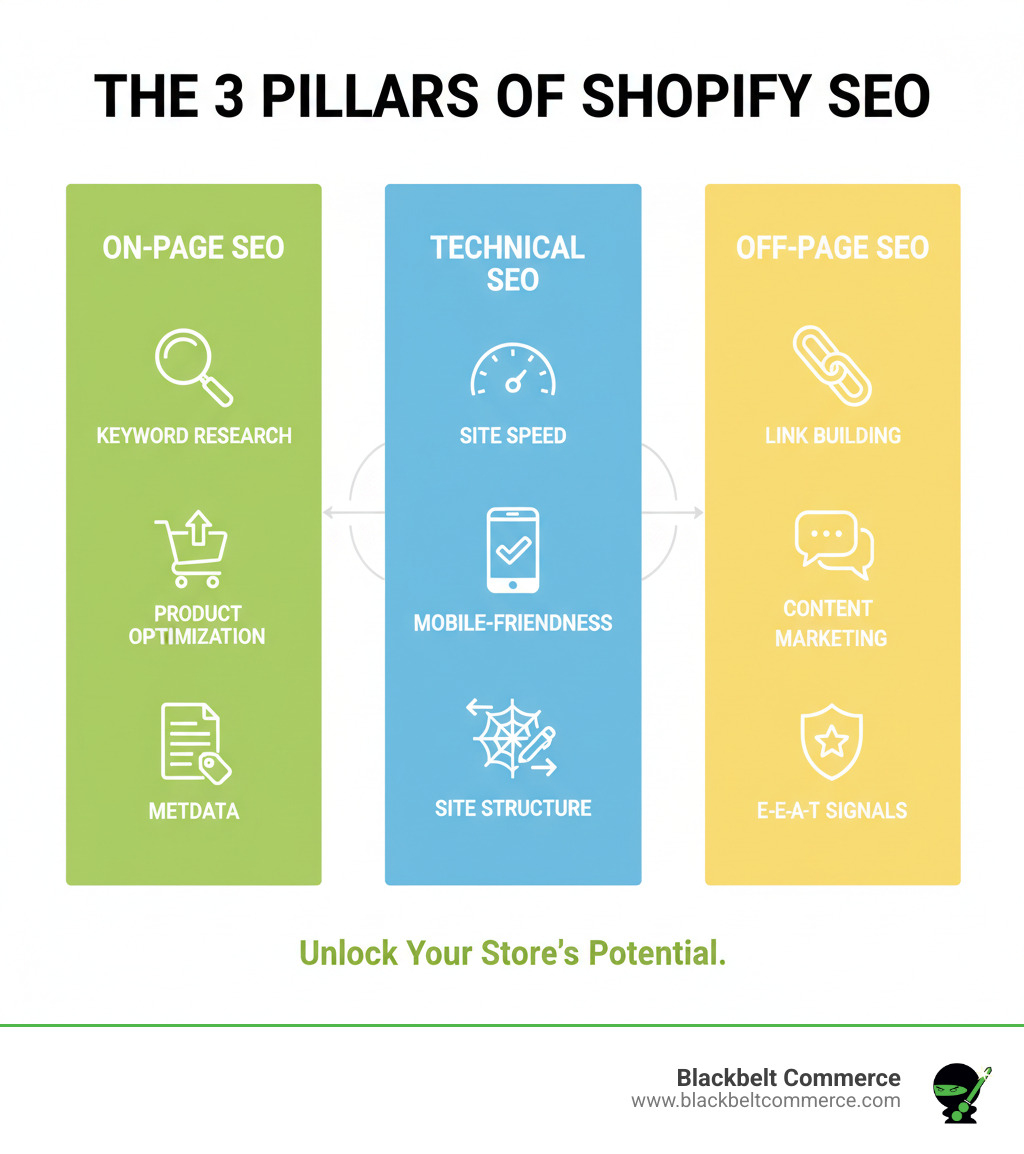
The challenge? Shopify SEO rests on three pillars: content optimization, technical performance, and off-page authority. Neglecting one means leaving money on the table.
I’m Cesar A Beltran, Founder and CEO of Blackbelt Commerce. With over 15 years of experience, our agency has helped clients across North America boost organic traffic and conversions using the strategies in this guide.
Related content about shopify seo help:
Mastering On-Page SEO: The Foundation of Your Visibility
On-page SEO makes your Shopify store understandable to both search engines and visitors. It covers everything you control directly on your pages–from content to URL structure–telling Google what your pages are about and why they deserve to rank.
The goal is to match what people search for with your content. When someone searches for “organic cotton baby clothes,” your product page for those items should be the perfect match. This is where smart keyword use and thoughtful content make all the difference.
Your product and collection pages are where this foundation is built. They are opportunities to connect with shoppers at the exact moment they’re looking for what you offer. Understanding user intent (are they ready to buy, or just browsing?) helps you craft pages that truly resonate.
Best Practices for E-commerce Keyword Research
Before writing, you need to know what customers are searching for. Start with broad seed keywords (e.g., “coffee”) and expand to specific long-tail keywords (e.g., “fair trade organic coffee beans New York”). Long-tail keywords have less competition and higher purchase intent, making them ideal for new stores.
Understand user intent. Target buyer intent keywords (like “buy French press coffee maker”) on product pages and informational intent keywords (“how to brew coffee”) on blog posts to guide visitors toward your products.
Analyze competitors using tools like Ahrefs or Semrush. See what keywords they rank for to find opportunities you can target. Also, use free tools like Google Keyword Planner and Google Trends. Google’s own People also ask section is a goldmine for content ideas that address real customer questions.
Choose keywords by balancing search volume, competition, relevancy, and search intent to build a strategy that drives results.
Optimizing Product and Collection Pages
Once you have your keywords, put them to work on your product and collection pages.
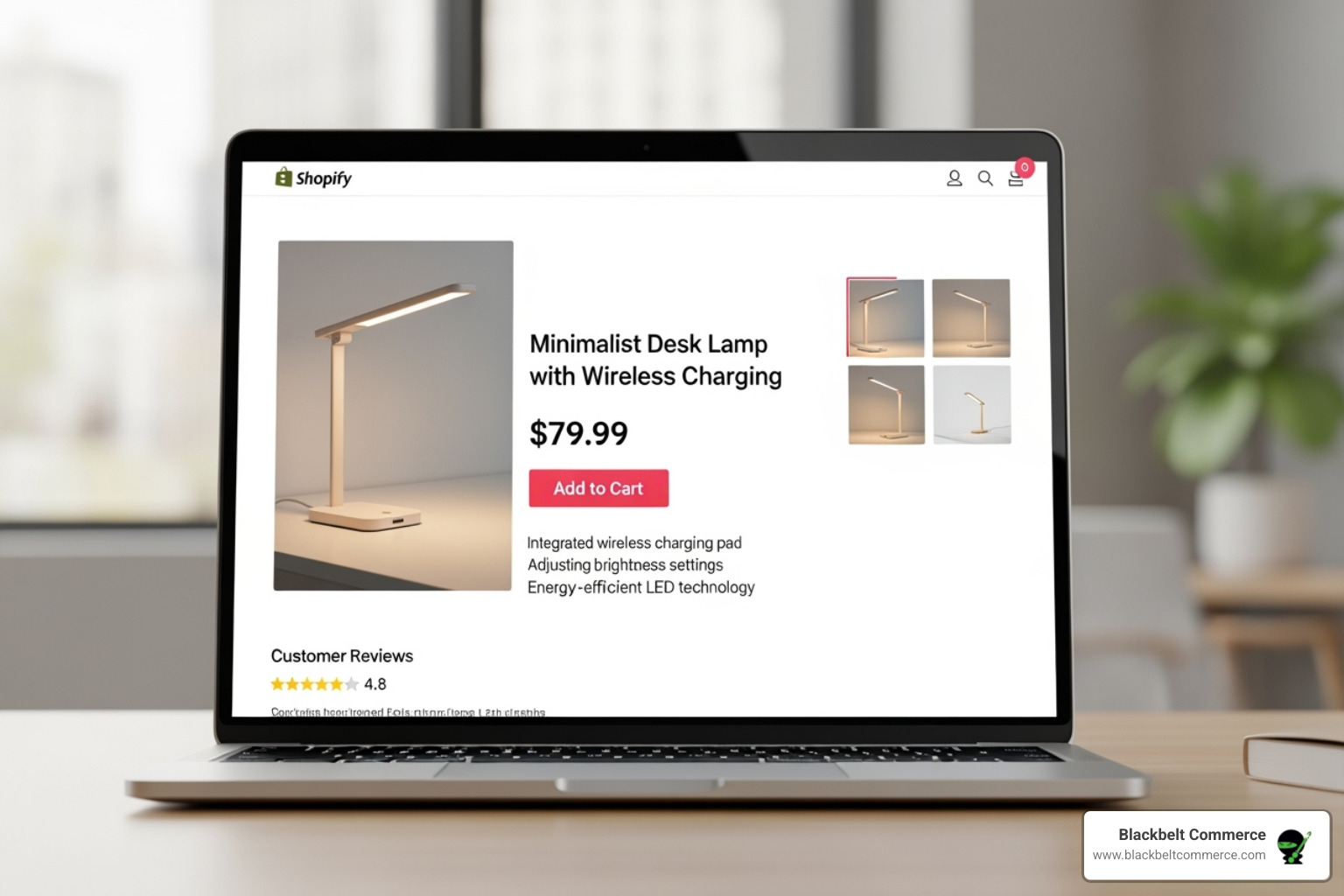
Write unique, compelling descriptions for every product. This is about telling a story that sells while naturally incorporating your target terms. Avoid thin content. AI tools like Shopify Magic can help draft descriptions, but always add your brand’s voice and expertise.
Use high-quality product images with descriptive alt text. Alt text helps with accessibility and image search. For example, use “Red leather wallet with brass zipper” instead of “image1.jpg”. Keep it under 100 characters. Shopify’s CDN helps by automatically compressing images and serving them in modern formats like WebP.
Include primary keywords in your product titles for clarity. The Lip Bar does this well, using “concealer” on its collection page, while individual products get more specific.
Create specialized collection pages for long-tail keywords (e.g., “Vegan Leather Handbags” instead of just “Handbags”). As Ilia Mundut, founder of Heftyberry, notes, this helps you compete against giants by targeting niche, low-difficulty terms.
How to Write Compelling Metadata for Shopify
Your metadata is your store’s first impression in search results.
Title tags are your search result headlines. Keep them under 60 characters, include your primary keyword near the start, and make them descriptive. A high click-through rate often correlates with this length, according to research by Backlinko.
Meta descriptions are the ~155-160 character summaries under the title. While not a direct ranking factor, they heavily influence clicks. Write them like a mini-ad with a call to action.
Use short, readable, and keyword-rich URL slugs (e.g., /products/leather-wallet), using hyphens to separate words.
Include keywords in all three metadata elements, but prioritize human readability. AI can draft them, but always refine them to match your brand voice. This is key for effective shopify seo help.
Technical SEO: Fine-Tuning Your Shopify Store’s Engine
Technical SEO involves behind-the-scenes optimizations to make your store fast, mobile-friendly, and easy for search engines to crawl. It’s the engine of your site. Without a solid technical foundation, even the best content can go unseen.
Getting Started with Shopify SEO Help: A Basic Checklist
Before diving deep, cover these foundational steps.
- Purchase a custom domain: A
yourstore.comdomain builds credibility and is better for SEO than the defaultmyshopify.comaddress. - Set up Google Analytics: This free tool is essential for tracking traffic and understanding user behavior.
- Set up Google Search Console: This provides direct insights from Google about your site’s search performance and any errors.
- Submit your sitemap: Your
sitemap.xmlfile, automatically generated by Shopify atwww.yourstore.com/sitemap.xml, helps search engines find and index all your pages. Submit it via Google Search Console. - Remove your storefront password: Before launching, remove the password so search engines can crawl your site.
Leveraging Shopify’s Built-in SEO Features
Shopify handles much of the technical SEO for you, which is a major advantage. Key built-in features include automatic sitemaps, an SEO-friendly URL structure, auto-generated canonical tags, a free SSL certificate (HTTPS), mobile-responsive themes, an editable robots.txt file, and easy 301 redirects. For more tips, Shopify’s official blog is a great resource.
Site Structure and User Experience (UX)
A logical site structure is crucial for both user experience (UX) and SEO. It helps users and search engines steer your store easily. Aim for a simple hierarchy: Homepage > Category Pages > Product Pages. A clear navigation, like Gymshark’s, makes finding products intuitive.
Use breadcrumbs (e.g., Home > Clothing > Dresses) to show users their location and provide internal links for search engines. Also, use internal links with descriptive anchor text to connect related pages, distributing link equity and signaling importance to Google. Ensure every page is reachable within a few clicks from the homepage. Unlinked pages, known as orphaned pages, are invisible to both users and search engines.
Finally, prioritize web accessibility. A better user experience for all, including those with disabilities, can improve engagement signals and indirectly boost SEO.
Tackling Shopify-Specific SEO Challenges
Shopify is SEO-friendly but can create duplicate content issues. This can arise when a single product is in multiple collections, creating different URLs for the same page. The good news is Google doesn’t penalize innocent duplication. However, it can dilute your SEO power by splitting ranking signals across multiple URLs.
The solution is the canonical tag, which Shopify automatically adds to point to the preferred URL (usually the /products/ version). For low-value pages, you can use a noindex tag to keep them out of Google’s index. Use tools like Screaming Frog to audit your site for duplicate content.
The Need for Speed and Structured Data
Page speed is a critical ranking factor. Aim for a load time under 3 seconds. Shopify’s infrastructure is built for speed, with a global CDN that optimizes images automatically. You can check your site’s performance with Shopify’s speed checker.
Pay attention to Google’s Core Web Vitals: Largest Contentful Paint (LCP) for loading, Interaction to Next Paint (INP) for interactivity, and Cumulative Layout Shift (CLS) for visual stability. Pages should have an INP score of 200 milliseconds or less.
Structured data (Schema markup) helps search engines understand your content, enabling rich snippets (like price and ratings) in search results. This can dramatically increase click-through rates. Shopify’s free themes automatically include structured data for products. You can use apps for more advanced needs and check your implementation with Google’s testing tools.
Beyond Your Store: Content, Link Building, and Expert Shopify SEO Help
What happens off your site is as important as what’s on it. Off-page SEO builds your store’s reputation through link building and content marketing. These efforts signal your Experience, Expertise, Authoritativeness, and Trustworthiness (E-E-A-T) to Google, which is a powerful form of shopify seo help.
The Power of Blogging for Your Shopify Store
A blog turns your store from a catalog into a helpful resource. Blogging attracts “top-of-funnel” traffic–users who are researching, not yet ready to buy. By answering their questions, you build topical authority, which boosts rankings across your entire site.
Beardbrand’s blog is a great example. They sell grooming products but also publish detailed guides on beard care and style, establishing themselves as an authority and driving organic traffic that converts.
Write buying guides, how-to tutorials, or answer common questions. Use tools like Answer the Public to find topics your audience is searching for. Long-form, comprehensive content often ranks better. Research from Backlinko shows the average top 10 Google result contains 1,447 words, so aim for depth and quality.
Effective Link-Building Strategies for E-commerce
Backlinks (links from other sites to yours) are like votes of confidence for search engines. The goal is to earn high-quality, relevant links to boost your authority.
- Guest Blogging: Write for reputable blogs in your niche. In return for valuable content, you’ll get a link back to your store, introducing your brand to a new audience.
- Broken Link Building: Use tools like Ahrefs to find broken links on other sites. Contact the site owner, report the broken link, and suggest your relevant content as a replacement.
- Unlinked Brand Mentions: Use Google Alerts to find mentions of your brand that don’t link to you. Reach out and politely ask for a link.
- The Skyscraper Technique: Find popular content in your niche, create a significantly better version, and then ask those linking to the original to link to your superior resource instead.
- Media Outreach: Use platforms like Qwoted to connect with journalists seeking experts, which can lead to media mentions and high-authority links.
- Professional Network: Leverage your professional network. Suppliers, partners, and even happy customers can be great sources for natural backlinks.
For those in competitive markets or facing complex challenges, an experienced agency can accelerate results. At Blackbelt Commerce, we help US-based businesses–especially in New York City–execute content and link-building strategies that drive measurable growth. Expert guidance can be more valuable than the time spent on trial and error.
Tools, Tracking, and Common Mistakes to Avoid
SEO is an ongoing journey. Success requires the right tools for monitoring progress and avoiding common pitfalls.
Essential Shopify SEO Tools
While Shopify provides a solid foundation, these tools will improve your approach to shopify seo help:
- Google Analytics: Essential for tracking traffic, user behavior, and conversions. Connect it to your Shopify store.
- Google Search Console: Monitors search performance and technical issues directly from Google.
- Shopify Analytics: Provides a quick overview of sales and visitor data in your admin.
- Shopify Apps: Use apps for customer reviews (like Judge.me or Yotpo) and advanced SEO tasks (like Avada SEO or SEOAnt).
- Manual Audits: Regularly review your site for issues like broken links, thin content, and other errors.
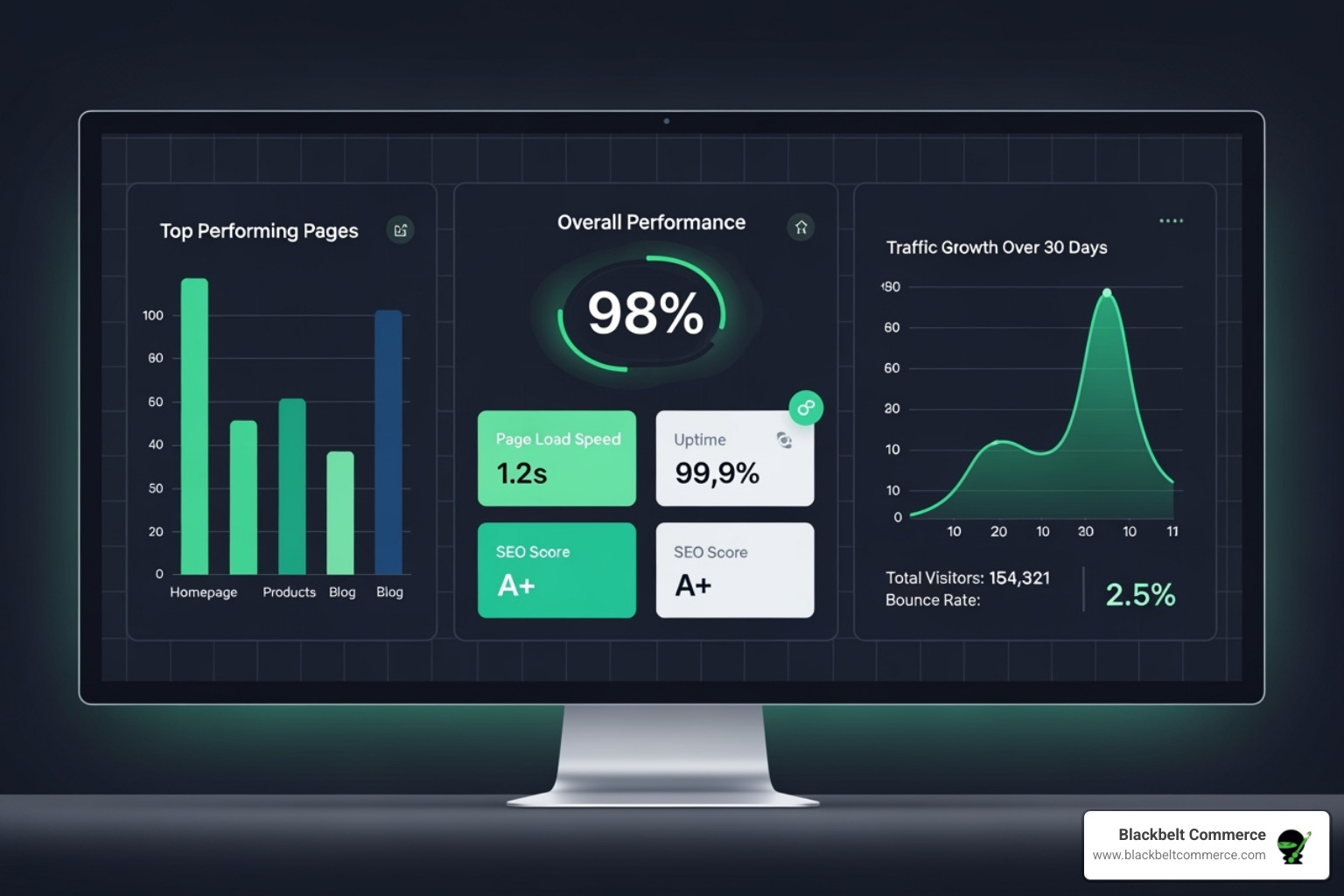
Measuring and Tracking Your SEO Success
Track these key metrics to know if your efforts are paying off:
- Organic Traffic: The number of visitors coming from search engines.
- Keyword Rankings: Your position in search results for target keywords.
- Click-Through Rate (CTR): The percentage of users who click your listing in search results.
- Conversion Rate: The percentage of organic visitors who make a purchase.
- Indexing Report: Check Google Search Console’s indexing report for crawl errors that prevent pages from being indexed.
- User Behavior Metrics: Analyze time on page and bounce rate in Google Analytics to gauge content quality.
When to Seek Professional Shopify SEO Help
While DIY SEO is possible, professional help can make a huge difference. Consider seeking professional help if you face complex technical issues, stagnant growth, operate in a competitive niche, or lack the time and resources for advanced strategies like international SEO.
A strategic, expert-led approach can yield significant increases in clicks and impressions in just a few months. For businesses in the US, particularly those in competitive markets like New York City, our expertise at Blackbelt Commerce is custom to deliver these outcomes, ensuring your Shopify store not only ranks but thrives.
Frequently Asked Questions about Shopify SEO
How long does Shopify SEO take to show results?
SEO requires patience. It’s a long-term investment, not an overnight fix. Think of it like planting a garden–you won’t see tomatoes the day after you plant the seeds!
You can typically see initial results in 3-6 months, with significant impact taking 6-12 months or more. The timeline depends on your niche’s competitiveness, your site’s authority, and the consistency of your efforts.
SEO is an ongoing process. The most successful stores are those that remain committed to continuous improvement, even when results seem slow at first.
Can I do Shopify SEO myself?
Absolutely. You can definitely handle basic Shopify SEO yourself. The platform is user-friendly, and guides like this provide a clear roadmap for on-page optimization, content creation, and basic technical fixes.
However, professional shopify seo help is a smart investment for complex technical challenges–like persistent crawl errors or advanced schema implementation–or if you’re in a highly competitive market. If your growth has stalled or you lack the time to dedicate to it, an expert can accelerate your results.
For businesses in competitive markets like New York City, where every advantage counts, expert guidance can make the difference between surviving and thriving.
Is Shopify good for SEO?
Yes, Shopify is an excellent platform for SEO. It provides a strong, SEO-friendly foundation out of the box, which is why we specialize in it at Blackbelt Commerce.
It automatically handles technical essentials like sitemaps, SSL certificates, and mobile-responsive themes. This lets you focus on what really moves the needle: strategy, content, and keyword targeting.
While Shopify offers less coding control than some platforms, its ease of use, speed, and robust infrastructure outweigh this for most stores. Any limitations can usually be addressed with smart strategies or expert assistance when needed.
Shopify strikes a great balance between power and usability, making it a top choice for building a strong SEO foundation without needing a computer science degree.
Conclusion: Take Your Shopify Store to the Next Level
We’ve covered the essentials of Shopify SEO: on-page optimization to meet customer needs, technical SEO for a fast and crawlable site, and off-page strategies to build authority.
SEO isn’t a one-time project; it’s an ongoing journey. Staying ahead of algorithm changes, customer behavior, and competitors requires consistent effort, analysis, and adaptation.
The DIY approach can get you far, especially with the strategies in this guide. However, expert guidance is invaluable when facing complex technical challenges, competing in a tough niche, or simply wanting to accelerate your growth without the steep learning curve.
For custom development and advanced shopify seo help that delivers measurable results, partnering with a true e-commerce expert makes all the difference. At Blackbelt Commerce, we specialize in fully customized, conversion-focused Shopify solutions. We help businesses across the US, especially in competitive markets like New York City, transform their organic visibility. Our expertise in complex, large-scale projects can help open up your store’s full potential.
Your store has the potential to grow through organic search. Whether you start on your own or work with experts to accelerate the process, the key is to begin. Every optimization you make compounds over time.
Ready to take the next step? Start your free Shopify trial today and let us help you build a powerful SEO foundation that drives real, lasting results.
Quick Answer: Shopify seo help
Shopify SEO helps merchants make product, collection, blog, and technical pages easier for search engines and AI answer engines to understand. The strongest SEO work connects search intent, crawlable structure, internal links, useful content, page speed, and conversion paths so organic traffic can turn into customers or qualified strategy-call leads.
Want a sharper Shopify growth plan?
If this article connects to a current store decision, use the calendar to book a strategy call and turn the idea into a practical plan.
Key Takeaways
- Shopify SEO should improve crawlability, content depth, internal links, collection structure, and conversion paths together.
- Search intent matters because a visitor looking for definitions, audits, or expert help needs different next steps.
- Yoast green indicators are useful, but the article still needs editorial depth, topical authority, and lead-generation flow.
- Internal links should connect SEO guidance to Shopify SEO services, Shopify experts, Shopify Plus agencies, and technical implementation pages.
- The same-page Calendly CTA should appear after useful guidance so qualified readers can ask for help applying the SEO roadmap.
How this connects to your Shopify growth strategy
This article should remain useful for readers researching Shopify seo help, but it also needs to show when the topic becomes a business decision. For the Shopify SEO, Audits, and Organic Growth cluster, the commercial bridge is practical: once the reader understands the concept, the next step is deciding whether their current Shopify setup can support the desired experience, conversion path, and operational workflow. That is where expert planning, design, development, CRO, and SEO support can turn the idea into measurable store improvements.
Want a sharper Shopify growth plan?
Use this guide as a decision tool. Then book a strategy call when you want a practical roadmap for your store.
Related Shopify resources
These internal resources support the Shopify SEO, Audits, and Organic Growth topic cluster and help connect this guide to stronger commercial next steps:
- Shopify SEO, Audits, and Organic Growth
- Shopify experts
- Shopify Plus agencies
- Shopify SEO, Audits, and Organic Growth — Parent service page for the reader’s next commercial step
- Blackbelt Commerce — Home-page authority link for brand and core Shopify expertise
- Shopify experts — Money-page link requested for expert-hiring intent
- Shopify Plus agencies — Money-page link requested for high-growth and Plus-agency intent
- Shopify custom development — Development service page for implementation and technical help
- Shopify CRO — Conversion service page for readers focused on revenue and lead generation
- Shopify app SEO — Related SEO tooling article
Questions store owners ask before taking action
What does Shopify SEO include?
It includes technical structure, collection and product optimization, content strategy, metadata, internal links, page speed, structured answers, and conversion-aware improvements.
Is a green Yoast score enough for Shopify SEO?
No. Yoast can help with on-page basics, but rankings and leads also depend on search intent, authority, content quality, technical health, and internal linking.
When should a store hire Shopify SEO help?
Expert help is useful when SEO affects revenue-critical pages, migrations, technical fixes, competitive rankings, or lead-generation content strategy.
How do blog posts support Shopify SEO?
Blog posts can answer informational searches, build topical authority, support internal links, and guide qualified readers toward product pages, service pages, or a strategy call.
How should SEO content generate leads?
It should answer the query first, then show the reader where expert support can help them apply the advice to their own Shopify store.
Future articles needed for topical dominance
To build deeper topical authority around this cluster, these supporting topics should be created later and linked back into this article:
- Shopify Seo Help Checklist for Shopify Store Owners: Creates a practical support article that turns the Shopify SEO, Audits, and Organic Growth topic into an actionable review tool.
- Common Shopify Seo Help Mistakes and How to Avoid Them: Captures problem-aware searches and gives BBC a natural place to explain implementation risks without hard selling.
- When to Hire Shopify Experts for Shopify Seo Help: Connects informational demand to the expert-hiring money page while preserving educational intent.
Want a sharper Shopify growth plan?
Ready to turn the advice in this article into an action plan? Open the calendar here and choose a time that works for you.

