


Blog updated with the most recent Shopify and eCommerce strategies on 05/02/2026.
Fortify Your Shopify Store: Essential Security Measures for E-Commerce Success
Securing your Shopify store means implementing robust measures to shield it from unauthorized access, data breaches, and fraudulent activities, ensuring your merchant data and customer information are protected at every step. By deploying strong access controls, advanced encryption, and adherence to compliance standards, you can prevent costly disruptions and safeguard your brand’s reputation. For instance, activating two-factor authentication has been shown to slash unauthorized logins by over 80%, proving how fundamental security practices translate into tangible resilience. This guide will walk you through the critical security areas every Shopify merchant needs to master, covering platform responsibilities, preventing data breaches, achieving PCI DSS compliance, mitigating fraud, managing access, understanding app risks, defending against cyber threats, and a comprehensive security checklist.
In the sections ahead, you’ll uncover:
- The direct impact of Shopify security on your profitability and customer loyalty
- Proven methods for preventing data breaches, encrypting transactions, and empowering your team with security knowledge
- Key strategies for PCI DSS compliance and combating payment fraud
- Tactics for managing user access, rigorously vetting third-party apps, and securing your store’s theme
- Essential network defenses against malware, DDoS attacks, and phishing schemes
- A detailed security checklist featuring proactive steps and continuous monitoring protocols
Shopify Security: Your Shield Against E-Commerce Cyber Threats
Shopify stands as a secure e-commerce platform, equipped with a suite of security features designed to protect your online store from cyber attacks. These include integrated SSL certificates, two-factor authentication, sophisticated risk analysis, and adherence to PCI DSS standards.
This resource offers a valuable overview of Shopify’s inherent security capabilities, which are fundamental for safeguarding any e-commerce operation.
Why Is Robust Shopify Security Paramount for Your E-Commerce Venture?
Shopify security is the practice of fortifying your online store against vulnerabilities that could lead to data loss or financial fraud. It operates through a synergistic approach, combining the platform’s built-in safeguards with the merchant’s proactive controls to ensure sensitive information and transactions remain confidential and intact. For example, activating Shopify’s native SSL and encryption features secures the entire checkout process, building customer confidence and significantly reducing chargebacks.
A security lapse can directly cripple your revenue streams and tarnish your brand’s reputation, making proactive defenses indispensable for customer retention and regulatory adherence. Strong security not only prevents breaches but also sets your store apart in a marketplace where data privacy is increasingly a top concern for consumers.
What Are the Primary Risks Shopify Merchants Face Today?
The spectrum of security threats targeting Shopify merchants spans from sophisticated technical exploits to human-centric attacks. A thorough understanding of each risk is crucial for implementing effective, targeted defenses.
- Weak or commonly reused passwords open the door to unauthorized access via credential-stuffing bots.
- Vulnerable third-party applications can create hidden entry points or escalate privileges unexpectedly.
- Improperly configured permissions can expose critical admin functions to untrusted individuals.
- Phishing campaigns are designed to trick staff or customers into divulging sensitive login credentials.
- Unpatched theme code may harbor known vulnerabilities that attackers can exploit.
- Payment fraud and chargeback abuse directly erode revenue and diminish customer trust.
These risks underscore the necessity of layered security controls and vigilant, continuous monitoring to detect and neutralize emerging threats.
How Does Strong Security Elevate Customer Trust and Brand Reputation?
Implementing comprehensive security measures significantly boosts customer confidence, encouraging repeat business by showcasing your unwavering commitment to data protection. When customers see the “https://” prefix and the padlock icon, they instinctively associate your brand with reliability and trustworthiness. Studies reveal that a staggering 84% of shoppers abandon their carts on websites they perceive as insecure, highlighting the direct correlation between security and conversion rates.
Moreover, robust security minimizes public relations crises—helping you avoid the damaging fallout from breach disclosures that deter potential customers and attract unwanted regulatory attention. By making security a top priority, merchants cultivate a positive market image and establish a distinct competitive advantage.
Understanding Shopify’s Shared Responsibility Model for Security
Shopify’s shared responsibility model clearly defines the security functions managed by Shopify versus those that fall under the merchant’s purview. The following table illustrates the division of platform controls and merchant obligations:
This model clarifies that while Shopify secures the overarching infrastructure and essential services, merchants bear the responsibility for securing their specific store configurations, custom code, and personnel practices, paving the way for deeper dives into fraud prevention and compliance.
How Can You Effectively Prevent Data Breaches and Safeguard Customer Data on Shopify?

Preventing data breaches on Shopify involves a strategic approach encompassing vulnerability identification, robust encryption implementation, and comprehensive team education. Each of these elements plays a vital role in minimizing the risk of unauthorized data exposure and strengthening your overall compliance posture.
What Are the Common Triggers for Data Breaches in Shopify Stores?
Data breaches frequently stem from misconfigurations and human error, which can undermine even the most sophisticated platform defenses:
- Outdated or unpatched themes and applications that leave known exploits accessible.
- Overly permissive staff access levels granting unnecessary exposure to sensitive data.
- Weak credential policies that facilitate brute-force attacks or credential stuffing.
- Insecure development or staging environments that inadvertently leak data backups.
- Phishing attacks designed to trick staff into divulging critical login credentials.
Understanding these root causes highlights the critical importance of stringent configuration management and regular, thorough security audits.
Which Strategies Offer the Best Protection for Personally Identifiable Information (PII)?
Safeguarding PII on Shopify requires a dual approach: encrypting stored data and meticulously minimizing unnecessary data collection:
- Ensure database backups are encrypted and utilize field-level encryption for sensitive PII.
- Implement masking for sensitive customer data fields within admin interfaces.
- Adopt a privacy-by-design philosophy, collecting only the essential customer data required.
- Enforce strong password policies and mandate two-factor authentication for all users.
- Anonymize or securely delete data once it is no longer needed, thereby reducing the potential impact of a breach.
These strategies ensure that even in the event of a system compromise, any exposed data remains unintelligible or outside the scope of sensitive information.
How Does Shopify Ensure Data Encryption and Secure Transactions?
Shopify secures all transactions by enforcing TLS/SSL encryption for every storefront and checkout interaction, guaranteeing that customer credentials and payment details are transmitted securely across the internet. Data at rest is protected using industry-standard encryption algorithms, ensuring that stored customer records and payment tokens remain confidential. For instance, Shopify’s automatic SSL provisioning for custom domains eliminates the risk of manual configuration errors and ensures encrypted sessions from the very first customer interaction.
What is the Significance of Employee Training in Preventing Data Breaches?
Comprehensive employee training cultivates a security-conscious culture, effectively preventing mistakes born from social engineering tactics and configuration errors. By educating staff on how to identify phishing indicators, adhere to password best practices, and follow secure remote-access protocols, merchants significantly reduce the risk of credential compromise. For example, a well-structured training program incorporating simulated phishing exercises can decrease click-through rates on malicious emails by over 60%, demonstrating how human vigilance acts as a crucial layer of defense alongside technical controls.
Shopify Data Breach Prevention: A Complete Playbook for Your E-Commerce Business
Preventing data breaches on Shopify stores necessitates a strategic blend of technical safeguards, diligent monitoring, and robust employee education. Key strategies include implementing strong encryption, enforcing strict password policies, and ensuring software is consistently updated.
This source powerfully underscores the critical role of diverse security measures, including encryption and staff training, in the ongoing effort to prevent data breaches.
What Are the Requirements and Best Practices for PCI DSS Compliance on Shopify?
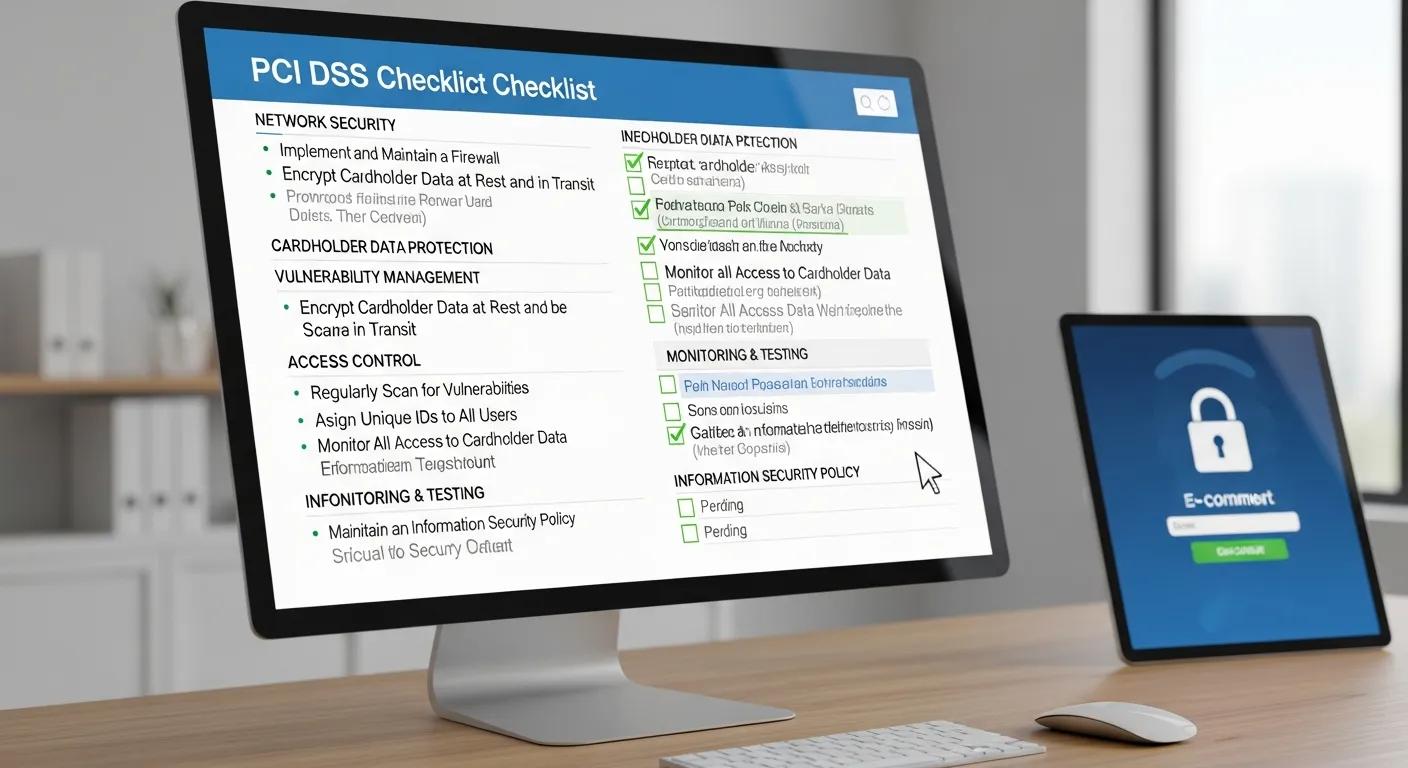
Achieving PCI DSS compliance means adhering to global standards for the protection of payment card data. Maintaining this compliance on Shopify involves a combination of leveraging the platform’s built-in features and implementing specific merchant actions.
How Does PCI DSS Fortify Payment Card Data Security in Shopify Stores?
PCI DSS establishes stringent requirements for encryption, network segmentation, access control, and continuous monitoring to safeguard cardholder data. By implementing controls such as tokenization, secure authentication protocols, and comprehensive logging of all payment transactions, merchants effectively prevent unauthorized access and swiftly detect anomalies. In practice, tokenization replaces sensitive credit card numbers with unique, non-sensitive tokens—meaning even if stolen, these tokens cannot be used for fraudulent purchases.
What Are Shopify’s Responsibilities Regarding PCI DSS Compliance?
Shopify holds a PCI DSS Level 1 Service Provider certification, managing the majority of compliance requirements related to the hosting environment, network security, and underlying infrastructure:
- Maintaining secure network firewalls and robust DMZ configurations.
- Enforcing encryption for all data, both in transit and at rest.
- Conducting quarterly vulnerability scans and annual penetration tests.
- Vigilantly monitoring and logging all access to cardholder data environments.
By diligently managing these responsibilities, Shopify significantly reduces the merchant’s compliance scope and streamlines the audit process.
PCI Compliance for Shopify: Your Essential Guide to Securing Your Online Store
Shopify proudly holds the highest level of PCI DSS compliance: Level 1. This certification signifies that Shopify undergoes rigorous, regular security audits and scans across all six PCI standard categories, providing a strong foundation for protecting sensitive customer data.
This source highlights Shopify’s critical PCI DSS compliance status, which is fundamental for ensuring the security of payment card data.
What Steps Must Merchants Take to Maintain PCI DSS Compliance?
- Enforce strong password policies and ensure unique credentials for all admin users.
- Mandate two-factor authentication for every staff account without exception.
- Strictly limit staff access to only the functions absolutely necessary for their roles.
- Utilize only PCI-compliant third-party applications and payment gateways.
- Maintain comprehensive logs of all administrative and payment-related events for a minimum of one year.
By diligently following this checklist, merchants effectively close any gaps in their PCI DSS obligations and ensure ongoing, continuous compliance.
How Do Third-Party Payment Gateways Influence PCI DSS Compliance?
The integration of external payment gateways can alter PCI requirements, depending on whether redirection or direct-post methods are employed:
- Redirected gateways significantly reduce a merchant’s PCI scope by handling card data securely off-site.
- Direct post methods necessitate that merchants maintain their own encryption and logging controls.
- Ensuring the chosen gateway provider is itself PCI-certified is crucial to prevent compliance failures.
Selecting the appropriate integration method aligns your store’s data flow with compliance mandates and simplifies the audit process considerably.
How Can You Secure Shopify Payments and Effectively Prevent Payment Fraud?
Securing your payments requires a strategic combination of the platform’s built-in tools, specialized third-party solutions, and well-defined fraud management workflows designed to intercept suspicious transactions before they are finalized.
What Are the Most Prevalent Payment Fraud Risks on Shopify?
Payment fraud risks commonly encountered on Shopify include:
- The use of stolen card numbers to conduct unauthorized transactions.
- Chargeback abuse, where legitimate orders are disputed without valid grounds.
- “Friendly fraud,” where customers falsely dispute valid purchases.
- Gift card or coupon code abuse, exploiting loopholes in promotional offers.
Recognizing each of these threats is essential for selecting and implementing targeted fraud controls and monitoring rules.
Which Fraud Detection Tools and Shopify Features Offer the Best Payment Protection?
Shopify and a range of third-party applications provide multiple layers of fraud detection mechanisms:
- Shopify Payments‘ integrated fraud analysis automatically flags orders deemed high-risk.
- AVS (Address Verification System) and CVV checks are used to verify cardholder information.
- Rule-based filters within tools like Shopify Flow can automate order holds based on suspicious patterns.
- Specialized solutions such as Signifyd and Kount offer advanced fraud scoring powered by machine learning.
Deploying these tools creates a multi-layered fraud defense system that dynamically adapts to evolving threat patterns.
How Can Effective Chargeback Management Minimize Financial Losses?
Effective chargeback management hinges on prompt dispute responses and the meticulous submission of clear, compelling evidence. By retaining comprehensive records such as order confirmations, IP address logs, and delivery tracking information, merchants can build strong case files to contest illegitimate claims. Furthermore, setting up automated chargeback alerts and integrating with specialized dispute management platforms can accelerate resolution times and help preserve revenue.
What Is Tokenization and How Does It Enhance Payment Security?
Tokenization is a security process that replaces sensitive card data with irreversible tokens, which then serve as transaction references. This crucial step prevents actual card numbers from being stored or transmitted beyond the secure payment gateway. The primary benefit is a significant reduction in the impact of data breaches, as stolen tokens cannot be reverse-engineered to reveal original card details. For example, a merchant utilizing Shopify Payments‘ tokenization capabilities eliminates the need for raw card storage, completely mitigating risks associated with on-site data theft.
How Do You Effectively Manage Unauthorized Access and Secure Your Shopify Store Accounts?
Managing access effectively involves implementing stringent credential policies, enforcing multifactor authentication, and continuously monitoring login activity to prevent account takeovers.
What Are the Dangers of Weak Passwords and Account Takeovers?
Weak or commonly reused passwords provide attackers with an easy entry point, enabling them to exploit credential lists in automated login attempts and ultimately gain unauthorized control over your store. Once inside, they can manipulate pricing, redirect revenue streams, or steal valuable customer data. For instance, a single compromised staff account using a weak password like “password123” can lead to a complete storefront takeover and extensive data exfiltration.
How Do You Set Up Two-Factor Authentication (2FA) on Shopify?
To enable 2FA for your staff accounts:
- Log in to your Shopify admin panel and navigate to the staff member’s profile.
- Locate the “Two-factor authentication” section and click Enable.
- Select your preferred authentication app (e.g., Google Authenticator, Authy).
- Scan the displayed QR code or manually enter the secret key into your chosen app.
- Enter the time-sensitive code generated by the app to confirm the setup.
Requiring 2FA introduces a vital second layer of security, drastically reducing the likelihood of unauthorized access.
What Are the Best Practices for User Access and Permissions Management?
Limiting user privileges to only those functions essential for each role significantly minimizes potential risk exposure:
- Assign specific staff roles such as Content Editor, Order Manager, or Custom Sales Channel instead of granting broad admin rights.
- Conduct quarterly reviews to revoke access for any unused or unnecessary accounts.
- Utilize distinct accounts for developers, support personnel, and administrative tasks.
- Formalize a process for documenting and approving all new access requests.
Adhering to the principle of least privilege effectively prevents attackers from moving laterally within your systems after an initial compromise.
How Can You Monitor and Respond to Suspicious Login Activity?
Continuous monitoring is key to detecting anomalies before they escalate into significant security incidents:
- Enable Shopify’s built-in login notifications, which can be sent via email or Slack.
- Integrate with SIEM or log-analysis tools to receive real-time alerts for repeated failed login attempts.
- Implement IP allow-lists for critical staff accounts to restrict access to trusted locations.
- Promptly investigate any logins originating from unusual geolocations or occurring at unexpected times.
A rapid response to detected anomalies can effectively halt attackers in their tracks and safeguard sensitive data.
What Security Risks Do Third-Party Shopify Apps and Themes Introduce?
Every app and theme integrated into your store adds code and permissions that can potentially introduce new attack vectors, making rigorous vetting and ongoing audits absolutely essential.
How Can You Effectively Vet and Select Secure Shopify Apps?
Vet applications thoroughly by adhering to these critical criteria:
- Only install apps sourced directly from the official Shopify App Store, prioritizing those with high ratings and positive reviews.
- Investigate the reputation of the app developers and their update frequency.
- Carefully review the permissions requested by each app and decline any that ask for excessive access.
- Audit the app’s code (especially for custom integrations) or utilize security scanning tools for analysis.
Meticulous vetting significantly reduces the likelihood of encountering hidden malware or experiencing unintended privilege escalations.
What Permissions Should Be Limited for Installed Apps?
Restricting app permissions is crucial to prevent unauthorized access to your data:
- Deny read/write access to orders if the app’s functionality only requires product data.
- Constrain the scope of customer data access to only what is strictly necessary for the app to function.
- Avoid granting full write_script_tags permissions unless custom scripts are absolutely essential for the app’s operation.
- Immediately disable any unused app permissions once an app is uninstalled from your store.
Implementing constrained permissions ensures that even if an app is compromised, it cannot exfiltrate broad sets of your sensitive data.
How Do Vulnerable Themes Impact Store Security?
Themes that incorporate outdated libraries or insecure APIs can expose your storefront to significant risks, including cross-site scripting (XSS) and injection attacks. For example, a theme relying on an old JavaScript dependency might allow attackers to inject malicious code into checkout pages, potentially rerouting sensitive customer input. Regularly updating your themes and meticulously auditing their dependencies is vital to prevent such exploits and maintain a secure customer experience.
What Are the Best Practices for Conducting Regular Security Audits of Apps and Themes?
Ongoing audits are essential for identifying newly discovered vulnerabilities before they can be exploited:
- Schedule quarterly reviews of all installed applications and theme versions.
- Employ automated security scanners to check code libraries and API calls for known vulnerabilities.
- Test custom script functionality rigorously in isolated staging environments before deployment.
- Meticulously document all audit findings and track remediation tasks through to completion.
This proactive approach ensures your store remains aligned with the ever-evolving threat landscape.
How Can You Effectively Protect Your Shopify Store from Cyber Attacks and Phishing?
Defending your store against cyber attacks and sophisticated phishing campaigns is crucial for maintaining both operational integrity and customer trust.
What Types of Cyber Attacks Commonly Target Shopify Stores?
Shopify stores are frequently targeted by a variety of attack methods:
- Distributed Denial of Service (DDoS) attacks aim to overwhelm storefronts with traffic, causing service outages.
- Malware injections can be introduced through unpatched code or compromised applications.
- Phishing emails often impersonate Shopify support to trick users into revealing credentials.
- SQL and script injection attacks target vulnerable theme endpoints to gain unauthorized access.
Recognizing these common attack vectors is the first step toward implementing effective, targeted defenses.
How Do You Identify and Prevent Phishing and Social Engineering Attacks?
Preventing phishing attacks requires a combination of heightened user awareness and robust technical controls:
- Train your staff to meticulously detect suspicious sender email addresses and URLs.
- Utilize DNS-based email authentication protocols (SPF, DKIM, DMARC) to block spoofed emails.
- Implement browser-level anti-phishing extensions on all administrative devices.
- Report suspected phishing attempts to Shopify and actively block sender domains.
A vigilant workforce, supported by hardened email security, significantly reduces the risk of credential theft.
What Network Security Measures Can Shopify Merchants Implement?
All merchant networks benefit from strong perimeter defenses and diligent traffic monitoring. The following table outlines essential network controls, their parameters, and their direct impact on store security:
How Do SSL and HTTPS Ensure Secure Connections on Shopify?
Shopify automatically issues SSL certificates and enforces HTTPS to encrypt all data transmitted between a customer’s browser and your store. This encryption prevents sensitive information, such as login credentials and payment details, from being intercepted during transit. By utilizing Extended Validation (EV) or Organization Validation (OV) certificates for custom domains, merchants also gain visible trust indicators that reassure shoppers and help reduce cart abandonment rates.
What Are the Essential Steps for a Comprehensive Shopify Store Security Checklist?
A cohesive security checklist integrates all necessary controls—from proactive measures to ongoing reviews—ensuring your store maintains robust resilience against threats.
Which Proactive Security Measures Should Every Shopify Merchant Implement?
Every merchant should prioritize and implement these foundational security controls:
- Enforce strong, unique passwords for all accounts and enable two-factor authentication universally.
- Restrict staff permissions based on the principle of least privilege, granting only necessary access.
- Install only thoroughly vetted applications and conduct regular audits of theme code.
- Ensure all data is encrypted, both at rest and in transit, utilizing SSL/TLS protocols.
- Conduct quarterly vulnerability scans and promptly address any identified security gaps.
By prioritizing these fundamental measures, you establish a strong and resilient security baseline for your store.
How Frequently Should You Review and Update Your Shopify Security Settings?
Security settings should undergo a thorough review at least every quarter, or immediately following any significant platform updates. Regular reviews ensure that new features or patches haven’t inadvertently altered critical configurations. For example, after a major Shopify release introducing new admin APIs, merchants must verify that legacy permissions remain restrictive and audit any newly exposed access paths.
What Role Does BlackBelt Commerce Play in Elevating Shopify Security?
BlackBelt Commerce – Shopify Experts – Shopify Plus Agency leverages deep platform expertise combined with advanced security methodologies to significantly strengthen your online store. As a certified Shopify partner, BlackBelt Commerce offers:
- Comprehensive security audits and expert penetration testing services.
- Custom implementation of robust two-factor authentication and granular access controls.
- Specialized PCI DSS compliance consulting and advanced data encryption strategies.
- Rigorous app and theme vetting, including code-level vulnerability scanning.
- Proactive ongoing monitoring and comprehensive incident response planning.
Partnering with Book a strategy call with us ensures your security roadmap is not only aligned with current best practices but also evolves dynamically to counter emerging threats. BlackBelt Commerce – Shopify Experts – Shopify Plus Agency
How Can You Stay Informed About Evolving Shopify Security Trends and Threats?
Maintaining a keen awareness of the security landscape requires a commitment to continuous learning:
- Regularly follow the official Shopify Security Newsroom for critical platform bulletins.
- Subscribe to reputable cybersecurity news feeds such as KrebsOnSecurity and The Hacker News.
- Monitor updates from the PCI Security Standards Council for any compliance changes.
- Engage with Shopify merchant communities and developer forums to gain peer insights.
- Set up Google Alerts for terms like “Shopify security breach” and related keywords to stay informed.
This proactive approach to knowledge acquisition empowers you to adapt your security controls before new vulnerabilities become widespread threats.
Implementing these layered controls and diligent review processes ensures your Shopify store remains secure, compliant, and consistently trusted by your customers.
By mastering best practices in access management, encryption, compliance, and monitoring, you can safeguard your brand reputation and foster confident sales well into the future.
Quick Answer: Shopify Security Risks
Shopify Security Risks should help merchants make a clearer decision about their store, customer experience, and growth priorities. A useful guide explains the concept, shows when it matters, and gives the reader a practical next step without forcing the topic into a generic template.
Key Takeaways
- Start with the search intent behind Shopify Security Risks: the reader needs a clear explanation before they are ready for a service conversation.
- Keep the advice practical and specific so the post feels editorial, useful, and worth sharing.
- Use the topic cluster links to connect the article to related BBC expertise instead of leaving it as a standalone blog post.
- Add a natural commercial bridge only after the article has answered the reader’s main question.
- Use the same-page Calendly CTA so qualified readers can book a strategy call without being sent to a long form.
How this connects to your Shopify growth strategy
This article should remain useful for readers researching Shopify Security Risks, but it also needs to show when the topic becomes a business decision. For the Shopify Troubleshooting and Store Health cluster, the commercial bridge is practical: once the reader understands the concept, the next step is deciding whether their current Shopify setup can support the desired experience, conversion path, and operational workflow. That is where expert planning, design, development, CRO, and SEO support can turn the idea into measurable store improvements.
Related Shopify resources
These internal resources support the Shopify Troubleshooting and Store Health topic cluster and help connect this guide to stronger commercial next steps:
- Shopify Troubleshooting and Store Health
- Shopify experts
- Shopify Plus agencies
- Shopify Troubleshooting and Store Health — Parent service page for the reader’s next commercial step
- Blackbelt Commerce — Home-page authority link for brand and core Shopify expertise
- Shopify Plus agencies — Money-page link requested for high-growth and Plus-agency intent
- Shopify custom development — Development service page for implementation and technical help
- Shopify CRO — Conversion service page for readers focused on revenue and lead generation
Questions store owners ask before taking action
What does Shopify Security Risks mean for a Shopify merchant?
For a Shopify merchant, Shopify Security Risks is about choosing or improving the store experience in a way that supports traffic, trust, conversion, and long-term operations.
When should a store owner get expert help?
Expert help becomes useful when the decision affects SEO, conversion, theme architecture, integrations, migration risk, or revenue-critical customer journeys.
How should this topic connect to a broader content cluster?
The post should link to a parent service page, related support articles, and money pages so Google and AI systems understand how the article supports a broader area of expertise.
What is the lead-generation goal of this article?
The article should educate first, then guide qualified readers toward booking a strategy call when they need help applying the advice to their own store.
What should be avoided during optimization?
Avoid filler, unrelated phrases, invented statistics, broken formatting, duplicated CTAs, and any edit that makes the article feel less helpful or less polished.
Future articles needed for topical dominance
To build deeper topical authority around this cluster, these supporting topics should be created later and linked back into this article:
- Shopify Security Risks Checklist for Shopify Store Owners: Creates a practical support article that turns the Shopify Troubleshooting and Store Health topic into an actionable review tool.
- Common Shopify Security Risks Mistakes and How to Avoid Them: Captures problem-aware searches and gives BBC a natural place to explain implementation risks without hard selling.
- When to Hire Shopify Experts for Shopify Security Risks: Connects informational demand to the expert-hiring money page while preserving educational intent.

