


Blog updated with the most recent Shopify and eCommerce strategies on 05/02/2026.
Unlock Peak Shopify Performance: Essential Monitoring Tools for Smarter Optimization
A single second of page load delay can shave off up to 7% of your conversion rates, making real-time insights into your Shopify store’s performance absolutely crucial for driving revenue growth.
Ambitious store owners often grapple with sluggish response times, unexpected downtime, and opaque metrics that chip away at customer trust and, ultimately, sales.
By harnessing the power of the right Shopify performance monitoring tools, you unlock actionable data on page speed, uptime, backend health, and user behavior—empowering you to make proactive optimizations that skyrocket engagement and conversions.
This comprehensive guide will walk you through:
- The top monitoring solutions and what makes each one stand out
- A clear, step-by-step framework for tracking your most critical metrics
- Specialized platforms designed for speed optimization and in-depth analytics
- Best practices for setting up alerts, generating reports, and securing ongoing support
- Proven strategies to transform raw performance data into tangible sales increases
- Common issues that monitoring tools uncover and how to tackle them effectively
- Key criteria for selecting the perfect tool for your unique store
- How Book a strategy call with us – Your Shopify Experts and E-commerce Development Partner – can elevate your monitoring strategy
Each section is crafted to build upon the core concept of mastering store optimization through sophisticated monitoring, forming a cohesive roadmap to sustained Shopify performance excellence.
What Are the Top-Tier Shopify Performance Monitoring Tools?
Shopify performance monitoring tools are sophisticated software applications designed to continuously gather metrics on page load times, server responses, uptime, and resource utilization. Their primary goal is to enhance store optimization and elevate user satisfaction.
By processing real-time data alongside historical trends, these solutions effectively pinpoint bottlenecks, latency spikes, and code inefficiencies, equipping developers and marketers with the insights needed to boost speed and reliability.
Below, you’ll find a comparative overview of leading monitoring platforms specifically tailored for Shopify environments:
Each tool offers a distinct perspective on monitoring, ranging from frontend performance to backend health, enabling a comprehensive optimization approach that drives faster load times and higher uptime. Understanding these capabilities is the first step toward building a tailored monitoring workflow.
Essential Website Performance Monitoring Tools
A variety of powerful tools are available for monitoring web performance, including the Shopify Web Performance Dashboard, Google Search Console, and Pingdom. These platforms provide critical insights into your website’s availability and speed.
Top website performance monitoring tools in 2024 – Shopify (2024-07-12)
This authoritative source validates the article’s discussion on essential tools for monitoring website performance.
Which tools deliver real-time performance insights for your Shopify store?

Real-time monitoring services like Pingdom, Datadog, and New Relic are engineered to push immediate alerts the moment response times exceed predefined thresholds or downtime occurs. These platforms leverage continuous synthetic testing and server agents to meticulously track:
- Global network latency across various locations
- HTTP error rates and status codes
- Transaction traces for identifying slow API calls
Receiving alerts via SMS, email, or Slack ensures you can address critical issues before they impact your customer’s experience, setting the stage for deeper, more impactful speed optimizations.
How do Shopify speed optimization tools actually boost load times?
Speed optimization platforms such as Google PageSpeed Insights and GTmetrix excel at analyzing resource loading patterns and delivering actionable recommendations. These often include:
- Image compression to significantly reduce file sizes
- Minification of CSS and JavaScript to eliminate redundant code
- Strategic browser caching to serve static assets more rapidly
Implementing these suggestions has a direct, measurable impact on page load times, which in turn reduces bounce rates and elevates conversion rates.
What analytics tools are most effective for tracking Shopify store metrics?
Comprehensive analytics suites like Google Analytics, Shopify Analytics, and Heap are invaluable for capturing user behavior data, revealing crucial insights such as:
- Your most popular entry and exit pages
- Key conversion funnels and points of customer drop-off
- Performance variations across different devices and geographic regions
Visualizing these metrics provides a clear roadmap for prioritizing performance fixes that directly align with your customers’ journeys.
Leveraging Shopify Analytics for Peak Store Performance
Shopify Analytics offers a robust suite of tools designed to track sales, traffic, customer insights, and other vital metrics. These tools empower merchants to make data-driven decisions and strategically optimize their business operations.
Shopify Analytics Guide: Track and Improve Store Performance – GroPulse (2025-04-06)
This insightful source reinforces the article’s focus on utilizing Shopify Analytics for effective store performance monitoring and enhancement.
How do uptime and backend performance monitoring tools function for Shopify?
Uptime monitoring services, such as Pingdom and UptimeRobot, periodically ping your store’s URLs from diverse global locations to swiftly detect any outages. Concurrently, backend observability tools like New Relic and Datadog instrument your serverless functions, applications, and custom code to precisely measure:
- Database query execution times
- API call latency
- Memory and CPU utilization levels
This dual approach to monitoring—ensuring both availability and server health—guarantees continuous storefront reliability, seamlessly transitioning into guidance on implementation strategies.
Your Step-by-Step Guide to Monitoring Shopify Store Performance
Effectively monitoring your Shopify store’s performance involves implementing structured processes for capturing, analyzing, and acting upon critical data. Adhering to these steps establishes a repeatable framework for continuous optimization.
- Define clear objectives and KPIs that directly align with revenue goals and user experience targets
- Install necessary performance agents and scripts for your chosen monitoring tools
- Configure custom dashboards and alerts to flag critical threshold breaches
- Conduct baseline speed tests and meticulously record initial performance metrics
- Analyze analytics data to establish correlations between speed metrics and user behavior
- Prioritize and implement optimizations based on their potential impact
- Review post-optimization metrics to rigorously validate improvements
- Iterate on monitoring configurations as your store evolves with new features
A methodical, data-driven approach ensures that performance insights fuel ongoing enhancements rather than reactive, ad hoc fixes, preparing you to delve into specific measurement techniques.
What are the essential Shopify performance metrics you absolutely must track?
Tracking the right metrics is paramount for accurately pinpointing performance issues and effectively measuring the impact of your optimizations. Key Shopify performance metrics include:
- Largest Contentful Paint (LCP): The time it takes for the largest visible element on the page to render
- First Input Delay (FID): The responsiveness of your page to a user’s first interaction
- Time to First Byte (TTFB): The crucial server response time
- Uptime Percentage: Your store’s availability over a given period
- Cart Abandonment Rate: Its correlation with slow-loading pages
- API Error Rates: The frequency of failed backend requests
Diligent monitoring of these metrics provides clear targets for your optimization efforts and directly influences conversion outcomes.
How can you effectively use Google Analytics and Shopify Analytics for store monitoring?
Implement the following strategic steps to maximize the value you derive from these powerful analytics platforms:
- Enable Enhanced Ecommerce in Google Analytics to capture granular product performance details
- Integrate Google Tag Manager for unparalleled flexibility in event tracking
- Customize Shopify Analytics reports to incorporate page load time segments
- Set up custom alerts to be notified of sudden, significant changes in bounce rate or session duration
- Correlate speed metrics with revenue data to pinpoint high-impact pages driving sales
By combining these deep analytics insights with your performance data, you create a potent lens for understanding precisely how speed and stability translate into increased sales.
Maximizing Store Performance with Shopify Analytics
Shopify Analytics provides a comprehensive suite of tools for tracking sales, traffic, customer insights, and other critical metrics. These tools empower merchants to make informed decisions and strategically optimize their business operations.
Shopify Analytics Guide: Track and Improve Store Performance – GroPulse (2025-04-06)
This authoritative source reinforces the article’s focus on utilizing Shopify Analytics for effective store performance monitoring and enhancement.
How do you conduct a truly effective Shopify website speed test?
To execute a reliable and insightful speed audit, follow these essential steps:
- Select multiple testing locations to accurately gauge global performance
- Utilize both mobile and desktop profiles to simulate realistic user conditions
- Run repeated tests to establish an average and account for network variances
- Compare results across leading tools such as Lighthouse, GTmetrix, and PageSpeed Insights
- Document resource breakdowns meticulously, categorizing by file type and domain
A thorough testing regimen is key to identifying the precise factors slowing down your store and informing targeted, effective remediation efforts.
What is the critical role of Real User Monitoring (RUM) in Shopify performance?
Real User Monitoring (RUM) captures speed data directly from your actual shoppers’ browsers, providing unparalleled insights into:
- The true load experiences across a wide range of devices
- Performance disparities based on geographic location and network conditions
- The impact of third-party scripts and apps on page rendering
By understanding genuine user journeys, you can prioritize fixes that deliver the greatest boost in perceived speed and overall satisfaction, paving the way for advanced optimization strategies.
Which Shopify Speed Optimization Tools Deliver the Most Impactful Results?
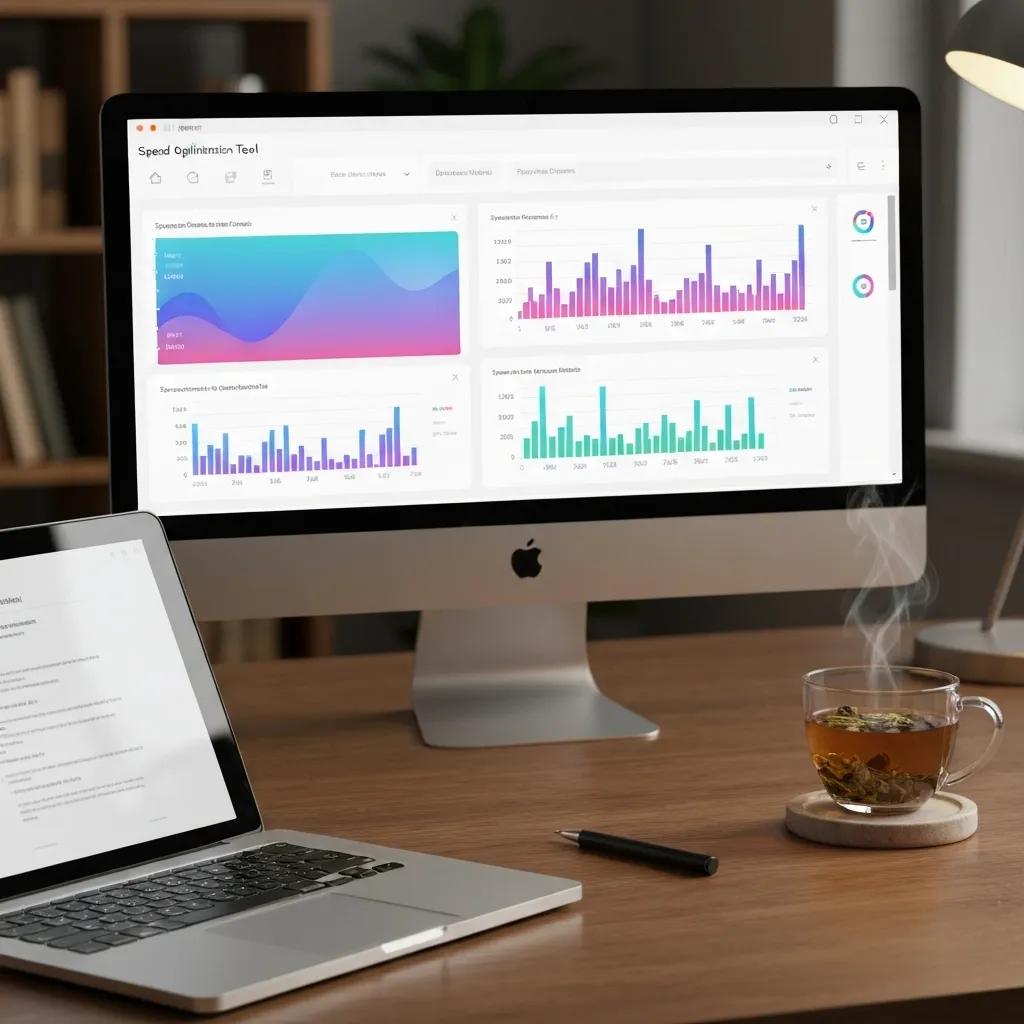
Speed optimization tools are specifically designed to reduce load times, enhance the overall user experience, and improve your Core Web Vitals scores. These platforms meticulously analyze your code and assets to uncover opportunities for significant acceleration.
Each speed optimization tool employs unique mechanisms—from advanced caching techniques to detailed code audits—to accelerate page rendering and boost user retention. These methods naturally lead into troubleshooting at the theme and script levels.
Proven Shopify Speed Optimization Strategies
Key strategies for optimizing Shopify store speed include compressing images, selecting a high-performance theme, and minimizing HTTP requests. Implementing these methods can significantly help store owners retain existing customers and attract new buyers.
Shopify Speed Optimization: 8 Tried & True Ways [2025]
This valuable resource offers practical insights into effective methods for optimizing a Shopify store’s speed.
How do tools like Google PageSpeed Insights and Lighthouse specifically optimize Shopify speed?
Google PageSpeed Insights and Lighthouse optimize Shopify speed through several key actions:
- Analyzing critical rendering paths to intelligently defer non-essential scripts
- Identifying unused CSS and JavaScript for removal or deferment
- Recommending the adoption of modern image formats like WebP for faster decoding
Implementing these targeted suggestions directly impacts LCP and FID metrics, leading to enhanced user satisfaction and improved SEO performance.
What Shopify apps are best for boosting frontend load times and overall UX?
Several specialized Shopify apps are designed to significantly enhance frontend performance:
- NitroPack: Automates advanced caching strategies and resource optimization processes
- Crush Pics: Compresses images efficiently upon upload, preserving visual quality
- Cache Killer: Intelligently clears obsolete caches following theme or app updates
Integrating these powerful apps streamlines the optimization process, enabling consistent performance gains without requiring extensive manual intervention.
How can you effectively identify and resolve slow-loading Shopify themes and scripts?
To effectively troubleshoot themes and scripts, follow this systematic approach:
- Enable the Chrome DevTools Performance panel and record page loads
- Inspect the waterfall chart to pinpoint high-latency resources
- Disable or defer non-critical scripts, such as unnecessary chat widgets
- Test theme bundles by temporarily switching to a default Shopify theme
- Implement asynchronous loading for fonts and third-party libraries
This forensic approach uncovers code inefficiencies that, when resolved, substantially speed up rendering, setting the stage for analytics-driven refinement.
How Do Shopify Analytics Tools Empower You to Improve Store Performance?
Shopify analytics tools consolidate sales, traffic, and user behavior data alongside critical performance metrics, providing a clear direction for optimization priorities. By unifying technical and business insights, you can strategically align speed improvements with your revenue objectives.
These dashboards vividly illustrate how technical enhancements translate directly into user engagement and increased sales, informing both your development sprints and marketing campaigns.
Which Shopify analytics dashboards offer the most actionable insights?
The most valuable Shopify dashboards for performance insights include:
- The Speed report found under Online Store > Preferences, focusing on Core Web Vitals
- The Customer behavior flow within the Analytics overview for detailed exit-page analysis
- Sales by landing page reports to directly connect performance metrics with revenue generation
Accessing and interpreting these dashboards effectively highlights the areas of your store where performance enhancements will yield the greatest return on investment.
How can you accurately interpret conversion rate and user behavior data on Shopify?
When meticulously analyzing behavior data, focus on these key actions:
- Cross-reference high-traffic pages with identified slow load times to prioritize fixes
- Identify checkout step drop-off points in relation to page responsiveness
- Utilize cohort analysis to determine if performance improvements are driving repeat purchases
These interpretations bridge the critical gap between technical metrics and tangible business outcomes, guiding informed and impactful action.
What key metrics serve as red flags for UX issues impacting Shopify sales?
Certain performance metrics act as critical indicators of potential UX issues:
- High FID values signaling unresponsive pages that frustrate users
- Elevated Cumulative Layout Shift (CLS) causing disruptive visual content shifts
- Sudden spikes in bounce rate on specific templates or product pages
Diligent monitoring of these indicators helps you proactively detect friction points that undermine shopper confidence and hinder transaction completion.
Best Practices for Effectively Utilizing Shopify Performance Monitoring Tools
Implementing monitoring tools effectively requires thoughtful configuration, strategic alerting, and ongoing maintenance to ensure sustained performance gains. Follow these best practices:
- Define clear SLAs and strict thresholds for core metrics (e.g., LCP <2.5s, uptime >99.9%)
- Schedule weekly reviews of performance dashboards to identify and address regressions promptly
- Automate alerts for anomalies in speed or error rates to trigger immediate investigation
- Document all optimization changes with dates and version numbers for a clear history of improvements
- Conduct comprehensive quarterly audits that integrate RUM data, synthetic tests, and analytics insights
These best practices foster a proactive optimization culture, preventing minor issues from escalating into significant revenue losses.
How frequently should you be monitoring your Shopify store’s performance?
While performance monitoring should be a continuous process, formal reviews should be conducted at least:
- Weekly to swiftly detect any performance regressions
- Monthly to analyze long-term trend patterns
- Quarterly for comprehensive audits and strategic planning sessions
Regular, structured monitoring ensures that emerging issues are resolved before they can negatively impact revenue or SEO rankings.
How do you set up effective alerts and reports for Shopify performance issues?
To configure robust alerts and insightful reports:
- Define key performance thresholds within your monitoring tool (e.g., LCP >3s)
- Integrate notifications with platforms like Slack or email for rapid response
- Generate automated PDF reports summarizing weekly or monthly performance trends
- Share these reports with relevant stakeholders to align teams on optimization priorities
Automated alerts and comprehensive reports maintain a sharp focus on performance objectives and drive accountability across your development and operations teams.
What ongoing support strategies are crucial for sustained Shopify optimization?
Sustained, long-term optimization relies on a commitment to:
- Dedicated performance reviews conducted alongside every theme or app update
- Continuous refinement of caching and compression rules
- Access to expert development resources for advanced troubleshooting needs
- Comprehensive training for internal teams on performance best practices
Partnering with a specialized agency ensures your store remains optimized with Shopify’s platform updates and evolving industry speed standards.
Transforming Performance Data into Increased Shopify Sales
Performance improvements have a direct and profound impact on user satisfaction and conversion rates. By translating monitoring insights into concrete optimization actions, store owners can unlock significant, measurable revenue gains.
- Prioritize fixes on pages with high traffic and slow load times to maximize your ROI
- Conduct A/B tests comparing accelerated experiences against control versions to quantify the lift
- Optimize product images and videos based on device-specific performance data
- Enhance mobile layouts where load times directly correlate with cart abandonment rates
- Implement personalized caching for returning customers to significantly improve perceived speed
How does enhanced website speed directly impact Shopify conversion rates?
Faster page loads effectively reduce friction throughout the entire purchase funnel, leading to:
- Up to a 20% increase in conversion rates on product pages
- Significantly lower bounce rates for first-time visitors
- A notable increase in add-to-cart actions due to smoother, more engaging experiences
These tangible outcomes clearly demonstrate the direct correlation between strategic speed optimizations and improved sales performance.
What UX improvements can be effectively made based on monitoring insights?
Performance monitoring data often reveals valuable UX opportunities, such as:
- Streamlining above-the-fold content for quicker visual rendering
- Deferring non-essential scripts to prioritize the loading of interactive elements
- Implementing lazy loading for images and product thumbnails
Targeted UX refinements not only improve Core Web Vitals but also foster greater shopper confidence and engagement.
How should you prioritize fixes based on performance monitoring data?
Employ a scoring framework that strategically combines these critical factors:
Calculating a composite score ensures that your highest-impact optimizations are addressed first, aligning technical efforts directly with business value and setting the stage for detecting common issues.
Common Shopify Performance Issues: How Monitoring Tools Detect Them
Monitoring tools are adept at identifying performance problems by capturing anomalies in key metrics and resource usage. Recognizing these patterns is the first step toward swift and effective resolution.
- Slow page load: Detected via spikes in LCP or significant delays in waterfall resource loading
- Downtime incidents: Flagged by failed HTTP status checks originating from multiple global locations
- Backend errors: Reported through increased API error rates or elevated TTFB measurements
- Layout shifts: Quantified by CLS thresholds identified within user sessions
By correlating metric anomalies with error logs and detailed traces, you can uncover root causes and implement long-term fixes, which directly informs the criteria for selecting the right tools.
How do monitoring tools specifically identify slow page load times and downtime?
Monitoring services employ several sophisticated techniques:
- Synthetic checks performed at regular intervals to accurately measure response times
- Multi-region pings to detect global accessibility issues
- Detailed waterfall analyses that pinpoint resource bottlenecks
These techniques precisely identify the exact resource or request causing latency spikes or outright outages, guiding rapid and effective remediation efforts.
What common backend performance problems can affect Shopify stores?
Backend issues frequently encountered include:
- API call bottlenecks caused by external apps slowing transaction processing
- Database latency during periods of peak traffic surges
- Memory exhaustion within custom app functions
Deep tracing and server-side metrics from advanced tools like New Relic are essential for revealing these problems, leading to targeted code or infrastructure optimizations.
How can you effectively resolve common Shopify app conflicts impacting performance?
To effectively diagnose and resolve app conflicts, follow this structured process:
- Review recent app installations or updates against any observed performance regressions
- Disable apps one by one in a staging environment to precisely isolate their impact
- Analyze network requests for any third-party script delays
- Collaborate with app developers for code optimization or script deferment solutions
Identifying and resolving app conflicts is crucial for restoring optimal load times and stability, paving the way for selecting the right monitoring tools.
Choosing the Right Shopify Performance Monitoring Tool for Your Store
Selecting the ideal monitoring solution hinges on your store’s scale, available technical resources, and specific performance objectives. Carefully evaluate platforms based on their feature sets, pricing structures, and ecosystem compatibility.
- Feature set: Prioritize tools offering real-time alerts, RUM support, robust synthetic testing, and detailed backend tracing
- Ease of integration: Look for one-click Shopify app installations or straightforward script embeds
- Scalability: Ensure the tool supports high traffic volumes and multiple subdomains if applicable
- Pricing model: Understand usage-based versus flat subscription costs and potential overage fees
- Support and documentation: Verify access to expert assistance and comprehensive community resources
Applying these criteria rigorously ensures that your chosen tool aligns perfectly with both your immediate needs and your long-term optimization strategies.
What essential features should you prioritize when looking for Shopify monitoring tools?
High-value features to seek out include:
- Customizable dashboards for at-a-glance performance summaries
- SLA-based alerting with flexible multi-channel notification options
- User session replay capabilities to visualize real-user slowdowns
- In-depth API performance tracing for detailed app-level diagnostics
- Seamless integration with analytics platforms to correlate speed with conversions
A comprehensive feature set is key to enabling more effective monitoring and accelerating issue resolution.
How can you effectively compare pricing and support options for Shopify tools?
When evaluating cost and support structures:
- Carefully check for overage fees related to high request volumes
- Assess the typical support response times for critical incidents
- Review the onboarding assistance provided to accelerate setup
- Compare feature tiers against your specific performance objectives
Balancing cost against essential capabilities ensures a sustainable and effective monitoring investment for your store.
Which tools offer the best integration with the Shopify ecosystem?
Tools that provide native Shopify apps or offer straightforward script embeds ensure the most seamless integration. Key examples include:
- NitroPack: An official Shopify app providing comprehensive full-page caching
- Crux (Web Vitals): An app that surfaces real-user metrics directly within your Shopify admin
- Shopify Analytics API connectors for powerful platforms like Datadog or New Relic
Opting for an integrated solution significantly reduces setup friction and enhances data accuracy, naturally leading into how Blackbelt Commerce can provide expert assistance.
How Blackbelt Commerce Elevates Your Shopify Performance Monitoring and Optimization
Blackbelt Commerce combines profound Shopify expertise with proven optimization methodologies to deliver comprehensive, end-to-end performance solutions. Our services encompass everything from initial audits to ongoing monitoring support, ensuring your store remains exceptionally fast, consistently stable, and strategically conversion-focused.
What expert Shopify development services are available to enhance store performance?
Our team of certified Shopify developers specializes in implementing:
- Advanced theme profiling and meticulous code refactoring
- Customized caching strategies and sophisticated image optimization techniques
- API integration tuning and serverless function optimization
These targeted interventions directly contribute to lowering TTFB and significantly improving Core Web Vitals metrics.
How does Blackbelt Commerce customize monitoring solutions for your specific needs?
Through close collaboration with your team, we:
- Configure monitoring tools with precise thresholds aligned to your unique SLAs
- Build custom dashboards within platforms like Datadog or New Relic for tailored insights
- Automate report generation to meticulously track performance improvements over time
This bespoke setup delivers actionable intelligence that evolves dynamically with your store’s growth and changing needs.
What kind of ongoing support does Blackbelt Commerce provide for Shopify stores?
Our commitment to your store’s performance extends far beyond initial optimizations:
- Proactive performance reviews conducted alongside every theme or app update
- 24/7 alert triage and expert remediation assistance
- Quarterly optimization roadmaps strategically aligned with your overarching business goals
Partnering with Blackbelt Commerce guarantees sustained velocity improvements and reliable store uptime, ultimately driving higher customer satisfaction and accelerating sales growth.
Through expert guidance, meticulously tailored monitoring frameworks, and dedicated support, you can master Shopify performance with unwavering confidence—transforming speed and reliability into your most powerful competitive advantage.
Quick Answer: Shopify performance monitoring tools
Shopify Performance Monitoring Tools should help merchants make a clearer decision about their store, customer experience, and growth priorities. A useful guide explains the concept, shows when it matters, and gives the reader a practical next step without forcing the topic into a generic template.
Key Takeaways
- Start with the search intent behind Shopify performance monitoring tools: the reader needs a clear explanation before they are ready for a service conversation.
- Keep the advice practical and specific so the post feels editorial, useful, and worth sharing.
- Use the topic cluster links to connect the article to related BBC expertise instead of leaving it as a standalone blog post.
- Add a natural commercial bridge only after the article has answered the reader’s main question.
- Use the same-page Calendly CTA so qualified readers can book a strategy call without being sent to a long form.
How this connects to your Shopify growth strategy
This article should remain useful for readers researching Shopify performance monitoring tools, but it also needs to show when the topic becomes a business decision. For the Shopify Performance and Conversion Optimization cluster, the commercial bridge is practical: once the reader understands the concept, the next step is deciding whether their current Shopify setup can support the desired experience, conversion path, and operational workflow. That is where expert planning, design, development, CRO, and SEO support can turn the idea into measurable store improvements.
Related Shopify resources
These internal resources support the Shopify Performance and Conversion Optimization topic cluster and help connect this guide to stronger commercial next steps:
- Shopify Performance and Conversion Optimization
- Shopify experts
- Shopify Plus agencies
- Shopify Performance and Conversion Optimization — Parent service page for the reader’s next commercial step
- Blackbelt Commerce — Home-page authority link for brand and core Shopify expertise
- Shopify experts — Money-page link requested for expert-hiring intent
- Shopify Plus agencies — Money-page link requested for high-growth and Plus-agency intent
- Shopify custom development — Development service page for implementation and technical help
- Shopify CRO — Conversion service page for readers focused on revenue and lead generation
Questions store owners ask before taking action
What does Shopify performance monitoring tools mean for a Shopify merchant?
For a Shopify merchant, Shopify performance monitoring tools is about choosing or improving the store experience in a way that supports traffic, trust, conversion, and long-term operations.
When should a store owner get expert help?
Expert help becomes useful when the decision affects SEO, conversion, theme architecture, integrations, migration risk, or revenue-critical customer journeys.
How should this topic connect to a broader content cluster?
The post should link to a parent service page, related support articles, and money pages so Google and AI systems understand how the article supports a broader area of expertise.
What is the lead-generation goal of this article?
The article should educate first, then guide qualified readers toward booking a strategy call when they need help applying the advice to their own store.
What should be avoided during optimization?
Avoid filler, unrelated phrases, invented statistics, broken formatting, duplicated CTAs, and any edit that makes the article feel less helpful or less polished.
Future articles needed for topical dominance
To build deeper topical authority around this cluster, these supporting topics should be created later and linked back into this article:
- Shopify Performance Monitoring Tools Checklist for Shopify Store Owners: Creates a practical support article that turns the Shopify Performance and Conversion Optimization topic into an actionable review tool.
- Common Shopify Performance Monitoring Tools Mistakes and How to Avoid Them: Captures problem-aware searches and gives BBC a natural place to explain implementation risks without hard selling.
- When to Hire Shopify Experts for Shopify Performance Monitoring Tools: Connects informational demand to the expert-hiring money page while preserving educational intent.

