


Blog updated with the most recent Shopify and eCommerce strategies on 05/02/2026.
Shopify Speed Optimization Guide: Proven Tips to Boost Your Store’s Performance and Load Time
Loading delays can slash e-commerce conversions by up to 7% for every additional second, making Shopify store speed optimization essential for revenue growth.
The Impact of Website Speed on E-commerce Conversion Rates – in English
Research indicates that even a one-second delay in page load time can decrease conversions by up to 7%. Faster loading times lead to increased customer engagement and a higher likelihood of purchase.
Kissmetrics, “How Loading Time Affects Your Bottom Line” (2011)
This source supports the article’s assertion that loading delays can negatively impact e-commerce conversions.
This guide maps out proven strategies—spanning image compression, app audits, theme tuning, Core Web Vitals, CDN utilization, speed audits, SEO impact, and Shopify Plus considerations—to enhance user experience and drive sales. By following these tips, merchants will reduce bounce rates, improve mobile performance, and position their stores for higher search rankings.
Why Does Shopify Store Speed Matter for Your Business?
Shopify store speed directly influences how quickly customers access products and complete purchases, affecting both user satisfaction and your bottom line.
How Does Store Speed Impact User Experience and Conversions?
Fast-loading pages create seamless browsing that encourages engagement and repeat visits, while slow pages frustrate shoppers and drive them away. For example, a store that cuts average load time from 4 seconds to 2 seconds often sees its add-to-cart rate increase by double digits.
Improving responsiveness lays the groundwork for higher customer retention and revenue growth.
What Are the Core Web Vitals and Why Are They Crucial for Shopify?
Core Web Vitals are three Google metrics—Largest Contentful Paint (LCP), Cumulative Layout Shift (CLS), and First Input Delay (FID)—that quantify loading performance, visual stability, and interactivity. Shopify merchants who improve these scores tend to rank higher in search results and provide a smoother shopping experience. Aligning with these metrics elevates both SEO and user trust.
Core Web Vitals and SEO Performance – in English
Studies show that websites that meet or exceed the Core Web Vitals thresholds tend to rank higher in search results. Google prioritizes user experience, and site speed is a key component of that experience.
Google Search Central, “Page Experience Update” (2021)
This citation validates the article’s claim that improving Core Web Vitals can positively influence SEO rankings.
How Does Mobile Speed Affect Shopify Store Performance?
Mobile-first indexing prioritizes stores that load swiftly on smartphones, where over 70% of e-commerce traffic originates. Slow mobile pages can spike bounce rates above 50%, whereas streamlined mobile experiences foster conversions and positive brand perception. Optimizing images, scripts, and layouts for mobile devices ensures consistent performance across screens and supports overall speed initiatives.
How Can You Optimize Shopify Images to Improve Page Load Time?
High-resolution visuals enhance product appeal but can inflate page weight. Image optimization reduces file sizes without sacrificing quality and accelerates load times on all devices.
What Are the Best Image Compression Techniques for Shopify?
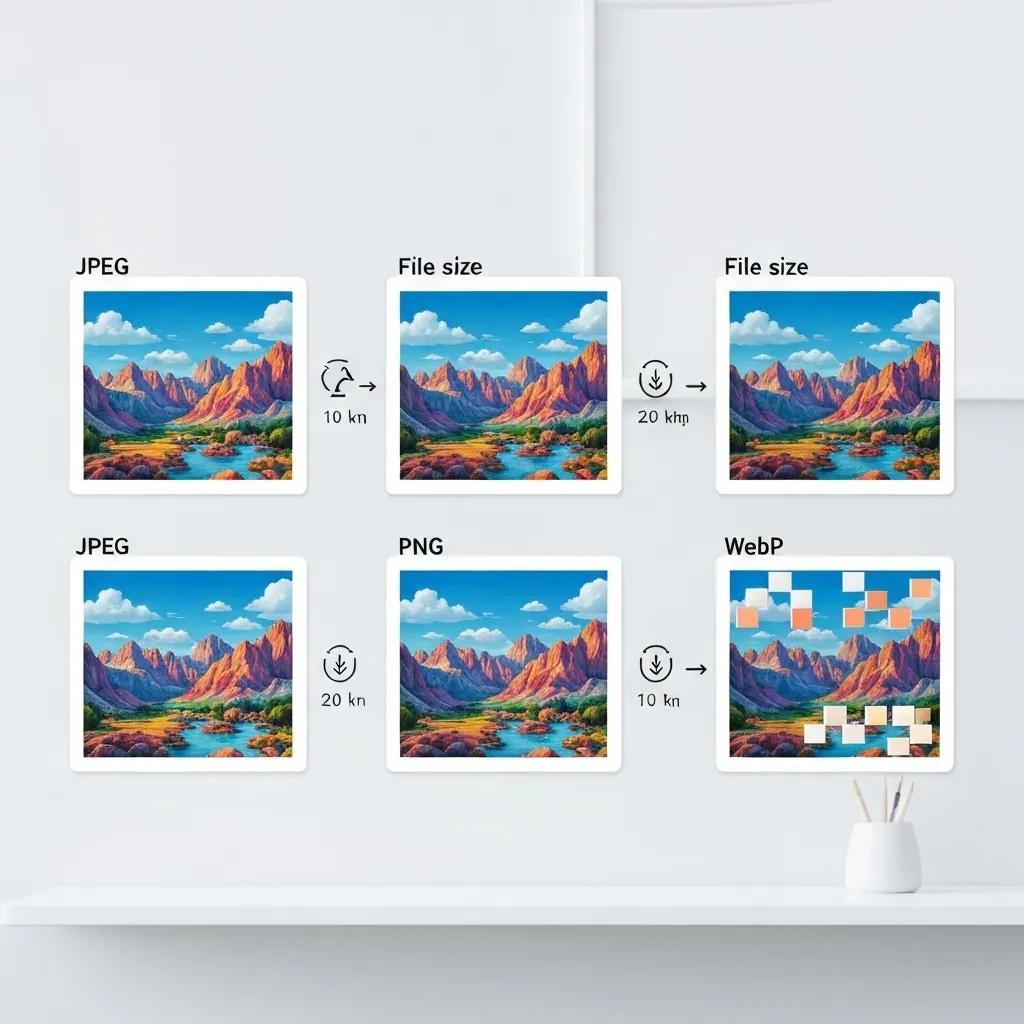
Shopify images should leverage modern formats and compression tools that balance clarity with minimal data transfer:
- Convert JPEGs and PNGs to WebP for up to 30% smaller files without visible artifacts.
- Use lossless compression when preserving fine detail is critical, and lossy compression when slight quality loss is acceptable.
- Automate image resizing during upload to serve appropriately sized files per device resolution.
By tailoring compression strategies, stores deliver crisp visuals while maintaining swift page loads, enhancing both user experience and SEO.
How Does Lazy Loading Shopify Images Enhance Speed?
Deferring offscreen images until they enter the viewport prevents the browser from downloading unnecessary assets upfront.
- Implement native loading=”lazy” attributes for product galleries, reducing initial resource requests.
- Prioritize images in the first viewport for immediate loading.
- Combine lazy loading with placeholder skeletons to signal progress without blocking content.
Lazy loading cuts down on initial page weight and speeds up perceived load time, supporting faster interactions and higher engagement.
Why Are Responsive Images Important for Mobile and Desktop?
Different devices demand distinct image dimensions to optimize clarity and performance.
Serving tailored image sizes avoids wasteful overfetching and ensures every shopper sees crisp product photos without unnecessary bandwidth.
What Are the Most Effective Ways to Optimize Shopify Apps for Speed?
Excessive or poorly coded apps can add JavaScript and CSS that burden page loads. Regular audits and strategic app choices minimize performance overhead.
How Do You Audit Shopify Apps for Performance Issues?
Begin by cataloguing installed apps and measuring their impact on page metrics:
- Use developer tools to profile network requests and isolate heavy scripts.
- Record load times before and after app activation.
- Prioritize apps that contribute over 100 ms of additional load time for review or removal.
App audits reveal which extensions deliver true value versus those that simply bloat pages, guiding targeted optimization efforts.
What Strategies Reduce App Bloat and Third-Party Script Impact?
Reducing unnecessary code improves speed and maintainability:
- Uninstall apps that duplicate functionality or are seldom used.
- Host custom scripts locally rather than loading from external CDNs when possible.
- Combine and minify JavaScript bundles to reduce HTTP requests.
By streamlining scripts and eliminating redundant features, stores regain critical milliseconds in load time while preserving key capabilities.
Are There Lightweight Alternatives to Heavy Shopify Apps?
For common store functions, consider in-theme code snippets or lightweight micro-apps:
- Replace bulky page-builder plugins with hand-crafted Liquid sections for banners and testimonials.
- Use API integrations for analytics or chatbots instead of full-featured apps.
- Deploy custom JavaScript modules that load only on specific pages.
Custom solutions often weigh less and offer precise control over performance, providing both speed gains and a tailored user experience.
How Do Shopify Themes Affect Store Speed and How Can You Improve Them?
Themes deliver the store’s look and feel but can include unused features and inefficient code that slow rendering.
Which Shopify Themes Are Known for Fast Performance?
Top-performing themes balance aesthetics with efficiency through optimized code and modular design:
- Dawn: Shopify’s reference theme, designed around speed and Headless compatibility.
- SpeedStream: Emphasizes minimal dependencies and clean CSS.
- Turbo Lite: A streamlined variant focused on critical storefront features.
Choosing a lean theme provides a strong baseline before diving into deeper code optimizations.
How Can You Customize Theme Code to Boost Speed?
Delve into theme files and optimize core assets:
- Minify CSS and JavaScript and remove unused selectors or functions.
- Load noncritical scripts asynchronously to prevent render blocking.
- Defer heavy libraries until after initial rendering for faster first paint.
Customizing theme code ensures only essential resources impact the initial page load, driving up Lighthouse scores and user satisfaction.
What Theme Features Should You Remove to Avoid Slowdowns?
Unused or rarely used components can remain hidden yet still consume resources:
- Disable theme sections like mega-menus or advanced sliders if not used.
- Remove embedded font sets you don’t need; stick to system fonts for speed.
- Strip out legacy Liquid snippets that no longer serve functional purposes.
Eliminating excess features cuts down page weight and reduces JavaScript parsing time, propelling performance forward.
How Can You Understand and Improve Shopify Core Web Vitals?
Core Web Vitals provide measurable targets for speed and stability, guiding technical optimizations.
What Is Largest Contentful Paint (LCP) and How to Optimize It?
Largest Contentful Paint measures how long it takes for the main content element to render. Fast LCP keeps customers engaged.
- Preload key fonts and hero images to prioritize critical resources.
- Compress and serve images in modern formats to reduce size.
- Remove render-blocking CSS by inlining critical styles and deferring the rest.
Improving LCP directly accelerates the visible page load, enhancing perceived performance and SEO signals.
How Do You Fix Cumulative Layout Shift (CLS) Issues on Shopify?
Cumulative Layout Shift quantifies unexpected layout movements that degrade user experience.
- Specify width and height attributes for images and iframes to reserve space.
- Preload web fonts to prevent text reflow.
- Allocate static container dimensions for ads or dynamic content.
Stabilizing layout elements eliminates visual jumps, making interactions feel reliable and professional.
What Are First Input Delay (FID) Strategies for Better Interactivity?
First Input Delay measures responsiveness to user actions. Low FID fosters smooth browsing.
- Break up long JavaScript tasks into smaller asynchronous chunks.
- Defer non-urgent scripts until after user input is ready.
- Implement browser caching and HTTP/2 to speed script delivery.
Enhancing interactivity reduces frustration and keeps shoppers engaged in the buying process.
What Role Does a CDN Play in Enhancing Shopify Store Speed?

A Content Delivery Network accelerates resource delivery by caching assets across global edge servers.
What Is a CDN and How Does It Work for Shopify Stores?
A CDN duplicates static files—images, scripts, stylesheets—on servers nearest to each visitor. When a shopper accesses the store, assets load from the closest node, cutting latency. This distributed caching ensures consistently fast experiences regardless of geographic location.
How Does Shopify’s Built-in CDN Improve Global Performance?
Shopify’s integration with Akamai automatically caches theme assets and media files across hundreds of points of presence.
- Dynamic content is fetched directly from Shopify’s optimized infrastructure.
- Edge caching reduces round-trip times for asset delivery.
- Smart invalidation ensures updates propagate swiftly without manual intervention.
Relying on the built-in CDN simplifies performance management while delivering enterprise-grade speed.
What Are the Benefits of Using a CDN for International Shopify Stores?
For cross-border audiences, a CDN:
- Lowers latency by up to 200 ms for distant visitors.
- Balances traffic loads to prevent server bottlenecks during peak sales.
- Improves reliability by serving cached assets if origin servers face issues.
International stores that leverage CDNs maintain uniform speed worldwide, bolstering brand credibility and conversion potential.
What Is a Shopify Speed Audit and Why Should You Get One?
A speed audit systematically evaluates performance bottlenecks and yields actionable improvement plans.
What Components Are Included in a Comprehensive Shopify Speed Audit?
A full audit covers:
- Asset analysis (images, fonts, scripts, stylesheets)
- Core Web Vitals measurement and diagnostics
- App and third-party script impact assessment
- Theme code review and render-blocking identification
- CDN and caching configuration evaluation
These elements combine to form a prioritized roadmap for speed enhancements.
Which Tools Are Used for Shopify Speed Analysis?
Merchants and developers commonly use:
- Google PageSpeed Insights for Core Web Vitals metrics
- GTmetrix for waterfall breakdowns and resource timing
- Lighthouse integrated in Chrome DevTools for overall performance scores
Leveraging multiple tools provides a holistic view of speed challenges across devices.
How Do You Interpret Audit Results and Create Action Plans?
Audit reports highlight specific issues ranked by severity and user impact. To act on these findings:
- Tackle high-impact metrics (like LCP and CLS) first.
- Implement quick wins (image compression, lazy loading) for immediate gains.
- Schedule deeper code refactors and custom solutions.
- Monitor performance changes and iterate based on new audit data.
Structured action plans ensure continuous improvement and measurable ROI.
How Does Shopify Store Speed Affect SEO and Conversion Rates?
Site speed is both a ranking factor in Google’s algorithm and a direct driver of sales performance.
How Does Speed Influence Shopify SEO Rankings?
Search engines reward fast-loading sites with higher visibility. Meeting Core Web Vitals thresholds signals a quality user experience that aligns with ranking criteria. As a result, optimized stores climb organic SERPs, attract more qualified visitors, and capture greater market share.
What Is the Relationship Between Load Time and Conversion Rates?
Speed and conversions share a nearly linear relationship: each 100 ms improvement in load time can boost conversion rates by 1–2%. Quick pages foster confidence, shorten decision cycles, and reduce cart abandonment, directly increasing average order values and revenue per visitor.
How Can You Measure the ROI of Shopify Speed Improvements?
Calculate return on investment by comparing performance gains against business metrics:
- Monitor conversion rate lift post-optimization.
- Track revenue per visitor before and after speed projects.
- Quantify reduced bounce rates and session durations.
- Attribute incremental sales growth to specific speed initiatives.
Data-driven ROI assessments justify ongoing performance investments and guide resource allocation.
What Unique Speed Optimization Challenges Do Shopify Plus Stores Face?
Enterprise-level stores have complex integrations and heavier traffic demands that require specialized solutions.
How Does Headless Commerce Improve Shopify Plus Store Speed?
Headless implementations decouple the frontend from Shopify’s backend, delivering content via API. This approach:
- Enables server-side rendering for faster first paint.
- Allows custom micro-frontends optimized for performance.
- Reduces reliance on monolithic theme code, speeding up updates.
By leveraging headless architectures, Shopify Plus merchants unlock significant speed advantages and design flexibility.
What Are Best Practices for Custom Integrations on Shopify Plus?
For bespoke enterprise features:
- Build apps using scalable API-first frameworks.
- Employ GraphQL for efficient data retrieval and minimal payloads.
- Implement queueing and caching layers for heavy data operations.
These practices ensure custom code accelerates performance rather than hindering it.
How Can Blackbelt Commerce Help Shopify Plus Merchants Boost Speed?
Blackbelt Commerce combines deep Shopify Plus expertise with proven performance methodologies to deliver:
- Tailored speed audits pinpointing critical bottlenecks.
- Customized theme and app refactors that align with brand and functionality needs.
- Headless and hybrid architectures optimized for global scale.
Reducing load times and aligning with modern performance standards not only elevates search visibility but also amplifies conversion potential. By implementing these proven tips—backed by data, refined through audits, and tailored for your Shopify ecosystem—you’ll create a faster, more engaging store that drives growth. Continuous measurement and refinement, guided by expert insights, will secure enduring performance gains and long-term business success.
Quick Answer: Shopify Store Speed
Shopify Store Speed should improve how a Shopify store converts traffic into trust, customers, and revenue. The article should connect store operations, UX, apps, speed, support, and conversion paths so readers understand what to fix and when expert help can accelerate results.
Want a sharper Shopify growth plan?
Want to turn Shopify Store Speed into a practical Shopify growth plan? Book a strategy call and we will help you clarify the next move.
Key Takeaways
- Use Shopify Store Speed to clarify the store problem, the business impact, and the highest-value next step.
- Make the advice practical enough for a merchant to act on while showing where expert support prevents wasted effort.
- Connect improvements to UX, conversion, SEO, operations, analytics, and lead generation.
- Link naturally to Blackbelt Commerce money pages and the home page without weakening editorial trust.
- Use the same-page Calendly CTA only after helpful guidance has been delivered.
How this connects to your Shopify growth strategy
For the Shopify Growth, CRO, and Store Optimization cluster, this article should make Shopify Store Speed practical, specific, and commercially useful while protecting editorial trust. The bridge to Blackbelt Commerce should show when expert planning, implementation, SEO discipline, or Shopify Plus support can reduce risk and turn the reader’s next decision into measurable progress.
Want a sharper Shopify growth plan?
Use this guide as a decision tool. Then book a strategy call when you want a practical roadmap for your store.
Related Shopify resources
These internal resources support the Shopify Growth, CRO, and Store Optimization topic cluster and help connect this guide to stronger commercial next steps:
- Shopify CRO services
- Shopify experts
- Shopify Plus agencies
- Shopify CRO services — Primary money/service page for this search intent
- Blackbelt Commerce — Home-page authority link for brand and core Shopify expertise
- Shopify experts — Money-page link requested for expert-hiring intent
- Shopify Plus agencies — Money-page link requested for high-growth and Plus-agency intent
- Shopify custom development — Development service page for implementation and technical help
- Shopify checkout optimization — Related conversion article
- Shopify conversion optimization — Related CRO article
Questions store owners ask before taking action
Why does Shopify Store Speed matter for Shopify merchants?
It matters when the topic affects customer trust, conversion, operations, SEO, analytics, or the team’s ability to scale the store cleanly.
How should the article guide the reader?
It should answer the search intent first, then connect the topic to practical next steps, related resources, and expert support when that next step is useful.
What is the lead-generation goal?
The goal is a qualified strategy-call booking after the article has delivered enough value for the reader to trust Blackbelt Commerce with the next decision.
Future articles needed for topical dominance
To build deeper topical authority around this cluster, these supporting topics should be created later and linked back into this article:
- Shopify Store Speed Checklist for Shopify Stores: Creates an actionable support article that can earn long-tail searches and link back to relevant money pages.
- Common Shopify Store Speed Mistakes That Hurt Shopify Revenue: Targets problem-aware readers and explains UX, SEO, conversion, and implementation risk.
- How Shopify Experts Prioritize Shopify Store Speed: Links informational intent to expert support without turning the main article into a sales pitch.
Want a sharper Shopify growth plan?
Ready to turn the advice in this article into an action plan? Open the calendar here and choose a time that works for you.

