


Blog updated with the most recent Shopify and eCommerce strategies on 05/02/2026.
Shopify PayPal Integration Guide: Unlock Seamless PayPal Setup for E-commerce Success
Integrating PayPal with Shopify is your secret weapon for a checkout experience that customers trust, slashing cart abandonment and supercharging your conversion rates. This guide is packed with actionable steps to get PayPal humming on your Shopify store, dives deep into why PayPal is a game-changer for payments, and reveals insider strategies to skyrocket your sales. You’ll master navigating fees, conquer common hiccups, harness advanced features for Shopify Plus, and discover how Blackbelt Commerce’s expert touch guarantees a flawless integration. Follow this clear roadmap to unlock a seamless PayPal setup and drive serious, measurable growth for your e-commerce empire.
How Do You Add PayPal to Your Shopify Store?
Adding PayPal to your Shopify store is all about linking your Shopify payment settings to a verified PayPal Business account. This activates a secure payment gateway, letting customers breeze through checkout using their familiar PayPal credentials. The process configures Shopify’s checkout flow to seamlessly include PayPal as a payment option, leading to faster purchases and a significant trust boost. For savvy merchants, a solid integration is the bedrock of optimized payment experiences and boosted revenue.
What Are the Prerequisites for Shopify PayPal Integration?
Before you dive in, make sure you’ve got these essentials locked down:
- A Shopify store with admin access and payment settings ready to go.
- A PayPal Business account that’s fully verified with your business details and bank information.
- Two-factor authentication enabled on your PayPal account for ironclad API security.
- Admin-level permissions within Shopify to tweak payment providers and customize your checkout.
These requirements ensure you have the right credentials and security measures in place to link your store with PayPal flawlessly, setting you up perfectly for the step-by-step connection process.
What Are the Step-by-Step Instructions to Connect PayPal with Shopify?
Follow these straightforward steps to integrate PayPal Express Checkout into your Shopify checkout flow:
- Log in to your Shopify admin and head over to Settings > Payments.
- Under the PayPal section, hit Activate next to PayPal Express Checkout.
- Punch in your PayPal Business email address and click Next.
- Log in to PayPal in the pop-up window and give Shopify the green light to access your account.
- Confirm the authorization and you’ll be whisked back to Shopify, where PayPal will now show as an active provider.
- Hit Save on your payment settings to lock in the initial integration.
Nailing these steps connects your Shopify store with PayPal, empowering customers to choose PayPal at checkout, slashing friction, and building rock-solid trust.
How to Enable and Configure PayPal Express Checkout on Shopify?
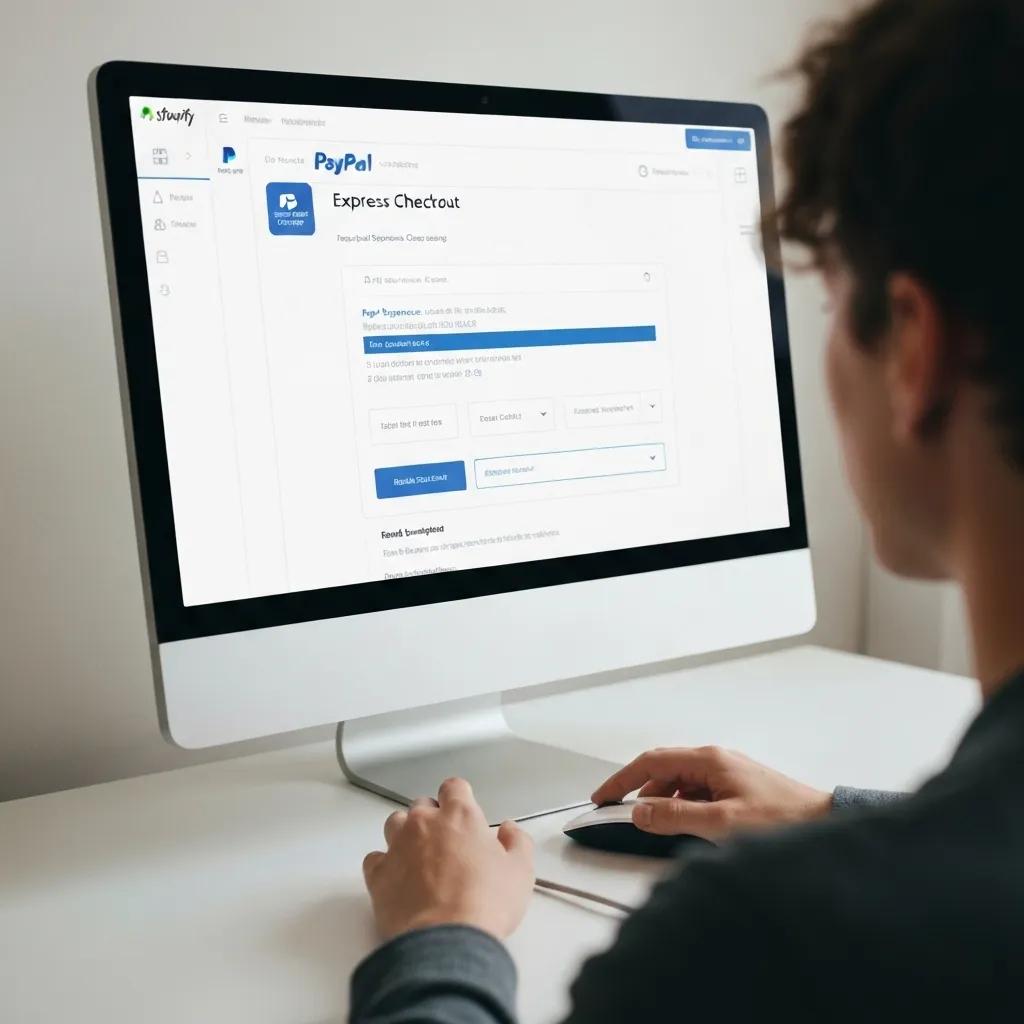
Enabling PayPal Express Checkout is your fast track to quicker purchases. It minimizes checkout fields and leverages customers’ saved PayPal details:
- In your Shopify admin, navigate to Settings > Payments and find PayPal Express Checkout.
- Click Manage to tweak the button’s label, where it appears, and its style on your product and cart pages.
- Turn on In-context checkout to launch PayPal in a slick lightbox overlay, keeping your store’s branding front and center.
- Select Instant Payment Notifications (IPN) to get real-time updates on every payment status.
- Save your adjustments and preview your checkout to confirm the Express button is shining bright.
This configuration is all about leveling up the user experience with a one-click payment option that taps into PayPal’s stored credentials for lightning-fast conversions.
How Can You Test Your PayPal Integration to Ensure It Works Correctly?
Testing your integration is crucial to guarantee PayPal payments flow smoothly and orders land correctly in Shopify:
- Activate PayPal sandbox mode within your PayPal Business account for risk-free testing.
- Create sandbox buyer and seller accounts via the PayPal Developer Portal.
- In your Shopify admin, switch PayPal to sandbox mode by inputting your sandbox API credentials.
- Place a test order using a sandbox buyer account and complete the payment through PayPal.
- Double-check the order status in Shopify’s Orders section and confirm all payment details are spot on.
- Keep an eye on IPN logs in PayPal to ensure notifications are zipping over to Shopify as expected.
Successfully passing these tests validates the entire payment journey and confirms your store is primed to handle live PayPal transactions without a hitch.
What Are the Benefits of Using PayPal on Shopify?
Integrating PayPal onto your Shopify store instantly brings you global brand recognition, robust fraud defenses, and a super-fast checkout—all key ingredients for boosting customer trust and driving sales. By offering PayPal’s universally recognized payment interface, you tap into a massive global customer base and slash checkout friction, paving the way for sustainable e-commerce growth.
Integrating PayPal with Shopify to Enhance Checkout Experience
Integrating PayPal with a Shopify store can significantly improve the customer’s checkout experience by offering a trusted and convenient payment option, which can lead to higher conversion rates and reduced cart abandonment. PayPal’s global reach and multiple payment options also facilitate international sales and cater to diverse customer preferences.
Source: Integrating PayPal with Shopify to Enhance Checkout Experience, 2025-01-23
How Does PayPal Improve Checkout Speed and Reduce Cart Abandonment?
PayPal turbocharges the buying process by letting customers reuse their saved credentials and automatically filling in payment details. This dramatically cuts down on manual entry errors and speeds up checkout time:
- Faster credential entry means less friction and quicker order completion.
- Auto-filled billing and shipping details banish cart abandonment caused by tedious form-filling.
- One-page checkout options encourage impulse buys by slashing the number of steps required.
Shorter, smoother checkout flows translate directly into measurable gains in conversion rates and a significant drop in abandoned carts.
Why Is PayPal Trusted by Customers for Secure Payments?
PayPal’s buyer protection program and sophisticated fraud detection systems create a secure haven that gives online shoppers peace of mind:
- End-to-end encryption shields your transaction data at every single step.
- Buyer protection policies ensure disputes are handled efficiently and fairly.
- Real-time fraud monitoring flags suspicious activity, drastically reducing chargebacks.
This unwavering security assurance not only reassures your customers but also bolsters your store’s credibility.
Secure Online Payments with PayPal
PayPal uses end-to-end encryption to protect all transactions, and does not share full financial information with merchants, which helps to keep sensitive financial information safe from hackers and thieves. PayPal also offers purchase protection for eligible purchases.
Source: PayPal Security | Protect Your Financial Data, 2025-06-04
How Does Mobile Optimization Enhance PayPal Checkout on Shopify?
Mobile-optimized PayPal buttons and in-context overlays adapt flawlessly to smaller screens, ensuring a smooth payment journey on smartphones and tablets:
- The responsive PayPal Express Checkout button guarantees it’s visible and functional across all devices.
- Mobile lightbox checkout maintains your brand’s continuity and minimizes disruptive redirects.
- Simplified payment fields are designed for easy touch-screen input, cutting down on mobile abandonment.
Seamless mobile payments are key to capturing the ever-growing segment of customers who shop primarily on their handheld devices.
What Are the Key PayPal Features Available for Shopify Stores?
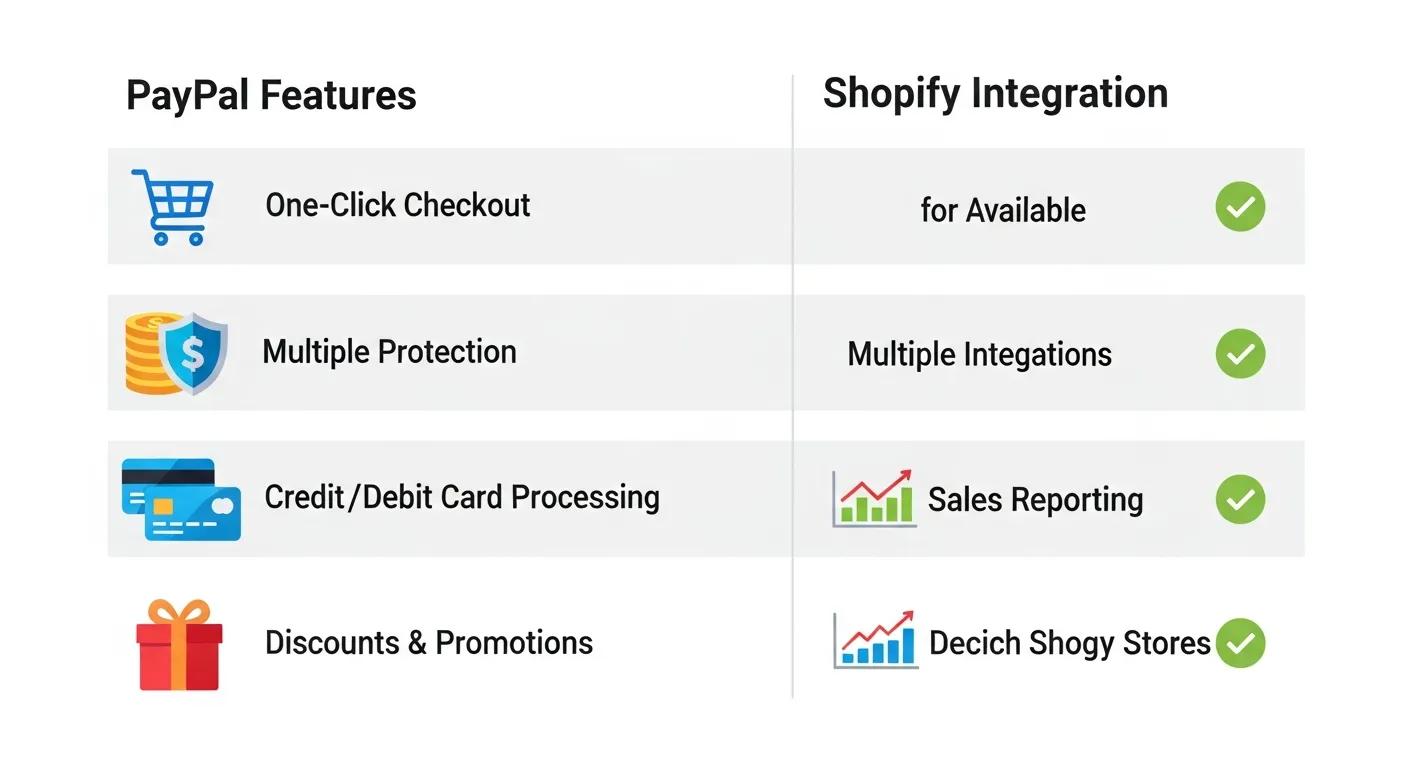
Here’s a quick rundown of PayPal’s main offerings for Shopify merchants:
These powerful features empower merchants to tailor their checkout experience precisely to customer preferences and unique business models.
How Can You Optimize PayPal Settings to Increase Shopify Conversions?
Optimizing your PayPal settings is all about fine-tuning payment options, button placement, and user experience elements to drive completions and encourage repeat business. Strategic configuration ensures your store maximizes revenue and capitalizes on every marketing effort that brings traffic to your checkout.
What Are the Best PayPal Configuration Practices for Shopify Stores?
Follow these expert-recommended settings to get the most out of your PayPal integration:
- Leverage In-context Checkout to keep buyers engaged on your site.
- Enable Guest Checkout so customers without PayPal accounts can still pay with their credit cards.
- Customize button messaging to highlight security assurances and key benefits.
- Set up notification emails to instantly reassure customers after their purchase.
- Ensure your currency display aligns with your store’s localization to prevent any confusion.
Adopting these practices sharpens clarity and significantly boosts customer confidence right at the crucial final purchase stage.
How Does Streamlined Checkout Improve User Experience and Sales?
A simplified payment journey reduces mental effort and speeds up decision-making, leading to higher average order values and fewer abandoned carts:
- Clear, descriptive PayPal buttons guide users effortlessly toward completing their payment.
- Fewer required fields and auto-populated details eliminate frustrating friction points.
- Visual cues and branded overlays reinforce trust and security throughout the checkout process.
This cohesive, user-friendly experience directly fuels sustained revenue growth.
What A/B Testing Methods Can Boost PayPal Checkout Performance?
Rigorous experimentation is your key to uncovering the most effective button styles and placement strategies:
- Test different button colors and wording (e.g., “Buy with PayPal” vs. “Checkout with PayPal”).
- Compare in-cart vs. product-page button positions to maximize visibility.
- Evaluate the impact of headline copy placed above the PayPal option to highlight savings or speed.
- Measure the performance of overlay vs. redirect checkouts to see which drives higher completion rates.
- Track device-specific layouts to ensure optimal mobile performance.
Data-driven refinements ensure you’re investing your efforts in the improvements that yield the biggest impact.
How to Customize PayPal Buttons and Messaging for Maximum Impact?
Tailoring the appearance and text of your PayPal buttons can significantly boost click-through rates and conversions:
- Use your brand’s signature color palette for PayPal buttons to maintain seamless site consistency.
- Add concise microcopy like “Secure payment guaranteed” just below the button.
- Position trust badges strategically near the PayPal option to reinforce security signals.
- Rotate promotional messages such as “Free shipping on PayPal orders” to encourage higher average order values.
Here’s a quick reference for key settings:
Fine-tuning these settings positions your store for peak checkout efficiency and superior sales performance.
What Are the Shopify PayPal Fees and How Do They Affect Your Store?
Getting a firm grip on PayPal’s fee structure is essential for merchants looking to manage costs effectively and maintain healthy profit margins. By breaking down transaction charges and understanding payout timelines, you can accurately forecast revenue, adjust your pricing strategy, and optimize cash flow for sustainable growth.
How Are PayPal Transaction Fees Structured for Shopify Merchants?
PayPal transaction fees typically involve a percentage of the sale combined with a flat fee, applied to each successful transaction:
- Domestic transactions: Charged at 2.9% + $0.30 per sale.
- International transactions: Priced at 4.4% + a fixed currency fee per sale.
- Micropayments: A rate of 5.0% + $0.05 applies to transactions under $10.
These fees cover the costs of payment processing, robust fraud protection, and dedicated customer support.
Does Shopify Charge Additional Fees for PayPal Payments?
Shopify’s fee policy hinges on your subscription plan when you opt for a third-party provider like PayPal:
- If you’re using Shopify Payments, you won’t incur any extra transaction fees.
- Merchants on the Basic plan using PayPal will face an additional 2.0% Shopify fee on top of PayPal’s charges.
- The Shopify plan adds a 1.0% fee, and the Advanced plan adds 0.5% for third-party payments.
Your choice between Shopify Payments and a PayPal-only setup significantly impacts your overall processing expenses.
How Can You Manage and Reduce PayPal Fees on Shopify?
Implementing smart cost-optimization techniques can help significantly mitigate your processing expenses:
- Encourage invoiced or subscription payments, which often come with lower recurring-billing rates.
- Consolidate shipping and handling charges to minimize the number of separate micropayments.
- Explore negotiating volume discounts directly with PayPal if your monthly sales consistently exceed certain thresholds.
- Prioritize routing most transactions through Shopify Payments whenever feasible.
- Offer store credit incentives to reduce the volume of high-fee transactions.
These strategic approaches help preserve your profit margins and streamline your financial reporting processes.
What Is the PayPal Payout Schedule for Shopify Sellers?
PayPal typically disburses merchant funds according to these schedules:
- Standard payouts are processed daily directly to your linked bank account.
- Opting for Instant payouts incurs an additional fee (e.g., 1% of the transfer amount).
- Hold periods ranging from 7–21 days might apply for brand-new accounts or exceptionally large payments.
Understanding these payout timings is crucial for maintaining consistent cash flow to cover inventory and operational needs.
What Are Common PayPal Shopify Integration Issues and How Do You Troubleshoot Them?
Even seasoned merchants can run into integration snags, from minor visibility glitches to more complex payment errors. Having a clear troubleshooting framework in place empowers you to resolve issues swiftly and keep your sales momentum rolling without interruption.
Why Is PayPal Not Showing Up on Shopify Checkout?
PayPal might be playing hide-and-seek if your configuration or regional settings are out of sync:
- Your store’s country settings must precisely match the region of your PayPal Business account.
- If Shopify Payments is actively enabled, PayPal might be relegated to a secondary position or even disabled.
- Outdated API credentials within your PayPal settings can disrupt its visibility.
Correcting these specific settings will bring PayPal back into the spotlight as a viable payment option at checkout.
How to Fix PayPal Payment Failures and Error Messages?
Payment errors often stem from misconfigured credentials or issues with your account status:
- Thoroughly verify that your PayPal Business account is fully verified and free of any limitations.
- Confirm that your API username, password, and signature precisely match the details stored in Shopify.
- Check for any IPN (Instant Payment Notification) delivery failures by reviewing your PayPal logs.
- Ensure your store’s SSL certificate is current and valid to guarantee secure connections.
- Keep an eye on PayPal’s status page for any ongoing service outages that could be causing temporary failures.
Addressing these common factors resolves the vast majority of transaction interruptions.
What Are the Steps to Resolve PayPal Account Linking Problems?
When Shopify struggles to connect with PayPal, it’s time to re-establish that crucial link:
- In your Shopify admin, navigate to Settings > Payments and click Edit next to PayPal.
- Select Deactivate and confirm the removal of the existing integration.
- Re-enter your PayPal Business email and re-authorize the necessary permissions.
- Validate the new integration with a sandbox test before switching back to live mode.
- If authorization continues to fail, don’t hesitate to reach out to PayPal support.
How to Fix PayPal Integration with Shopify – Easy Guide
If PayPal is already listed but not working, disconnect it and reconnect by signing in with your PayPal credentials. Make sure you’re using a PayPal business account since Shopify requires business accounts for payments. Verify that your PayPal account is fully set up with an active bank and card linked because incomplete accounts can cause integration errors.
Source: How to Fix PayPal Integration with Shopify – Easy Guide, 2025-09-04
When Should You Contact Support for PayPal Shopify Integration Problems?
It’s time to escalate to platform support when your internal troubleshooting efforts don’t crack critical issues:
- Persistent checkout blockages that are impacting multiple orders.
- Recurring API authentication failures even after confirming credentials are correct.
- Noticeable discrepancies between your Shopify order records and PayPal payment logs.
- Extended PayPal payout delays that are starting to affect your cash flow.
Seeking professional assistance ensures a swift resolution and minimizes any potential disruption to your sales.
What Advanced PayPal Features Are Available for Shopify Plus Stores?
Shopify Plus merchants gain access to enterprise-grade PayPal tools designed to handle complex workflows, scale revenue models, and conquer global markets. Harnessing these features will elevate your checkout strategy and secure high-volume transactions with confidence.
How Do PayPal Subscriptions Work on Shopify Plus?
PayPal Subscriptions seamlessly integrate with Shopify Plus Scripts and Flow to automate your recurring billing processes:
- Merchants define precise subscription intervals and trial periods directly within Shopify’s admin.
- PayPal takes care of automatic renewals and sends timely renewal notifications to your customers.
- Built-in subscription management APIs empower customers to easily upgrade or cancel their plans.
This streamlined model guarantees predictable revenue streams and significantly boosts customer lifetime value.
What Are the Benefits of One-Click Payments with PayPal Express Checkout?
One-click payments drastically reduce friction by securely storing customer payment credentials:
- Returning customers can finalize their purchases with just a single click.
- Fewer required form fields and reduced cognitive load mean faster order completion.
- Higher average order values are often achieved thanks to simplified impulse buys.
This powerful capability drives repeat sales and leverages PayPal’s secure vault for saved payment methods.
How Does Multi-Currency Support Enhance Global Sales?
PayPal’s sophisticated multi-currency engine automatically displays prices and processes payments in the customer’s local currency:
- Customers see product costs clearly displayed in their native currency, eliminating any conversion guesswork.
- Merchants receive settlements in their home currency, simplifying accounting and reconciliation.
- Dynamic currency conversion options can even create additional revenue streams for your business.
International shoppers convert with greater confidence when local pricing is presented clearly and transparently.
What Fraud Protection Features Does PayPal Offer for Shopify Plus?
PayPal’s advanced risk mitigation tools integrate seamlessly with Shopify Plus security protocols:
- PayPal Seller Protection provides coverage for eligible transactions against unauthorized chargebacks.
- Machine-learning fraud filters meticulously screen high-risk orders in real time.
- 3D Secure 2.0 support enhances authentication for card-not-present transactions, adding another layer of security.
These robust measures effectively safeguard your business and reinforce shopper trust in your checkout environment.
How Can Blackbelt Commerce Help You Unlock PayPal Integration Success on Shopify?
As a dedicated Shopify-focused e-commerce development agency, Blackbelt Commerce excels in delivering seamless PayPal integrations, optimizing conversions, and providing ongoing expert support. Our proven methodology blends deep technical expertise with data-driven strategies to implement reliable checkout solutions that yield measurable business results.
What Shopify PayPal Integration Services Does Blackbelt Commerce Provide?
Blackbelt Commerce offers a comprehensive suite of services specifically for PayPal integrations:
- Custom integration of PayPal Standard, Express Checkout, and Payments Pro.
- Advanced configuration including meticulous IPN setup, thorough sandbox testing, and complex multi-currency rules.
- UX optimization focused on button design, strategic placement, and compelling messaging that drives conversions.
- Dedicated troubleshooting and support to swiftly resolve payment errors and critical API issues.
Our end-to-end approach ensures your PayPal setup is perfectly aligned with your operational goals and ambitious growth plans.
How Has Blackbelt Commerce Improved Conversion Rates for Clients?
Through highly targeted PayPal optimizations, our clients have achieved impressive results, including:
- A significant 25 percent reduction in cart abandonment by strategically enabling Express Checkout.
- An average 18 percent increase in mobile payment conversions thanks to optimized in-context overlays.
- Streamlined checkout workflows that led to a 30 percent decrease in payment-related support tickets.
These tangible outcomes underscore our ability to combine industry best practices with bespoke enhancements for maximum business impact.
Why Choose Blackbelt Commerce as Your Shopify PayPal Integration Partner?
Our unique value propositions set us apart from the competition:
- Unrivaled expertise in the Shopify platform and PayPal APIs, honed through hundreds of successful integrations.
- Data-driven optimization techniques that zero in on real-world performance metrics for maximum ROI.
- Dedicated support teams committed to rapid response times and proactive system monitoring.
- Transparent project management and detailed reporting that ensure complete visibility throughout the process.
By partnering with us, merchants gain access to specialized skills that deliver both technical excellence and accelerated business growth.
How to Get Started with Blackbelt Commerce’s Integration Support?
Embarking on a successful PayPal integration journey with us is refreshingly straightforward:
- Reach out via our website form to schedule a complimentary consultation.
- Share your current payment setup and key business objectives with our expert team.
- Receive a customized proposal detailing the scope, timeline, and investment.
- Kick off a collaborative project designed to deliver a robust, highly optimized PayPal checkout experience.
Seamless PayPal integration transforms checkout experiences into trusted, efficient pathways to revenue. By implementing these best practices for setup, optimization, fee management, and troubleshooting, you’ll secure higher conversions and cultivate greater customer satisfaction. Advanced PayPal features for Shopify Plus unlock your global growth potential, while robust fraud protections keep your business secure. With Blackbelt Commerce’s specialized services, you gain an expert partner dedicated to flawless implementation and continuous performance improvements. Take action today to elevate your Shopify store’s payment capabilities and accelerate your e-commerce success.
Quick Answer: PayPal integration for Shopify
PayPal integration for Shopify should be evaluated through checkout trust, customer convenience, fees, fraud risk, payout timing, local expectations, and operational fit. Merchants should verify current Shopify, gateway, payment, and app terms before making decisions, then choose the setup that supports conversion without creating avoidable complexity.
Want a sharper Shopify growth plan?
Need a cleaner payment setup for your Shopify store? Book a strategy call and we will help you identify the safest, highest-impact next step.
Key Takeaways
- Use PayPal integration for Shopify to improve checkout trust, payment flexibility, fraud control, and operational clarity.
- Verify current Shopify, gateway, payment, app, and regional terms before relying on pricing or setup assumptions.
- Connect payment choices to conversion, customer expectations, cash flow, reporting, and support needs.
- Link naturally to Blackbelt Commerce money pages and the home page without weakening editorial trust.
- Use the same-page Calendly CTA only after helpful guidance has been delivered.
How this connects to your Shopify growth strategy
For the Shopify Growth, CRO, and Store Optimization cluster, this article should make PayPal integration for Shopify practical, specific, and commercially useful while protecting editorial trust. The bridge to Blackbelt Commerce should show when expert planning, implementation, SEO discipline, or Shopify Plus support can reduce risk and turn the reader’s next decision into measurable progress.
Want a sharper Shopify growth plan?
Use this guide as a decision tool. Then book a strategy call when you want a practical roadmap for your store.
Related Shopify resources
These internal resources support the Shopify Growth, CRO, and Store Optimization topic cluster and help connect this guide to stronger commercial next steps:
- Shopify CRO services
- Shopify experts
- Shopify Plus agencies
- Shopify CRO services — Primary money/service page for this search intent
- Blackbelt Commerce — Home-page authority link for brand and core Shopify expertise
- Shopify experts — Money-page link requested for expert-hiring intent
- Shopify Plus agencies — Money-page link requested for high-growth and Plus-agency intent
- Shopify custom development — Development service page for implementation and technical help
- Shopify checkout optimization — Related conversion article
- Shopify conversion optimization — Related CRO article
Questions store owners ask before taking action
How should merchants evaluate PayPal integration for Shopify?
They should compare customer trust, fees, payout timing, fraud risk, local expectations, reporting, app dependencies, and operational effort.
Should merchants rely on old payment-fee examples?
No. Payment and platform terms can change, so merchants should verify current Shopify, gateway, payment, and app terms before making decisions.
When should payment research become a strategy call?
A call is useful when checkout setup, fees, local options, integrations, or reporting affect revenue and customer experience.
Future articles needed for topical dominance
To build deeper topical authority around this cluster, these supporting topics should be created later and linked back into this article:
- PayPal integration for Shopify Checklist for Shopify Stores: Creates an actionable support article that can earn long-tail searches and link back to relevant money pages.
- Common PayPal integration for Shopify Mistakes That Hurt Shopify Revenue: Targets problem-aware readers and explains UX, SEO, conversion, and implementation risk.
- How Shopify Experts Prioritize PayPal integration for Shopify: Links informational intent to expert support without turning the main article into a sales pitch.
Want a sharper Shopify growth plan?
Ready to turn the advice in this article into an action plan? Open the calendar here and choose a time that works for you.

