


Blog updated with the most recent Shopify and eCommerce strategies on 05/02/2026.
Unlock Shopify’s Potential with Smart Social Media Integration for E-commerce Domination
Seamlessly blending your Shopify store with social media channels is the ultimate move to turn casual scrollers into devoted buyers. This guide dives deep into how strategic social media integration with Shopify supercharges your brand’s visibility, drives high-quality traffic, and fuels consistent revenue growth. We’ll break down why every Shopify merchant needs to master social commerce, how to pick the perfect platforms, the top Shopify apps for a killer integration, step-by-step setup for direct sales, advanced ad and retargeting tactics, and how to nail your ROI measurement. Get ready for proven strategies, real wins from BlackBelt Commerce clients, and expert insights to position your store for unstoppable e-commerce success.
Why Social Media Integration is Non-Negotiable for Shopify Stores
Connecting social media with Shopify merges engaging content with direct purchasing, empowering you to convert followers into customers effortlessly.
The Power of Social Media in Driving E-commerce Sales
Research confirms that integrating social media with e-commerce platforms dramatically boosts brand recognition and sales. Studies reveal that businesses leveraging social media for product promotion see significantly higher conversion rates and deeper customer engagement.
This reinforces the article’s central thesis on the critical importance of social media integration for Shopify stores.
By linking your product catalogs, embedding shoppable feeds, and utilizing in-app retail features, Shopify stores expand their reach and simplify the buying process. Let’s explore the foundational advantages, cutting-edge trends, and high-impact platforms shaping social commerce in 2024.
How Social Media Supercharges Shopify Brand Awareness and Sales
Social media amplifies brand awareness and sales by showcasing products in real-world contexts, sparking engagement, and smoothing the path to purchase. When you tag your Shopify products in posts and stories, your audience discovers them without ever leaving their favorite apps.
- Ignites discovery through visually compelling content
- Builds social proof with likes, comments, and shares
- Facilitates in-app transactions via shoppable tags
These powerful mechanisms ensure continuous brand exposure and guide potential customers directly to your Shopify storefront, eliminating unnecessary channel hopping.
What Are the Key Social Commerce Trends Dominating Shopify in 2024?

E-commerce Trends Shaping 2024
Cutting-edge e-commerce trends, including live shopping and hyper-personalized content, are revolutionizing customer interactions. These trends, fueled by data, aim to craft immersive experiences that convert engagement directly into revenue.
This insight perfectly complements the article’s focus on the social commerce trends impacting Shopify in 2024.
Emerging trends include:
- Live stream shopping events that combine dynamic product demos with instant checkout capabilities
- Shoppable short-form videos on platforms like TikTok and Instagram Reels, designed to capture the attention of mobile-first audiences
- AI-powered product recommendations that leverage browsing behavior and social interactions
These trends are creating immersive experiences that convert engagement into revenue, paving the way for sophisticated integration strategies.
Which Social Media Platforms Drive the Most Shopify Traffic and Conversions?
Each platform caters to distinct audience behaviors and conversion patterns. The table below offers a comparative look at five major social networks, highlighting their traffic share and typical conversion performance.
By strategically aligning your Shopify catalog with each platform’s strengths—think stunning visuals on Instagram, dynamic live demos on TikTok—you’ll maximize referral traffic and boost sales conversions.
How to Select the Ideal Social Media Channels for Your Shopify Business
Choosing the right social channels for your Shopify store hinges on matching your target audience demographics and product categories with the unique features of each platform. This ensures every channel drives targeted traffic and aligns perfectly with your marketing objectives.
What Are the Audience Demographics for Facebook, Instagram, TikTok, Pinterest, and YouTube?
Understanding the core demographics of each platform is crucial for tailoring your messaging and optimizing ad spend. Key attributes include age, interests, and purchase intent:
- Facebook appeals to a wide age range, excelling at customer retention and sophisticated retargeting
- Instagram users are drawn to visually rich content and influencer collaborations
- TikTok attracts a younger demographic, favoring authentic, short-form videos for discovery
- Pinterest users are actively planning purchases, browsing inspiring visuals for home, fashion, and gift ideas
- YouTube viewers seek in-depth tutorials and reviews, responding well to detailed product demonstrations
Mapping these attributes to your ideal customer persona will sharpen your channel selection and content strategy.
Which Products Shine on Each Social Media Platform?
Different product categories resonate uniquely across various social channels. Here’s a concise guide linking product types to platform success factors:
By aligning your product mix with the inherent strengths of each platform, you position every SKU for maximum visibility and conversion potential.
How to Align Your Shopify Store Goals with Social Media Channel Capabilities?
Defining crystal-clear objectives—whether it’s boosting brand awareness, driving traffic, or increasing direct sales—will guide your channel alignment strategy. For each goal:
- Brand Awareness → Harness TikTok challenges and Instagram Reels for viral reach
- Traffic Growth → Utilize Pinterest Rich Pins and YouTube tutorials to drive qualified site visits
- Direct Sales → Configure Facebook Shop and Instagram Shopping for effortless one-click purchases
This strategic mapping ensures that each social channel’s native features directly contribute to achieving your Shopify store’s performance targets.
The Top Shopify Apps for Seamless Social Media Integration
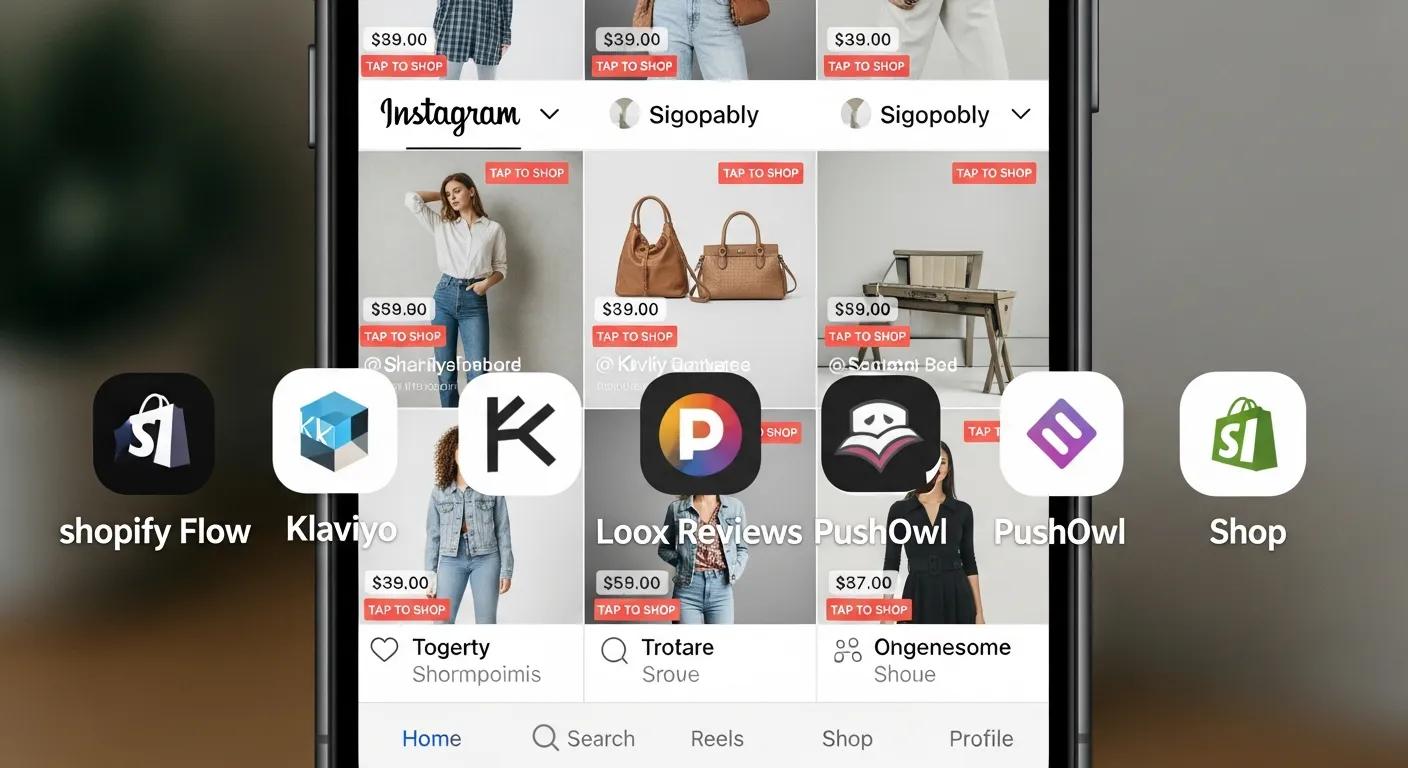
Shopify’s robust app ecosystem is packed with specialized tools designed to automate posting, embed dynamic feeds, and synchronize your product catalogs effortlessly. Selecting the right apps will significantly enhance your social engagement and streamline your commerce operations.
Which Shopify Instagram Apps Elevate Shoppable Feeds and Stories?
Integrating Instagram with Shopify demands apps that create dynamic, shoppable galleries and interactive story stickers. Here are three leading options:
- Shoppable Instagram Feed: Automatically syncs your latest posts and tags products for immediate purchase
- StorySell: Generates compelling swipe-up story links directly connected to your product pages
- Foursixty: Builds beautifully curated shoppable grids that integrate seamlessly onto your store
What Are the Premier Facebook Marketing Apps for Shopify Stores?
Facebook integration apps act as the bridge between your Shopify catalog and Facebook Shops, Messenger marketing, and ad management. Top choices include:
- Meta Channel (by Shopify): Offers native catalog synchronization for Shops and Ads
- ManyChat: Powers chatbot-driven customer engagement directly within Messenger
- Beeketing: Delivers automated cross-sell and upsell pop-ups for effective remarketing
How Do TikTok Integration Tools Sync Products and Streamline Ad Creation on Shopify?
TikTok marketing apps empower you to upload product catalogs, tag items within videos, and launch campaigns directly from your Shopify dashboard. Key functionalities include:
- One-click product import into TikTok for Business
- Automated Audience creation for precise lookalike targeting
- Video ad templates meticulously optimized for mobile feed placement
This powerful integration transforms TikTok views into trackable Shopify sales.
Which Social Proof Apps Amplify User-Generated Content and Reviews on Shopify?
User-generated content apps embed authentic customer experiences directly into your store, building invaluable trust. Leading options include:
- Loox: Features photo reviews with highly customizable display widgets
- Judge.me: Automates review reminder emails and showcases star-rated feedback
- Yotpo: Integrates multi-channel UGC collection with loyalty programs
Social proof apps are essential for reinforcing trust, guiding new shoppers toward confident purchasing decisions.
Setting Up Direct Social Sales Channels on Shopify: A Step-by-Step Guide
Configuring direct sales channels creates self-contained shopping experiences right within social apps. Shopify’s admin panel provides a centralized command center for managing channels, product catalogs, and checkout settings.
What Are the Steps to Configure Facebook Shop and Instagram Shopping on Shopify?
To activate Facebook Shop and Instagram Shopping, follow these essential steps:
- In your Shopify Admin, navigate to Sales Channels → Facebook and connect your Business Manager account.
- Approve catalog sharing and precisely configure your product visibility settings.
- For Instagram, switch to a professional account and link it to your Facebook product catalog.
- Tag products directly in your feed posts and stories, transforming each image into a direct pathway to your Shopify checkout.
This streamlined process seamlessly connects your Shopify catalog with social storefronts, enabling effortless in-app purchases.
How to Create and Manage Product Catalogs for Optimal Social Commerce?
A meticulously structured catalog ensures your products are accurately represented across all channels. Adhere to these best practices:
- Organize items into logical collections based on category or promotional themes
- Include high-resolution images and compelling, descriptive titles for every SKU
- Consistently update inventory levels to prevent frustrating out-of-stock scenarios
- Leverage Shopify’s powerful bulk editor to efficiently modify prices, descriptions, and tags at scale
Diligent catalog management is key to sustaining customer trust and eliminating friction during the checkout process.
How Does Shopify Admin Streamline Social Media Sales Channel Management?
Shopify Admin acts as your central command center, providing:
- Real-time synchronization of product data across all connected social channels
- Consolidated performance metrics—clicks, impressions, and sales—broken down by channel
- Unified settings for pricing, promotions, and shipping rules
- Seamless integration with marketing apps for automated posting and messaging
This centralized approach significantly reduces manual effort and ensures a consistent, unified brand presentation across all platforms.
Leveraging Social Media Advertising and Retargeting for Shopify Growth
Strategic paid social campaigns and pixel-driven retargeting are your keys to amplifying reach and recapturing interested prospects. Shopify’s seamless integration with advertising pixels and dynamic ads transforms passive engagement into measurable ROI.
How to Set Up Facebook Pixel for Shopify to Track Customer Behavior?
Facebook Pixel meticulously tracks on-site actions, providing the data needed to fuel custom audiences and conversion events. Implement it with these steps:
- From your Shopify Admin, navigate to Online Store → Preferences and paste your Pixel ID.
- Verify the installation using the Pixel Helper browser extension.
- Define standard events—like ViewContent, AddToCart, and Purchase—to capture critical customer behaviors.
- Utilize these captured events to build highly effective retargeting campaigns and lookalike audiences.
By collecting granular data, you empower more precise ad targeting and optimize your ad spend for maximum impact.
What Are High-Impact Facebook Ads Strategies for Shopify Stores?
Elevate your campaigns with these effective Facebook ad strategies:
- Dynamic Product Ads that automatically showcase recently viewed or complementary items
- Carousel Ads designed to highlight multiple products or key features within a single ad unit
- Lookalike Audiences meticulously crafted from your high-value customer lists to expand your reach to similar prospects
These powerful formats leverage customer data to deliver highly relevant ads that drive superior return on ad spend.
How Can TikTok Ads and Hashtag Challenges Drive Shopify Sales?
Tap into TikTok’s viral trends and highly engaged communities with these campaign strategies:
- In-Feed Ads featuring compelling product demos presented in a native, scrollable format
- Hashtag Challenges that actively encourage user participation and the creation of user-generated content
- Branded Effects designed to boost visibility and inspire creative content generation
By strategically combining paid placements with organic challenges, Shopify merchants can capture attention and effectively channel it back to their stores.
Harnessing User-Generated Content and Social Feeds on Shopify
Embedding authentic user content and live social feeds directly onto your storefront builds credibility and deepens customer engagement. Showcasing real customer posts acts as powerful social proof, encouraging new visitors to trust your brand.
What Are the Best Practices for Embedding Instagram and Facebook Feeds on Shopify?
Follow these expert guidelines when showcasing your social feeds:
- Select an app that automatically refreshes posts and maintains responsive, mobile-friendly layouts
- Carefully filter content by relevant hashtags or user mentions to highlight the most impactful images
- Strategically position feeds on high-traffic pages—your homepage, product pages, and checkout confirmation screen
- Include clear, compelling calls to action that link each post directly back to the associated product page
This approach transforms social proof into a dynamic storefront feature that actively inspires purchases.
How Does User-Generated Content Build Social Proof and Boost Conversions?
User-generated content builds undeniable trust by featuring real customers actively using and endorsing your products. The three core benefits are:
- Authenticity—customers inherently perceive peer endorsements as highly credible
- Engagement—UGC naturally encourages sharing and repeat site visits
- Conversion Uplift—shoppers exposed to UGC consistently convert at higher rates
These powerful psychological drivers effectively convert passive browsing into decisive buying actions.
How to Run Contests and Campaigns to Spark Customer Content Creation?
Executing successful UGC campaigns involves a strategic approach:
- Define a clear contest theme and straightforward entry mechanics (e.g., “Share a photo with #MyBrandStyle”)
- Offer compelling incentives—discount codes, a feature on your official page, or exciting giveaways
- Promote the contest vigorously across all social channels, email newsletters, and prominent on-site banners
- Showcase winning entries prominently on your Shopify site to complete the content-to-commerce loop
This dynamic strategy fuels a continuous stream of authentic content that you can leverage as powerful social proof.
Measuring and Optimizing Social Media ROI for Your Shopify Store
Quantifying your social media performance is essential to ensure your investments are directly aligned with revenue objectives. Tracking the right Key Performance Indicators (KPIs) will reveal which channels and tactics are delivering the greatest impact.
Which KPIs Should Shopify Merchants Track for Social Media Success?
Essential performance indicators for social media integration include:
- Traffic Volume originating from each social channel to your Shopify store
- Conversion Rate for sessions referred from social media
- Average Order Value (AOV) for customers acquired through social campaigns
- Return on Ad Spend (ROAS) for all paid placements and retargeting efforts
- Customer Lifetime Value (CLV) uplift resulting from social engagement
Diligent monitoring of these metrics highlights your top-performing channels and informs strategic budget allocation.
How to Use Shopify Analytics and Google Analytics to Monitor Social Traffic?
Leveraging both Shopify Analytics and Google Analytics provides a comprehensive, holistic view of your performance:
- Within Shopify Analytics, review referral reports to pinpoint social channel performance
- In Google Analytics, segment sessions by source/medium to compare organic, paid, and referral traffic effectiveness
- Set up Goals in Google Analytics to meticulously track key events—newsletter sign-ups, initiated checkouts, and completed purchases
This combined data illuminates the complete customer journey, from initial social discovery through to post-purchase engagement.
What Are the Best Practices for Calculating ROI on Facebook and TikTok Campaigns?
To accurately calculate campaign ROI, follow these steps:
- Aggregate your total ad spend per channel for the specific reporting period
- Attribute sales driven by each channel using UTM parameters and conversion tracking data
- Subtract your total ad spend from the revenue generated and divide by your ad spend
- Adjust for returns, discounts, and fulfillment costs to determine net profitability
This precise methodology clarifies which campaigns are driving meaningful growth and which require strategic optimization.
Advanced Social Commerce Best Practices for Shopify Merchants
As social commerce continues to evolve, advanced tactics—such as live shopping, creating seamless cross-channel experiences, and embracing conversational commerce—are crucial for elevating engagement and driving conversions.
How to Integrate Live Shopping Features on Shopify with Social Platforms?
Live shopping masterfully merges real-time video engagement with instant purchasing capabilities. To implement this effectively:
- Utilize an app that embeds live streams directly onto your Shopify site or social feed
- Tag products dynamically during the live event to enable immediate “buy now” buttons on video overlays
- Schedule regular live events and promote them strategically across all your social channels and email campaigns
This powerful integration transforms passive viewers into active purchasers during highly interactive broadcasts.
How to Optimize Social Media Sales Channels for a Frictionless Customer Experience?
Delivering seamless cross-channel customer journeys requires:
- Consistent branding—maintaining unified visuals, tone, and messaging across every touchpoint
- Synchronized inventory management—ensuring real-time stock updates to prevent overselling
- Single sign-on or simplified login processes to drastically reduce checkout friction
- A mobile-first design approach to cater to the vast majority of social shoppers
By unifying the entire customer experience, you enable shoppers to move fluidly between social platforms and your Shopify store.
How Can Social Messaging and Chatbots Elevate Shopify Customer Service?
Embracing conversational commerce through chatbots and messaging apps offers significant advantages:
- Instant, 24/7 answers to common product questions and shipping inquiries
- Automated abandoned-cart reminders delivered via Messenger or WhatsApp
- Personalized product recommendations based on browsing history and customer preferences
- Seamless escalation to live agents for complex customer service requests
These intelligent tools build invaluable customer trust and effectively guide prospects toward completing their purchases.
Inspiring Shopify Social Media Integration Success Stories
Examining real-world examples provides invaluable insights into proven approaches and tangible outcomes. Brands that have truly mastered social commerce offer powerful inspiration and practical lessons for your own strategy.
How Did Leading Brands Like Kylie Cosmetics and Gymshark Leverage Social Media with Shopify?
Top direct-to-consumer powerhouses like Kylie Cosmetics and Gymshark expertly utilize social platforms to launch exclusive limited-edition drops, forge powerful influencer collaborations, and host engaging live shopping events. By seamlessly integrating Shopify product tags into their Instagram posts and TikTok videos, they generate immense hype and convert it into immediate sales. Their remarkable success underscores the potent impact of coordinated social campaigns and tight integration with core e-commerce operations.
What Results Have BlackBelt Commerce Clients Achieved Through Social Media Integration?
Clients who partner with BlackBelt Commerce have experienced transformative results, including:
- A significant 45% uplift in Shopify traffic directly from Instagram Shopping integrations
- A substantial 30% increase in average order value driven by sophisticated Facebook dynamic ads
- A notable 25% boost in repeat purchase rates achieved through automated Messenger flows
These impressive outcomes are a testament to data-driven strategies and expert execution that powerfully align social engagement with measurable Shopify performance.
What Key Lessons Can Shopify Merchants Glean from These Social Media Success Stories?
The most critical takeaways for your strategy are:
- Align specific channel features with distinct campaign goals to maximize impact
- Automate catalog syncing and retargeting processes to drastically reduce manual workload
- Leverage live events and user-generated content to cultivate authentic community engagement
- Continuously measure key KPIs and iterate your strategy based on performance data
Adopting these proven lessons will accelerate your social commerce maturity and drive sustained, scalable growth.
Embrace the power of integrated social commerce by uniting Shopify’s robust platform with the unparalleled engagement capabilities of social media. Through strategic channel selection, specialized apps, streamlined setup, data-driven advertising, and compelling user-generated content, you’ll transform followers into loyal customers and unlock maximum e-commerce growth. Ready to elevate your Shopify store to the next level? Connect with BlackBelt Commerce’s experts today to craft a bespoke social media integration strategy that delivers undeniable, measurable results.
Quick Answer: shopify facebook custom audiences integration
A shopify facebook custom audiences integration is a tailored ecommerce build designed around a merchant’s operations, customer journey, integrations, and growth goals. It is useful when a standard theme or app stack cannot deliver the experience, workflows, or performance the business needs.
Key Takeaways
- Start with the search intent behind shopify facebook custom audiences integration: the reader needs a clear explanation before they are ready for a service conversation.
- Keep the advice practical and specific so the post feels editorial, useful, and worth sharing.
- Use the topic cluster links to connect the article to related BBC expertise instead of leaving it as a standalone blog post.
- Add a natural commercial bridge only after the article has answered the reader’s main question.
- Use the same-page Calendly CTA so qualified readers can book a strategy call without being sent to a long form.
How this connects to your Shopify growth strategy
This article should remain useful for readers researching shopify facebook custom audiences integration, but it also needs to show when the topic becomes a business decision. For the Shopify Plus Strategy and Implementation cluster, the commercial bridge is practical: once the reader understands the concept, the next step is deciding whether their current Shopify setup can support the desired experience, conversion path, and operational workflow. That is where expert planning, design, development, CRO, and SEO support can turn the idea into measurable store improvements.
Related Shopify resources
These internal resources support the Shopify Plus Strategy and Implementation topic cluster and help connect this guide to stronger commercial next steps:
- Shopify Plus Strategy and Implementation
- Shopify experts
- Shopify Plus agencies
- Shopify Plus Strategy and Implementation — Parent service page for the reader’s next commercial step
- Blackbelt Commerce — Home-page authority link for brand and core Shopify expertise
- Shopify experts — Money-page link requested for expert-hiring intent
- Shopify custom development — Development service page for implementation and technical help
- Shopify CRO — Conversion service page for readers focused on revenue and lead generation
- Shopify landing page design — Related design and conversion article for custom storefront decisions
- custom e-commerce solution — Related custom ecommerce article that supports build-vs-template decisions
Questions store owners ask before taking action
What does shopify facebook custom audiences integration mean for a Shopify merchant?
For a Shopify merchant, shopify facebook custom audiences integration is about choosing or improving the store experience in a way that supports traffic, trust, conversion, and long-term operations.
When should a store owner get expert help?
Expert help becomes useful when the decision affects SEO, conversion, theme architecture, integrations, migration risk, or revenue-critical customer journeys.
How should this topic connect to a broader content cluster?
The post should link to a parent service page, related support articles, and money pages so Google and AI systems understand how the article supports a broader area of expertise.
What is the lead-generation goal of this article?
The article should educate first, then guide qualified readers toward booking a strategy call when they need help applying the advice to their own store.
What should be avoided during optimization?
Avoid filler, unrelated phrases, invented statistics, broken formatting, duplicated CTAs, and any edit that makes the article feel less helpful or less polished.
Future articles needed for topical dominance
To build deeper topical authority around this cluster, these supporting topics should be created later and linked back into this article:
- Shopify Facebook Custom Audiences Integration Checklist for Shopify Store Owners: Creates a practical support article that turns the Shopify Plus Strategy and Implementation topic into an actionable review tool.
- Common Shopify Facebook Custom Audiences Integration Mistakes and How to Avoid Them: Captures problem-aware searches and gives BBC a natural place to explain implementation risks without hard selling.
- When to Hire Shopify Experts for Shopify Facebook Custom Audiences Integration: Connects informational demand to the expert-hiring money page while preserving educational intent.

