


Blog updated with the most recent Shopify and eCommerce strategies on 05/02/2026.
Shopify Support Ticket System Explained for New Users: How to Choose, Set Up, and Optimize Your Shopify Help Desk
Feeling swamped by customer questions on Shopify? It’s a surefire way to tank sales and tarnish your brand if issues fall through the cracks. A Shopify support ticket system is your secret weapon, transforming chaotic inquiries into organized workflows, slashing response times, and building rock-solid loyalty by ensuring every customer query gets the attention it deserves. In this guide, we’ll break down exactly what a ticketing system is, why you absolutely need one as a new user, how to pick the perfect help desk app, walk you through the setup step-by-step, share advanced customer service tactics, and highlight the real-world wins you’ll see. Plus, we’ll tackle your burning questions and show you how teaming up with Blackbelt Commerce – Shopify Experts – Shopify Plus Agency guarantees a smooth rollout and ongoing mastery.
What Is a Shopify Support Ticket System and Why Do New Users Need It?
Think of a Shopify support ticket system as your central command for customer requests. It captures every query, assigns it to the right person, and tracks its journey to resolution, ensuring nothing gets missed and everyone stays accountable. By turning emails, chat messages, and social media DMs into structured tickets, you gain crystal-clear visibility into what your customers need and how your service is performing. For new users, this means bulletproof issue management from day one, preventing those dreaded overlooked requests and giving customer satisfaction a major boost as your store grows. Getting a handle on these basics is your launchpad for evaluating features and measuring your success.
What Are the Core Features of a Shopify Help Desk?
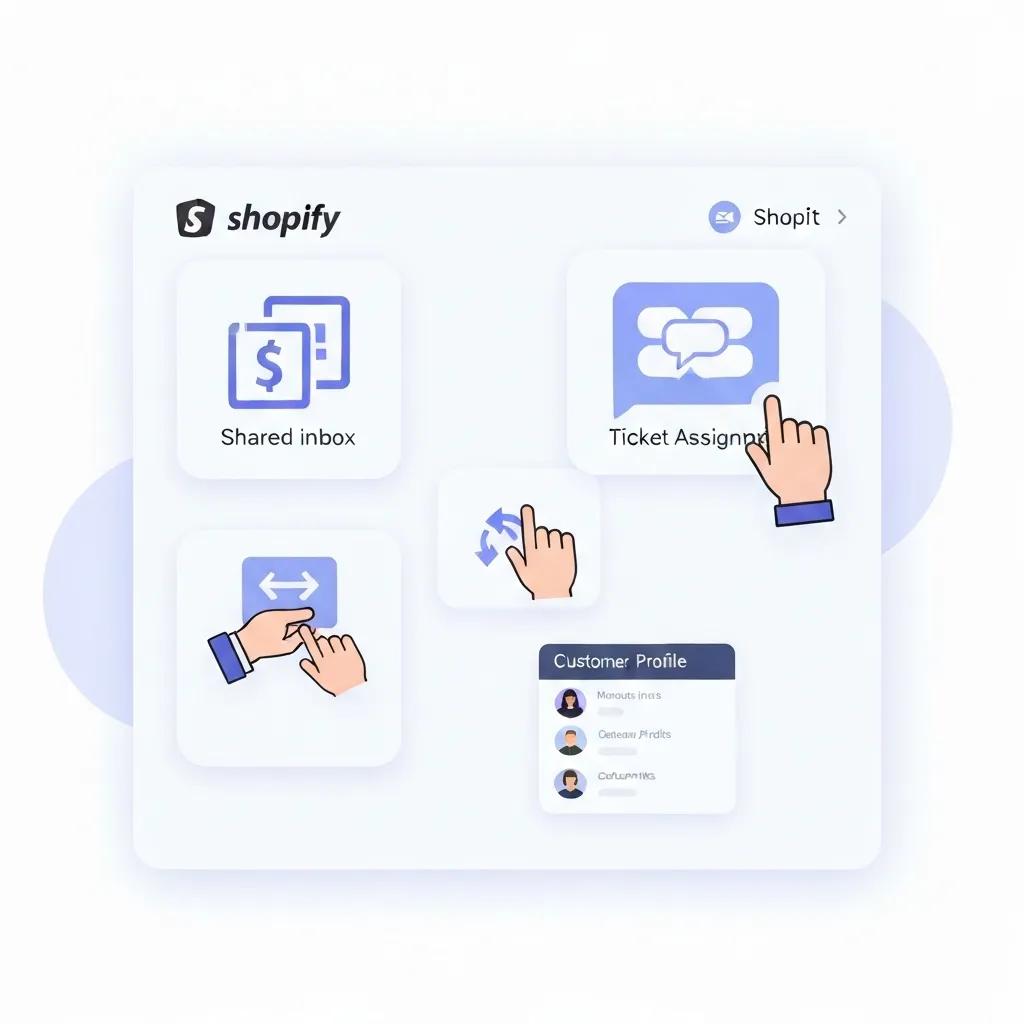
Before you dive into picking a ticketing solution, get acquainted with these must-have help desk capabilities:
- Shared Inbox
This is where all your customer emails, chats, and social media messages converge into one streamlined interface. Say goodbye to missed inquiries and duplicated efforts. - Ticket Assignment and Prioritization
Automate the routing of tickets based on their topic, volume, or agent expertise. This ensures your most urgent issues get tackled first. - Customer History and Context
Instantly see past orders, previous interactions, and account notes right alongside each ticket. This empowers personalized responses and lightning-fast resolutions. - Internal Collaboration Tools
Keep your team in sync with private comments, task delegation, and seamless teamwork within tickets. No more endless back-and-forth emails outside the system. - Reporting and Analytics
Keep a pulse on key performance indicators like response time and resolution rates. This data is gold for continuously refining your service.
These features are the bedrock of a solid Shopify help desk, building a unified customer support engine that grows right alongside your business.
How Does a Support Ticket System Improve Shopify Customer Service?
A ticketing platform is a game-changer for elevating your service quality:
- Slash Response Times – Automated assignment and prioritization get inquiries to the right agent in mere seconds.
- Boost Accountability – Ticket statuses and SLA alerts mean no request gets forgotten or left to languish.
- Personalize Every Interaction – Access to order history and past support logs equips your agents to deliver truly tailored solutions.
- Streamline Teamwork – Internal notes and task assignments keep everyone on the same page, especially for complex issues.
By structuring your entire support pipeline, you transform reactive problem-solving into proactive engagement that builds unbreakable brand trust and drives repeat purchases.
Does Shopify Have a Built-In Ticketing System?
Nope, Shopify doesn’t come with a fully loaded ticket management platform straight out of the box. While Shopify Inbox offers basic live chat and message consolidation, it’s missing the advanced ticketing features like SLA tracking, internal collaboration, and true multi-channel support. To unlock comprehensive issue tracking, merchants typically integrate specialized help desk apps that layer robust ticket workflows on top of Shopify’s core messaging tools. This modular approach means you get powerful support capabilities without bogging down your platform.
Shopify Inbox Features
Shopify Inbox is a free messaging app that lets you manage all your customer conversations in one convenient spot. It’s packed with features like quick replies, instant answers, and automated messages designed to streamline customer interactions and elevate the overall customer experience.
This source highlights the features of Shopify Inbox, which can be used by new users to manage customer conversations.
What Are Common Challenges New Users Face with Shopify Support Systems?
New store owners often hit these bumps when setting up their customer service:
- Feature Overload vs. Simplicity
Trying to wrangle complex ticket rules, automation, and user permissions without clear guidance can be overwhelming for teams. - Fragmented Communication Channels
Juggling emails, social media DMs, and chat in separate dashboards leads to lost context and sluggish resolutions. - Data Silos and Limited Visibility
A lack of unified order and customer history within tickets forces manual lookups, significantly increasing resolution times. - Scalability Constraints
Basic chat tools can buckle under higher volumes, resulting in delayed responses and frustrated customers.
Tackling these challenges head-on requires a strategic approach to selecting, integrating, and optimizing a help desk that’s perfectly aligned with your store’s growth trajectory.
How to Choose the Best Shopify Ticketing System for Your Store
When evaluating Shopify help desk options, you need to strike a balance between your budget, your must-have features, and your long-term scalability needs. A smart selection means looking at monthly costs, how complex the integration will be, the support channels offered, and the automation capabilities that will truly drive efficiency. Understanding these factors ensures you invest in a solution that grows with your team and keeps customer satisfaction soaring as your order volume climbs.
What Are the Top Shopify Support Apps: Richpanel, Gorgias, Zendesk, and Help Scout?
Several top-tier providers power robust ticket workflows on Shopify:
- Richpanel
Offers a shared inbox and self-service portal, with a strong focus on order management and personalized support. - Gorgias
Boasts deep Shopify integration, complete with powerful automation rules, pre-built macros, and seamless omnichannel messaging. - Zendesk
An enterprise-grade platform delivering comprehensive omnichannel support, advanced reporting, and intelligent AI-powered bots. - Help Scout
A user-friendly, email-centric help desk known for its intuitive interface, detailed customer profiles, and robust knowledge base features.
Each of these apps is designed to meet specific needs, from rapidly scaling brands demanding advanced automation to smaller stores prioritizing simplicity and cost-effectiveness.
What Factors Should You Consider When Selecting a Shopify Help Desk?
Before you commit, carefully evaluate these five critical criteria:
- Pricing Structure and Flexibility – Scrutinize per-agent fees, volume-based tiers, and free-trial limitations against your projected ticket volumes.
- Integration Depth – Ensure it connects flawlessly with your Shopify order data, customer profiles, and other essential apps like your CRM or loyalty platforms.
- Automation and AI Capabilities – Look for powerful rule engines, macro templates, and chatbot options that significantly reduce manual tasks and ensure consistent service.
- Scalability and Performance – Opt for a platform with a proven track record of uptime and the capacity to handle surges during promotions and peak holiday seasons.
- Reporting and Analytics – Confirm the availability of real-time dashboards, customizable metrics, and easily exportable reports for continuous optimization.
Prioritizing these factors ensures your support infrastructure is perfectly aligned with your business objectives and resource constraints.
How Does Blackbelt Commerce Help You Select the Right Support System?
Blackbelt Commerce combines deep Shopify expertise with a rigorous evaluation framework to pinpoint the ideal ticketing solution for your unique store. Our proven approach includes:
- Requirements Discovery: We meticulously map out your customer service goals, anticipate future volume, and understand your team’s existing workflows.
- Solution Shortlisting: We narrow down the options, focusing on apps that offer the best fit, cost-effectiveness, and integration ease.
- Pilot Implementation: We configure test environments and provide hands-on training to your agents on core features.
- ROI Assessment: We measure tangible improvements in response times, ticket backlog reduction, and overall customer satisfaction.
This comprehensive process guarantees you implement a help desk that delivers measurable efficiency gains and elevates the entire customer shopping experience.
How Do Shopify Support Apps Compare in Features and Pricing?
Here’s a quick rundown of leading help desk apps, comparing their core features and entry-level pricing:
Keep in mind that entry-level pricing typically reflects basic plans and can increase with more agents or advanced features. Choosing the right tier is all about finding that sweet spot between your budget and your desired level of automation and channel coverage.
How to Set Up a Shopify Help Desk: Step-by-Step Guide for New Users
Implementing a ticket system is a multi-stage process involving installation, configuration, and seamless integration with your Shopify store and other vital apps. A methodical setup ensures consistency, prevents data gaps, and speeds up agent onboarding. Follow these steps to launch your support desk efficiently and maintain top-tier service standards as your ticket volume inevitably grows.
What Are the Initial Steps to Integrate a Support Ticket System with Shopify?
Start with these essential foundational tasks:
- Install Your Chosen App from the Shopify App Store and grant all necessary permissions.
- Connect to Your Shopify Store by verifying API credentials and setting up data sync intervals.
- Map Ticket Categories and Tags to your most common inquiry types (think orders, returns, technical glitches).
- Import Existing Customer Data to populate order histories and customer profiles within your new help desk.
Completing these prerequisites creates a unified environment where every ticket is enriched with real-time store data and crucial customer context.
How to Connect Your Support System with Other Shopify Apps Like CRM and Marketing Tools?
Seamless integrations are key to unlocking your support desk’s full potential, enriching customer profiles and automating crucial follow-ups:
- CRM Integration
Sync contact records and ticket interactions to maintain a complete 360° customer view across both sales and service departments. - Email Marketing Tools
Trigger targeted campaigns based on specific support events, like sending follow-up satisfaction surveys after a ticket is closed. - Loyalty and Rewards Apps
Automatically award loyalty points or apply discounts when agents resolve eligible tickets.
These powerful connections drastically reduce manual data entry and empower your agents to deliver personalized, perfectly timed resolutions.
What Are Best Practices for Managing Customer Support Tickets on Shopify?
Implement these workflows to sustain exceptional service quality:
- Prioritize Tickets Using SLA Rules and Burst-Response Alerts for critical issues.
- Leverage Macros and Canned Responses to ensure consistent messaging and rapid replies.
- Employ Internal Notes for crucial team collaboration before public replies, preserving context.
- Archive Closed Tickets After a Defined Retention Period to keep your dashboards clean and focused.
Adhering to these best practices guarantees organized ticket queues and fuels continuous service improvement.
Customer Service Best Practices
Providing excellent customer service means treating customers as individuals, being honest, truly knowing your customer, having a comprehensive FAQ page, actively seeking and accepting feedback, and always responding in a timely manner. These practices are fundamental to increasing customer satisfaction and fostering unwavering loyalty.
This source provides key customer service rules that are essential for new Shopify store owners to follow.
How to Leverage Automation and AI in Your Shopify Support Workflow?
Automation and AI are your allies in reducing repetitive tasks and elevating response quality:
- Auto-Tagging Tickets Based on Keywords or Order Status for instant, accurate categorization.
- Routing High-Priority Requests to Senior Agents via smart, rule-based workflows.
- Deploying Chatbots to expertly handle frequently asked questions and gather initial customer information.
- Using AI-Driven Suggestion Engines to recommend relevant knowledge base articles directly within the ticket interface.
These powerful technologies free up your agents to concentrate on complex issues while ensuring consistent, timely support for all customers.
What Are Advanced Shopify Customer Service Strategies to Enhance Support?

As your store scales, you’ll need to move beyond basic ticketing to offer proactive, self-service, and real-time support. Advanced strategies are your key to unlocking superior customer satisfaction and peak operational efficiency by integrating robust knowledge management, innovative chat solutions, and data-driven optimization.
How to Build a Comprehensive Shopify Knowledge Base and FAQ Section?
A well-stocked self-service hub empowers your customers to find answers independently, without needing to open a ticket:
- Structure Articles Clearly by Category (e.g., orders, payments, shipping, returns).
- Embed Searchable Keywords and Step-by-Step Guides for maximum clarity.
- Include Visual Aids like screenshots and concise explainer videos.
A meticulously organized knowledge base significantly reduces ticket volume, cultivates customer independence, and deflects low-complexity inquiries from your agents to readily available self-help resources.
How Can Live Chat and Chatbots Improve Shopify Customer Support?
Real-time engagement is crucial for accelerating resolutions and boosting satisfaction:
- Live Chat Offers Instant Assistance and is proven to drive higher conversions during peak traffic periods.
- Chatbots Handle Routine Requests 24/7, efficiently collecting order numbers and essential details before seamlessly handing off to a human agent.
- Hybrid Workflows Ensure Complex Queries are Escalated from Bot to Human Agent Without a Hitch.
Live chat and chatbots combine ultimate convenience with impressive efficiency, delivering continuous support and capturing valuable leads even outside regular business hours.
How to Measure and Improve Customer Satisfaction with Your Shopify Help Desk?
Tracking key metrics is the engine driving continuous improvement:
Analyzing these performance indicators reveals service gaps and provides the roadmap for process refinements that elevate the entire customer experience.
What Are Real-World Examples of Shopify Stores Excelling with Optimized Support Systems?
Forward-thinking merchants are achieving remarkable, measurable gains:
- A fashion retailer slashed its average response time by 60% after implementing automated ticket routing, leading to a significant 15-point increase in CSAT.
- An electronics store successfully integrated chatbots to resolve 30% of common inquiries automatically, freeing up agents for high-value escalations.
- A subscription box brand launched a self-service portal that deflected 40% of repeat questions, dramatically cutting operational costs while simultaneously boosting customer loyalty.
These success stories vividly illustrate how a tailored support strategy can drive both operational efficiency and exceptional customer delight.
What Are the Benefits of Integrating a Shopify Support Ticket System with Your E-commerce Store?
Seamlessly integrating a ticketing platform delivers a powerful combination of operational advantages and customer-centric benefits that positively impact your marketing, sales, and customer retention efforts.
How Does a Support Ticket System Increase Customer Satisfaction and Loyalty?
A well-implemented ticket system is a cornerstone for fostering repeat business:
- Delivering Consistent, High-Quality Responses Through Macros and AI Suggestions
- Providing Transparent Communication With Real-Time Status Updates and Clear SLAs
- Capturing Valuable Customer Feedback Directly Within Tickets to Guide Service Enhancements
Happy customers are a staggering 90% more likely to recommend brands with reliable support, fueling organic growth and generating powerful positive word-of-mouth.
How Does Omnichannel Support Improve Customer Retention on Shopify?
Allowing customers to reach you effortlessly via email, chat, social media, and phone within a single, unified interface:
- Preserves Crucial Conversation Context Across All Channels
- Offers Flexible Contact Options to Accommodate Diverse Customer Preferences
- Aggregates Rich Data for Analytics That Inform Highly Personalized Engagement Strategies
Omnichannel ticketing is a proven driver of higher retention rates—brands with integrated support systems retain nearly 90% of their customers, compared to just 33% for those with siloed approaches.
How Does Automation Reduce Support Agent Workload and Improve Efficiency?
Automated workflows empower your agents to:
- Focus on High-Value Tickets by Deflecting FAQs to Chatbots
- Reach Resolution Faster Through Efficient Macros and Auto-Tagging
- Maintain Unwavering Consistency with Pre-Configured SLA and Escalation Rules
By eliminating repetitive, time-consuming tasks, automation significantly reduces agent burnout and sustains high service levels, even during your busiest periods.
What Are Common Questions New Users Have About Shopify Support Ticket Systems?
What Is the Best Ticketing System for Shopify?
The ideal ticketing system is the one that perfectly aligns with your budget, anticipated volume, and essential feature requirements. For cutting-edge automation and deep Shopify integration, solutions like Gorgias truly shine, while brands prioritizing simplicity might lean towards Help Scout. Carefully evaluating pricing tiers, supported channels, and scalability ensures you select the perfect platform to fuel your store’s growth.
How Do You Set Up a Help Desk on Shopify?
Setting up your help desk is straightforward:
- Install your chosen app directly from the Shopify App Store.
- Authorize API access and configure your ticket categories.
- Import your existing customer data and map tags for common inquiry types.
- Train your agents on using macros, understanding SLA settings, and navigating reporting dashboards.
This streamlined process delivers a fully functional help desk within just a few hours, positioning your team for highly efficient customer service from day one.
Is Gorgias Free for Shopify Stores?
Gorgias doesn’t offer a completely free tier; however, they provide a generous 7-day free trial. After that, plans start at $60 per month for basic features. Pricing scales based on ticket volume and the addition of extra channels, so merchants often take advantage of the trial to thoroughly assess ROI before committing to a subscription.
Gorgias Pricing and Features
Gorgias offers a range of pricing plans tailored for Shopify merchants, with the Basic plan kicking off at $60 per month for up to 300 tickets. This plan includes essential features like unlimited users, social media integration, live chat, and macros. The Pro plan, priced at $360 per month, provides 2,000 tickets and additional advanced features such as guided onboarding and granular user permissions.
This source provides information on Gorgias’ pricing and features, which is helpful for new users when choosing a Shopify help desk.
What Is Shopify Inbox Used For?
Shopify Inbox is Shopify’s native chat and message consolidation tool. It’s designed to centralize live chat, email, and social media messages into one simple dashboard, but it lacks the advanced ticket tracking, SLA management, and multi-channel automation capabilities found in dedicated help desk applications.
Shopify Inbox for Customer Support
Shopify Inbox is a complimentary app that consolidates customer conversations from various channels, including live chat and Facebook Messenger. It offers features like automated responses, customer profiles, and order insights to enhance customer interactions and streamline your support operations.
This source explains how Shopify Inbox can be used to improve customer support, which is essential for new users.
How Can Blackbelt Commerce Support Your Shopify Help Desk Integration and Optimization?
Strategic service delivery is paramount to ensuring your support infrastructure is perfectly aligned with your growth objectives and delivers measurable return on investment.
What Custom Solutions Does Blackbelt Commerce Offer for Shopify Support Systems?
Blackbelt Commerce specializes in designing bespoke implementations that seamlessly integrate help desk apps with your unique operational workflows. We meticulously customize ticket routing rules, automation scripts, and reporting dashboards to precisely match your operational model and customer service aspirations.
How Does Blackbelt Commerce Optimize Support Systems for Performance and Customer Experience?
Our ongoing optimization process involves vigilant monitoring of response metrics, continuous refinement of automation rules, and comprehensive training for agents on best practices. Our dedicated team conducts quarterly audits to pinpoint any bottlenecks and applies proven improvements that consistently boost CSAT scores and streamline ticket resolution.
How to Get Started with Blackbelt Commerce for Your Shopify Support Needs?
To launch your expertly optimized help desk, simply reach out to the team at Blackbelt Commerce – Shopify Experts – Shopify Plus Agency for an initial, no-obligation consultation. We’ll thoroughly assess your specific requirements, recommend the most suitable solution, and provide end-to-end guidance through implementation and continuous improvement.
Achieving smooth, efficient customer service starts with a structured ticketing system that’s built to scale with your store’s success. By carefully selecting the right app, adhering to best practices for setup and automation, and implementing advanced strategies like knowledge bases and omnichannel support, you’ll transform every customer inquiry into a valuable opportunity. Integrating a robust help desk not only skyrockets satisfaction and loyalty but also frees your team to concentrate on strategic growth initiatives. Partnering with Book a strategy call with us guarantees expert guidance from initial selection through ongoing optimization, positioning your Shopify store for enduring, customer-centric excellence.
Quick Answer: shopify ticket system
Shopify Ticket System should help merchants make a clearer decision about their store, customer experience, and growth priorities. A useful guide explains the concept, shows when it matters, and gives the reader a practical next step without forcing the topic into a generic template.
Key Takeaways
- Start with the search intent behind shopify ticket system: the reader needs a clear explanation before they are ready for a service conversation.
- Keep the advice practical and specific so the post feels editorial, useful, and worth sharing.
- Use the topic cluster links to connect the article to related BBC expertise instead of leaving it as a standalone blog post.
- Add a natural commercial bridge only after the article has answered the reader’s main question.
- Use the same-page Calendly CTA so qualified readers can book a strategy call without being sent to a long form.
How this connects to your Shopify growth strategy
This article should remain useful for readers researching shopify ticket system, but it also needs to show when the topic becomes a business decision. For the Shopify Plus Strategy and Implementation cluster, the commercial bridge is practical: once the reader understands the concept, the next step is deciding whether their current Shopify setup can support the desired experience, conversion path, and operational workflow. That is where expert planning, design, development, CRO, and SEO support can turn the idea into measurable store improvements.
Related Shopify resources
These internal resources support the Shopify Plus Strategy and Implementation topic cluster and help connect this guide to stronger commercial next steps:
- Shopify Plus Strategy and Implementation
- Shopify experts
- Shopify Plus agencies
- Shopify Plus Strategy and Implementation — Parent service page for the reader’s next commercial step
- Blackbelt Commerce — Home-page authority link for brand and core Shopify expertise
- Shopify experts — Money-page link requested for expert-hiring intent
- Shopify custom development — Development service page for implementation and technical help
- Shopify CRO — Conversion service page for readers focused on revenue and lead generation
Questions store owners ask before taking action
What does shopify ticket system mean for a Shopify merchant?
For a Shopify merchant, shopify ticket system is about choosing or improving the store experience in a way that supports traffic, trust, conversion, and long-term operations.
When should a store owner get expert help?
Expert help becomes useful when the decision affects SEO, conversion, theme architecture, integrations, migration risk, or revenue-critical customer journeys.
How should this topic connect to a broader content cluster?
The post should link to a parent service page, related support articles, and money pages so Google and AI systems understand how the article supports a broader area of expertise.
What is the lead-generation goal of this article?
The article should educate first, then guide qualified readers toward booking a strategy call when they need help applying the advice to their own store.
What should be avoided during optimization?
Avoid filler, unrelated phrases, invented statistics, broken formatting, duplicated CTAs, and any edit that makes the article feel less helpful or less polished.
Future articles needed for topical dominance
To build deeper topical authority around this cluster, these supporting topics should be created later and linked back into this article:
- Shopify Ticket System Checklist for Shopify Store Owners: Creates a practical support article that turns the Shopify Plus Strategy and Implementation topic into an actionable review tool.
- Common Shopify Ticket System Mistakes and How to Avoid Them: Captures problem-aware searches and gives BBC a natural place to explain implementation risks without hard selling.
- When to Hire Shopify Experts for Shopify Ticket System: Connects informational demand to the expert-hiring money page while preserving educational intent.

