


Blog updated with the most recent Shopify and eCommerce strategies on 05/02/2026.
Supercharge Your Shopify Store: Unlock Explosive Sales with Lightning-Fast Speed
Dialing in your Shopify store’s loading speed is your secret weapon for crushing sales goals, boosting conversions, and dominating search rankings. Sluggish pages are conversion killers, sending potential buyers packing and tanking your revenue. But with smart speed strategies, you’re looking at tangible sales surges and ecstatic customer experiences. This guide is your roadmap to understanding why speed is king for sales and SEO, how Core Web Vitals are your performance compass, mastering image and theme optimization, taming Shopify apps and scripts, unlocking advanced technical wizardry, keeping a hawk eye on performance, celebrating real-world wins, and teaming up with pros for a custom Shopify speed blitz. We’re serving up actionable tactics, industry benchmarks, and real-world examples to help ambitious entrepreneurs turn speed into serious profit.
Why Does Shopify Site Speed Reign Supreme for Sales and SEO?
A zippy Shopify store crafts an effortless shopping adventure, making customers happier, driving more sales, and signaling to search engines that your site deserves prime real estate.
How Does Site Speed Directly Impact Your Shopify Conversion Rates?
Pages that load faster slash abandonment by up to 20%, directly translating into more completed checkouts and bigger average order values.
- Slash Wait Times – Instant rendering removes roadblocks at product pages.
- Crush Bounce Rates – Snappy responses keep visitors hooked.
- Skyrocket Revenue – Shave off just 1 second and watch conversions jump by 7%.
These engagement wins pave the way for serious SEO dominance.
The Undeniable Link Between Site Speed and E-commerce Conversions
Studies show that a mere one-second delay in page load time can slash conversion rates by a staggering 7%. Faster loading equals happier users and fatter wallets.
This hammers home the critical connection between site speed and your Shopify conversion rates.
What’s the Big Deal with Site Speed for Shopify SEO Rankings?
Shopify site speed is a confirmed Google ranking factor. Faster stores get the VIP treatment in search results because they deliver a superior user experience. Quicker load times boost crawl efficiency, slash server response delays, and supercharge your page experience scores – meaning more eyes on your products and more clicks to your store.
How Does Mobile Speed Dictate Your Shopify Store’s Performance?
With mobile-first indexing, your smartphone load times are non-negotiable: 53% of mobile visitors bounce from pages that take longer than 3 seconds to load. Nail your mobile optimization with responsive design, smart image scaling, and lean scripts, and you’ll unlock killer mobile conversions, slash bounce rates, and gain a massive edge in the mobile search arena.
What Are Shopify Core Web Vitals and How Do They Command Your Store’s Speed?
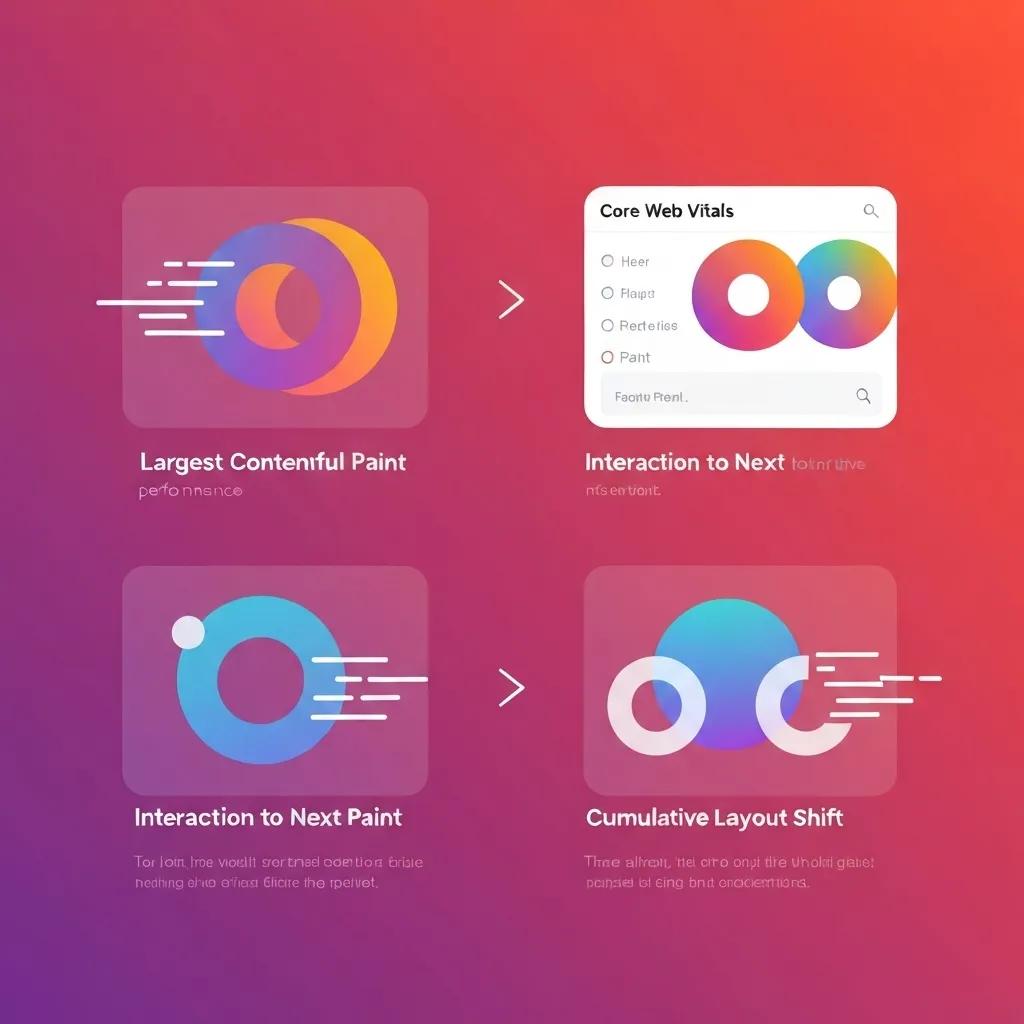
Core Web Vitals are Google’s performance scorecard—Largest Contentful Paint (LCP), Interaction to Next Paint (INP), and Cumulative Layout Shift (CLS)—measuring how quickly your site loads, responds, and stays stable. Mastering these ensures a buttery-smooth shopping experience that keeps customers coming back and boosts your SEO clout.
Core Web Vitals: The Heartbeat of User Experience
Google’s Core Web Vitals, including LCP, INP, and CLS, are paramount for gauging user experience. Optimizing these is your golden ticket to climbing search rankings and delighting your audience.
This perfectly aligns with our deep dive into Core Web Vitals and their massive impact on Shopify store performance.
What Exactly Is Largest Contentful Paint (LCP) and How Do You Conquer It on Shopify?
Largest Contentful Paint tracks how long it takes for the biggest visible element on your page to load, directly influencing how fast users perceive your site. To crush LCP:
- Delay non-essential JavaScript to make critical content pop faster.
- Serve images that are compressed and in cutting-edge formats.
- Harness the power of a CDN to serve assets from servers closest to your customers.
Getting LCP under 2.5 seconds makes your site feel instantly responsive, hooking visitors and setting the stage for seamless interaction.
How Can You Turbocharge Interaction to Next Paint (INP) for Superior Shopify Interactivity?
Interaction to Next Paint measures how quickly your site responds after a user clicks or taps. To slash INP:
- Streamline event-handling scripts to make clicks and taps lightning-fast.
- Break down lengthy tasks into smaller chunks that run during idle moments.
- Preload critical scripts so they’re ready when needed.
An INP under 200 ms creates an incredibly fluid navigation experience, driving higher conversions, especially for shoppers on less powerful devices.
How Do You Eradicate Cumulative Layout Shift (CLS) Nightmares in Shopify Themes?
Cumulative Layout Shift tracks jarring visual jumps during page load. Common culprits include ads popping in unexpectedly, images without defined dimensions, and dynamically loaded content.
Eliminating these unexpected shifts creates a stable, trustworthy, and readable experience for your customers.
What Are the Gold Standard Core Web Vitals Scores for Shopify Stores?
Aim for these benchmarks to ensure top-tier site performance and SEO dominance:
Hitting these targets aligns your Shopify store with Google’s elite page experience standards, unlocking higher rankings and ecstatic users.
How Can You Optimize Shopify Images to Unleash Blazing Site Speed?
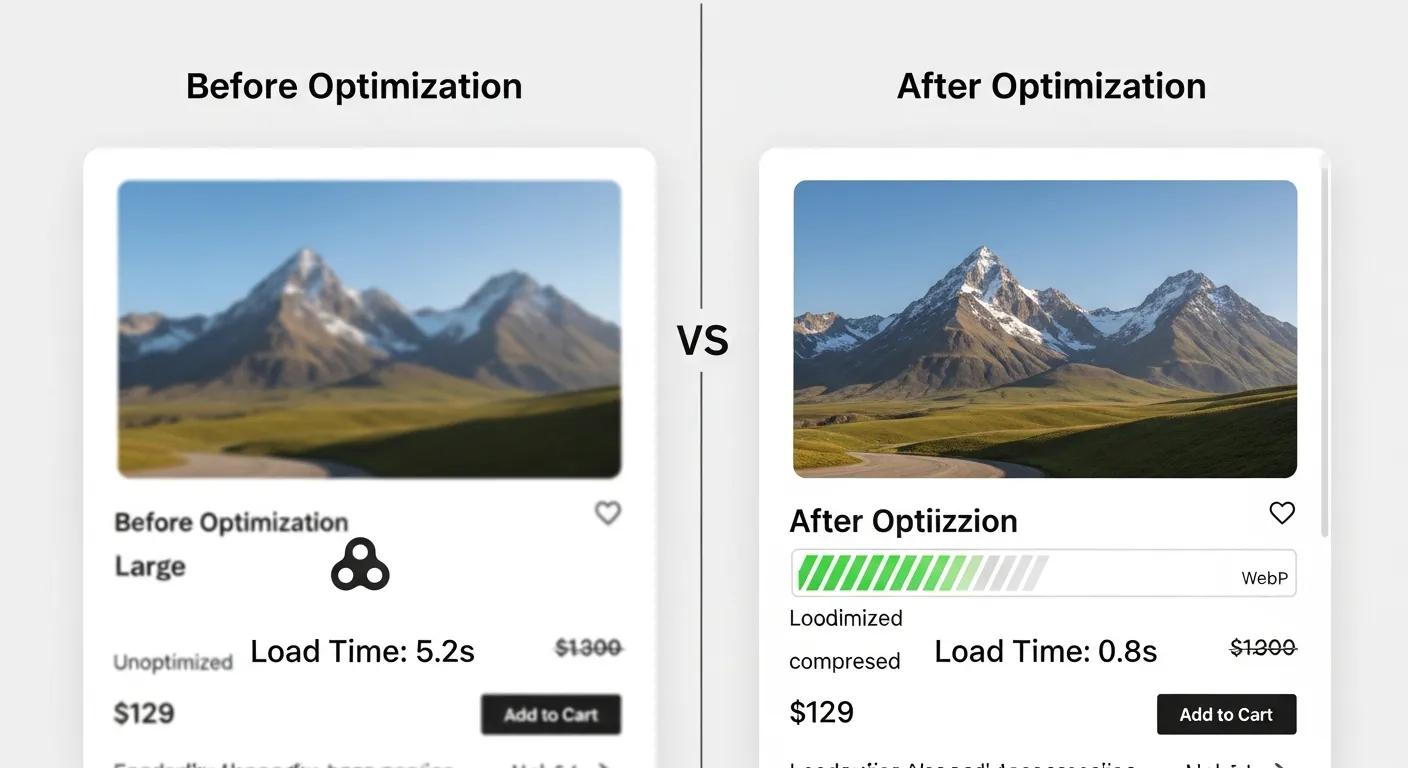
Mastering your images is the bedrock of a lightning-fast Shopify store, as bulky visuals can easily gobble up over half your page weight. Smart compression, modern formats, and lazy loading are your keys to swift delivery and stellar Core Web Vitals.
What Are the Ultimate Image Compression Tactics for Shopify?
Shrink file sizes without sacrificing quality using these powerhouse techniques:
- Leverage TinyPNG or ImageOptim for automated, aggressive compression.
- Utilize Shopify’s built-in compression for your JPG and PNG assets.
- Implement responsive srcset attributes to serve perfectly sized images for every device.
Slicing image file sizes by 60–70% without any visible quality loss dramatically cuts down on payload while keeping your visuals stunning.
How Does Embracing WebP Format Revolutionize Shopify Store Speed?
WebP is the next generation of image compression, delivering files up to 34% smaller than JPEGs and PNGs. Swapping your product photos and banners to WebP means faster downloads, a lower LCP, and a significant boost to mobile performance, especially on slower connections.
What Is Lazy Loading and How Do You Implement It on Shopify?
Lazy loading defers the loading of images and iframes that aren’t immediately visible until they’re about to scroll into view. To activate it:
- Add the loading=”lazy” attribute to your <img> tags within your theme templates.
- Install a lightweight lazy-load script that ensures compatibility with older browsers.
This smart approach slashes initial page weight and speeds up the delivery of above-the-fold content, making your site feel instantly faster.
How Can You Audit and Optimize Your Shopify Image Assets Like a Pro?
Conduct a deep-dive image audit by:
- Exporting all your images using the Shopify CLI.
- Running batch optimization tools like Squoosh.
- Scrutinizing CDN cache headers for optimal max-age settings.
- Replacing any oversized assets with perfectly scaled versions.
Regular audits keep image-related bottlenecks in check, ensuring your store stays lightning-fast, even as your product catalog grows.
How to Optimize Shopify Themes for Warp-Speed Loading Times?
Your theme choice and how you customize it are massive drivers of page speed. Lean designs and efficient code execution mean fewer render-blocking resources and a smoother user experience.
What Are the Top Lightweight Shopify Themes Built for Speed?
These themes strike the perfect balance between features and minimal code bloat:
- Dawn – Shopify’s own flagship theme, engineered for peak performance.
- Broadcast – Sleek aesthetics meet blazing-fast load times.
- Minimal – A streamlined design that puts your product photography front and center.
Opting for a theme with under 200 KB of critical CSS dramatically speeds up the initial render and cuts down on server requests.
How Can You Declutter Custom Theme Code for Peak Performance?
Refining your custom code involves:
- Wiping out unused CSS and JavaScript from your theme.liquid file.
- Consolidating multiple script files into a single, optimized bundle.
- Auditing your Liquid loops to eliminate inefficient data queries.
Streamlining your theme’s logic and assets removes unnecessary baggage, paving the way for quicker customer interactions.
How Do Third-Party Apps and Scripts Sabotage Your Shopify Theme Speed?
Third-party apps often inject extra scripts, bogging down rendering and inflating page weight. Carefully evaluating each integration’s impact on Core Web Vitals will help you decide whether to defer, load asynchronously, or swap out apps for leaner alternatives.
How to Master Shopify Apps and Third-Party Scripts for Peak Speed?
An overload of unoptimized apps and scripts can bloat your pages and cripple interactivity. Regular audits and smart script management are key to preserving performance while keeping essential features intact.
How Do You Audit Shopify Apps to Pinpoint Speed Killers?
Conduct an app audit by measuring the payload and execution time of each integration:
- Use Lighthouse’s “Third-Party Usage” report to identify script contributions.
- Temporarily disable non-essential apps in a staging environment and compare speed scores.
- Dive into server logs to check for slow external requests.
This process isolates the scripts that are causing the most pain and informs your decisions on what to prune.
How Can Google Tag Manager Supercharge Your Shopify Script Loading?
Google Tag Manager centralizes your script deployment, allowing you to:
- Load marketing tags asynchronously so they don’t block rendering.
- Trigger scripts only when and where they’re needed.
- Maintain version control of tracking code without touching your theme files.
A well-managed script environment via GTM means lighter pages and faster interactivity.
What Are the Top Strategies for Minimizing Third-Party Script Impact?
To keep script overhead to a minimum:
- Prioritize asynchronous loading using async or defer attributes.
- Cache frequently used library files on a CDN.
- Consolidate tags wherever possible to reduce the number of external requests.
These tactics slash blocking time and contribute to faster INP and LCP scores.
What Advanced Technical Tweaks Can Elevate Your Shopify Store Speed?
Beyond visuals and themes, sophisticated technical strategies like caching, CDNs, and code minification are the bedrock of sustained performance gains.
How Does Browser Caching Supercharge Your Shopify Site Performance?
Browser caching tells visitors’ devices to store static assets locally for a set period. This drastically cuts down on server requests for repeat visitors, making your site feel significantly faster. By configuring proper headers for images, CSS, and JavaScript, you’ll dramatically reduce load times for returning customers and boost overall site responsiveness.
What Is a CDN and How Does It Accelerate Shopify Stores?
A Content Delivery Network (CDN) spreads your assets across servers worldwide, serving content from the location closest to your user. This means:
- Edge Servers slash latency.
- Automatic Minification of HTML, CSS, and JavaScript on the fly.
- HTTP/2 Support speeds up multiple requests simultaneously.
Leveraging Shopify’s built-in CDN or a third-party provider ensures your content is delivered at lightning speed, no matter where your customers are located.
How Do You Minify CSS and JavaScript for Maximum Shopify Speed Optimization?
Minification strips out unnecessary whitespace, comments, and redundant code from your CSS and JS files. To implement this:
- Utilize build tools like webpack or Gulp during your theme development process.
- Integrate an online minifier into your deployment workflow.
- Thoroughly test minified assets to ensure they function perfectly before publishing.
Smaller file sizes directly translate to faster downloads and improved LCP scores.
How to Rigorously Measure and Monitor Your Shopify Site Speed?
Continuous measurement and proactive alerting ensure your performance stays dialed in, even as you add products, install apps, or tweak your code.
How Do You Wield Google PageSpeed Insights for Shopify Speed Analysis?
Google PageSpeed Insights delivers crucial real-user (field) and lab data on Core Web Vitals, along with actionable optimization recommendations. To analyze your site:
- Input your Shopify store’s URL.
- Scrutinize the “Field Data” for insights from actual user experiences.
- Implement the suggested fixes for LCP, INP, and CLS.
Regular scans will uncover lurking issues before they impact your sales or search rankings.
What Other Essential Tools Help Track Shopify Speed and Core Web Vitals?
Different tools offer unique perspectives on performance:
Combining these powerhouses with PageSpeed Insights creates a comprehensive performance monitoring arsenal.
How Do You Decode Shopify Speed Scores and Pinpoint Areas for Improvement?
Benchmark your store’s speed against industry leaders:
- Below 50: Urgent fixes needed for images, scripts, or server response times.
- 50–75: Implement moderate adjustments to caching and code minification.
- Above 75: Focus on fine-tuning for sustained user experience and SEO benefits.
A structured improvement plan ensures every performance tweak directly fuels sales and customer delight.
What Are Jaw-Dropping Shopify Speed Optimization Success Stories?
Real-world case studies reveal how laser-focused speed enhancements can drive massive sales surges and skyrocket user engagement, providing undeniable proof for your optimization strategy.
How Have Shopify Stores Skyrocketed Sales Through Speed Improvements?
- Store A slashed LCP from 4.2s to 1.8s, resulting in a phenomenal 12% conversion rate jump.
- Store B implemented lazy loading and slashed CLS from 0.25 to 0.05, boosting average session duration by 18%.
- Store C combined CDN upgrades and script deferment to achieve a remarkable 30% reduction in bounce rates.
These examples vividly illustrate the direct correlation between technical upgrades and revenue growth.
What Specific Techniques Yielded the Most Impressive Results in Case Studies?
The most game-changing methods included:
- Converting all product imagery to WebP and enabling lazy loading.
- Ruthlessly cleaning up theme Liquid templates and consolidating CSS.
- Auditing apps to eliminate low-value tracking scripts.
Systematically implementing these tactics delivered measurable performance and UX wins.
How Can You Leverage Case Studies to Forge Your Shopify Speed Strategy?
By dissecting proven success blueprints, you can:
- Prioritize high-impact optimizations that directly address your store’s weak points.
- Benchmark your performance against industry averages to set ambitious yet achievable targets.
- Craft a phased roadmap that sequences image, theme, and technical improvements for maximum ROI.
How Can You Access Elite Shopify Speed Optimization Services?
Partnering with specialized agencies guarantees a data-driven, bespoke approach that aligns speed enhancements with your sales objectives and long-term growth ambitions.
BlackBelt Commerce’s Shopify Speed Optimization Services offer exhaustive audits, custom-tailored strategies, and unwavering support to slash your Shopify site loading time and ignite your revenue.
What Does a World-Class Shopify Speed Audit Entail?
An expert audit covers every critical angle:
- Complete Core Web Vitals assessment, including real-user and lab data.
- In-depth image and asset weight analysis.
- Rigorous theme code review to identify rendering bottlenecks.
- Comprehensive third-party script inventory and impact scoring.
A meticulously detailed audit report serves as your blueprint for targeted speed breakthroughs.
How Do Custom Strategies Forge Superior Shopify Store Speed and Sales?
Tailored plans tackle your unique store configuration by:
- Prioritizing quick-win optimizations that deliver immediate LCP and INP improvements.
- Harmonizing technical enhancements with your brand’s specific design ethos.
- Integrating continuous monitoring to catch new performance snags before they impact customers.
This dual focus on speed and sales ensures every technical adjustment fuels your business growth.
What Are the Unbeatable Advantages of Hiring Shopify Speed Optimization Experts?
- Deep-seated expertise in Liquid templates, Core Web Vitals, and server-side wizardry.
- Access to proprietary scripts and automation tools for rapid performance gains.
- A proven track record of boosting conversions and elevating SEO rankings.
- Dedicated support to ensure continuous improvement as your store evolves.
Transforming your Shopify site speed is your direct path to amplified sales and delighted customers. By mastering these strategies—from fine-tuning Core Web Vitals and compressing images to decluttering themes and managing apps—you’ll build a high-performance powerhouse that outranks competitors and captivates shoppers. Start converting speed into revenue today by exploring expert Shopify Speed Optimization Services – BlackBelt Commerce and accelerate your journey to peak conversions.
Quick Answer: Improve Shopify site loading time
Improve Shopify Site Loading Time should help merchants make a clearer decision about their store, customer experience, and growth priorities. A useful guide explains the concept, shows when it matters, and gives the reader a practical next step without forcing the topic into a generic template.
Key Takeaways
- Start with the search intent behind Improve Shopify site loading time: the reader needs a clear explanation before they are ready for a service conversation.
- Keep the advice practical and specific so the post feels editorial, useful, and worth sharing.
- Use the topic cluster links to connect the article to related BBC expertise instead of leaving it as a standalone blog post.
- Add a natural commercial bridge only after the article has answered the reader’s main question.
- Use the same-page Calendly CTA so qualified readers can book a strategy call without being sent to a long form.
How this connects to your Shopify growth strategy
This article should remain useful for readers researching Improve Shopify site loading time, but it also needs to show when the topic becomes a business decision. For the Shopify Performance and Conversion Optimization cluster, the commercial bridge is practical: once the reader understands the concept, the next step is deciding whether their current Shopify setup can support the desired experience, conversion path, and operational workflow. That is where expert planning, design, development, CRO, and SEO support can turn the idea into measurable store improvements.
Related Shopify resources
These internal resources support the Shopify Performance and Conversion Optimization topic cluster and help connect this guide to stronger commercial next steps:
- Shopify Performance and Conversion Optimization
- Shopify experts
- Shopify Plus agencies
- Shopify Performance and Conversion Optimization — Parent service page for the reader’s next commercial step
- Blackbelt Commerce — Home-page authority link for brand and core Shopify expertise
- Shopify experts — Money-page link requested for expert-hiring intent
- Shopify Plus agencies — Money-page link requested for high-growth and Plus-agency intent
- Shopify custom development — Development service page for implementation and technical help
- Shopify CRO — Conversion service page for readers focused on revenue and lead generation
Questions store owners ask before taking action
What does Improve Shopify site loading time mean for a Shopify merchant?
For a Shopify merchant, Improve Shopify site loading time is about choosing or improving the store experience in a way that supports traffic, trust, conversion, and long-term operations.
When should a store owner get expert help?
Expert help becomes useful when the decision affects SEO, conversion, theme architecture, integrations, migration risk, or revenue-critical customer journeys.
How should this topic connect to a broader content cluster?
The post should link to a parent service page, related support articles, and money pages so Google and AI systems understand how the article supports a broader area of expertise.
What is the lead-generation goal of this article?
The article should educate first, then guide qualified readers toward booking a strategy call when they need help applying the advice to their own store.
What should be avoided during optimization?
Avoid filler, unrelated phrases, invented statistics, broken formatting, duplicated CTAs, and any edit that makes the article feel less helpful or less polished.
Future articles needed for topical dominance
To build deeper topical authority around this cluster, these supporting topics should be created later and linked back into this article:
- Improve Shopify Site Loading Time Checklist for Shopify Store Owners: Creates a practical support article that turns the Shopify Performance and Conversion Optimization topic into an actionable review tool.
- Common Improve Shopify Site Loading Time Mistakes and How to Avoid Them: Captures problem-aware searches and gives BBC a natural place to explain implementation risks without hard selling.
- When to Hire Shopify Experts for Improve Shopify Site Loading Time: Connects informational demand to the expert-hiring money page while preserving educational intent.

