


Table of Contents
- What Are Shopify Apps and How They Work
- Types of Shopify Apps and Key Differences
- Popular Use Cases for Shopify Store Owners
- Benefits and Limitations of Shopify Apps
- Choosing, Installing, and Managing Apps Safely
- Common Pitfalls and Best Practices for Stores
Key Takeaways
| Point | Details |
|---|---|
| App Functionality | Shopify apps enhance online store capabilities, providing essential tools for marketing, inventory management, and customer service. |
| Strategic Selection | Careful app selection is crucial; merchants should assess compatibility and performance impact to avoid operational disruptions. |
| Common Pitfalls | Avoid app overload and compatibility conflicts to maintain optimal store performance and user experience. |
| Ongoing Management | Regular audits of installed apps are necessary to ensure they continue to add value and align with business objectives. |
What Are Shopify Apps and How They Work
Shopify apps are powerful software extensions designed to enhance and customize online store functionality, transforming basic e-commerce platforms into robust, feature-rich digital marketplaces. Wikipedia reveals that Shopify launched its App Store in June 2009, enabling developers to create applications that dramatically expand what online stores can do.
Shopify Apps function through seamless API integrations, allowing merchants to add sophisticated capabilities without complex custom development. According to Shopify’s platform data, a typical merchant now uses approximately six different apps to manage their business, demonstrating how critical these tools have become for modern e-commerce success.

These apps can be categorized into several core functionality groups:
- Marketing Apps: Tools for email campaigns, social media integration, and customer engagement
- Inventory Management Apps: Solutions for tracking stock, managing suppliers, and automating reordering
- Customer Service Apps: Platforms for live chat, support ticketing, and customer communication
- Analytics and Reporting Apps: Advanced tools for understanding store performance and customer behavior
By leveraging these specialized apps, Shopify store owners can transform their basic online storefront into a highly sophisticated, efficient e-commerce machine. Whether you’re looking to streamline operations, boost marketing efforts, or enhance customer experience, there’s likely a Shopify app designed to solve your specific business challenge. 7 Essential Shopify Apps List for Explosive Store Growth provides an excellent starting point for merchants seeking to unlock their store’s full potential.
Types of Shopify Apps and Key Differences
Shopify Apps represent a diverse ecosystem of digital tools designed to solve specific challenges for online merchants. Wikipedia reveals that these apps are categorized into distinct types, each addressing unique business requirements and operational needs.
The primary categories of Shopify apps include:
- Marketing & Automation Apps: Focused on email marketing, SEO optimization, and campaign management
- Sales Channels Apps: Enable integration with external platforms like Amazon and eBay
- Store Design Apps: Provide theme customization and advanced visual merchandising tools
- Inventory & Fulfillment Apps: Support dropshipping, warehouse management, and stock tracking
- Customer Engagement Apps: Offer live chat, loyalty programs, and advanced communication tools
Each app category brings specialized functionality that transforms how merchants approach their online business. By strategically selecting apps across these categories, store owners can create a comprehensive digital infrastructure that addresses marketing, sales, design, inventory, and customer relationship management simultaneously. Shopify app SEO: 7 Powerful Best Apps for 2025 Success provides additional insights into selecting the most impactful apps for your specific business goals.
The key difference between these app types lies in their core functionality and targeted business outcomes. While marketing apps might focus on customer acquisition, inventory apps concentrate on operational efficiency. Understanding these nuanced differences allows merchants to build a tailored, high-performance Shopify ecosystem that precisely matches their unique business requirements and growth strategies.
Popular Use Cases for Shopify Store Owners
Shopify apps have revolutionized how online merchants manage and grow their digital storefronts, offering targeted solutions for complex business challenges. Wikipedia highlights several key use cases where merchants leverage specialized apps to enhance their operational efficiency and market reach.
Common use cases for Shopify apps include:
- Marketing Optimization: Implementing advanced email marketing strategies and SEO improvements
- Sales Channel Expansion: Integrating with platforms like Amazon and eBay to broaden market presence
- Inventory Management: Streamlining dropshipping and print-on-demand services
- Customer Experience Enhancement: Adding live chat, personalization, and loyalty programs
- Performance Analytics: Tracking comprehensive store metrics and customer behavior
For instance, Marketing & Automation apps like Klaviyo enable merchants to create sophisticated email campaigns that segment customers and personalize communication. Sales Channels apps allow store owners to simultaneously list products across multiple platforms, dramatically expanding their potential customer base. Innovative Ways To Increase Your Shopify Store Sales provides deeper insights into leveraging these app strategies for revenue growth.
The true power of Shopify apps lies in their ability to transform complex business processes into streamlined, user-friendly solutions. Whether you’re a small boutique or a growing enterprise, these apps offer scalable tools that adapt to your specific business needs, helping you focus on what matters most – delivering exceptional products and experiences to your customers.
Benefits and Limitations of Shopify Apps
Shopify apps represent a powerful ecosystem of digital tools that can dramatically transform online store capabilities. Wikipedia reveals that while these apps offer significant customization opportunities, they also come with nuanced considerations that merchants must carefully navigate.
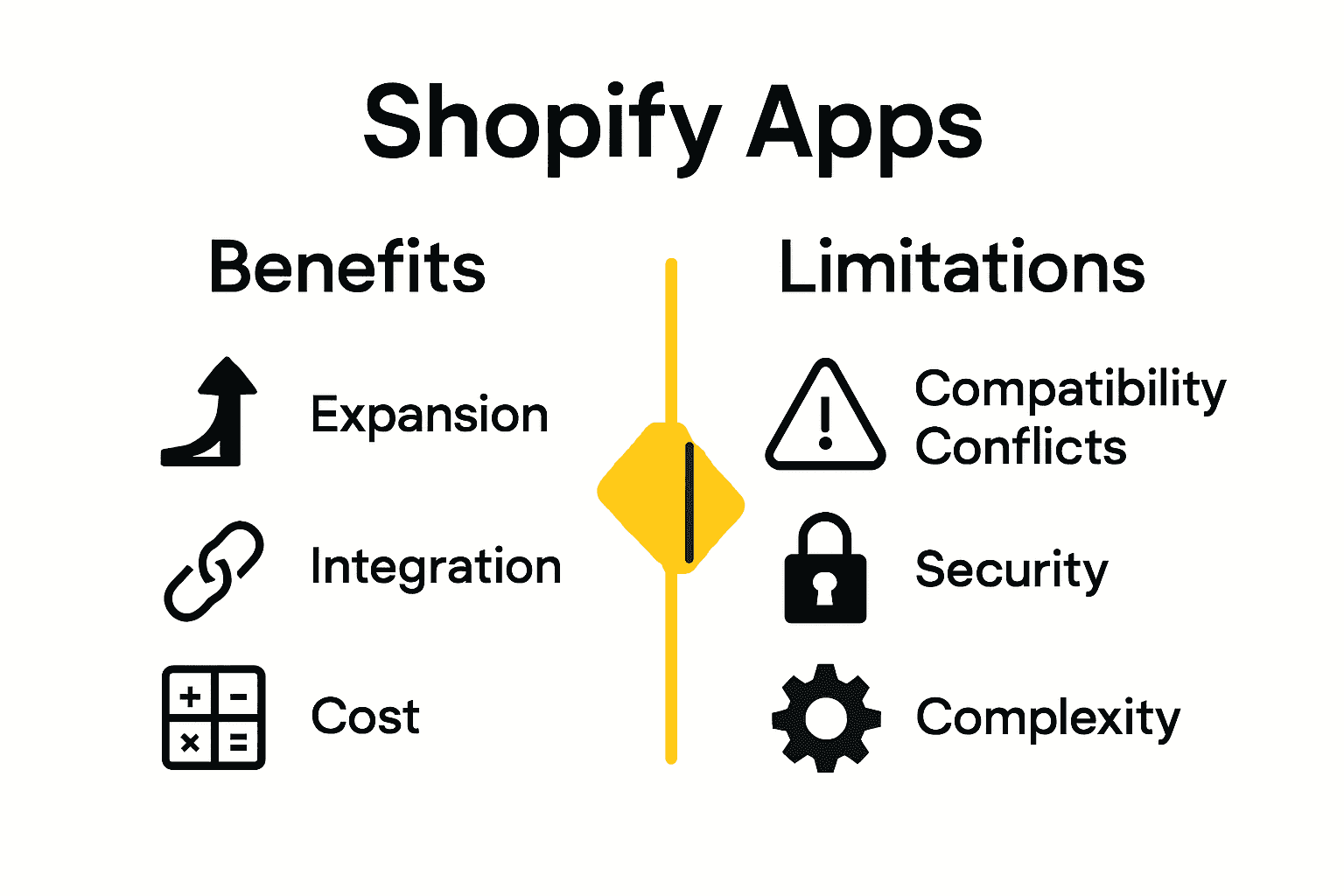
Key benefits of Shopify apps include:
- Rapid Functionality Expansion: Instantly add complex features without custom development
- Cost-Effective Solutions: Affordable alternatives to building custom tools
- Seamless Integration: Designed to work smoothly within the Shopify ecosystem
- Scalability: Tools that grow and adapt with your business needs
- Specialized Functionality: Targeted solutions for specific business challenges
However, merchants must also be aware of potential limitations. App compatibility can be complex, with some applications potentially causing performance conflicts or unexpected interactions. Careful selection is crucial to ensure that added apps truly enhance rather than complicate your store’s operations. Maximize Shopify Plus Features for Business Growth offers additional insights into strategic app implementation.
Ultimately, the key to successful app adoption lies in strategic selection and ongoing evaluation. While Shopify apps can provide incredible leverage for your online business, they’re not a one-size-fits-all solution.
 Merchants should approach app integration thoughtfully, continuously assessing each tool’s actual impact on store performance, user experience, and bottom-line results.
Choosing, Installing, and Managing Apps Safely
Navigating the Shopify App Store requires a strategic approach to ensure your online store’s performance and security. Wikipedia highlights the importance of careful app selection and management in maintaining a robust e-commerce platform.
Critical steps for safe app selection and installation include:
- Thorough Research: Read comprehensive user reviews and ratings
- Compatibility Check: Verify app functionality with your current Shopify setup
- Performance Evaluation: Assess potential impact on store speed and user experience
- Security Verification: Confirm developer credibility and app security standards
- Cost-Benefit Analysis: Understand pricing models and potential return on investment
Before installing any app, merchants should conduct a detailed assessment. This means examining the app’s track record, checking its update frequency, and understanding its specific permissions within your store ecosystem. 4 Lessons Learned From Building A Shopify App provides additional insights into making informed app selection decisions.
Managing your apps is an ongoing process. Regularly audit installed apps, remove those no longer providing value, and stay updated on new features and potential conflicts. Remember that while apps can dramatically enhance your store’s capabilities, each additional integration introduces complexity. Approach app management as a continuous optimization strategy, prioritizing your store’s overall performance and user experience.
Common Pitfalls and Best Practices for Stores
Shopify store management requires a strategic approach to avoiding common technical and operational challenges. Wikipedia highlights the critical importance of understanding potential pitfalls and implementing robust best practices to maintain a high-performing online store.
Common pitfalls that merchants should be aware of include:
- App Overload: Installing too many apps that slow down store performance
- Compatibility Conflicts: Choosing apps that don’t integrate smoothly
- Security Vulnerabilities: Neglecting to vet app developers and permissions
- Cost Management: Failing to track cumulative app subscription expenses
- Workflow Disruption: Implementing apps that complicate existing processes
Successful store owners approach app integration as a calculated strategy, not a random collection of tools. Careful evaluation of each app’s actual value, performance impact, and alignment with business goals is crucial. Shopify Best Practices: 10 Powerful Optimization Wins 2025 offers additional insights into maintaining a streamlined, efficient online store.
Ultimately, the key is maintaining a disciplined approach to app selection and management. Regularly audit your installed apps, monitor their performance, and be willing to remove tools that no longer serve your business objectives. Think of your Shopify store as a living ecosystem where each app should contribute meaningful value, not just occupy digital space.
Unlock the Full Potential of Your Shopify Store with Expert App Integration
Navigating the world of Shopify apps can feel overwhelming when you face challenges like app overload, compatibility issues, and the need for seamless customer engagement. This complete guide on Shopify apps for 2025 highlights how critical it is to select tools that expand functionality while keeping your store fast and secure. Blackbelt Commerce understands these pain points and specializes in delivering custom Shopify solutions that are tailored to meet your unique business goals. Whether you need advanced marketing automations, inventory management, or scalable headless commerce setups, our expertise turns complex app ecosystems into growth-driving engines.

Ready to stop worrying about app conflicts and slow loading times? Experience the difference with Blackbelt Commerce, where professional Shopify development and optimization take your store beyond basic app integrations. Start your journey with us today and see how strategic app selection combined with expert customizations can boost your conversions and revenue. Explore our portfolio of successful Shopify projects and make your next move toward a high-performance, scalable Shopify store now.
Frequently Asked Questions
What are Shopify apps and how do they work?
Shopify apps are software extensions that enhance and customize online store functionality. They integrate seamlessly through APIs, allowing merchants to enhance their stores without complex development.
How do I choose the right Shopify app for my store?
To choose the right Shopify app, conduct thorough research by reading user reviews, checking compatibility with your current setup, and understanding the app’s impact on performance and security.
What are the benefits of using Shopify apps?
The benefits of Shopify apps include rapid functionality expansion, cost-effectiveness, seamless integration, scalability, and specialized tools designed to address specific business challenges.
What common pitfalls should I avoid when using Shopify apps?
Common pitfalls include app overload, compatibility conflicts, security vulnerabilities, unchecked costs, and disrupting existing workflows. Regular audits of installed apps can help mitigate these issues.
Recommended
- Top Shopify Apps of 2019: Enhance Your Store’s Performance
- Shopify Q1 2014 Updates: New Features to Boost Your Store
- Shopify Updates Q1 2014- What’s New to Grow Your Business
- Building a Website on Shopify: 10 Easy Steps for Success
Quick Answer: Shopify apps explained
Shopify apps extend a store with features for marketing, analytics, reviews, subscriptions, fulfillment, merchandising, support, and conversion. The best app decisions start with a business problem, then evaluate speed impact, permissions, compatibility, support, cost, and whether custom development would be cleaner than adding another tool.
Want a sharper Shopify growth plan?
If this article connects to a current store decision, use the calendar to book a strategy call and turn the idea into a practical plan.
Key Takeaways
- Shopify apps should be chosen for a clear business outcome, not because every feature sounds useful.
- Each app should be evaluated for speed impact, permissions, data flow, compatibility, support, cost, and maintainability.
- Sometimes custom development or app cleanup creates a better store experience than adding another plugin.
- Internal links should connect app strategy to custom development, Shopify experts, Shopify Plus agencies, and CRO support.
- The same-page Calendly CTA should help readers get expert guidance before app bloat damages performance or conversion.
How this connects to your Shopify growth strategy
This article should remain useful for readers researching Shopify apps explained, but it also needs to show when the topic becomes a business decision. For the Shopify Growth, CRO, and Store Optimization cluster, the commercial bridge is practical: once the reader understands the concept, the next step is deciding whether their current Shopify setup can support the desired experience, conversion path, and operational workflow. That is where expert planning, design, development, CRO, and SEO support can turn the idea into measurable store improvements.
Want a sharper Shopify growth plan?
Use this guide as a decision tool. Then book a strategy call when you want a practical roadmap for your store.
Related Shopify resources
These internal resources support the Shopify Growth, CRO, and Store Optimization topic cluster and help connect this guide to stronger commercial next steps:
- Shopify CRO
- Shopify experts
- Shopify Plus agencies
- Shopify CRO — Parent service page for the reader’s next commercial step
- Blackbelt Commerce — Home-page authority link for brand and core Shopify expertise
- Shopify experts — Money-page link requested for expert-hiring intent
- Shopify Plus agencies — Money-page link requested for high-growth and Plus-agency intent
- Shopify custom development — Development service page for implementation and technical help
- Shopify checkout optimization — Related conversion article
- Shopify conversion optimization — Related CRO article
Questions store owners ask before taking action
What are Shopify apps used for?
Apps add functionality for marketing, reviews, subscriptions, fulfillment, support, analytics, merchandising, personalization, and conversion.
How should merchants choose Shopify apps?
Choose apps by business need, speed impact, permissions, compatibility, support quality, total cost, and long-term maintainability.
Can too many apps hurt a Shopify store?
Yes. App bloat can slow pages, create conflicts, complicate analytics, and make the customer journey harder to manage.
When is custom development better than an app?
Custom development may be better when the workflow is unique, the app stack is already bloated, or the customer experience needs cleaner control.
How should app content generate leads?
It should help readers evaluate app decisions and invite them to book a strategy call when they need expert app-stack guidance.
Future articles needed for topical dominance
To build deeper topical authority around this cluster, these supporting topics should be created later and linked back into this article:
- Shopify Apps Explained Checklist for Shopify Store Owners: Creates a practical support article that turns the Shopify Growth, CRO, and Store Optimization topic into an actionable app and integration review workflow.
- Shopify App Stack Audit: What to Keep, Replace, or Custom Build: Captures problem-aware searches around app bloat, conflicts, speed, and custom development tradeoffs.
- When to Hire Shopify Experts for Shopify Apps Explained: Connects app and integration decisions to expert implementation, custom development, and cleanup services.
Want a sharper Shopify growth plan?
Ready to turn the advice in this article into an action plan? Open the calendar here and choose a time that works for you.

