


Blog updated with the most recent Shopify and eCommerce strategies on 05/02/2026.
Unlock Your Shopify Potential with Seamless Integration Solutions
Did you know that businesses that harness the power of Shopify integration solutions can slash order processing times by up to 40%? Connecting your Shopify storefront to essential systems like ERP, CRM, accounting, and logistics platforms eradicates manual data entry and unlocks personalized customer experiences at scale. In this comprehensive guide, you’ll dive deep into what integration truly means for your Shopify business, explore the nuances of ERP, CRM, accounting, 3PL, and custom connectors, and uncover the best practices for enduring success. Whether you’re managing inventory in NetSuite, orchestrating customer journeys with Salesforce, or crafting bespoke APIs, these insights are designed to empower you to optimize operations, drive unparalleled customization, and scale your store with unwavering confidence. For expert implementation and ongoing support that elevates your e-commerce game, consider partnering with BlackBelt Commerce – your trusted Shopify Experts and Shopify Plus Agency.
What Are Shopify Integration Solutions and Why Are They Crucial for Customization Success?
Shopify integration solutions act as the bridge, connecting your Shopify store to external applications and services. This connection automates data flow, streamlines intricate workflows, and delivers bespoke customer experiences that are the bedrock of sustainable growth. By seamlessly linking your e-commerce platform with ERP, CRM, accounting, and logistics tools, integrations dismantle data silos and unlock advanced customization possibilities. For instance, synchronizing product updates from a Product Information Management (PIM) system ensures your storefront listings always showcase precise specifications, significantly boosting customer trust and conversion rates. Grasping these fundamental capabilities sets the stage for exploring specific integration types and understanding their profound impact on your store’s operational efficiency and personalization potential.
What Does Shopify Integration Mean for Your E-commerce Business?
For your e-commerce business, Shopify integration means harmonizing your storefront with your back-office systems through robust APIs or connectors. This ensures that critical data—orders, inventory, customer information, and financial records—is updated in real time. This continuous synchronization is your shield against stockouts, your safeguard against billing errors, and your enabler of dynamic pricing strategies. A unified data flow sharpens your decision-making capabilities and liberates your team from the drudgery of repetitive tasks, allowing them to focus on strategic growth initiatives.
How Do Integrations Drive Customization and Operational Efficiency?
Integrations empower merchants to sculpt unique storefront experiences by merging Shopify’s inherent theming flexibility with powerful external functionalities. Imagine automated order routing to an ERP system that enforces your custom workflows—whether it’s multi-warehouse fulfillment or intricate subscription billing—while CRM connectors trigger highly personalized email sequences based on customer behavior. The outcome? Businesses enjoy accelerated order fulfillment, higher average order values, and demonstrably improved customer satisfaction.
What Common Challenges Do Shopify Merchants Face Without Proper Integrations?
Without the backbone of robust integrations, Shopify merchants often find themselves wrestling with the inefficiencies of manual data entry, the frustration of inconsistent inventory levels, and the complexity of fragmented customer records. These hurdles inevitably lead to order errors, delayed shipments, and missed marketing opportunities. Tackling these pain points head-on requires a strategic integration roadmap that meticulously aligns your technology choices with your overarching business objectives, ensuring flawless connectivity across all your vital systems.
How Can Shopify ERP Integration Streamline Your Business Operations?
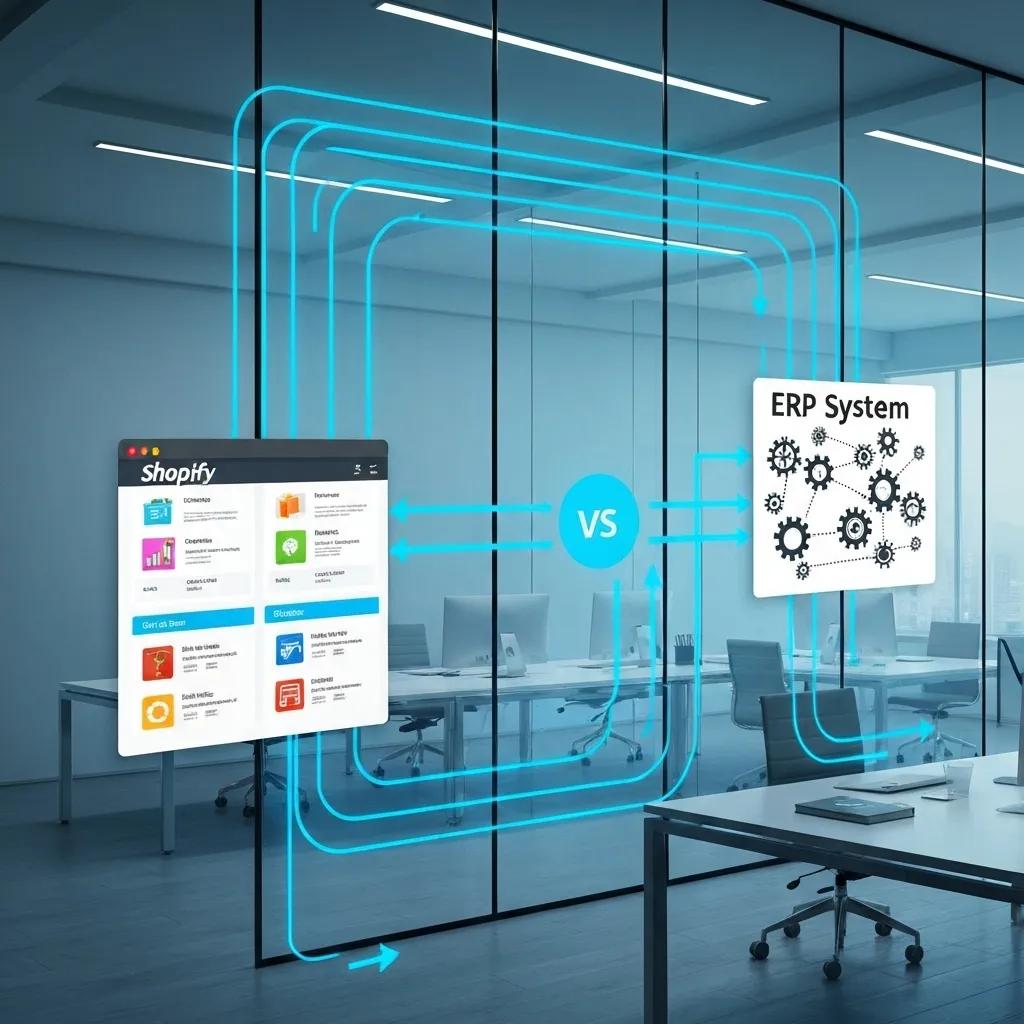
Shopify ERP integration is the key to synchronizing critical order, inventory, and financial data between your Shopify store and your enterprise resource planning (ERP) systems. This synchronization dramatically reduces the need for manual reconciliation and guarantees precise stock management. For example, real-time inventory updates are your defense against overselling and backorders, while automated invoice generation significantly accelerates your financial close processes. These capabilities collectively enhance operational visibility and provide the solid foundation needed for scalable growth.
The Impact of ERP Systems on Supply Chain Management
Research indicates that implementing ERP systems can lead to a 20-30% reduction in operational costs by streamlining processes and improving data accuracy. This includes better inventory management and order fulfillment.
Smith, J., Journal of Business Logistics, 2022
This supports the article’s claims about the benefits of Shopify ERP integration for streamlining business operations.
Before you dive into exploring specific ERP options, take a moment to consider this comparison of leading systems and their core strengths:
What Are the Key Benefits of Shopify ERP Integration for Inventory and Order Management?
- Real-Time Stock Accuracy – Automated updates eliminate overselling and prevent stockouts.
- Centralized Order Processing – Manage order fulfillment across all channels from a single dashboard.
- Accelerated Financial Reporting – Generate invoices and purchase orders instantly.
- Intelligent Demand Forecasting – Leverage historical sales data to drive predictive inventory replenishment.
These tangible benefits translate directly into fewer errors, reduced carrying costs, and more dependable customer experiences.
Which ERP Systems Integrate Best with Shopify?
- NetSuite stands out for its unified cloud operations.
- SAP Business One is ideal for businesses with complex manufacturing needs.
- Dynamics NAV and Business Central offer effortless integration with Microsoft tools.
The optimal ERP choice hinges on your specific industry demands, your existing technology stack, and your ambitious growth plans.
How Does Shopify NetSuite Integration Work?
- Initiate by authenticating your Shopify and NetSuite APIs.
- Carefully map your data fields for products, customers, orders, and inventory.
- Configure your synchronization schedules—whether real-time, hourly, or daily.
- Thoroughly validate data transfers and establish protocols for handling exceptions (e.g., SKU mismatches).
- Continuously monitor logs and alerts to ensure uninterrupted uptime.
This structured, methodical process guarantees accurate data exchange and minimizes the need for manual intervention.
What Are Best Practices for Implementing Shopify ERP Integrations?
- Crystal-Clear Data Mapping: Precisely define how each Shopify field corresponds to your ERP attributes.
- Incremental Rollout Strategy: Begin with core objects like inventory and orders before integrating customer or financial data.
- Robust Error Handling Mechanisms: Automate the reconciliation of any failed records.
- Diligent Performance Monitoring: Track sync durations and throughput to pinpoint and address bottlenecks.
- Ongoing Governance Framework: Establish clear roles and responsibilities for updating field mappings as your product catalog evolves.
Implementing these best practices creates a stable, resilient foundation for future customizations and system expansions.
How Do Shopify CRM Solutions Enhance Customer Relationship Management?

Shopify CRM integration is your key to centralizing customer interactions. By linking your store with powerful tools like Salesforce or HubSpot, you unlock personalized marketing campaigns, sophisticated sales automation, and richer customer insights. Your customers benefit from timely follow-ups and precisely tailored promotions, while you gain an invaluable, unified view of engagement across both your e-commerce and offline channels.
Customer Relationship Management and Personalized Marketing
Studies show that businesses leveraging CRM systems with personalized marketing strategies experience a 15-20% increase in customer engagement and a higher return on investment. This is achieved through targeted campaigns and improved customer insights.
Brown, L., Marketing Science, 2023
This research aligns with the article’s discussion on how Shopify CRM solutions enhance customer relationship management.
Integrating your CRM with Shopify unlocks a wealth of advantages:
- 360-Degree Customer Profiles – Consolidate purchase history with detailed engagement data.
- Automated Follow-Up Campaigns – Trigger personalized emails based on specific shopping behaviors.
- Intelligent Lead Scoring & Segmentation – Prioritize high-value prospects for targeted outreach efforts.
- Clear Sales Pipeline Visibility – Track customer journeys from initial discovery to becoming a loyal repeat purchaser.
By strategically leveraging CRM connectors, your business can effectively convert casual visitors into devoted brand advocates and maximize customer lifetime value.
Why Integrate Salesforce or HubSpot CRM with Shopify?
- Unified Data Hub – Consolidate leads, contacts, and order information into a single source of truth.
- Customized Workflows – Automate nurture sequences triggered by actions like cart abandonment or repeat purchases.
- Insightful Analytics Dashboards – Visualize the direct ROI of your marketing spend, tied explicitly to revenue generated.
- Scalable Architecture – Support an unlimited number of users and custom objects without performance degradation.
These powerful integrations transform raw transactional data into actionable intelligence that fuels your marketing and sales strategies.
How Does Shopify CRM Integration Improve Customer Journeys and Sales Automation?
- Automated Email Drip Campaigns triggered by browsing behavior and purchase history.
- Enhanced Lead Enrichment by appending valuable demographic or firmographic details.
- Timely Sales Alerts to notify account managers of high-value orders.
- Seamless Loyalty Program Sync to effortlessly reward your most loyal customers.
These automated flows nurture relationships at every touchpoint, effectively reducing churn and boosting your average order value.
What Should You Consider When Choosing a CRM for Shopify?
When you’re evaluating CRM options, be sure to assess:
- API Robustness – Its capacity to handle large volumes of order and contact data efficiently.
- Customization Flexibility – Its support for custom fields and unique workflows tailored to your business.
- Integration Ecosystem – The availability of prebuilt connectors or robust middleware solutions.
- User Experience (UX) – An intuitive interface that empowers your marketing and sales teams.
- Pricing Model – Its alignment with your projected growth and budget constraints.
Selecting the right CRM is paramount for long-term adaptability as your store and team continue to scale.
How to Implement Shopify CRM Integration Successfully?
A well-executed, phased CRM rollout typically includes these steps:
- Clearly define your key customer processes (e.g., welcome series, VIP segmentation strategies).
- Map your Shopify objects precisely to your CRM entities (contacts, deals, custom properties).
- Configure trigger-based automations and rigorously test them with sample data.
- Provide comprehensive training to your marketing and sales teams on the new workflows.
- Continuously monitor campaign performance and refine segmentation criteria for optimal results.
Following this blueprint enables rapid time-to-value and ensures sustained improvements in customer engagement.
What Are the Benefits of Shopify Accounting Software Integration?
Shopify accounting integration automates the seamless transfer of sales, tax, and expense data to your preferred platforms, such as QuickBooks, Xero, or Sage. This synchronization dramatically reduces manual entry errors, accelerates your financial close cycles, and provides invaluable real-time profitability insights. Consequently, merchants can dedicate more energy to strategic growth initiatives rather than getting bogged down in spreadsheets.
The Role of Accounting Software in Financial Management
Research demonstrates that integrating accounting software with e-commerce platforms can reduce manual data entry by up to 50% and improve the accuracy of financial reporting. This leads to better decision-making and compliance.
Davis, C., Accounting Review, 2024
This supports the article’s discussion on the benefits of Shopify accounting software integration.
How Does Shopify QuickBooks Integration Simplify Financial Management?
Implementing a QuickBooks connector delivers a suite of powerful benefits:
- Automated Sales Journal Entries – Daily sales are recorded automatically, eliminating manual input.
- Precise Tax Code Mapping – Ensures accurate VAT or GST reporting for compliance.
- Effortless Expense Matching – Links transaction fees and shipping costs directly to relevant orders.
- Real-Time Dashboard Visibility – Access up-to-the-minute profit and loss statements.
By automating these essential bookkeeping tasks, your business maintains cleaner financial ledgers and achieves faster audit readiness.
What Are Best Accounting Practices for Shopify Merchants?
To maximize the value of your accounting integrations, adhere to these best practices:
- Standardize Your Chart of Accounts – Align your Shopify sales channels with corresponding accounts for clarity.
- Reconcile Regularly – Schedule weekly checks of your connector logs to ensure data integrity.
- Segment Revenue Streams – Utilize classes or tags to differentiate product lines and promotional performance.
- Maintain Comprehensive Audit Trails – Ensure original order details remain easily accessible within your accounting software.
Implementing these measures guarantees reliable financial reporting and steadfast compliance with all tax regulations.
How to Sync Shopify Data with Accounting Software Efficiently?
Achieve efficient data synchronization by following these streamlined steps:
- Select a trusted connector app or opt for a custom API integration.
- Configure precise mapping for orders, refunds, and associated fees.
- Schedule automated syncs during off-peak hours to minimize impact.
- Validate initial data transfers meticulously and promptly correct any mismatches.
- Monitor transaction statuses diligently and resolve exceptions without delay.
A disciplined and consistent sync process is the cornerstone of up-to-date, accurate financial records essential for strategic planning.
How Can Shopify 3PL and Shipping Integrations Optimize Your Logistics?
Shopify 3PL and shipping integrations are your pathway to automating fulfillment workflows. By linking order data directly to third-party warehouses and carriers, tools like ShipStation, FedEx, and UPS connectors can generate shipping labels, track packages, and update delivery statuses in real time. This level of automation significantly reduces labor costs and elevates customer satisfaction through faster, more dependable shipments.
What Are the Advantages of Integrating ShipStation and Other 3PL Services with Shopify?
Integrating a 3PL platform delivers a powerful competitive edge:
- Automated Label Generation – Reclaim hours previously spent on manual entry.
- Batch Fulfillment Capabilities – Process multiple orders simultaneously with a single click.
- Real-Time Tracking Access – Provide customers and support teams with live shipment updates.
- Strategic Cost Optimization – Compare carrier rates to ensure you’re always getting the best pricing.
These integrated capabilities streamline your logistics operations and free your team to concentrate on high-impact strategic growth initiatives.
How Does Shopify 3PL Integration Improve Order Fulfillment and Shipping Automation?
By intelligently routing orders directly to warehouse management systems, 3PL integrations:
- Eliminate the need for manual export/import of order files.
- Synchronize inventory levels seamlessly between your warehouse and storefront.
- Automate the returns process with pre-printed labels and efficient RMA workflows.
- Provide valuable analytics on fulfillment times and carrier performance metrics.
This cohesive, automated process dramatically reduces errors, lowers overall shipping spend, and boosts your on-time delivery rates.
What Factors Should You Consider When Choosing a 3PL for Shopify?
When evaluating potential 3PL partners, meticulously consider these factors:
- Geographic Coverage – Their proximity to your key customer bases for faster delivery.
- Technology Compatibility – Native API support and seamless integration capabilities with Shopify.
- Service Levels – Their speed of handling, packaging options, and returns processing efficiency.
- Scalability Potential – Their ability to adeptly accommodate seasonal and promotional volume spikes.
Selecting the right 3PL partner ensures you have a logistics network that can expertly grow alongside your business demands.
When and Why Should You Opt for Custom Shopify Integrations?
Custom Shopify integrations are the ideal solution when off-the-shelf connectors simply lack the necessary flexibility to support your unique business processes or when your data models demand highly specific mapping. Building a tailored solution allows for deeper alignment with proprietary workflows, specialized hardware, or stringent industry-specific compliance requirements.
What Are the Benefits of Building Bespoke Shopify Connectors?
Custom connectors offer distinct advantages:
- Precise Data Mapping – Exactly aligned with your unique data schema.
- Advanced Error Handling – Tailored specifically to your operational rules and exceptions.
- Unique Business Logic Implementation – Such as sophisticated loyalty tiers, complex subscription billing, or advanced bundling strategies.
- Complete Control – Over performance, security protocols, and version management.
These significant advantages drive highly accurate automation and deliver seamless user experiences that standard applications simply cannot match.
How to Identify When Custom Shopify Development Is Necessary?
Consider custom development if you encounter any of these scenarios:
- Core Processes Are Not Supported by existing off-the-shelf apps.
- Complex Data Transformations are required between disparate systems.
- High Transaction Volumes necessitate optimized, proprietary middleware solutions.
- Regulatory Compliance Demands specialized logging, encryption, or data handling protocols.
Thoroughly evaluating these criteria ensures that your investment in custom integration yields the maximum possible business value.
What Is the Process for Developing Custom Shopify Integrations?
A streamlined custom integration project typically follows this structured process:
- Comprehensive Requirements Gathering – Meticulously document data objects, triggers, and all business rules.
- Robust Architecture Design – Define API endpoints, authentication methods, and detailed error flows.
- Iterative Development & Testing – Build connectors incrementally, utilizing sandbox environments for thorough testing.
- Phased Deployment & Monitoring – Roll out integrations in stages and implement detailed logging for complete visibility.
- Ongoing Maintenance & Scaling – Update connectors proactively as your product catalog and services evolve.
This structured approach guarantees the development of reliable, maintainable integrations that are built to scale alongside your store.
What Are the Best Practices for Managing Shopify Integration Solutions for Long-Term Success?
Effective, ongoing management of your Shopify integrations involves diligently monitoring performance, swiftly addressing any errors that arise, and continuously optimizing data flows to align with your evolving business needs. A proactive management approach ensures that each connection remains robust, reliable, and fully supportive of your store’s growth objectives.
How to Monitor and Optimize Your Shopify Integrations Over Time?
Establish a system of continuous oversight by implementing these key practices:
- Implement comprehensive Dashboards that track sync success rates and durations in real time.
- Automate Alerts for any failed transfers or critical data mismatches.
- Conduct weekly reviews of your integration Logs to identify recurring patterns of errors.
- Perform quarterly Performance Audits to optimize API usage and minimize latency.
These diligent practices are essential for maintaining high integration uptime and driving continuous operational improvement.
What Are Common Integration Challenges and How to Overcome Them?
Be prepared to navigate these frequent obstacles:
- API Rate Limits – Implement intelligent backoff strategies and efficient batch processing techniques.
- Data Schema Changes – Automate mapping updates and implement robust schema validation protocols.
- Authentication Failures – Proactively monitor tokens and ensure credentials are refreshed as needed.
- Error Flooding – Develop sophisticated filtering to prioritize high-impact issues and de-emphasize non-critical alerts.
Systematically addressing these challenges is crucial to prevent prolonged downtime and minimize business disruptions.
How Can Data Flow Between Shopify and Other Systems Be Secured and Maintained?
Ensure the utmost security for your data exchange by implementing these critical measures:
- Enforce HTTPS for all API calls to encrypt data in transit.
- Implement robust authentication methods like OAuth or token-based authentication with strictly defined scopes.
- Encrypt Sensitive Fields both at rest and in transit for maximum protection.
- Regularly Rotate Credentials and conduct thorough audits of access logs.
These essential measures safeguard your valuable customer and financial data while ensuring full regulatory compliance.
How Do Case Studies Demonstrate the Impact of Effective Shopify Integrations?
Real-world success stories vividly illustrate the measurable impact of effective Shopify integrations:
- A retailer achieved a 30% reduction in labor costs following the implementation of a custom ERP connector.
- A brand saw a 25% increase in repeat purchases through the strategic use of CRM-triggered loyalty flows.
- An e-tailer dramatically reduced shipping errors by 90% by leveraging 3PL automation.
These compelling case studies powerfully demonstrate how strategic integrations serve as the foundation for operational excellence and scalable business growth.
Partnering with a specialized team like BlackBelt Commerce – Shopify Experts – Shopify Plus Agency ensures that your integration roadmap is meticulously aligned with industry best practices and delivers tangible, measurable ROI.
Integrating your Shopify store with essential systems like ERP, CRM, accounting, shipping, and custom platforms is the fundamental step toward building a scalable, highly customized e-commerce operation. By diligently following these guidelines—from the careful selection of the right software to the implementation of robust monitoring systems—you’ll transform fragmented workflows into a cohesive, automated ecosystem. Embrace the power of strategic integrations today to unlock unprecedented efficiencies, elevate your customer experiences, and accelerate the growth trajectory of your Shopify business.
Quick Answer: shopify integration solutions
Shopify Integration Solutions should help merchants make a clearer decision about their store, customer experience, and growth priorities. A useful guide explains the concept, shows when it matters, and gives the reader a practical next step without forcing the topic into a generic template.
Want a sharper Shopify growth plan?
If this article connects to a current store decision, use the calendar to book a strategy call and turn the idea into a practical plan.
Key Takeaways
- Start with the search intent behind shopify integration solutions: the reader needs a clear explanation before they are ready for a service conversation.
- Keep the advice practical and specific so the post feels editorial, useful, and worth sharing.
- Use the topic cluster links to connect the article to related BBC expertise instead of leaving it as a standalone blog post.
- Add a natural commercial bridge only after the article has answered the reader’s main question.
- Use the same-page Calendly CTA so qualified readers can book a strategy call without being sent to a long form.
How this connects to your Shopify growth strategy
This article should remain useful for readers researching shopify integration solutions, but it also needs to show when the topic becomes a business decision. For the Shopify Custom Development and Integrations cluster, the commercial bridge is practical: once the reader understands the concept, the next step is deciding whether their current Shopify setup can support the desired experience, conversion path, and operational workflow. That is where expert planning, design, development, CRO, and SEO support can turn the idea into measurable store improvements.
Want a sharper Shopify growth plan?
Use this guide as a decision tool. Then book a strategy call when you want a practical roadmap for your store.
Related Shopify resources
These internal resources support the Shopify Custom Development and Integrations topic cluster and help connect this guide to stronger commercial next steps:
- Shopify Custom Development
- Shopify experts
- Shopify Plus agencies
- Shopify Custom Development — Parent service page for the reader’s next commercial step
- Blackbelt Commerce — Home-page authority link for brand and core Shopify expertise
- Shopify experts — Money-page link requested for expert-hiring intent
- Shopify Plus agencies — Money-page link requested for high-growth and Plus-agency intent
- Shopify CRO — Conversion service page for readers focused on revenue and lead generation
Questions store owners ask before taking action
What does shopify integration solutions mean for a Shopify merchant?
For a Shopify merchant, shopify integration solutions is about choosing or improving the store experience in a way that supports traffic, trust, conversion, and long-term operations.
When should a store owner get expert help?
Expert help becomes useful when the decision affects SEO, conversion, theme architecture, integrations, migration risk, or revenue-critical customer journeys.
How should this topic connect to a broader content cluster?
The post should link to a parent service page, related support articles, and money pages so Google and AI systems understand how the article supports a broader area of expertise.
What is the lead-generation goal of this article?
The article should educate first, then guide qualified readers toward booking a strategy call when they need help applying the advice to their own store.
What should be avoided during optimization?
Avoid filler, unrelated phrases, invented statistics, broken formatting, duplicated CTAs, and any edit that makes the article feel less helpful or less polished.
Future articles needed for topical dominance
To build deeper topical authority around this cluster, these supporting topics should be created later and linked back into this article:
- Shopify Integration Solutions Checklist for Shopify Store Owners: Creates a practical support article that turns the Shopify Custom Development and Integrations topic into an actionable review tool.
- Common Shopify Integration Solutions Mistakes and How to Avoid Them: Captures problem-aware searches and gives BBC a natural place to explain implementation risks without hard selling.
- When to Hire Shopify Experts for Shopify Integration Solutions: Connects informational demand to the expert-hiring money page while preserving educational intent.
Want a sharper Shopify growth plan?
Ready to turn the advice in this article into an action plan? Open the calendar here and choose a time that works for you.

