

Blog updated with the most recent Shopify and eCommerce strategies on 05/02/2026.
Mastering Shopify Plan Flexibility: Your Guide to Upgrading and Downgrading Anytime
Wondering if you can tweak your Shopify plan on the fly to keep pace with your growing business? This guide dives deep into actionable strategies, breaks down the core plan differences, explores the best times to make changes, examines performance impacts, reveals cost-saving secrets, and highlights how expert support can make all the difference. Get ready to confidently answer the question: “Can I upgrade or downgrade my Shopify plan at any time?” You’ll discover:
- The straightforward process for switching plans
- Key distinctions between Starter, Basic, Shopify, Advanced, Plus, and Retail plans
- Smart timing for plan adjustments based on growth and seasonality
- How changes affect performance, SEO, data, and transaction costs
- Savvy ways to optimize your spending through billing choices
- How Blackbelt Commerce champions your plan transitions
- Advanced features for enterprise-level and omnichannel operations
- Strategies to future-proof your store with adaptable plans
Can You Upgrade or Downgrade Your Shopify Plan at Any Time?
Absolutely. Shopify empowers you to upgrade or downgrade your plan whenever you need to, right from your admin settings. This means you can instantly adjust your pricing and features to match your e-commerce journey. It’s a game-changer for reducing downtime, keeping costs in sync with your sales, and scaling up rapidly when demand spikes. Imagine boosting your plan for the holiday rush to get more staff accounts and better transaction rates, then easily scaling back down afterward – no hassle required.
Shopify Plan Agility
Shopify lets merchants upgrade or downgrade their plan whenever necessary via the admin panel, offering the flexibility to adapt to business shifts. Upgrades are immediate, while downgrades take effect at the close of your current billing period.
This built-in flexibility is a crucial advantage for businesses navigating growth spurts or managing tighter budgets.
What Are the Steps to Upgrade Your Shopify Plan?
- Log in to your Shopify admin dashboard.
- Head over to Settings → Plan.
- Explore the available plans and their unique features.
- Click Choose plan under the tier you want to move to.
- Confirm your payment details and accept the new monthly rate.
When you upgrade, Shopify applies prorated billing instantly, giving you immediate access to those enhanced features and lower transaction rates without any data migration headaches.
How Do You Downgrade Your Shopify Plan?
- Navigate to Settings → Plan in your Shopify admin.
- Select Compare plans and pick a lower-tier option.
- Confirm your downgrade by clicking Switch to [Plan Name].
- Review any feature adjustments and approve the change.
Downgrading credits you for the unused portion of your current plan and applies the new, lower subscription cost at your next billing cycle, helping you manage cash flow more smoothly.
Are There Any Restrictions or Timing Considerations for Plan Changes?
Upgrades take effect right away, while downgrades are scheduled for the end of your current billing period to ensure you don’t lose access to features mid-cycle. You can’t downgrade to a plan with fewer essential features before your billing period concludes, and some annual plans might require a 30-day heads-up. Always double-check your billing cycle dates to sidestep unexpected charges or service interruptions.
What Are the Core Shopify Pricing Plans and Their Features?
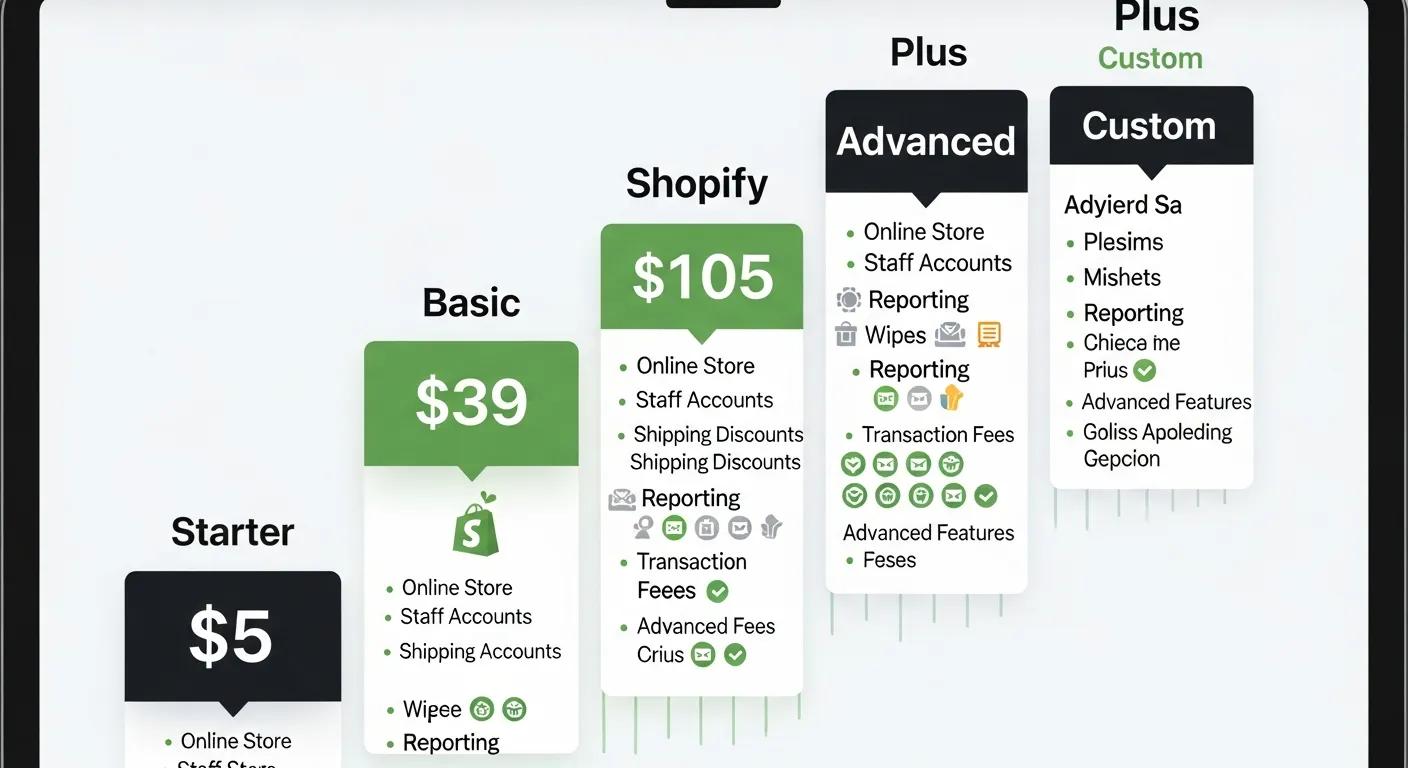
Shopify offers six main plans—Starter, Basic, Shopify, Advanced, Plus, and Retail—each crafted for different business scales and needs. Understanding what sets them apart is key to aligning your subscription costs with your operational demands and growth forecasts.
Shopify Plan Overview
Shopify provides a range of plans, including Starter, Basic, Shopify, Advanced, Plus, and Retail, each offering distinct features and price points. The Basic plan is ideal for startups, while the Advanced plan caters to larger businesses with more complex operational requirements.
How Do Shopify Starter, Basic, Shopify, Advanced, Plus, and Retail Plans Compare?
Here’s a snapshot of Shopify’s plans, detailing monthly costs and standout features.
Starter is perfect for basic sales via social media. Basic supports new stores with unlimited inventory. The Shopify plan adds in-depth analytics. Advanced unlocks custom reporting and higher API limits. Plus is built for enterprise-level operations. Retail is optimized for in-store point-of-sale experiences.
What Are the Key Differences in Staff Accounts, Inventory Locations, and Transaction Fees?
* Rates shown are for Shopify Payments; third-party gateways may add extra charges. Higher-tier plans offer reduced transaction fees, more staff access, and expanded location management.
How Do Billing Cycles Affect Shopify Plan Pricing and Flexibility?
Opting for annual billing can slash your costs by up to 25% compared to monthly payments, but it means committing for a full year. Monthly subscriptions offer the ultimate flexibility, allowing you to switch plans without a long-term contract. Annual plans lock in savings but require a 12-month commitment, while monthly plans give you the freedom to adjust anytime.
When Should You Consider Upgrading or Downgrading Your Shopify Plan?
Making smart, timely adjustments to your plan can significantly boost your ROI and ensure you have the right tools for every business milestone. By proactively adapting your subscription, you avoid overpaying for unused capacity or missing out on essential features during periods of rapid growth.
What Business Growth Indicators Signal the Need to Upgrade?
- Consistent sales growth that surpasses your current transaction fee thresholds
- An expanding team that requires additional staff accounts
- Operations spanning multiple locations that need more inventory points
- Increased website traffic that could impact site performance
When Is Downgrading a Smart Choice for Your Shopify Store?
- Sales volume drops below a plan’s optimal transaction fee level
- Your team shrinks, and fewer user seats are needed
- Inventory management consolidates into fewer locations
- Budgetary pressures demand a more cost-effective subscription
How Does Plan Flexibility Support Scaling and Seasonal Adjustments?
The ability to switch plans dynamically lets you ramp up capacity for busy seasons or major product launches, then scale back down during slower periods. This approach ensures you have the right operational features—like extra staff logins and advanced analytics—aligned with demand, optimizing both costs and performance throughout the year.
What Is the Impact of Changing Shopify Plans on Your Store’s Performance?
Switching Shopify plans does more than just alter your billing; it can also influence your site’s speed, SEO performance, and how well your apps function. Understanding these potential impacts is crucial for maintaining a smooth customer experience as you adjust your subscription.
How Does Upgrading or Downgrading Affect SEO and Website Performance?
Upgrading can often lead to better performance thanks to enhanced server resources and advanced caching, which can speed up page load times and potentially improve SEO rankings. Downgrading might mean losing some performance-boosting features, which could slow down load times if not counteracted with optimized themes and apps.
What Happens to Your Data and App Compatibility When Changing Plans?
Your core store data—including products, orders, and customer information—remains completely intact and transfers seamlessly between plans. However, apps that rely on features specific to a higher-tier plan might become unavailable if you downgrade. It’s wise to check app compatibility before making a downgrade decision.
How Are Transaction Fees and Payment Options Influenced by Plan Changes?
Higher-tier plans typically come with lower transaction fees through Shopify Payments and may reduce or eliminate extra charges for third-party gateways. Upgrading unlocks these more favorable rates and often expands your options for payment gateway integrations, while downgrading will revert fees to the standard levels for your new plan.
How Can You Optimize Shopify Costs When Managing Your Subscription?

Smart cost management involves anticipating potential hidden fees, minimizing transaction expenses, and making the most of your billing cycles. These strategies ensure your Shopify subscription actively contributes to your profitability rather than chipping away at your margins.
Smart Spending on Shopify
Selecting the optimal Shopify plan and reducing payment processing fees are key drivers of enhanced profitability. Streamlining app usage and payment gateway choices can also lead to significant cost reductions.
What Are the Hidden Costs Associated with Shopify Plan Changes?
Beyond the advertised subscription rates, plan changes can sometimes involve:
- Prorated billing adjustments for mid-cycle changes
- Potential surcharges for apps if their features shift between plans
- Fees from third-party payment gateways
- Costs for upgrading themes or integrations
Being aware of these potential costs helps prevent budget surprises after you switch plans.
How Can You Reduce Transaction Fees Across Different Shopify Plans?
To keep transaction fees low:
- Always enable Shopify Payments for the best built-in rates
- Consolidate your payment gateways to avoid multiple transaction surcharges
- Explore negotiating custom rates if you’re on an Advanced or Plus plan
- Leverage volume discounts by maintaining steady sales growth
Strategic management of your payment gateways and plan selection can significantly lower your per-order costs.
What Are the Benefits of Choosing Annual Billing Over Monthly?
Annual billing provides:
- Savings of up to 25% on your plan rates
- Predictable budgeting and consistent expenses
- An incentive to fully utilize plan features over 12 months
- Fewer billing cycles to manage, reducing administrative work
Committing to annual pricing locks in savings, freeing you to concentrate on scaling your business.
How Does Blackbelt Commerce Support Shopify Plan Flexibility and Growth?
Blackbelt Commerce excels at guiding merchants through every stage of Shopify plan management, ensuring each transition aligns perfectly with your business objectives and technical best practices.
Expert Shopify Guidance from Blackbelt Commerce
Blackbelt Commerce is a dedicated Shopify agency offering services like custom design, development, and strategic e-commerce consulting. They provide specialized support for plan management and seamless migrations.
What Strategic Consulting Services Does Blackbelt Commerce Offer for Shopify Merchants?
Blackbelt Commerce provides:
- Thorough plan audits to match your sales volume and feature requirements
- Custom theme and app integrations to maximize each plan’s potential
- Expert migration support for smooth upgrades or downgrades
- Continuous performance and SEO optimization across all plan tiers
Our proven methodology ensures your subscription always perfectly complements your operational strategy.
How Can Blackbelt Commerce Help with Upgrading or Downgrading Your Shopify Plan?
We offer comprehensive implementation support, covering everything from data backups and proration calculations to feature setup and post-migration testing. We meticulously coordinate timing with your billing cycle to prevent any downtime and ensure full functionality throughout your transition.
Are There Case Studies Demonstrating Successful Shopify Plan Changes?
We’ve guided numerous merchants in scaling from Basic to Advanced, resulting in a 0.5% reduction in transaction fees and a 30% boost in load speeds. In another instance, a retailer strategically downgraded to our Grow plan during the off-season, achieving 20% savings on subscription costs without compromising essential analytics.
What Are the Most Frequently Asked Questions About Shopify Plan Changes?
Merchants often seek clarity on billing nuances, data retention policies, and trial options before adjusting their Shopify subscription. Here, we address these common queries in detail.
Can I Switch Between Monthly and Annual Shopify Plans Anytime?
Yes, you can switch your billing cycle at the end of your current term. Shopify will apply prorated credits for any unused days and activate annual discounts on your next renewal, giving you flexibility in your commitment level.
Will I Lose Data or Features When Downgrading My Shopify Plan?
Your store’s fundamental data remains secure and intact after a downgrade. However, features exclusive to your previous plan—such as advanced reporting tools or expanded inventory location support—will no longer be accessible until you upgrade again.
Are There Fees for Changing My Shopify Plan?
Shopify itself doesn’t impose a direct fee for changing your plan. Instead, it prorates your current subscription balance against the rate of the new plan. Any difference in monthly cost or transaction fees will be reflected on your next invoice.
Does Shopify Offer a Free Plan or Trial for Testing Plans?
Shopify offers a 3-day free trial that allows you to explore the features of the Basic plan. There isn’t a permanent free tier, but this trial period is perfect for testing the admin interface and core functionalities before committing to a paid subscription.
How Do Shopify Plan Features Support Advanced E-commerce Needs?
As your business expands, advanced capabilities like custom APIs, omnichannel POS systems, and international selling features become essential—and these vary significantly across different plan levels.
What Benefits Does Shopify Plus Offer for Large Enterprises?
Shopify Plus is engineered for enterprise success, providing:
- Dedicated account management and 24/7 premium support
- Highly customizable checkout experiences via Scripts and Flow
- Unlimited API calls and seamless multi-channel integrations
- Robust wholesale channel capabilities
These enterprise-grade features are designed to support high-volume retail operations and complex fulfillment strategies.
How Do Shopify POS and International Selling Features Vary by Plan?
Higher-tier plans include enhanced capabilities such as:
- Additional POS registers and exclusive hardware discounts
- Real-time inventory synchronization across multiple locations
- Region-specific payment gateways and automated duties calculators
- Integrated language and currency conversion tools
These features are vital for delivering smooth omnichannel experiences and preparing for global market expansion.
What Role Do Staff Accounts and Inventory Locations Play in Plan Selection?
The size of your team and your distribution strategy are direct factors in choosing the right plan. Businesses managing extensive product catalogs and multiple warehouses will find significant advantages in the Advanced or Plus plans, which offer more staff seats and location support without compromising data integrity.
How Can You Use Shopify Plan Flexibility to Future-Proof Your E-commerce Business?
Flexible subscription models empower merchants to stay ahead of market shifts, adopt cutting-edge technologies, and optimize for sustained growth without the need for costly platform migrations.
How Does Plan Flexibility Align with E-commerce Growth Trends?
Current e-commerce trends—including subscription models, AI-powered personalization, and the rise of omnichannel retail—demand features like automated recurring billing, sophisticated analytics APIs, and integrated POS systems. Upgrading to plans that support these evolving needs positions your store to meet future customer expectations.
What Are Best Practices for Proactive Shopify Plan Management?
- Conduct quarterly plan metric reviews against your KPIs.
- Forecast seasonal demand to schedule timely plan upgrades.
- Audit your app usage to eliminate redundant features.
- Align your plan’s limitations with your staffing and inventory targets.
Proactive reviews help prevent capacity shortfalls and budget overruns.
How Can AI and Subscription Models Influence Your Shopify Plan Choice?
AI-driven applications and native subscription billing functionalities often require higher API call limits and advanced checkout flexibility, features typically found on the Advanced and Plus plans. Anticipating these requirements ensures your store can deploy advanced personalization algorithms and recurring-revenue models without encountering performance bottlenecks.
Choosing the right Shopify plan at the opportune moment can dramatically enhance your store’s profitability, performance, and growth trajectory. By thoroughly understanding feature differences, timing considerations, cost-optimization strategies, and future-proofing techniques, you gain the agility needed to scale with confidence. And when you need expert guidance to navigate these decisions, Blackbelt Commerce is here to audit your needs, manage your migrations, and optimize your subscription for maximum ROI—fueling your e-commerce success today and well into the future.
Quick Answer: change Shopify plan anytime
Change Shopify Plan Anytime should help merchants make a clearer decision about their store, customer experience, and growth priorities. A useful guide explains the concept, shows when it matters, and gives the reader a practical next step without forcing the topic into a generic template.
Key Takeaways
- Start with the search intent behind change Shopify plan anytime: the reader needs a clear explanation before they are ready for a service conversation.
- Keep the advice practical and specific so the post feels editorial, useful, and worth sharing.
- Use the topic cluster links to connect the article to related BBC expertise instead of leaving it as a standalone blog post.
- Add a natural commercial bridge only after the article has answered the reader’s main question.
- Use the same-page Calendly CTA so qualified readers can book a strategy call without being sent to a long form.
How this connects to your Shopify growth strategy
This article should remain useful for readers researching change Shopify plan anytime, but it also needs to show when the topic becomes a business decision. For the Shopify Cost and Payment Strategy cluster, the commercial bridge is practical: once the reader understands the concept, the next step is deciding whether their current Shopify setup can support the desired experience, conversion path, and operational workflow. That is where expert planning, design, development, CRO, and SEO support can turn the idea into measurable store improvements.
Related Shopify resources
These internal resources support the Shopify Cost and Payment Strategy topic cluster and help connect this guide to stronger commercial next steps:
- Shopify Cost and Payment Strategy
- Shopify experts
- Shopify Plus agencies
- Shopify Cost and Payment Strategy — Parent service page for the reader’s next commercial step
- Blackbelt Commerce — Home-page authority link for brand and core Shopify expertise
- Shopify experts — Money-page link requested for expert-hiring intent
- Shopify custom development — Development service page for implementation and technical help
- Shopify CRO — Conversion service page for readers focused on revenue and lead generation
- Cost of Shopify website — Related pricing article that helps readers compare platform, build, and expert investment decisions
- Shopify Plus checkout customization — Related Shopify Plus implementation guide for readers evaluating advanced Plus costs and capabilities
Questions store owners ask before taking action
What does change Shopify plan anytime mean for a Shopify merchant?
For a Shopify merchant, change Shopify plan anytime is about choosing or improving the store experience in a way that supports traffic, trust, conversion, and long-term operations.
When should a store owner get expert help?
Expert help becomes useful when the decision affects SEO, conversion, theme architecture, integrations, migration risk, or revenue-critical customer journeys.
How should this topic connect to a broader content cluster?
The post should link to a parent service page, related support articles, and money pages so Google and AI systems understand how the article supports a broader area of expertise.
What is the lead-generation goal of this article?
The article should educate first, then guide qualified readers toward booking a strategy call when they need help applying the advice to their own store.
What should be avoided during optimization?
Avoid filler, unrelated phrases, invented statistics, broken formatting, duplicated CTAs, and any edit that makes the article feel less helpful or less polished.
Future articles needed for topical dominance
To build deeper topical authority around this cluster, these supporting topics should be created later and linked back into this article:
- Change Shopify Plan Anytime Checklist for Shopify Store Owners: Creates a practical support article that turns the Shopify Cost and Payment Strategy topic into an actionable review tool.
- Common Change Shopify Plan Anytime Mistakes and How to Avoid Them: Captures problem-aware searches and gives BBC a natural place to explain implementation risks without hard selling.
- When to Hire Shopify Experts for Change Shopify Plan Anytime: Connects informational demand to the expert-hiring money page while preserving educational intent.

