

Why Customize Your Shopify Theme is Essential for E-commerce Success
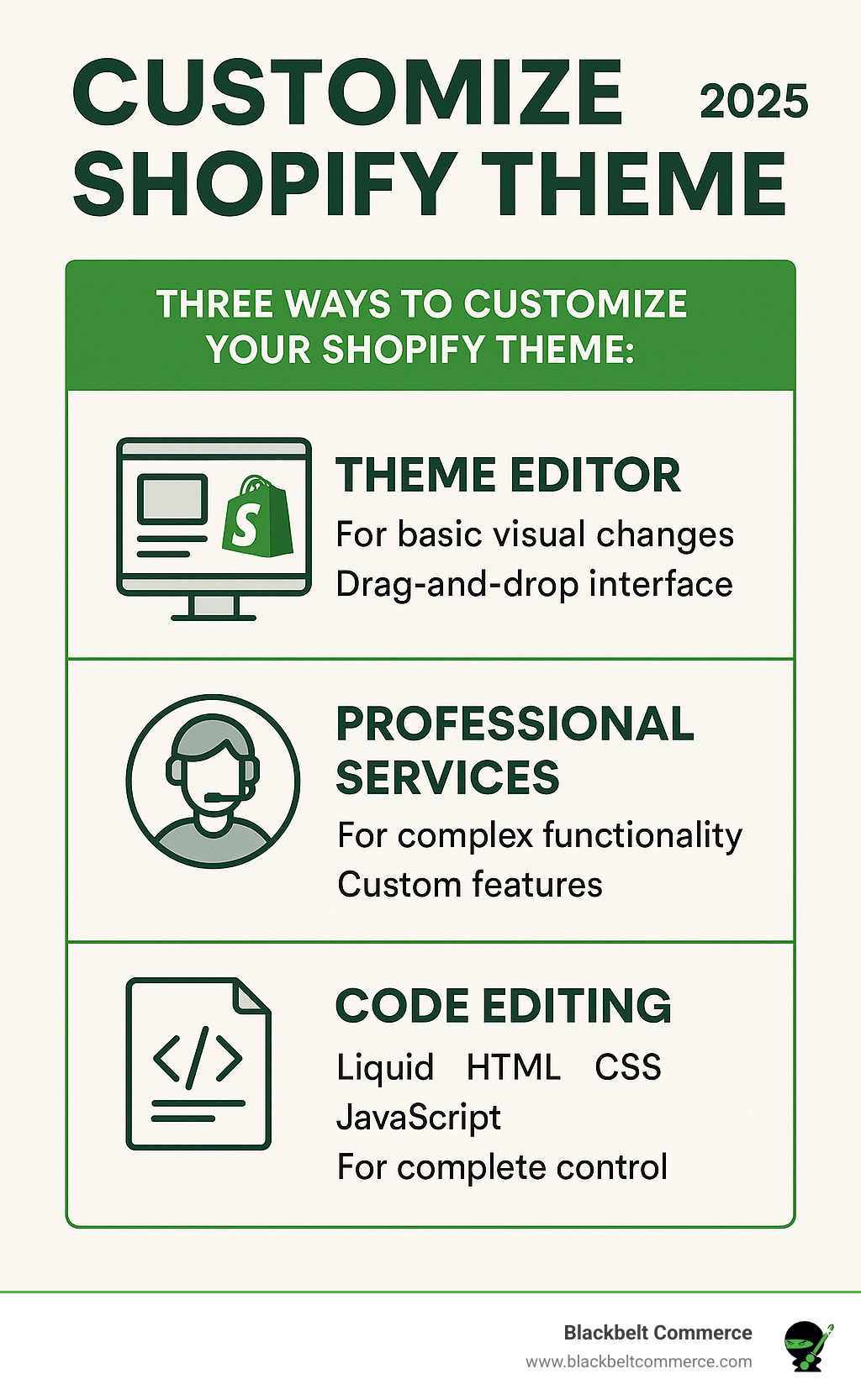
A generic Shopify theme won’t help you stand out or reflect your unique brand identity. To customize shopify theme effectively and create a store that truly represents your business, you have three main options:
- Theme Editor – Use Shopify’s built-in visual editor for colors, fonts, layouts, and basic content changes (no coding required).
- Professional Services – Hire Shopify Experts for complex features, custom functionality, and advanced design work.
- Code Editing – Modify Liquid, HTML, CSS, and JavaScript files directly for complete control (technical skills required).
The challenge is knowing which method to choose. Simple changes can be made in the theme editor, but more complex needs may require professional expertise or custom code. Making the wrong choice can waste time, money, or even break your store.
I’m Cesar A Beltran, Founder and CEO of Blackbelt Commerce. As a Shopify Plus partner with over 15 years of e-commerce experience, I’ve helped more than 1000 businesses create custom Shopify solutions that drive real results. In this guide, I’ll show you when and how to use each customization approach.
Learn more about customize shopify theme:
The Foundation: DIY Customization with the Shopify Theme Editor
For many merchants, the first stop on their customization journey is Shopify’s built-in theme editor. It’s a powerful tool that lets you bring your brand’s vision to life without writing a single line of code. This user-friendly editor allows you to adjust your store’s appearance, tweak settings, and rearrange content with just a few clicks, showing you changes in real-time before they go live.
We always recommend starting here, especially if your goals are mainly aesthetic. Shopify offers over 20 free themes and hundreds of paid ones (typically $180-$350), all built to be fast, mobile-friendly, and provide a smooth checkout experience. Shopify also keeps them updated with the latest features.
Using theme settings to personalize your store
The “Theme settings” section is your command center for your store’s visual identity. Here’s a quick rundown of what you can control:
- Colors: Define up to 21 unique color schemes to apply your brand’s palette consistently across your store. For inspiration, try tools like Color Hunt.
- Typography: Set the font style and size for headings and body text. Choose from fast-loading system fonts or Shopify’s extensive library. Stick to two or three complementary fonts for a professional look, as advised in Canva’s Guide to Pairing Fonts.
- Layout: Control the maximum width and spacing of your store’s content for better organization and readability.
- Buttons: Customize the appearance of buttons to make your calls-to-action (CTAs) stand out.
- Favicon: Add a custom favicon—the small icon in browser tabs—for a subtle but effective branding touch.
- Checkout: Customize the checkout page’s appearance within theme settings to match your brand and build trust at the final purchase stage.
Leveraging Online Store 2.0 for greater flexibility
Online Store 2.0 (OS 2.0), introduced in 2021, completely revolutionized how merchants can customize shopify theme. The biggest game-changer is “Sections Everywhere.” Unlike older “vintage” themes where sections were mostly confined to the homepage, OS 2.0 themes (like Shopify’s ‘Dawn’ theme) let you add, remove, and reorder sections on any page—product pages, collections, custom landing pages, and more.
This gives you incredible flexibility to design unique layouts for every part of your store. OS 2.0 also introduced JSON templates for more modular designs and “app blocks,” making it much easier to integrate app functionalities directly into your theme without complex code edits. You can learn More on OS 2.0 features to see how this impacts your store’s potential.
Adding and modifying sections and blocks
The theme editor’s intuitive interface makes managing your content a breeze. Think of your pages as a series of building blocks.
- Drag-and-drop interface: Effortlessly move sections up or down a page to reorder your content flow.
- Add sections and blocks: Click “Add section” to choose from a library of pre-built sections (e.g., image banners, featured collections). Within sections, you can add smaller content “blocks” like headings, text, or buttons for more granular control.
- Reorder content: Click and drag the six-dot icon next to any section or block to reposition it.
- Hide content: Temporarily remove a section or block from view by clicking the eye icon. This is great for seasonal content or A/B testing layouts.
This level of control empowers you to create a professional store that perfectly reflects your brand, all without touching code. For a deeper dive, check out More on using sections.
Level Up: Enhancing Your Theme with Professional Services
The Shopify theme editor is great, but sometimes you need more than the built-in options can offer. When your vision requires unique functionality or a design that the drag-and-drop editor can’t capture, it’s time to call in the pros. That’s where Blackbelt Commerce steps in.
As official Shopify Experts for over 15 years, we specialize in turning e-commerce dreams into reality. Our team can customize shopify theme to do anything you imagine, ensuring your store is not just beautiful, but also a sales powerhouse.

Ready to see what we can do? Explore Blackbelt Commerce’s Shopify Theme Customization services.
How to leverage professional help for customization
Hiring a Shopify Expert gives you access to specialized knowledge to boost your business. We can customize shopify theme in ways that directly impact sales and customer satisfaction. Services include:
- Theme Tweaks & Changes: From minor adjustments to ensuring your store is pixel-perfect on all devices.
- Complete Redesigns: A fresh, modern facelift for your brand.
- Custom App & Theme Development: Bespoke tools and one-of-a-kind themes built from scratch to your exact specifications.
- Shopify SEO & Content Marketing: Optimizing your theme’s structure to improve Google rankings.
- Conversion Rate Optimization (CRO): We analyze the customer journey and implement features like Advanced On-Site Search, Product Recommendations, Customer Reviews, and high-converting Landing Page Designs. We also optimize the Checkout process to reduce friction and increase sales. See examples at Blackbelt Commerce’s custom landing page solutions.
The pros and cons of using professional services
Deciding whether to hire a pro is a big decision. Here’s a breakdown of the benefits and drawbacks.
Benefits:
- Expertise and Experience: Get high-quality, bug-free solutions from seasoned professionals who know Shopify inside and out.
- Custom Solutions: If you can dream it, an expert can build it, perfectly custom to your needs.
- Time Savings: Focus on running your business while experts handle the technical work.
- Performance Optimization: Add features without slowing down your site, which is crucial for SEO and user experience.
- Scalability: Solutions are built to grow with your business.
- Troubleshooting & Support: Get reliable support to fix any issues that arise.
Drawbacks:
- Additional Cost: Professional services are an investment, though they often save money long-term by avoiding costly mistakes and maximizing sales.
- Communication: Clear communication is essential to ensure the final product matches your vision.
- Reliance on Third Parties: You’ll depend on the agency for future updates, so choosing a reputable partner with ongoing support is key.
Here’s a quick comparison of your options:
| Feature/Method | Theme Editor (DIY) | Professional Services (e.g., Blackbelt Commerce) | Custom Code (DIY) |
|---|---|---|---|
| Ease of Use | Very Easy (drag-and-drop, visual) | Easy (you describe, they implement) | Difficult (requires coding knowledge) |
| Flexibility | Moderate (limited to theme’s built-in options) | High (can create almost anything) | Very High (complete control) |
| Cost | Free (your time) | Medium to High (project-based or hourly rates) | Free (your time) |
| Technical Skill | None | None (for you, but high for the expert) | High (Liquid, HTML, CSS, JS) |
| Typical Use Case | Basic layout changes, colors, fonts, content updates | Complex features, unique designs, performance optimization | Advanced integrations, specific functionalities, bespoke themes |
| Maintenance | Automatic with theme updates | Managed by the professional, or self-managed with clear docs | Your responsibility, prone to breaking with updates |
| Risk of Breaking | Low | Low (if reputable expert) | High (if not skilled) |
The Pro-Level: How to Customize Shopify Theme Code
For ultimate control and bespoke solutions, you can dive into the theme’s underlying code—the Liquid, HTML, CSS, and JavaScript files. This approach offers unparalleled flexibility but requires technical proficiency. If you’re not comfortable with coding, the risk of breaking your store is high, so we recommend extreme caution and following best practices.

Best practices before you customize Shopify theme code
Before writing any code, follow these crucial safety steps:
- Duplicate your theme: This is non-negotiable. Always create a backup copy of your live theme before editing code. This allows you to revert changes if something breaks.
- Use version control: For significant changes or team collaboration, integrate GitHub with your Shopify admin to track changes and revert to previous versions.
- Document changes: Keep a log of your modifications. Add comments directly into the code (
<!-- comment -->for HTML/Liquid,/* comment */for CSS) to explain your changes for future reference. - Use browser developer tools: Your browser’s “Inspect” tool is powerful for previewing HTML and CSS changes in real-time without affecting your live store. It’s perfect for experimenting with styles. Learn CSS basics on MDN to get the most out of it.
- Make incremental changes: Don’t change everything at once. Make small edits and test your store after each one to easily pinpoint any issues.
Understanding the role of Liquid, HTML, CSS, and JavaScript
To effectively customize shopify theme code, you need to know what each language does:
- Liquid: Shopify’s templating language. It connects your store’s data (products, collections, etc.) to your theme, allowing you to display dynamic content. Learn more about More about Shopify’s Liquid.
- HTML (HyperText Markup Language): Provides the structure and content of your web pages—the skeleton of your store.
- CSS (Cascading Style Sheets): Controls the visual presentation of your HTML, including colors, fonts, layout, and responsiveness.
- JavaScript (JS): Adds interactivity and dynamic behavior to your store, such as slideshows, pop-ups, and form validation.
Using the Shopify CLI for advanced development
For professional developers, the Shopify Command Line Interface (CLI) is an essential tool for a more efficient workflow. It allows you to build and test themes in a local development environment on your own computer.
With the Shopify CLI, you can:
- Use
shopify theme devto preview changes in real-time. - Use
shopify theme pushto upload your local changes to a theme in your Shopify admin. - Generate a shareable preview link with
shopify shareto get feedback. - Use
shopify checkto lint your code against best practices and catch errors before they go live.
Shopify CLI is the recommended tool for modern theme development, especially for Online Store 2.0 themes. Get started with Shopify CLI to streamline your process.
Aligning Customization with Branding, UX, and Performance
Customization isn’t just about making your store look pretty; it’s about making it work. A successful customization strategy weaves together your brand identity, a seamless user experience (UX), and excellent technical performance, including SEO and mobile responsiveness. It’s a balance of artistry and engineering. If you’re curious about common pitfalls, check out 3 Shopify Design Mistakes to Avoid.
Ensuring your design reflects your brand identity
Your online store is your 24/7 brand ambassador, and consistency is key.
- Color Palette: Use your brand’s official colors consistently. If you don’t have a palette, derive one from your logo.
- Font Choices: Stick to two or three complementary fonts for a clean, professional look. Use different sizes and weights to guide the reader’s eye and improve readability.
- Logo Placement: Display your logo prominently in the header, ideally with a maximum width of 300px for optimal display.
- Visual Hierarchy: Use strategic placement, sizing, and contrast to draw attention to key elements like product images and calls-to-action.
For more tips, dive into Best Design Practices for an E-commerce Store.
Mitigating the impact on performance and SEO
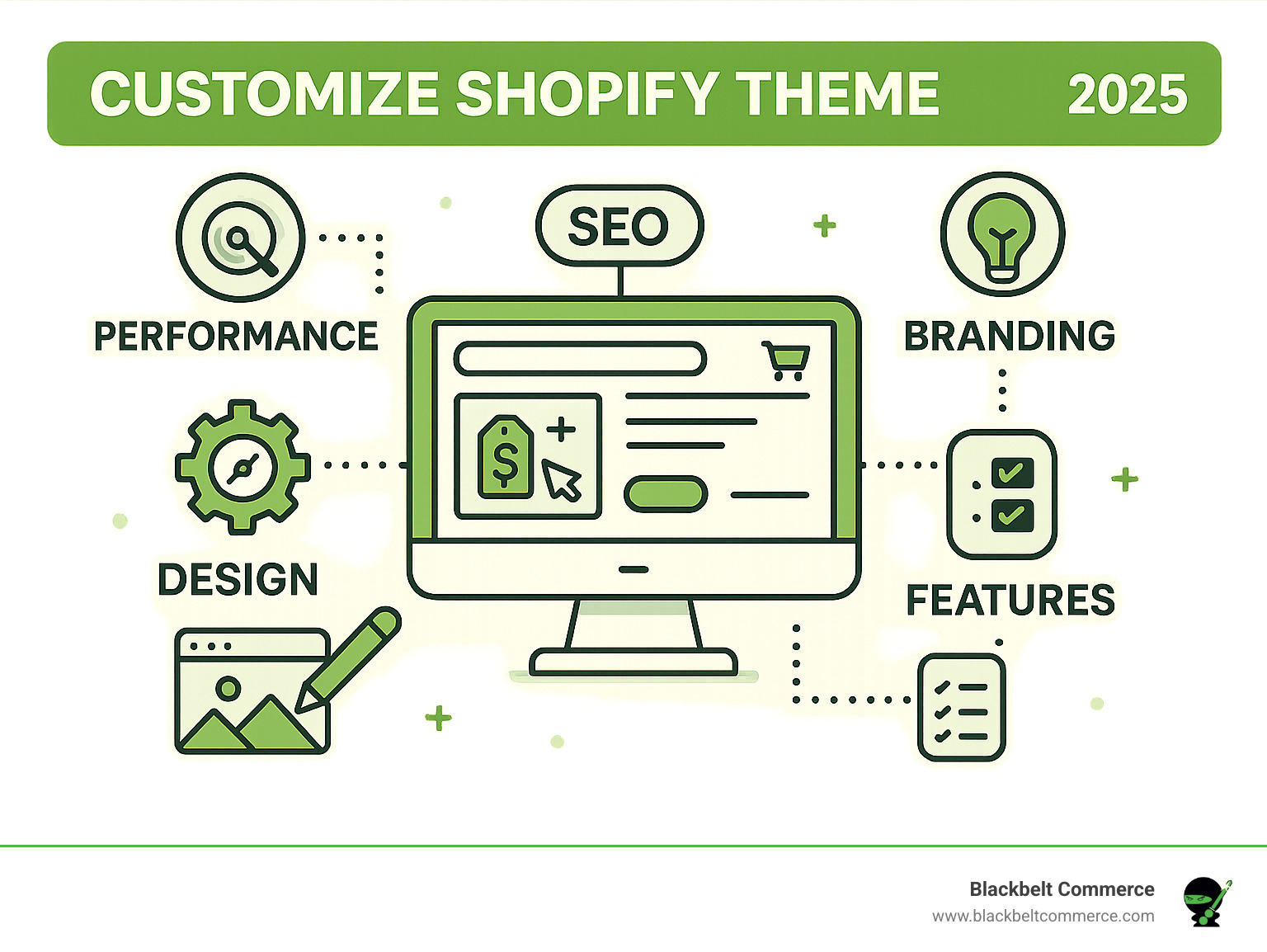
Careless customization can slow your store down and hurt your search engine rankings. Every change should be weighed against its potential impact on performance.
- Image Optimization: Huge images are a primary cause of slow load times. Always compress images and consider modern formats like WebP.
- Lazy Loading: Implement lazy loading for images and videos so they only load as the user scrolls down the page, speeding up the initial load time.
- Minimize Third-Party Scripts: Too many Shopify apps can bloat your code. Use them judiciously and be aware of their performance impact.
- Clean Code: Ensure your theme’s code is efficient and free of clutter. Tools like Shopify’s Theme Check can help identify issues.
- Mobile-First Design: With over half of web traffic coming from mobile, your customizations must look and perform flawlessly on all screen sizes. Test your site with Google’s Mobile-Friendly Test.
- Keep Your Theme Updated: Shopify regularly releases updates with performance improvements. Review your custom CSS after updates, as they can sometimes be affected.
Frequently Asked Questions about Shopify Theme Customization
Here are answers to some of the most common inquiries we receive about how to customize shopify theme.
What are the main ways to customize a Shopify theme?
There are three primary methods, each offering a different level of control:
- Shopify Theme Editor: A user-friendly, no-code visual editor for changing colors, fonts, layouts, and content.
- Professional Services: Hiring Shopify Experts (like Blackbelt Commerce) for complex features, custom designs, and performance optimization.
- Direct Code Editing: Modifying Liquid, HTML, CSS, and JavaScript files for complete control and bespoke functionality, which requires technical expertise.
How do Online Store 2.0 themes differ from older themes?
The main difference is flexibility. Online Store 2.0 (OS 2.0) themes feature “Sections Everywhere,” allowing you to add, remove, and reorder sections on any page, not just the homepage like older “vintage” themes. OS 2.0 themes also use JSON templates and have better integration with App Blocks, making it easier to add app features without custom code. They also offer improved Metafield Integration for displaying custom data dynamically.
When should I hire a developer versus doing it myself?
This depends on the complexity of your needs and your technical comfort level.
- Do It Yourself (DIY): Stick to the Shopify Theme Editor if your changes are primarily visual and straightforward (e.g., changing colors, fonts, or rearranging sections). This is the most budget-friendly option and requires no coding skills.
- Hire a Developer: You should hire a Shopify Expert if you need complex or custom features not available in apps, require significant layout changes, want a completely bespoke design, or need advanced performance optimization. It’s a wise investment if you lack the time or technical skills to safely edit code and want a professional, bug-free result that drives business growth.
Conclusion
Customizing your Shopify theme is essential for reflecting your brand identity, creating a seamless user experience, and standing out from the competition. We’ve covered the three primary methods to customize shopify theme: the user-friendly Theme Editor, expert professional services, and advanced direct code editing. Choosing the right path depends on your goals, technical comfort, and budget.
A strategically customized theme can significantly boost sales and build lasting customer relationships. At Blackbelt Commerce, we believe your online store should be as unique as your brand. We’ve seen how thoughtful customization can transform a business by turning more visitors into happy customers.
Ready to build a store that not only looks incredible but also converts? We’re passionate about helping businesses like yours thrive online.
Explore our Shopify Theme Customization services. We’re excited to help you make your e-commerce dreams come true!
Quick Answer: customize shopify theme
A customize shopify theme is a tailored ecommerce build designed around a merchant’s operations, customer journey, integrations, and growth goals. It is useful when a standard theme or app stack cannot deliver the experience, workflows, or performance the business needs.
Want a sharper Shopify growth plan?
If this article connects to a current store decision, use the calendar to book a strategy call and turn the idea into a practical plan.
Key Takeaways
- Start with the search intent behind customize shopify theme: the reader needs a clear explanation before they are ready for a service conversation.
- Keep the advice practical and specific so the post feels editorial, useful, and worth sharing.
- Use the topic cluster links to connect the article to related BBC expertise instead of leaving it as a standalone blog post.
- Add a natural commercial bridge only after the article has answered the reader’s main question.
- Use the same-page Calendly CTA so qualified readers can book a strategy call without being sent to a long form.
How this connects to your Shopify growth strategy
This article should remain useful for readers researching customize shopify theme, but it also needs to show when the topic becomes a business decision. For the Shopify Theme & Design cluster, the commercial bridge is practical: once the reader understands the concept, the next step is deciding whether their current Shopify setup can support the desired experience, conversion path, and operational workflow. That is where expert planning, design, development, CRO, and SEO support can turn the idea into measurable store improvements.
Want a sharper Shopify growth plan?
Use this guide as a decision tool. Then book a strategy call when you want a practical roadmap for your store.
Related Shopify resources
These internal resources support the Shopify Theme & Design topic cluster and help connect this guide to stronger commercial next steps:
- Shopify Theme & Design
- Shopify experts
- Shopify Plus agencies
- Shopify Theme & Design — Parent service page for the reader’s next commercial step
- Shopify experts — Money-page link requested for expert-hiring intent
- Shopify Plus agencies — Money-page link requested for high-growth and Plus-agency intent
- Shopify custom development — Development service page for implementation and technical help
- Shopify CRO — Conversion service page for readers focused on revenue and lead generation
- Shopify checkout optimization — Related conversion article
- Shopify conversion optimization — Related CRO article
Questions store owners ask before taking action
What does customize shopify theme mean for a Shopify merchant?
For a Shopify merchant, customize shopify theme is about choosing or improving the store experience in a way that supports traffic, trust, conversion, and long-term operations.
When should a store owner get expert help?
Expert help becomes useful when the decision affects SEO, conversion, theme architecture, integrations, migration risk, or revenue-critical customer journeys.
How should this topic connect to a broader content cluster?
The post should link to a parent service page, related support articles, and money pages so Google and AI systems understand how the article supports a broader area of expertise.
What is the lead-generation goal of this article?
The article should educate first, then guide qualified readers toward booking a strategy call when they need help applying the advice to their own store.
What should be avoided during optimization?
Avoid filler, unrelated phrases, invented statistics, broken formatting, duplicated CTAs, and any edit that makes the article feel less helpful or less polished.
Future articles needed for topical dominance
To build deeper topical authority around this cluster, these supporting topics should be created later and linked back into this article:
- Customize Shopify Theme Checklist for Shopify Store Owners: Creates a practical support article that turns the Shopify Theme & Design topic into an actionable review tool.
- Common Customize Shopify Theme Mistakes and How to Avoid Them: Captures problem-aware searches and gives BBC a natural place to explain implementation risks without hard selling.
- When to Hire Shopify Experts for Customize Shopify Theme: Connects informational demand to the expert-hiring money page while preserving educational intent.
Want a sharper Shopify growth plan?
Ready to turn the advice in this article into an action plan? Open the calendar here and choose a time that works for you.

