

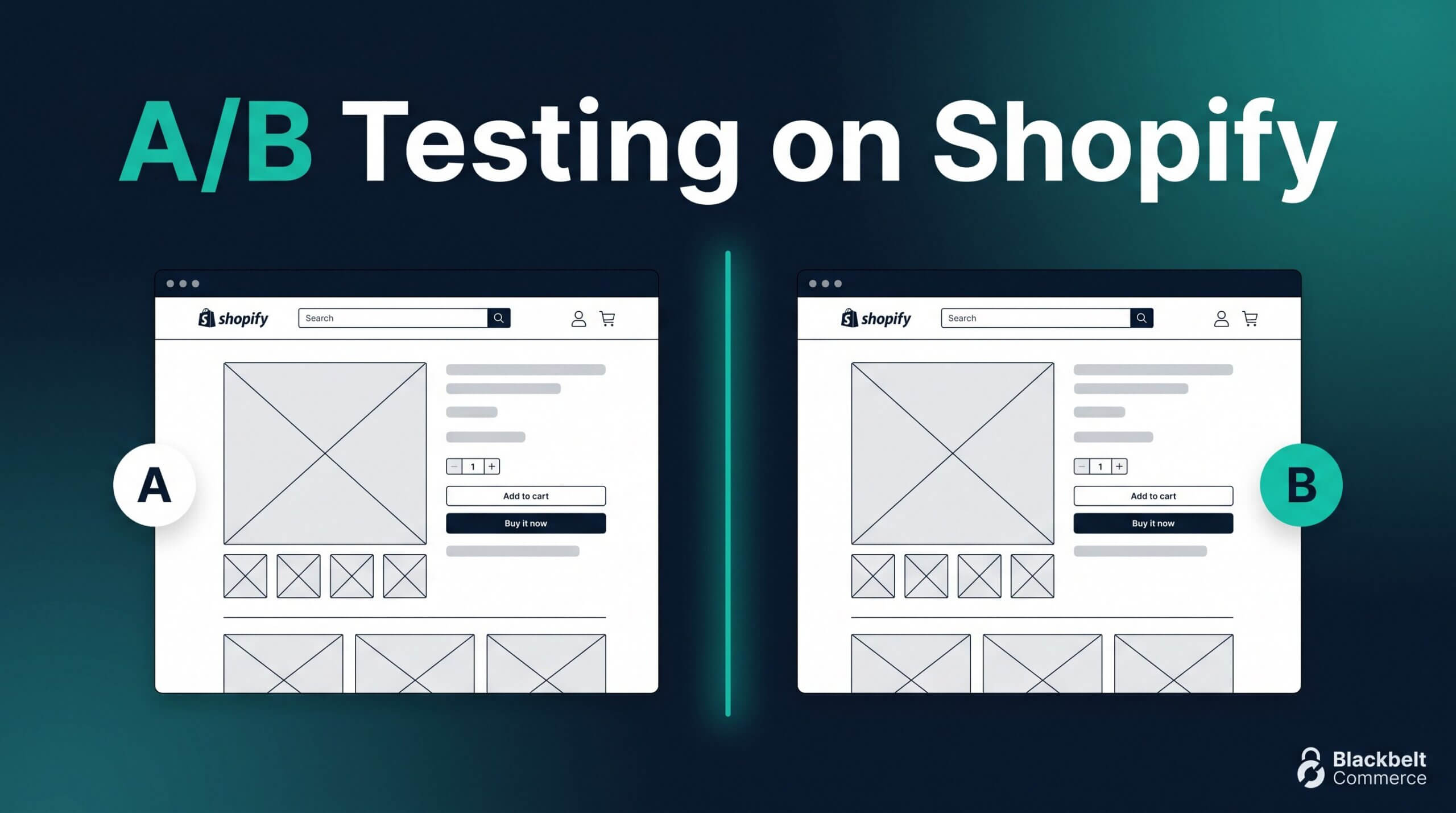
CRO is the core of how I think about every Shopify store we work with. When a brand is doing $20K to $100K a month, A/B testing stops being optional — it becomes the single highest-leverage growth lever you have. As Cofounder & CEO of Blackbelt Commerce, I have led testing programs across dozens of mid-market accounts, and the order in which you run your tests matters as much as the tests themselves. This guide is the exact sequence I recommend.
Blog updated with the most recent Shopify and eCommerce strategies on 05/02/2026.
A/B Testing on Shopify: What to Test First at $20K–$100K/Month
Most Shopify founders discover A/B testing the wrong way. They read a blog post, install a testing tool, and immediately set up a split test on their button color. Two weeks later they declare a winner, implement the change, and wonder why revenue didn’t move. If that sounds familiar, this shopify ab testing guide is for you. Understanding shopify a/b testing properly — the math, the sequencing, the discipline — is what separates stores that grow systematically from stores that chase tactics.
This guide is aimed squarely at the $20K–$100K/month revenue range. Why that range? Because under $20K/month, you almost never have enough traffic to run statistically valid tests. Over $100K/month, you probably already have a CRO agency or in-house team. The middle ground — the founder-led, scrappy, serious store — is where shopify split testing either pays off handsomely or wastes weeks of your team’s time.
Our team has been building and optimizing Shopify stores since 2015. We’ve run hundreds of tests and watched founders make the same expensive mistakes over and over. The goal here is not to give you a generic testing checklist. The goal is to give you a precise, sequenced, ROI-ranked framework so that every test you run has a real chance of moving the needle.
In this guide, you’ll learn why most shopify experiments fail before they start, how to do the traffic math before you invest time in a test, which tools are actually worth using in 2026, the seven highest-ROI tests to run first, and how to build a 60-day testing roadmap that drives 5–10% revenue lift per winning test.
Why Most Shopify A/B Tests Fail (And What That Costs You)
There is a widely quoted statistic in the conversion rate optimization world: fewer than 20% of A/B tests produce a statistically significant winner. In my experience with Shopify merchants specifically, the failure rate is even higher. Most conversion testing shopify founders attempt doesn’t fail because the variant was wrong. It fails because the test itself was designed to fail from the start. Understanding shopify ab testing at a structural level — not just tactically — is what changes that outcome.
There are three root causes worth understanding before you touch a single testing tool.
Root Cause #1: Not Enough Traffic for Statistical Significance
Statistical significance has real math behind it. To detect a 10% conversion lift at 95% confidence, you need approximately 2,500 conversions per variant. That is not 2,500 sessions — that is 2,500 completed transactions or goal completions, per variant. If your store converts at 1.5% and you get 15,000 sessions per month, you generate roughly 225 conversions per month. Spread across two variants, reaching 2,500 per variant takes about 22 months. That is not a testing program. That is a lottery.
Founders consistently underestimate how much data a confident call requires. The result: they call tests early, implement “winners” that are statistical flukes, and wonder why revenue stays flat. This is the single biggest cost of bad shopify a/b testing — not wasted time, but false confidence that locks in the wrong page version.
Root Cause #2: Testing the Wrong Elements
Button color tests became a cliché for a reason. They are easy to set up, easy to understand, and almost never move the needle. The elements that actually drive conversion lifts are higher-order: your value proposition, your shipping policy, your trust signals, your checkout flow. These are harder to test because they require real creative work. However, they are also where 80% of your potential lift lives.
A founder testing “blue button vs. green button” on a product page with a weak value prop is polishing the frame on a broken window. Similarly, testing headline copy on a page where trust badges are buried three screens down is optimizing the wrong layer. Effective shopify split testing means identifying the highest-leverage friction points first, then designing tests to address those specific barriers.
Root Cause #3: Calling Tests Early
This is the hardest failure mode to resist, because the temptation is real. You launch a test on a Monday, check the dashboard on Wednesday, and variant B is up 18%. Your first instinct is to call it. Do not. Early test results are dominated by novelty effect — visitors who interact with a new version of a page simply because it’s new, not because it’s better. Additionally, weekday and weekend shopping behavior is fundamentally different for most stores. A test that only captures weekday traffic is measuring a skewed segment of your actual audience.
The minimum run time for any test should be 14 days. For most shopify experiments, 21–28 days is safer. That captures at least two full weekly cycles and gives novelty effect time to wash out. Furthermore, you should never stop a test early just because it looks like a winner — and you should absolutely never stop it early because it looks like a loser. Both of those calls are made on noise, not signal.
Together, these three failure modes cost Shopify stores real money. Not just in wasted tool subscriptions, but in opportunity cost: every week you run a bad test is a week you could have been running a good one. A well-structured shopify ab testing guide exists precisely to prevent this waste.
The Traffic Math: Do You Even Have Enough Volume to Test?
Before you install any testing tool, do the math on your own store. This five-minute calculation will save you weeks of frustration.
Start with your monthly session volume and conversion rate. Say you are at $50K/month in revenue, with products averaging $85 per order. That gives you roughly 590 transactions per month. With 40,000 sessions, your conversion rate is about 1.5%. Now apply the sample size formula.
To detect a 10% relative lift — meaning your conversion rate goes from 1.5% to 1.65% — at 95% confidence, you need approximately 2,500 conversions per variant. With 590 transactions per month total and two variants splitting that traffic evenly, you get roughly 295 conversions per variant per month. To reach 2,500 per variant, you need about 8.5 months of data. That is completely impractical for a live commerce test.
However, notice what happens if you test a higher-traffic page with a higher-intent action. Your add-to-cart rate might be 8%. If your 40,000 monthly sessions generate 3,200 add-to-cart events, and you are testing the PDP experience, you now have 1,600 events per variant per month. You reach 2,500 events per variant in about 1.5 months. That is a workable test.
This is why the best shopify a/b testing programs are built around micro-conversion metrics, not just revenue. Add-to-cart rate, checkout initiation rate, and email capture rate are all valid primary metrics. They give you statistically valid results faster, and they are directly upstream of revenue.
Now let’s be concrete about where the $20K–$100K range falls. Mid-market Shopify stores typically get 15,000–50,000 monthly sessions. At the low end with a 1.5% conversion rate, you generate roughly 225 conversions per month. At the high end with a 2% rate, you get 1,000. Those are very different testing environments, and your strategy should reflect that reality.
If you are below $20K/month, my honest advice is to hold off on split testing for now. Instead, focus on qualitative research: session replays, heuristic audits, customer interviews. Ship changes based on best practices and watch the aggregate data. Once you have the traffic volume to support real tests, you will be far better positioned. For now, your job is to grow. On the other hand, if you are at $80K–$100K/month with solid session volume, you are in the sweet spot for genuine shopify split testing with weekly winners and losers. At that range, shopify experiments become a reliable growth engine rather than a guessing game.
One final note on the math: Baymard Institute research shows that average ecommerce checkout abandonment sits at approximately 70%. That means roughly seven out of every ten shoppers who start your checkout never finish it. Even a small improvement in checkout completion — say, reducing abandonment from 70% to 65% — translates directly to measurable revenue. This is why checkout testing has the highest average ROI of any testing category for Shopify stores.
The Shopify A/B Testing Tools Landscape in 2026
Choosing the right tool matters more than most founders realize. The wrong tool can corrupt your data, inject JavaScript errors that tank your page speed, or simply fail to track Shopify’s single-page checkout correctly. Therefore, tool selection deserves at least as much thought as test design. Here is an honest breakdown of what is available in 2026 and when each tool makes sense.
Native Shopify Testing
Shopify’s built-in testing capabilities are narrow. As of 2026, Shopify Markets includes a native price testing feature, and Shopify itself supports some basic theme duplication workflows. However, there is no built-in, full-featured A/B testing suite in standard Shopify plans. If you want real conversion testing shopify-native, you need a third-party app.
Intelligems
Intelligems has become the go-to tool for Shopify-specific A/B testing, and for good reason. It is built from the ground up for Shopify’s architecture, handles the single-page checkout correctly, and supports price testing, content testing, and theme testing. Pricing starts around $99/month for content testing and scales up for price testing features. For mid-market Shopify stores, it is generally the best starting point for shopify experiments. The Shopify-native integration means less risk of tracking errors and better compatibility with Shopify’s checkout flow.
Convert.com
Convert.com is a privacy-focused testing tool that works well across platforms including Shopify. It offers strong statistical engine controls, including Bayesian and frequentist testing modes, which gives experienced CROs more flexibility. Pricing starts around $299/month. In addition, Convert.com is GDPR-compliant out of the box, which matters if you have significant European traffic. It is a solid choice if you have a dedicated optimization practitioner running your program, or if you are also testing non-Shopify properties like landing pages or blog content alongside your store.
VWO (Visual Website Optimizer)
VWO is a full-suite platform that combines A/B testing, heatmaps, session recordings, and user research in one dashboard. For stores that want qualitative and quantitative data in one place, it is a compelling option. It works with Shopify but requires careful setup to track checkout events correctly. Additionally, VWO’s visual editor has improved significantly and is now genuinely usable by non-developers for most frontend tests. Pricing scales from around $199/month for basic plans.
Google Optimize
Google Optimize was sunset in September 2023. If you are still seeing recommendations to use it in 2026, that content is out of date. Do not use it. Similarly, do not try to rebuild its functionality with Google Tag Manager hacks — that approach is fragile and introduces serious data quality risks.
Optimizely
Optimizely is the enterprise standard — powerful, flexible, and priced accordingly, typically starting at several thousand dollars per month. Unless you have a full CRO team or are well past $100K/month, it is probably more tool than you need. However, it is where serious testing programs graduate when they outgrow mid-market options.
For a detailed comparison of testing tools and their Shopify compatibility, Optimizely’s A/B testing documentation provides a solid technical foundation for understanding how these tools measure statistical significance and manage test allocation.
The bottom line on tooling: if you are in the $20K–$100K/month range and just starting your shopify a/b testing program, start with Intelligems. If you outgrow it or need cross-platform testing, move to Convert.com or VWO. Do not let tool selection become a six-week research project — the tool matters far less than the quality of your test design. Every tool listed here can support a rigorous shopify ab testing guide approach if you use it correctly.
The 7 Tests Worth Running First (In Order of ROI)
Not all tests are created equal. Some test categories consistently produce 5–15% conversion lifts across hundreds of Shopify stores. Others are interesting academically but rarely move revenue at the margin. The following seven tests are sequenced by expected ROI based on patterns we have seen across mid-market stores. Run them in this order if you are building your shopify a/b testing program from scratch. This sequencing is based on conversion testing shopify data across dozens of stores in the $20K–$100K/month range.
Test #1: Free Shipping Threshold
Hypothesis: Raising the free shipping threshold by $25–$50 above your current average order value will increase AOV without meaningfully reducing conversion rate, producing a net revenue gain.
What to test: Variant A keeps your current threshold (or no free shipping offer). Variant B raises the threshold by $25–$50 above your current AOV. Variant C can test a flat-rate shipping fee if you want a three-way split. The key metric is revenue per session, not just conversion rate — because a small conversion drop paired with a large AOV lift is often a net positive.
Expected lift: 8–22% AOV increase for stores that successfully nudge customers to add items. Conversion rate impact is typically neutral to negative 1–3%. Revenue per session lift is commonly 5–15%.
Sample size needed: Because you are measuring revenue per session, not just binary conversion, you can often reach significance faster. Aim for 1,000–2,000 sessions per variant minimum. For a store with 30,000 monthly sessions, you can likely call this in 3–4 weeks.
How long it’ll take: 14–21 days for most mid-market stores. Run it for at least two full weekly cycles. This is the highest-ROI test category in shopify a/b testing because it directly increases revenue without requiring creative development.
Test #2: Cart Drawer vs. Cart Page
Hypothesis: Switching from a full cart page to a slide-out cart drawer (or vice versa, depending on your current setup) will reduce checkout friction by keeping customers on the product page, increasing add-to-cart-to-checkout rate.
What to test: Your current cart experience (control) against the alternative format. Key metrics are cart-to-checkout rate and checkout completion rate. Secondary metric is cart abandonment rate.
Expected lift: Cart drawer wins for stores with strong impulse-buy or multi-SKU catalogs. Cart page wins for stores with high-consideration products where customers want to review their order carefully. Expected lift: 3–8% improvement in cart-to-checkout rate for the winning format.
Sample size needed: 500–1,500 add-to-cart events per variant. For most mid-market stores, this is achievable in 2–3 weeks. Intelligems handles theme-level tests natively for Shopify, which is one reason it’s the preferred tool here.
How long it’ll take: 14–21 days. Because this is a theme-level change, make sure your theme is stable before starting. Any ongoing site work during the test period will corrupt your data.
Test #3: PDP Hero Image — Lifestyle vs. Product-on-White
Hypothesis: The primary product image style (lifestyle photography showing the product in context vs. clean product-on-white studio photography) significantly impacts purchase intent and conversion rate. The winning format depends on your category.
What to test: Variant A shows your current hero image. Variant B shows the alternative format. For fashion, home goods, and lifestyle brands, lifestyle photography typically wins. For technical products, tools, and supplements, product-on-white with detailed callouts often wins. The test will tell you which is true for your specific audience.
Expected lift: 3–12% conversion rate improvement. This is one of the most underrated tests in shopify split testing because most founders assume they know which format their audience prefers — and about half of them are wrong.
Sample size needed: 1,000–2,500 product page sessions per variant. For a 5% relative lift detection, you need more data than for a 10% lift. Plan for 21 days at minimum.
How long it’ll take: 14–28 days depending on traffic volume. This test requires real creative investment — you need high-quality versions of both image formats before you start.
Test #4: Trust Badges Position on PDP
Hypothesis: Moving trust badges (secure checkout, money-back guarantee, free returns) from below the add-to-cart button to above it, adjacent to the price, will reduce purchase anxiety at the moment of decision and increase add-to-cart rate.
What to test: Control places badges in their current position. Variant moves them directly above or immediately adjacent to the add-to-cart button. Secondary variant can test icon-and-text format vs. text-only. The primary metric is add-to-cart rate. Secondary metrics are conversion rate and revenue per session.
Expected lift: 2–8% add-to-cart rate improvement. Stores with higher-priced products ($75+) tend to see larger lifts because purchase anxiety is higher and trust signals matter more at the moment of commitment.
Sample size needed: 800–2,000 product page sessions per variant. Additionally, it is a low-risk test — the implementation is typically a small code change, and the cost of shipping the wrong variant is minimal.
How long it’ll take: 14–21 days for most mid-market stores. Because the change is localized and surgical, data quality is generally clean on this test type.
Test #5: Homepage Hero Messaging — Problem-First vs. Product-First
Hypothesis: Leading the homepage hero with a problem statement (“Tired of X?” or “Stop struggling with Y”) will outperform product-first messaging (“Introducing [Product]”) for cold traffic that doesn’t yet know your brand.
What to test: Variant A: your current homepage hero (likely product-first or brand-first). Variant B: a problem-first headline with the same CTA and visual. Key metrics are homepage bounce rate, scroll depth, and click-through to PDPs or collection pages. Revenue per session on homepage entrances is the ultimate metric, however downstream attribution is harder to isolate.
Expected lift: 4–10% improvement in homepage-to-PDP click-through rate. This translates to roughly 2–5% revenue per session lift for homepage traffic segments.
Sample size needed: 2,000–5,000 homepage sessions per variant. The homepage typically receives the most traffic on any Shopify store, which means this test resolves relatively quickly compared to PDP tests.
How long it’ll take: 14–21 days. This test requires real creative work — you need strong copy for the problem-first variant before you launch. Poor creative quality in the variant will produce a misleading result.
Test #6: Express Checkout Placement in Checkout Flow
Hypothesis: Placing express checkout options (Shop Pay, Apple Pay, Google Pay) at the top of the checkout contact step, rather than below the form fields, will reduce friction for mobile shoppers and increase checkout completion rate.
What to test: Control keeps express checkout in its default position. Variant moves it above the email field and form. This is particularly impactful for mobile, where form completion is a major friction point. Additionally, test the button label copy — “Buy with Shop Pay” vs. “Checkout faster with Shop Pay” — as a secondary variable in later tests.
Expected lift: 3–9% checkout completion rate improvement for mobile segments. Baymard Institute’s research on checkout abandonment (approximately 70% average abandonment rate) consistently points to payment form complexity as a top-three reason. Express checkout directly addresses this barrier.
Sample size needed: 500–1,500 checkout initiations per variant. Because this is a checkout-stage test, your sample is a subset of your total sessions. Plan for 21–28 days to accumulate enough events.
How long it’ll take: 21–28 days for most mid-market stores. Note that Shopify’s checkout customization is more limited on standard plans — Shopify Plus gives you significantly more control here. If you are on standard Shopify, use Shopify’s native checkout customization options carefully.
Test #7: Email Capture — Exit Intent vs. Timed Pop-Up
Hypothesis: An exit-intent pop-up (triggered when the cursor moves toward the browser chrome on desktop, or on scroll-up on mobile) will capture emails at a higher rate and with less disruption to the browsing experience than a time-delayed pop-up shown after 15–30 seconds on site.
What to test: Control: your current pop-up trigger (likely timed). Variant: exit-intent trigger with identical creative. Primary metric is email capture rate as a percentage of sessions. Secondary metric is session bounce rate and conversion rate — because aggressive pop-ups can hurt conversion for visitors who came to buy, not to subscribe.
Expected lift: Email capture rates for exit-intent pop-ups typically run 1–3% of sessions. Timed pop-ups often run 1.5–4% but with higher bounce rates for purchase-intent traffic. The net effect on revenue per session is what matters. This test frequently produces a nuanced result: exit intent wins for high-intent traffic, timed wins for content or blog traffic.
Sample size needed: 3,000–8,000 sessions per variant to detect meaningful differences in capture rate. This is the most session-intensive test on this list because the baseline conversion rate (email capture) is low, which requires a larger absolute sample to achieve significance.
How long it’ll take: 21–28 days for most stores. Because this test has downstream revenue implications that take weeks or months to fully materialize (email subscribers who convert later), interpret results cautiously. The immediate metric is capture rate; the long-term metric is revenue per subscriber.
How to Run a Test That Actually Yields a Decision
The difference between a test that produces a clear decision and one that produces confusion is almost always in the pre-test documentation. A proper test brief — written before you touch any tool — forces you to define what you are measuring, why, and what result would change your behavior. Without this discipline, tests drift. Someone calls it early based on gut feel. The results get filed away and forgotten.
Here is the test brief format I recommend for every shopify ab testing guide implementation. Fill it out properly — it should take 20–30 minutes. If it takes less, you are rushing.
Test Brief Template
Hypothesis: State clearly what you are testing and what you predict will happen. Format: “By changing [element] from [control] to [variant], we expect [metric] to increase by [X]% because [reason].” If you cannot complete this sentence cleanly, you are not ready to run the test.
Primary metric: One number that determines whether the test wins or loses. Not two numbers. Not “we’ll see what the data says.” Pick one before you start.
Secondary metrics: Two or three metrics to watch for unintended consequences. For example, if you are testing a pop-up and the primary metric is email capture rate, secondary metrics should include bounce rate and conversion rate — because a pop-up that captures emails but tanks purchases is a net negative.
Success threshold: What minimum lift in the primary metric constitutes a win? This should reflect your minimum detectable effect (MDE). For most Shopify stores, a 5–10% relative lift is worth implementing. A 2% lift may be statistically significant but practically irrelevant given implementation cost.
Minimum detectable effect (MDE): The smallest lift you care about detecting. This drives your sample size calculation. Smaller MDEs require more data. Be honest about what lift is actually worth acting on.
Run length: State the exact start and end date. Do not shorten it, regardless of what the data looks like midway. The end date should be at least 14 days from start, and at least two full weekly cycles.
Who calls it: Name one person. Not a committee. One person reviews the final data, checks for significance, and makes the go/no-go call. Committees produce hedged decisions that end in “let’s run it longer.”
To make this concrete, here is a filled-out brief for the free shipping threshold test. Hypothesis: By raising the threshold from $65 to $90 (variant B) versus $65 (control), we expect revenue per session to increase by 8% because customers will add items to qualify, increasing AOV more than any conversion drop. Primary metric: revenue per session. Secondary metrics: conversion rate, AOV, cart abandonment rate. Success threshold: 5% lift at 95% confidence. MDE: 5% relative. Run length: 21 days. Who calls it: one named person, not a committee.
Common mistakes to avoid: peeking at results daily; ignoring novelty effect in the first 3–5 days; and running multiple tests simultaneously on the same pages, which corrupts both data sets. Furthermore, do not interpret a losing test as a failure — a test that confirms your hypothesis was wrong is valuable. It tells you what not to do, which is as useful as knowing what works.
What to Do When You Don’t Have Enough Traffic
If the traffic math shows you are not yet ready for statistically valid shopify split testing, you have three legitimate paths forward. None of them are as exciting as running a split test, however all three produce real conversion improvements without requiring the traffic volume that A/B tests demand.
Qualitative testing with session replays: Tools like Hotjar and FullStory record individual user sessions on your store. Watching 50–100 session recordings on your most important pages will reveal friction patterns that no A/B test can surface. You will see where people hesitate, where they scroll past critical information, where they rage-click on elements that aren’t clickable. In fact, qualitative research often generates better test hypotheses than the tests themselves, because it shows you the why behind the what.
Heuristic audits: A structured review of your store against established conversion best practices — Baymard’s UX guidelines, for example — can identify obvious friction points without any data at all. This is especially valuable for new stores or stores that have never had a professional CRO review. Our Shopify conversion optimization playbook walks through the full heuristic framework we use with clients.
Painted-door tests: A painted-door test shows users an option that does not yet exist and measures interest by click rate. For example, you might test a “Subscribe and Save” button on your PDP before you build out the subscription infrastructure. If nobody clicks, you have validated that the feature is not worth building. If 15% of visitors click, you have a strong signal that it is. This technique works with very low traffic and produces directional data quickly.
If you are at $20K/month or below and your primary constraint is traffic volume, the most important thing you can do for your conversion rate is not optimize your existing pages — it is grow your audience. More qualified traffic means more data, and more data means you can actually run the tests that will compound your growth. Our guide on Shopify SEO for 2026 covers the traffic-building strategies that feed a healthy testing pipeline. Additionally, fixing the most obvious conversion leaks on your store first — as covered in our low conversion rate fix guide — will give you a higher baseline to test from once your volume grows.
The 60-Day Shopify Testing Roadmap
Theory without execution is just reading. Here is a concrete 60-day roadmap for a store in the $40K–$80K/month range with roughly 25,000–40,000 monthly sessions. Adapt the timing up or down based on your actual session volume and conversion rate. This roadmap assumes you are using a proper shopify ab testing guide framework — structured briefs, defined metrics, and disciplined run lengths.
Week 1–2: Setup and first test launch. Install your testing tool (Intelligems for most stores at this stage). Instrument your analytics correctly — verify that your conversion events are firing properly before you start any test. Write your first test brief (use Test #1: free shipping threshold — it requires no creative development and delivers the fastest data). Launch the test at the end of Week 2 once your setup is verified. Do not rush the setup — bad instrumentation means bad data, and bad data means bad decisions.
Weeks 3–6: First test runs and second test launches. Let Test #1 run its full 21 days without peeking. Meanwhile, write the test brief for Test #2 (cart drawer vs. cart page) and develop any creative assets needed. Launch Test #2 in Week 4 or 5 on a different page or funnel stage so it does not interact with Test #1. By the end of Week 6, you should have results from Test #1 and be halfway through Test #2.
Weeks 7–8: Review, implement, and plan Q2 tests. Review Test #1 results with your test brief in hand. If the variant wins at 95% confidence, implement it. If it loses, document the learning and move on. Do not re-run a losing test without a meaningfully different hypothesis. By the end of Week 8, review Test #2 results and begin scoping your next test quarter. Set a quarterly goal: two to three completed tests per quarter, with one to two winners expected at this traffic level.
Realistic expectations matter. At $50K/month, a well-run program should produce one to two statistically valid winners per quarter. Each winner typically drives 5–10% revenue lift on the tested segment. Over a year, four to eight winners compound. This is not a get-rich-quick scheme — it is a systematic, defensible advantage that builds over time. This is what genuine conversion testing shopify founders build when they treat testing as a discipline.
For more on structuring your checkout optimization within this roadmap, our Shopify checkout optimization guide covers the technical and UX requirements in depth.
Where Most Founders Get Stuck (And What to Do About It)
Even founders who understand the theory of shopify a/b testing get stuck in practice. Indeed, the gap between understanding the framework and actually executing it consistently is where most programs stall. There are three traps that appear repeatedly, and all three are worth naming directly so you can recognize them when they happen.
Trap #1: Running tests with no hypothesis. “Let’s test the homepage” is not a hypothesis. “Let’s test two button colors” is not a hypothesis. A hypothesis is a specific prediction about why a specific change will produce a specific outcome. Without it, you have no framework for interpreting the result, and you will torture the data until it says something that feels useful. This is how false winners get born. The discipline of writing a real hypothesis before every test is the single highest-leverage habit in a testing program. Moreover, if you cannot write a clear hypothesis, it usually means you do not understand the problem well enough yet — and that is useful information on its own.
Trap #2: Celebrating directional wins below statistical significance. “Variant B is up 12% — it’s not quite significant yet but the trend is clear.” No. Trends below 95% confidence are noise. If you implement sub-significant results, you will implement the wrong change roughly 30–40% of the time. Over a year, that adds up to a store optimized against itself. Hold the line on statistical significance. Therefore, if you consistently fall short, the problem is sample size — not the test design.
Trap #3: Abandoning testing after one loss. One losing test proves nothing about whether shopify experiments are worth running in general. It proves that one specific hypothesis was wrong. That is useful data. The stores that compound from testing are the ones that treat every result — win or loss — as a learning that informs the next test. However, this requires institutional patience that is genuinely hard to maintain when you are running a fast-moving business. Build the habit anyway. It is the only lever in ecommerce that compounds systematically over time.
Final Thoughts: Testing Is a Discipline, Not a Tool
A/B testing is simultaneously the most over-marketed and most under-practiced lever available to Shopify founders. Tool vendors want you to believe that installing their software is the hard part. It is not. The hard part is the discipline: writing real hypotheses, respecting sample size requirements, running tests to completion, and building institutional knowledge from every result. In short, the software is the easy part.
The brands that compound through shopify a/b testing are not the ones with the most sophisticated tools. They are the ones with the most rigorous process. They run fewer tests than their competitors, but they run them better. They call fewer premature winners. They build a genuine body of knowledge about their specific customers over time. That knowledge is a competitive moat that cannot be copied.
If your store converts at 1.4% — the industry average per Shopify and Littledata data — and you run four winning tests this year at 8% lift each, you end the year converting at roughly 1.9%. That is a 35% revenue increase with the same traffic. That math is why testing is worth doing properly.
The shopify ab testing guide framework described here is not the only way to run a testing program. However, it is a proven starting point for mid-market stores that want to build a real CRO practice without wasting months on tests that yield nothing. Start with the traffic math. Pick the right tool for your stage. Run the highest-ROI tests first. Write real briefs. Respect your data.
If you want a structured framework for your full conversion stack — not just testing but the complete optimization playbook — our Shopify conversion optimization playbook is the right next step. It covers the heuristic audit process, the prioritization framework, and the full 90-day CRO roadmap we use with clients running serious testing programs. That is where the real work begins.
Testing is not a tactic. It is a discipline. The stores that treat it that way are the ones still growing five years from now.
Quick Answer: shopify ab testing guide
A Shopify A/B testing guide should help merchants decide what to test first and how to connect experiments to revenue, not vanity metrics. The best tests focus on friction in the buying journey, such as offer clarity, product-page trust, cart behavior, checkout messaging, pricing presentation, and calls to action.
Key Takeaways
- Shopify A/B testing should prioritize revenue-relevant friction points rather than random design preferences.
- Useful tests often focus on product-page trust, offer clarity, cart behavior, checkout messaging, shipping confidence, and CTA placement.
- The article should connect testing to Shopify CRO, custom development, Shopify experts, and Shopify Plus agency support where natural.
- The commercial bridge should show when merchants need expert help designing clean experiments and implementing winning variants safely.
- Use the same-page Calendly CTA so qualified merchants can book a strategy call without being pushed into a long form.
How this connects to your Shopify growth strategy
This article should remain useful for readers researching shopify ab testing guide, but it also needs to show when the topic becomes a business decision. For the Shopify Growth Strategy cluster, the commercial bridge is practical: once the reader understands the concept, the next step is deciding whether their current Shopify setup can support the desired experience, conversion path, and operational workflow. That is where expert planning, design, development, CRO, and SEO support can turn the idea into measurable store improvements.
Related Shopify resources
These internal resources support the Shopify Growth Strategy topic cluster and help connect this guide to stronger commercial next steps:
- Shopify Custom Development
- Shopify experts
- Shopify Plus agencies
- Shopify Custom Development — Parent service page for the reader’s next commercial step
- Blackbelt Commerce — Home-page authority link for brand and core Shopify expertise
- Shopify experts — Money-page link requested for expert-hiring intent
- Shopify Plus agencies — Money-page link requested for high-growth and Plus-agency intent
- Shopify CRO — Conversion service page for readers focused on revenue and lead generation
- Shopify landing page design — Related design and conversion article for custom storefront decisions
- custom e-commerce solution — Related custom ecommerce article that supports build-vs-template decisions
Questions store owners ask before taking action
What should Shopify merchants A/B test first?
Start with high-impact friction points such as product-page messaging, offer clarity, CTA placement, shipping confidence, trust signals, cart behavior, and checkout messaging.
How do I know if an A/B test is worth running?
A test is worth running when it is tied to a clear business goal, a measurable conversion point, enough traffic to learn from, and a specific customer-behavior hypothesis.
Can A/B testing hurt a Shopify store?
Yes, if tests are poorly implemented, slow the site, split traffic too thinly, track the wrong metric, or change revenue-critical templates without QA.
When should a merchant get expert CRO help?
Expert help is useful when the store has meaningful traffic but unclear conversion blockers, conflicting data, technical constraints, or high-risk changes to test.
How should this guide lead to a strategy call?
It should help readers identify what to test, then invite qualified merchants to discuss a structured testing roadmap for their own store.
Future articles needed for topical dominance
To build deeper topical authority around this cluster, these supporting topics should be created later and linked back into this article:
- Shopify Ab Testing Guide Checklist for Shopify Store Owners: Creates a practical support article that turns the Shopify Growth Strategy topic into an actionable review tool.
- Common Shopify Ab Testing Guide Mistakes and How to Avoid Them: Captures problem-aware searches and gives BBC a natural place to explain implementation risks without hard selling.
- When to Hire Shopify Experts for Shopify Ab Testing Guide: Connects informational demand to the expert-hiring money page while preserving educational intent.

