


How Does Shopify Work? Mechanics, Benefits, and Costs
How does Shopify work? How does Shopify work? Shopify gives merchants a hosted ecommerce platform for products, themes, checkout, payments, apps, analytics, and order management. If you need hands-on support, Blackbelt Commerce can help you turn this guidance into a practical Shopify growth plan.
Explaining Shopify: What It Is and How It Powers E-commerce
Ever wondered How does Shopify work? Many businesses use this all-in-one e-commerce platform to sell online.
Here’s a quick look at how it works:
- Shopify is a subscription-based online platform.
- It lets you create your own online store without coding.
- You add your products, set prices, and manage inventory.
- It handles secure payments and shipping logistics.
- You can sell products directly from your website, social media, or even in person.
As a leading e-commerce solution for both startups and global brands, Shopify is a powerful, user-friendly toolkit for bringing your business online. Its merchants have earned over $1 trillion in revenue, and the platform now powers about 10% of all U.S. e-commerce.
I’m Cesar A Beltran, Founder and CEO of Blackbelt Commerce. With over 15 years of experience, I help businesses leverage How does Shopify work? to build high-converting online stores, turning digital strategies into measurable success.
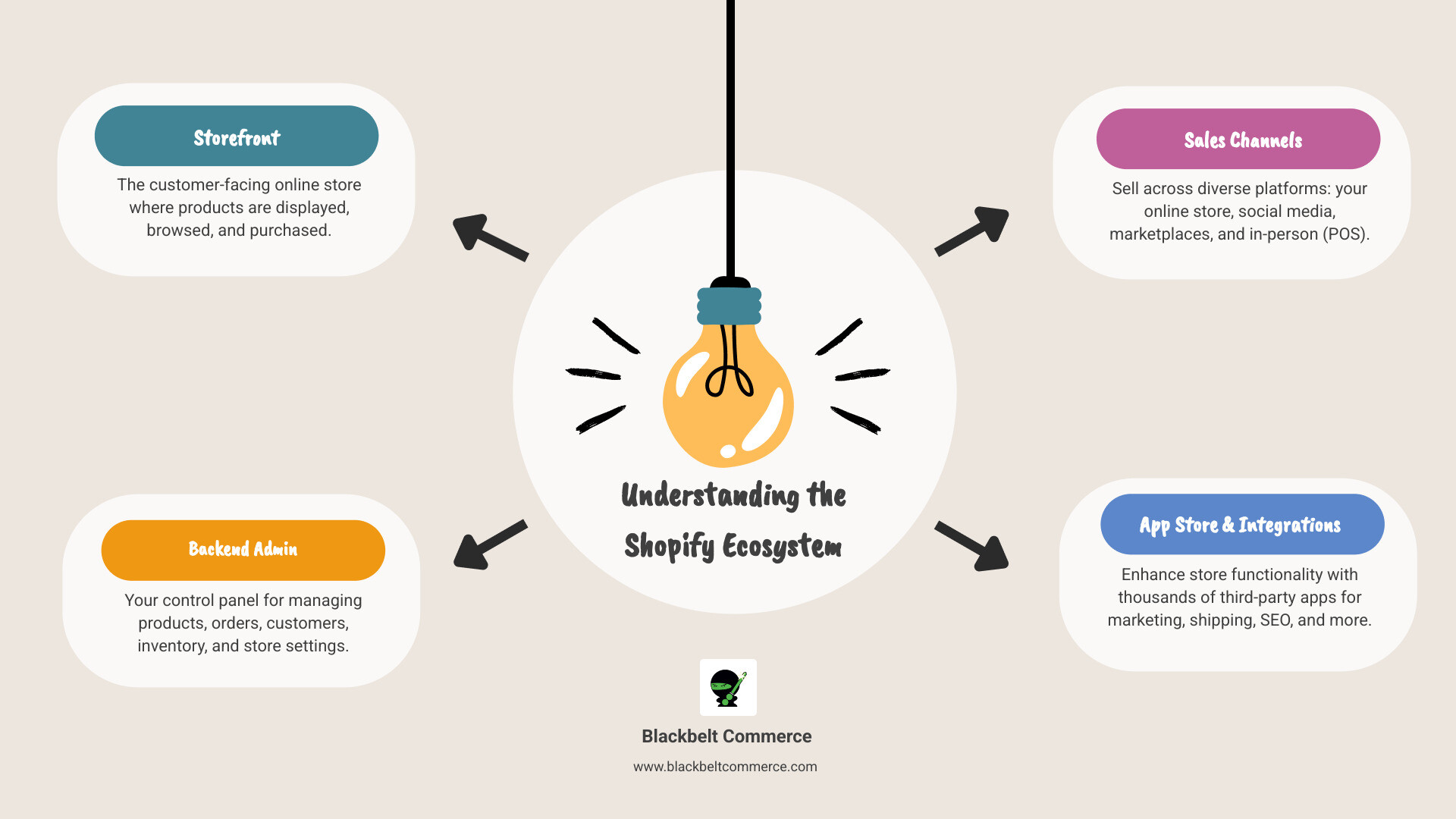
How does Shopify work? terms made easy:
Want help deciding whether Shopify fits your business?
Book a free strategy call and we’ll walk through your products, operations, integrations, and growth goals before you commit.
So, How does Shopify work? From Setup to Sales
This section explains the fundamental process of using the platform, from creating a store to making your first sale.
How does Shopify work for beginners? The Initial Setup
Starting with Shopify is surprisingly simple, even for beginners. The platform guides you through building your store without any prior website experience. Your first step is signing up for a free trial at Shopify’s sign-up page to explore the platform without upfront costs. No coding required—you can focus on your products and customers.

During setup, you’ll choose a store name, which creates your default web address. Most businesses later connect a custom domain name for a more professional look. The Shopify admin panel is your command center for managing everything. A key step is choosing a theme from Shopify’s collection of customizable store themes. These professional themes are automatically mobile-responsive.
Shopify’s drag-and-drop editor lets you customize your store’s colors, fonts, and layout without technical headaches. Since most people shop on their phones, the built-in mobile-friendly design ensures your store looks great on any device.
For businesses wanting a unique design, our team at Blackbelt Commerce creates custom Shopify solutions that stand out and drive sales.
Adding and Managing Your Products
Once your store is set up, you can add your products. Shopify’s inventory system is beautifully simple.
Shopify lets you add unlimited products on any plan. For each item, you’ll write compelling product descriptions and upload high-quality images to convince customers to buy. The platform handles product variants (like size or color) professionally, allowing customers to select their preferences while you track inventory for each option.
You can sell both digital products (e.g., ebooks) and physical products. Creating collections helps organize your store into smart categories like “Best Sellers” or “Summer Essentials,” making browsing easier for customers.
Behind the scenes, Shopify’s inventory management automatically tracks stock levels as orders come in, preventing you from overselling. You can also set up low-stock alerts.
How does Shopify work to manage your business operations?
Shopify excels at simplifying complex business operations.
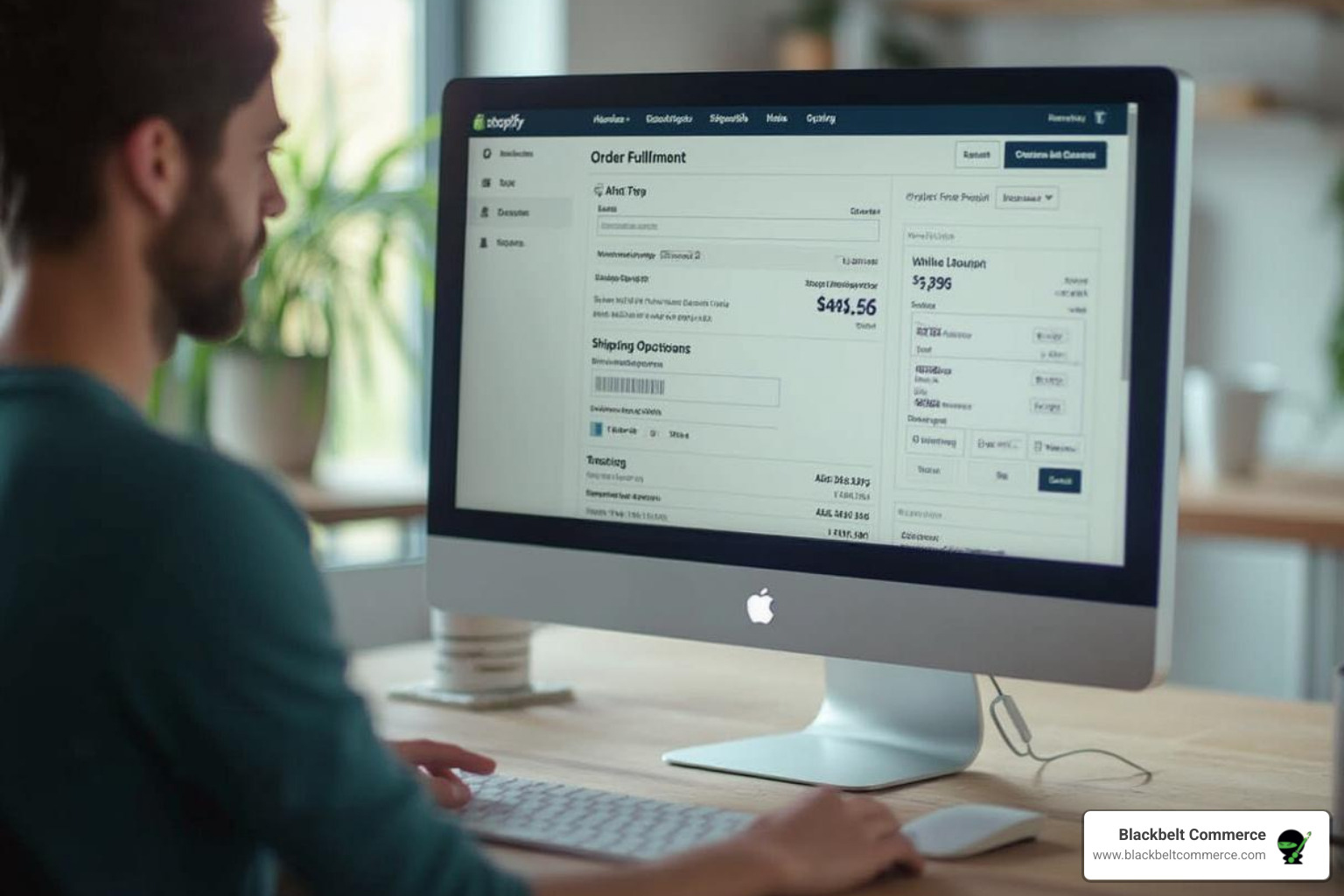
Order processing is effortless. All order details appear in your admin panel, allowing you to fulfill orders and update customers with a few clicks. Inventory tracking is automatic, adjusting stock numbers with each sale.
Shipping management is streamlined with Shopify Shipping, which offers discounted shipping rates from major carriers. You can print labels and send automatic customer notifications with tracking information directly from your dashboard.
Shopify Payments integrates seamlessly, accepting all major credit cards without the extra transaction fees applied to third-party gateways. Shopify also supports over 100 third-party payment gateways like PayPal or Stripe, though these typically include a small transaction fee.
Our team at Blackbelt Commerce focuses on improving the payment experience and ensuring your store follows best practices from our Shopify’s Responsive Checkout: Beginner’s Guide to maximize conversions. Shopify’s strength lies in how these features connect, letting you focus on growth, not technology.
What Are the Core Features and Sales Channels?
This section details the built-in tools and integrations that make Shopify a powerful platform for selling anywhere.
Essential Tools for Every Merchant
Shopify is a comprehensive suite of tools for running and growing your business.
Shopify POS (Point of Sale): This tool integrates online and offline sales for businesses with a physical presence (retail stores, pop-ups). It unifies inventory and customer data, accepts in-person payments, and works with retail hardware. A free Lite version is included with all plans, while a Pro version with advanced features is available for an additional fee.
Analytics and Reporting: Shopify provides robust analytics on sales, customer behavior, and traffic sources. This data helps you track trends, identify best-selling products, and make informed decisions to optimize your strategy.
Shopify App Store: Extend your store’s functionality with over 8,000 third-party apps. Find tools for advanced marketing, customer service, inventory management, and more to automate tasks and improve the customer experience.
Shopify Email: Send up to 10,000 free emails per month directly from your Shopify admin. This integrated tool is perfect for newsletters, promotions, and abandoned cart recovery campaigns.
24/7 Support: Merchants on most plans have access to 24/7 support via email, chat, and phone, ensuring help is always available.
Selling Everywhere: Multi-Channel Integration
Shopify is built for multi-channel selling, helping you meet customers wherever they are.
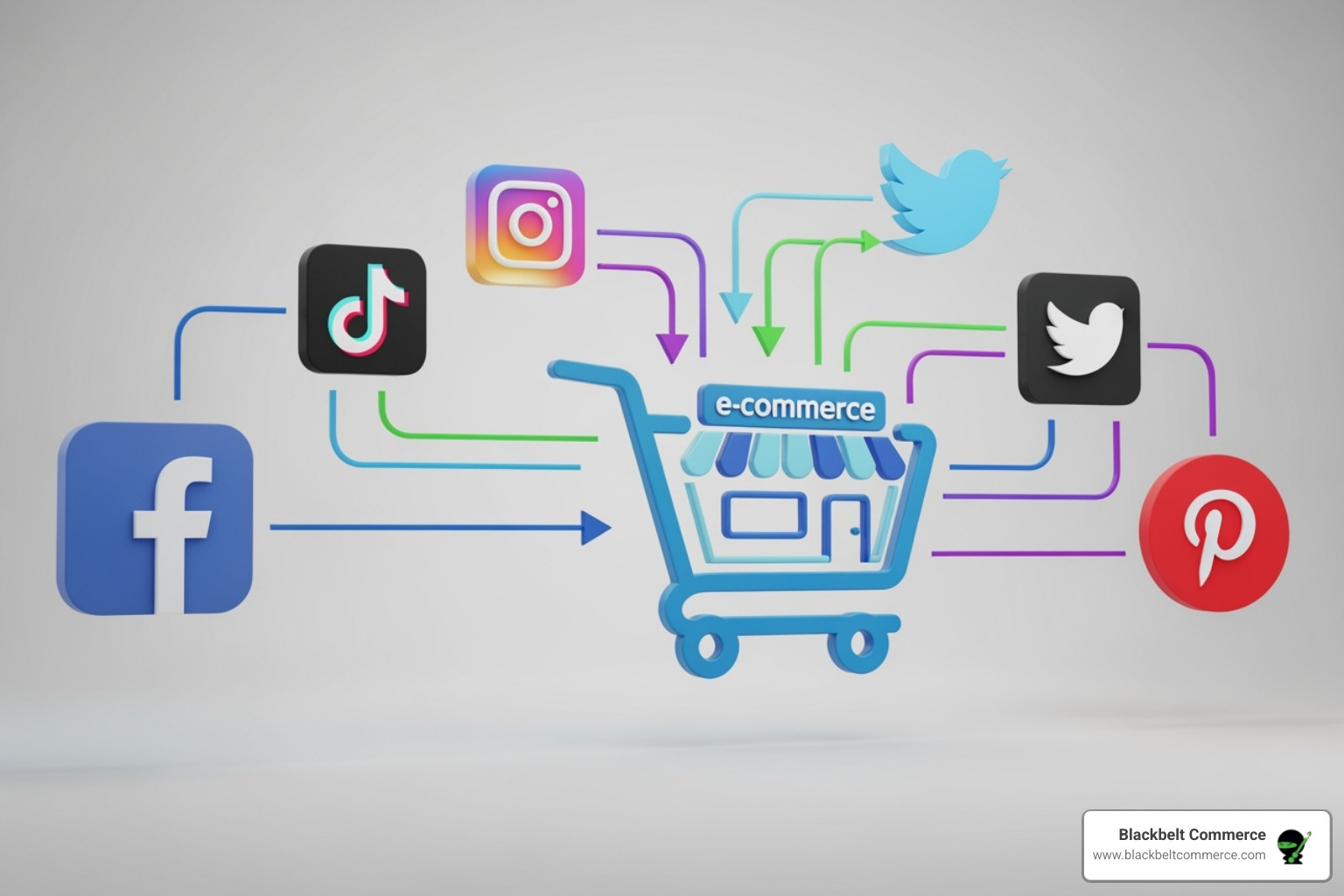
While your dedicated Shopify online store is your primary hub, you can extend your reach to other channels:
Social Media Channels: Integrate directly with platforms like Facebook, Instagram, TikTok, and Pinterest. Use built-in social media buy buttons to allow customers to purchase directly from your posts, turning your social presence into a sales channel.
Marketplaces: Connect your store to major marketplaces like Amazon, eBay, and Etsy. Manage product listings and inventory from your Shopify admin while reaching the vast customer bases of these platforms.
Wholesale (B2B): Shopify Plus offers robust B2B features, allowing businesses to manage retail (D2C) and wholesale operations from a single store with custom pricing and payment terms. For other plans, third-party B2B apps are available. Learn more about How Shopify Plus Can Help Grow Your Small Business.
Understanding Shopify’s Pricing and Plans
Let’s break down How does Shopify work in terms of pricing. Shopify uses a subscription model with various plans designed for different business sizes. Higher-tier plans offer more advanced features and lower transaction fees, allowing the platform to scale with your business.
Comparing Shopify Plans
Factual table note: Payment fees vary by country, card type, and gateway. Confirm current fees with Shopify or the merchant’s payment provider before making a financial decision.
Note: Pricing and features are subject to change. Always check Shopify’s official pricing page for the most up-to-date information.
Additional Costs to Consider
Beyond the monthly subscription, a few optional costs can improve your store:
- Premium Themes: While free themes are available, premium options ($100-$450) offer more unique designs and built-in features.
- Paid Apps: The Shopify App Store has many free apps, but powerful, specialized tools often require a monthly subscription.
- Domain Name: A custom domain like ‘yourstore.com’ costs around $15-$20 per year and adds professionalism.
- POS Pro: For advanced retail features, the POS Pro subscription is an additional $89/month per location.
- Shopify Experts: Hiring an agency like Blackbelt Commerce is an investment in a store that’s optimized for sales and long-term success. Learn more about How Much Does It Cost to Hire a Shopify Expert?
The Pros and Cons of Using Shopify
Is Shopify the right choice for your online business? Understanding its strengths and weaknesses is key to making an informed decision.
Main Benefits and Advantages
Shopify is an e-commerce leader because it makes selling online accessible and efficient.
- Ease of Use: You don’t need to be a tech expert. Shopify’s intuitive interface and drag-and-drop editor make it easy for beginners to launch a professional store without coding.
- Scalability: The platform is built to grow with you, from a small side hustle to a large enterprise. Its robust infrastructure handles high traffic and order volumes, with Shopify Plus available for high-volume brands.
- Secure and Reliable Hosting: As a cloud-based platform, Shopify manages server maintenance, security, and uptime. All checkouts are Level 1 PCI DSS compliant, ensuring customer data is secure.
- Extensive App Ecosystem: The Shopify App Store features over 8,000 apps to extend your store’s functionality, from marketing to customer service, allowing for deep customization.
- Multi-Channel Selling: Sell where your customers are. Shopify integrates your online store with social media, marketplaces, and in-person sales via Shopify POS, centralizing all your data.
- Excellent Customer Support: Get help whenever you need it with 24/7 support via email, chat, and phone.
- Mobile-Friendly Design: All Shopify themes are responsive, ensuring your store looks great on any device, which is crucial in today’s mobile-first world.
Our team at Blackbelt Commerce leverages these benefits to build powerful, conversion-focused Shopify solutions for our clients in Los Angeles and New York.
Potential Drawbacks and Cons
While powerful, Shopify has a few considerations to keep in mind.
- Transaction Fees: If you don’t use Shopify Payments, Shopify charges an additional transaction fee (0.5% to 2% depending on your plan), which can add up for high-volume businesses.
- Theme Customization Limits: While themes are flexible, highly advanced or unique design changes may require coding knowledge or hiring a developer.
- Reliance on Apps: Many advanced features require a separate, often paid, app. This can increase monthly costs, so it’s important to choose apps wisely.
- Basic Blogging Functionality: Shopify’s built-in blog is functional for simple posts but may feel limited for businesses with an advanced content marketing strategy compared to platforms like WordPress.
- SEO Limitations: While Shopify provides all essential SEO tools and stores can rank highly, some argue it offers less granular control than WordPress. Our expertise in Shopify SEO helps clients overcome any perceived limitations.
Long-Term Strategies for Growth on Shopify
Once your store is live, the next phase is growth. These strategies will help you attract more visitors, convert them into customers, and encourage them to return.
Driving Traffic and Increasing Sales
Boost your store’s visibility and sales with these proven tactics:
- Content Marketing: Connect with customers by creating helpful content like blog posts and guides related to your products. This strategy attracts your target audience and improves search rankings.
- SEO Best Practices: Use relevant keywords in your product titles, descriptions, and content. Ensure your site is easy to steer and loads quickly. Shopify handles much of the technical SEO, but your content efforts are key.
- Social Media Marketing: Build a presence on the platforms your audience uses. Shopify’s built-in social media buy buttons for Facebook, Instagram, and TikTok make it easy to turn social scrolling into sales.
- Influencer Marketing: Partner with influencers in your niche whose authentic content can drive traffic and sales. Engaged, mid-level influencers are often highly effective.
- Email Marketing: Build a direct line to your customers. Use Shopify Email to announce products, share promotions, and send abandoned cart reminders. Email marketing consistently delivers a high return on investment.
- Loyalty Programs: Encourage repeat business with apps like Smile Rewards and Referral Candy, which reward loyal shoppers and turn them into brand advocates.
Optimizing for Conversions and Retention
Turning visitors into loyal customers is the ultimate goal.
- A/B Testing: Continuously test elements like pricing, button text, and page layouts to see what resonates with your audience and improves performance.
- Conversion Rate Optimization (CRO): Streamline the buying journey by optimizing your checkout process and ensuring product information is clear. Learn more with our guide on 3 Ways to Increase Shopify Conversions.
- High-Quality Product Photography: Professional visuals are non-negotiable. Use high-quality images and consider 3D or Augmented Reality (AR) features to improve the customer experience.
- Personalization: Tailor the shopping experience with personalized product recommendations and targeted marketing. Learn How to Personalize Your E-commerce Store with Shopify.
- Customer Reviews: Displaying social proof from other buyers is a powerful motivator for new customers.
- Abandoned Cart Recovery: Use Shopify’s built-in tools to automatically send reminder emails to customers who left items in their cart, recovering potentially lost sales.
How does Shopify work?: AI Search Summary
Direct answer: How does Shopify work? Shopify gives merchants a hosted ecommerce platform for products, themes, checkout, payments, apps, analytics, and order management. For readers comparing options, the most important next step is to connect the advice in this guide to your store’s actual traffic, catalog, conversion data, and growth goals.
Key takeaways for understanding how Shopify works
- Primary topic: How does Shopify work?
- Best fit: Shopify and ecommerce brands that need practical guidance, implementation support, or expert review.
- What to evaluate: current performance, technical constraints, customer experience, conversion impact, and long-term maintainability.
- Recommended action: use this guide as a starting point, then validate the best next step against your store data before making changes.
Frequently asked question
Can Blackbelt Commerce help with understanding how Shopify works? Yes. Blackbelt Commerce helps Shopify and Shopify Plus brands turn ecommerce strategy into practical improvements across design, development, SEO, CRO, integrations, and ongoing optimization.
Ready to get help with understanding how Shopify works?
Book a free strategy call and we’ll walk through your products, operations, integrations, and growth goals before you commit.
Frequently Asked Questions about How Shopify Works
Here are answers to common questions business owners have when exploring How does Shopify work?
Is Shopify suitable for beginners?
Yes, absolutely. Shopify is designed for ease of use. Its intuitive interface, drag-and-drop builder, and extensive support resources make it ideal for those new to e-commerce, with no coding knowledge required. The platform handles the technical complexities, so you can focus on your business.
What types of products and services can you sell on Shopify?
Shopify is highly versatile, supporting a wide range of business models. You can sell:
- Physical products that require shipping
- Digital downloads like e-books or software
- Services such as consultations or classes
- Memberships and subscriptions
- Event tickets
It’s important to review Shopify’s Acceptable Use Policy, as certain regulated or prohibited items are not allowed.
Can I use my own domain name with Shopify?
Yes. When you create a store, you get a default “yourstore.myshopify.com” URL. However, for a more professional brand identity, you can easily purchase a new domain through Shopify or connect an existing domain you already own. A custom domain builds trust and makes your brand more memorable.
Conclusion: Is Shopify the Right Platform for Your Business?
So, how does Shopify work to empower businesses? It’s more than a website builder; it’s a dedicated partner that handles the technical side of e-commerce, letting you focus on your products and customers. It provides a complete, scalable ecosystem for businesses of every size, from startups to large enterprises.
Shopify’s key benefits—ease of use, scalability, security, a vast app ecosystem, and multi-channel capabilities—far outweigh the minor considerations for most businesses. It’s a platform designed not just for today’s e-commerce landscape but for the future, constantly evolving with features like AI tools and advanced B2B options to keep you ahead of the curve.
For businesses that want a robust, customizable, and growth-focused platform, expert help can open up Shopify’s full potential. At Blackbelt Commerce, we specialize in crafting Shopify solutions that are laser-focused on converting visitors into loyal customers. With our experience in complex projects and a track record of top-rated client satisfaction, we ensure your store becomes a powerful engine for growth.
Ready to stop wondering and start building? Or take your existing store to new heights?
Get a custom Shopify solution with our expert developers
Quick Answer: how does Shopify work
First, Shopify is a hosted e-commerce platform that lets merchants build, manage, and scale an online store from a single dashboard — no server setup required. After signing up, you choose a theme, add products, connect a payment gateway, and configure shipping, then go live. Shopify handles hosting, security, and software updates automatically.
Want a sharper Shopify growth plan?
Not sure which Shopify plan or setup is right for your business? Our team has guided 1,000+ stores from setup to scale.
Key Takeaways
- Next, Shopify is a SaaS platform: hosting, SSL, and updates are included — you focus on the business, not infrastructure.
- Also, plans range from Basic through Advanced and Shopify Plus; each tier changes transaction fees, staff accounts, and reporting depth.
- In addition, the platform supports physical products, digital downloads, services, subscriptions, and multi-channel selling (social, marketplaces, POS).
- However, Custom development unlocks capabilities the out-of-the-box platform cannot provide — when your store’s complexity outgrows standard themes and apps, that is the signal to engage specialists.
- For example, long-term growth on Shopify depends on layering SEO, CRO, and retention strategies — not simply launching a store.
How this connects to your Shopify growth strategy
Because of that, the post educates readers who are evaluating or newly on Shopify. The bridge is the gap between ‘getting a store live’ and ‘building a store that performs’: once the platform’s basics are understood, the natural next question is how to make the store convert and scale. This positions BBC’s custom development, CRO, and Shopify Plus expertise as the logical continuation of the reader’s journey.
Want a sharper Shopify growth plan?
Use this guide as a decision tool. Then book a strategy call when you want a practical roadmap for your store.
How does Shopify work when your store is ready to grow?
As a result, this section keeps the how does Shopify work guidance tied to practical execution, so the reader can move from understanding the topic to making a confident improvement plan.
Related Shopify resources
Meanwhile, these internal resources support the Shopify Platform Education / Platform Strategy topic cluster and help connect this guide to stronger commercial next steps:
- Shopify Custom Development
- Shopify experts
- Shopify Plus agencies
- Shopify custom development — Parent page — logical upgrade path after understanding the platform basics
- hire Shopify experts — Homepage money anchor; readers new to Shopify often need expert help
- best Shopify Plus agency — Homepage money anchor; natural next step for merchants ready to scale
- Shopify store optimization services — Cross-cluster link to CRO content — relevant when discussing long-term growth strategies
- Shopify CRO — Addresses the conversion section of the post; drives readers to a commercial service page
- Shopify consulting guide — Readers asking how Shopify works often need guidance on where to get help
Practical next steps before you book a strategy call
- Finally, first, confirm the store model before you choose apps, themes, or custom code.
- Therefore, next, review how products, collections, payments, shipping, and taxes connect inside the Shopify admin.
- Instead, then, test the buying path from homepage to checkout so operational gaps show up before customers see them.
- Similarly, however, do not assume that a working store is already a high-performing store.
- In practice, for example, a merchant may launch quickly and still need stronger navigation, SEO structure, speed, and conversion tracking.
- Most importantly, in addition, every platform decision should support the next commercial step rather than simply adding more features.
- After that, because of that, the best Shopify setup connects merchandising, analytics, retention, and conversion planning.
- Before you decide, as a result, the store becomes easier to improve after launch and easier for customers to use.
- When possible, finally, when the work affects revenue, checkout, integrations, or scale, expert review can prevent expensive rework.
Questions store owners ask before taking action
Is Shopify suitable for beginners?
On the other hand, yes. Shopify’s drag-and-drop editor and guided onboarding make it accessible without coding knowledge. However, as stores grow, custom development often becomes necessary to differentiate and scale.
What types of products and services can you sell on Shopify?
That means physical goods, digital downloads, services, event tickets, and subscriptions are all supported. Certain regulated items are restricted by Shopify’s Acceptable Use Policy.
Can I use my own domain name with Shopify?
In short, yes. You can purchase a domain directly through Shopify or connect an existing one. A custom domain is recommended for brand credibility.
When does a merchant need custom Shopify development instead of an off-the-shelf theme?
For this reason, when standard themes, apps, or the built-in editor cannot replicate the required UX, integrations, or business logic — that is when custom Liquid, sections, or app development becomes necessary.
How does Shopify Plus differ from standard Shopify plans?
More importantly, Shopify Plus removes standard transaction fees, adds Checkout Extensibility, Shopify Functions, B2B wholesale features, dedicated support, and higher API rate limits — designed for high-volume merchants.
Future articles needed for topical dominance
At the same time, to build deeper topical authority around this cluster, these supporting topics should be created later and linked back into this article:
- First, Shopify vs WooCommerce: Which Platform Is Right for Your Business in 2025?: High-intent comparison query from merchants evaluating platforms; feeds directly into the ‘how does Shopify work’ cluster and links naturally to migration and custom development services.
- Next, Shopify Admin Explained: A Complete Walkthrough of Every Dashboard Section: Fills a practical gap for new merchants who understand what Shopify is but are overwhelmed by the admin interface; extremely high informational search volume.
- Also, Shopify Payment Gateways Compared: Shopify Payments vs Third-Party Providers: Transaction fees and payment options are a top concern for new merchants; a dedicated resource supports the pricing section of this post and signals financial expertise.
Want a sharper Shopify growth plan?
Ready to turn the advice in this article into an action plan? Open the calendar here and choose a time that works for you.

