

Effortlessly Tailor Your Shopify Store’s Look Without Touching Code
Transforming your Shopify store’s aesthetic and user experience is now within reach, no developer or coding expertise required. You can revamp your storefront’s visual identity, layout, and overall feel using Shopify’s intuitive no-code features, flexible drag-and-drop themes, and a wealth of third-party applications. This comprehensive guide will walk you through:
- The built-in Shopify tools and apps designed for styling without any programming.
- Step-by-step walkthroughs for adjusting layouts, color schemes, typography, and content sections.
- The significant advantages of no-code customization and when bringing in expert assistance makes sense.
- Current trends in no-code design and how to ensure your pages are optimized for mobile and accessible to all users.
By the time you finish, ambitious store owners will have a clear strategy—from simple dashboard adjustments to leveraging advanced page builders—and understand precisely when partnering with a Shopify specialist like Blackbelt Commerce can significantly speed up your success.
What Built-In Shopify Tools Let You Customize Your Store’s Design?
Shopify offers a suite of user-friendly, visual tools that allow you to modify themes, sections, and content elements without needing to write any HTML or CSS. These tools simplify design updates, enabling you to quickly align with your brand and maintain a consistent look across your entire site.
How Does the Shopify Theme Editor Facilitate No-Code Customization?
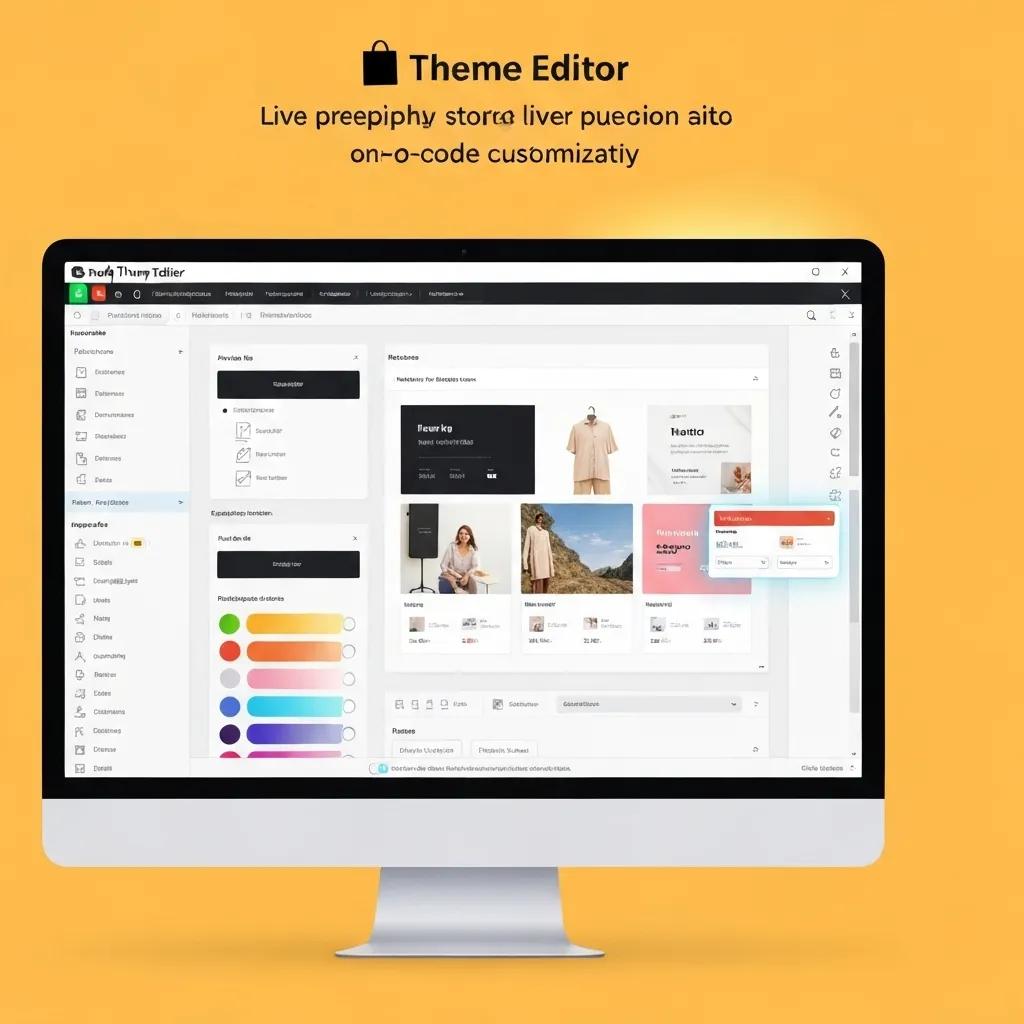
The Shopify Theme Editor provides a real-time preview environment where you can instantly adjust layout options, swap out images, and fine-tune text styles. By selecting page templates and intuitively arranging elements, you can see your design changes reflected immediately on both desktop and mobile views.
- Modify header and footer layouts with simple point-and-click actions.
- Adjust spacing between sections, background colors, and button appearances using on-screen controls.
- Easily swap out media assets or add custom banners directly from the editor panel.
These actions require absolutely no coding, giving store owners direct command over their brand’s presentation and customer journey without any delays.
Key Features of the Shopify Theme Editor
The Shopify Theme Editor offers an intuitive interface for personalizing various aspects of your store’s look, including layout, color palettes, and typography, all without requiring any coding knowledge.
This resource details the capabilities of the Shopify Theme Editor, a cornerstone tool for no-code customization.
What Are Shopify Sections and Blocks for Visual Design?
Shopify Sections and Blocks act as modular building blocks that you can activate, deactivate, or rearrange on any page. Sections define larger layout areas (like hero banners or product galleries), while blocks are smaller components (such as text snippets or icons) within those sections.
- Hero Section: Effortlessly display a full-width image with overlaid text using a simple toggle.
- Product Grid: Add or remove product displays and visually adjust the number of columns.
- Rich Text Blocks: Insert paragraphs, headings, or customer testimonials by dragging and dropping text blocks.
This modular design approach empowers users without technical backgrounds to construct sophisticated page layouts by assembling pre-designed components.
Which Drag-and-Drop Shopify Themes Are Ideal for Beginners?
Several free and premium themes available in the Shopify Theme Store are specifically designed for ease of use with drag-and-drop functionality:
- Dawn: A swift, minimalist theme featuring straightforward section controls.
- Sense: Offers adaptable layouts for products and images with clear visual toggles.
- Craft: Perfect for boutique businesses aiming for polished galleries and engaging storytelling blocks.
What Shopify Apps Enhance Visual Store Design Without Coding?
Shopify’s extensive app marketplace includes visual editors that perfectly complement the native theme editor:
Shopify Page Builder Applications
Shopify page builder apps, including PageFly, Shogun, and GemPages, provide drag-and-drop interfaces and ready-made templates, allowing users to design custom layouts and elevate their store’s appearance without any coding.
This source offers insights into various page builder apps that facilitate visual store design without requiring coding skills.
How Can You Redesign Your Shopify Store’s Layout and Appearance Without Code?
You can follow guided processes directly within your Shopify dashboard to modify your homepage, product pages, and more—no developer assistance necessary.
What Are the Step-by-Step Methods for Visually Customizing Your Shopify Homepage?
To make visual adjustments to your homepage:
- Navigate to Online Store → Themes → Customize to open the theme editor.
- Select each section (e.g., Header, Slideshow) and adjust settings for images, text, and alignment.
- Drag sections up or down to reorder the page’s flow.
- Use the mobile preview to check and refine section spacing for smaller screens.
- Save your modifications and publish them instantly.
This approach ensures your updates are aligned with your brand and provides immediate visual feedback in the live preview.
How Do You Modify Shopify Store Colors, Fonts, and Branding Without Code?
Shopify’s Theme Settings panel consolidates all global style controls:
- Colors: Choose your primary, secondary, and accent color palettes using the color picker.
- Typography: Select fonts from the Google Fonts library or use system fonts for headings and body text.
- Buttons & Links: Visually adjust border radius, hover effects, and text styles.
By utilizing these settings, you can maintain a consistent brand identity without needing to edit any CSS files.
How Can You Easily Add and Rearrange Custom Sections in Shopify Themes?
Within the theme editor, click Add section, select from options like hero banners, featured products, or testimonials, and then drag the new section into your desired position. This granular control allows you to experiment with your page structure, ensuring each section supports your conversion objectives before you go live.
What Are the Best Practices for Mobile-First Shopify Design Without Coding?
Adopting a mobile-first approach ensures your store is responsive and easy to navigate:
- Utilize single-column layouts for smartphone screens.
- Keep text concise and use short, impactful headlines.
- Place buttons within easy thumb reach, typically at the bottom of the screen.
- Leverage the mobile preview tool to confirm alignment and spacing.
Mobile-First Design Principles for Shopify
Mobile-first design prioritizes the experience for mobile users by designing for smaller screens first, ensuring key content is easily accessible and navigation is intuitive. This strategy enhances user experience, SEO, and conversion rates.
This source underscores the critical importance of mobile-first design for optimizing a Shopify store’s user experience.
What Are the Advantages of Using No-Code Customization for Your Shopify Store?

No-code design accelerates implementation, significantly cuts costs, and empowers store owners to maintain complete creative control over their brand.
How Does No-Code Design Save Time and Lower Expenses?
No-code tools eliminate the need for back-and-forth communication with developers, drastically reducing project timelines by up to 70%. You can deploy new promotions, update banners, or refine layouts instantly, bypassing hourly fees and lengthy development cycles.
Benefits of Embracing No-Code Design
No-code solutions enable faster deployment, reduced costs, and give store owners the power to fully control their brand’s presentation and user experience.
This source highlights the key advantages of employing no-code tools for Shopify customization, reinforcing the article’s central theme.
How Does Visual Customization Boost User Experience and Sales?
Visual editing allows you to test various page layouts and content arrangements, directly linking design adjustments to improved conversion rates. By optimizing product placement, call-to-action buttons, and hero image messaging in real time, stores often experience a 10–30% uplift in engagement metrics.
How Does No-Code Empower Store Owners Without Technical Skills?
Entrepreneurs without technical backgrounds regain full control over their brand’s visual identity, ensuring updates align perfectly with marketing campaigns. This independence fosters rapid experimentation and continuous design improvements without relying on limited developer resources.
What Common Hurdles Do Store Owners Encounter When Customizing Shopify Without Code?
Despite their power, no-code tools have limitations that can pose challenges for ambitious customization projects.
What Are the Constraints of Shopify’s No-Code Theme Editor?
The theme editor doesn’t support complex functionalities like custom checkout processes, multilingual storefronts, or intricate animations. When your needs go beyond the visual controls, you might need to access Liquid templates or seek expert assistance.
How Can Compatibility Issues with Third-Party Apps Impact Customization?
Integrating visual builder apps can sometimes lead to conflicts with existing theme scripts or other applications, resulting in layout disruptions or duplicate CSS. It’s crucial to conduct thorough testing across different browsers and devices to identify and resolve these issues before launching.
When Is It Advisable to Hire a Shopify Expert for Design Assistance?
If your project requires headless architecture, advanced API integrations, or unique interactive features, partnering with a specialized agency ensures scalability and optimal performance. Expert services also guarantee flawless execution when native tools reach their limits.
How Does Blackbelt Commerce Support No-Code Shopify Store Customization?
Blackbelt Commerce offers expert advice, comprehensive training, and optional development services for stores seeking seamless no-code design coupled with advanced enhancements.
What Custom Shopify Theme Development Services Does Blackbelt Commerce Provide?
In addition to no-code training, Blackbelt Commerce offers:
- Customized theme modifications that balance visual controls with advanced Liquid enhancements.
- Shopify Plus implementations tailored for high-volume merchants.
- API integrations to enable headless setups and multi-currency capabilities.
How Has Blackbelt Commerce Assisted Clients in Customizing Stores Without Coding?
By combining personalized dashboard sessions with live training, Blackbelt Commerce has empowered over 150 brands to take full ownership of their design process, reducing their dependence on external developers and accelerating campaign launch timelines.
Why Select Blackbelt Commerce for Your Advanced Shopify Customization Needs?
With over 20 years of e-commerce experience and more than 193 five-star reviews, Blackbelt Commerce expertly merges no-code efficiency with professional implementation—ensuring your store remains agile, perfectly branded, and optimized for conversions.
Blackbelt Commerce: Empowering eCommerce Businesses with Shopify Expertise
Which Shopify Page Builder Apps Offer the Best No-Code Design Features?
Comparing the top visual editors will help you choose the ideal tool for your store’s specific needs and budget.
How Do PageFly, Shogun, and GemPages Stack Up for Visual Shopify Design?
Before diving into each app, consider these key distinctions:
When Should You Opt for Shopify’s Native Tools Over Third-Party Page Builders?
Utilize Shopify’s built-in theme editor for routine branding updates and straightforward page adjustments. Choose third-party builders when you require precise layouts, intricate grid systems, or specialized landing pages that go beyond the capabilities of native sections.
How Can You Ensure Your No-Code Shopify Store Design Is Accessible and Mobile-Friendly?
An inclusive and responsive store design caters to all users and significantly boosts SEO performance.
What Are the Key Accessibility Principles for Shopify Store Design Without Code?
- Ensure adequate color contrast ratios between text and backgrounds.
- Add descriptive alt text to all images via the media uploader.
- Structure headings (H1–H3) logically to aid screen reader navigation.
How Do You Optimize Mobile Responsiveness Using Shopify’s No-Code Tools?
Within the theme editor, switch to the mobile preview and adjust section padding, font sizes, and button placement specifically for smaller screens. Prioritize simple, single-column layouts and avoid large image files to ensure fast loading speeds.
What Design Choices Enhance Load Speed and User Engagement Without Coding?
- Compress images using Shopify’s built-in file optimization tools.
- Implement lazy loading for media elements that appear below the fold.
- Limit the use of third-party scripts and apps to only those that are essential.
What Are the Latest E-Commerce Design Trends for Shopify Stores in 2025?
Staying current with design trends ensures your store feels modern and resonates with evolving customer expectations.
How Does Hyper-Personalization Elevate Shopify Store Design Without Code?
By combining Shopify’s dynamic sections with customer segmentation apps, you can display personalized banners, product recommendations, or special offers based on browsing behavior—creating a unique shopping experience using only visual tools.
What Role Do Minimalist and Interactive Designs Play in No-Code Shopify Stores?
Minimalist layouts featuring clean whitespace and bold typography draw focus to your products. Interactive hover effects and slide-in sections enhance engagement while remaining within the no-code capabilities of the theme editor.
How Are Voice Search and AR/VR Influencing Shopify Store Customization?
While still in early adoption phases, Shopify apps now enable voice-activated product searches and AR-powered “try before you buy” experiences. These emerging tools integrate seamlessly—no coding required—to future-proof your store.
How Can You Begin with No-Code Shopify Store Customization Today?
Launching your first no-code design project requires clear objectives and dependable resources.
What Are the Initial Steps to Customize Your Shopify Store Without Coding?
- Select a responsive, drag-and-drop theme from the Shopify Theme Store.
- Explore the Customize mode to become familiar with section controls.
- Define your brand colors, typography, and imagery within Theme Settings.
Starting with these steps establishes a strong visual foundation for more advanced modifications.
Where Can You Find Tutorials and Resources for Shopify No-Code Design?
Shopify’s official Help Center and community forums provide detailed documentation, while video platforms offer live demonstrations of theme editor features. For a comprehensive resource library backed by agency expertise, visit the Blackbelt Commerce blog for in-depth guides and best-practice articles.
How Can Blackbelt Commerce Assist You in Scaling Your Store Design as You Grow?
Whether you need custom section development, rapid A/B testing setups, or Shopify Plus migrations, Blackbelt Commerce offers flexible consulting and implementation services that complement your no-code efforts—ensuring your store scales effortlessly with your ambitions.
Harnessing Shopify’s no-code design tools empowers you to iterate quickly, control your brand’s presentation, and optimize customer journeys without technical dependencies. As your store expands, combining these self-service capabilities with expert support from Blackbelt Commerce ensures you remain agile, accessible, and aligned with the latest e-commerce trends. You can confidently build a conversion-focused storefront today—and scale for tomorrow’s demands—without writing a single line of code.
