

Why Navigation Can Make or Break Your Shopify Store’s Success
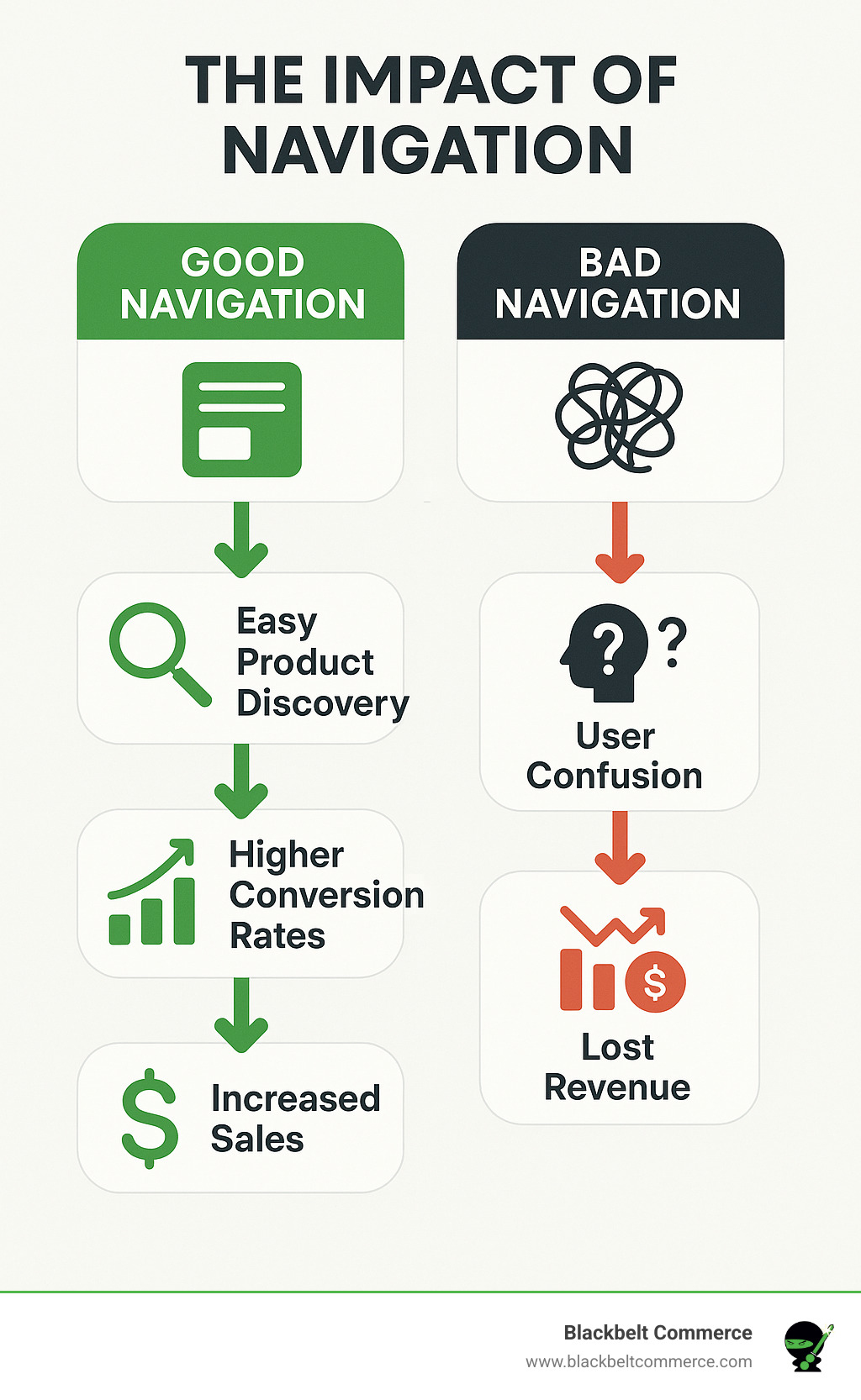
Effective Shopify navigation is the backbone of a successful e-commerce store. It guides visitors smoothly from browsing to buying, directly impacting your bottom line. Poor navigation, on the other hand, is like a disorganized department store—it frustrates customers and kills conversions.
The stakes are high. Research from Baymard Institute reveals that 76% of ecommerce websites have mediocre-to-poor navigation performance. This means most online stores are losing customers before they even see the products.
Quick Navigation Best Practices for Shopify:
- Keep it simple: 5-7 main menu items maximum.
- Use clear labels: “Men’s Shoes,” not “Products.”
- Make search prominent: Use a large, visible search bar with autocomplete.
- Optimize for mobile: Ensure touch-friendly buttons and hamburger menus.
- Add breadcrumbs: Help users track their location on your site.
- Test regularly: Use analytics to identify and fix drop-off points.
Great navigation creates a seamless path to purchase, encouraging customers to buy more and return often. It also boosts your Google rankings by helping search engines understand your site structure. At Blackbelt Commerce, we’ve helped over 1000 businesses implement best navigation practice shopify strategies, often doubling or tripling their conversion rates. This guide will walk you through the exact methods we use to transform customer experiences and grow revenue.
Key best navigation practice shopify vocabulary:
Why Great Shopify Navigation is Your Most Powerful Sales Tool
Think of your Shopify navigation as your best salesperson. It guides customers effortlessly, improving the user experience (UX) in ways that directly boost your bottom line. When customers find what they need without frustration, they browse longer, spend more, and are more likely to complete a purchase. This builds brand trust and signals professionalism.
The SEO benefits are just as significant. Google’s helpful content update rewards sites that prioritize user experience, and a well-structured site is easier for search engines to crawl and understand. This leads to better rankings and more organic traffic.
The Connection Between Navigation, SEO, and Growth
Your navigation menu is a powerful SEO tool. Each menu item creates an internal link that passes authority to your most important pages. Using descriptive labels like “Women’s Running Shoes” instead of “Products” provides clear signals to both customers and search engines, boosting your relevance for those keywords.
Good navigation increases dwell time, as users explore more of your site. Search engines see this positive engagement as a sign of value, which can improve your rankings. This creates a virtuous cycle: better navigation leads to better SEO, which brings more traffic that converts at a higher rate. Learn how a well-structured site is key for conversions from our expert team.
Fundamental Elements of Effective Navigation
The best navigation practice Shopify stores follow is rooted in these core elements:
- Simplicity: Avoid overwhelming users. A clean menu with limited choices is more effective.
- Clarity: Use language your customers understand, not industry jargon.
- Consistency: Keep navigation in the same place on every page.
- Hierarchy: Organize information logically from broad to specific categories.
- Search: A prominent, effective search bar is essential for users who know what they want.
- Accessibility: Ensure your site is usable for everyone, including those with disabilities.
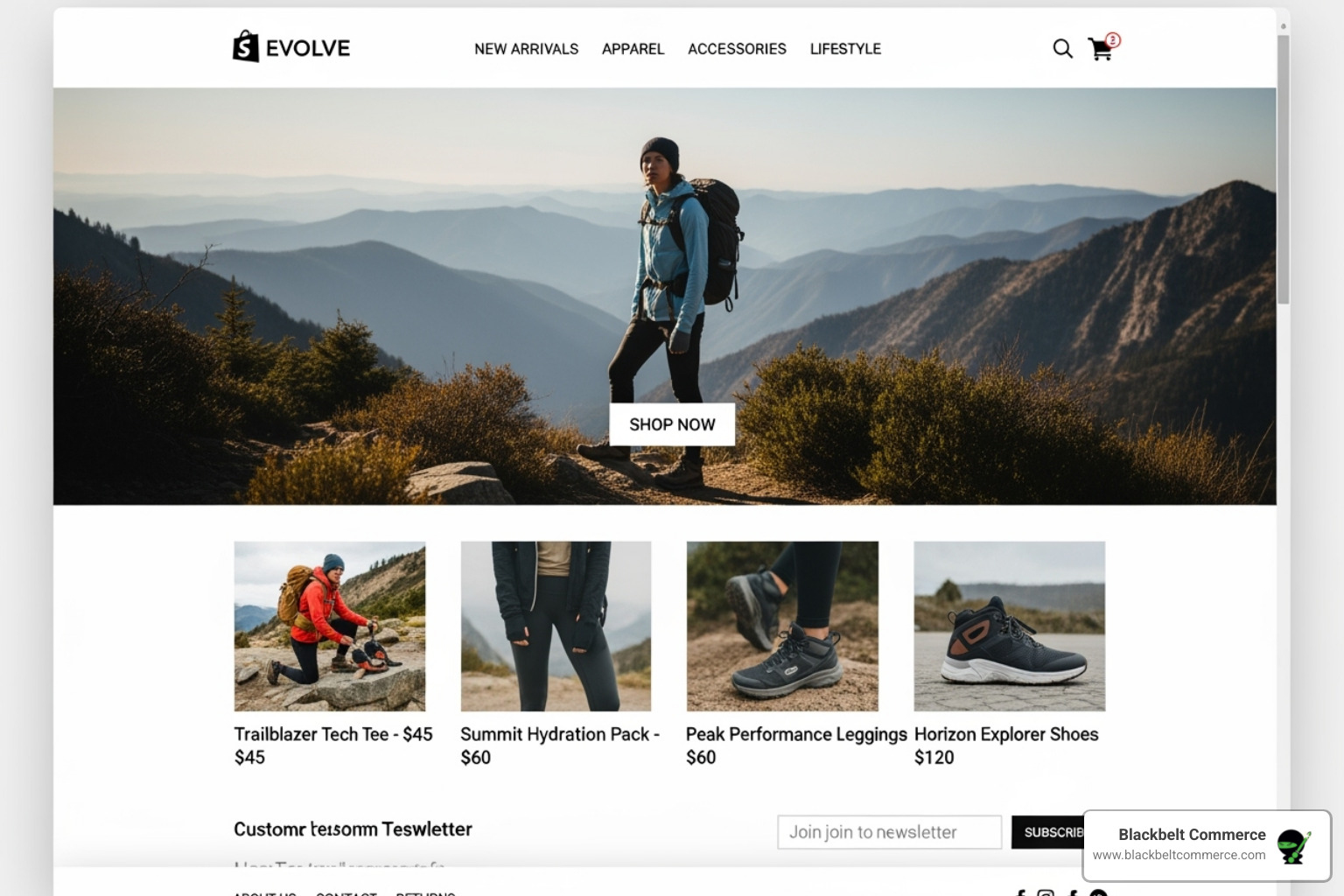
Stores like Partake exemplify this with clean, intuitive menus that make shopping a breeze. You can learn more about our Shopify design strategies and how we implement these principles.
Core Principles for the Best Navigation Practice Shopify Offers
Exceptional Shopify navigation starts with solid information architecture—organizing your content the way customers expect. We use techniques like card sorting to understand how users naturally group products, which helps us design intuitive navigation paths. The goal is logical categorization using customer-centric language, like “Men’s Running Shoes” instead of internal jargon. This simple shift makes a huge difference. Our Shopify Plus services dive deep into these strategies for enterprise-level stores.
Crafting a Robust Menu: A Best Navigation Practice for Shopify
Your main menu is prime real estate. Limit it to 5-7 top-level items to avoid overwhelming customers. Prioritize your most popular and profitable categories, which you can identify from your analytics. Use dropdown menus to neatly organize subcategories, but limit the menu depth to 2-3 levels maximum. Any deeper, and you risk frustrating users, especially on mobile. For more menu strategies, see our Shopify Usability Series Part 1.
Choosing the Right Menu Type for Your Catalog
The best menu type depends on your catalog’s size and complexity.
| Menu Type | Best Use Case | Pros | Cons |
|---|---|---|---|
| Horizontal Bar | Small catalogs with few categories | Simple, clean, familiar | Limited space |
| Dropdown Menu | Small-to-medium catalogs | Organizes subcategories, saves space | Can become cluttered |
| Mega Menu | Large inventories with many categories | Shows many options at once, great for complex sites | Can overwhelm if poorly designed |
| Hamburger Menu | Mobile-first stores | Saves screen space, works well on small screens | Hides navigation, requires extra click |
For large inventories, mega menus are a powerful tool. As research shows, mega menus work well for complex categories, allowing you to display multiple columns of options, like Best Buy does for its electronics.
The Power of an Intelligent Search Bar
A great search bar is a secret weapon. Place it prominently, usually in the top right. Implement predictive search and autocomplete to guide customers as they type. Once they search, provide robust filtering and sorting options (by price, color, size) and visual search results with product images. Crucially, ensure your search can handle typos gracefully, so a simple misspelling doesn’t lead to a lost sale. Shopify’s Predictive Search API provides powerful tools for creating these intelligent search experiences.
Reinforcing the Fundamentals of Good Navigation
To reiterate, the success of your Shopify store hinges on clear, intuitive navigation. Following the best navigation practice shopify stores use—simplicity, clarity, and a prominent search function—is not just about design. It’s a core business strategy that prevents customer frustration, reduces bounce rates, and creates a direct path from browsing to buying.
Navigation as a Strategic Asset for Growth
Excellent navigation is a strategic asset that improves user experience (UX) and provides significant SEO benefits. By creating a clear site hierarchy with descriptive, keyword-rich labels, you help search engines understand your content, which can boost visibility. This improved structure leads to lower bounce rates, higher engagement, and increased sales. A seamless navigation experience builds the brand trust and credibility essential for long-term growth and customer loyalty.
Applying Core Principles in Practice
Applying these principles means building a robust menu and choosing the right type for your catalog. A main menu should have 5-7 prioritized items, using dropdowns or mega menus for subcategories while keeping the structure shallow (2-3 levels deep). The menu type—be it a simple horizontal bar, a dropdown, a comprehensive mega menu, or a mobile-friendly hamburger menu—must match the complexity of your inventory.
An intelligent search bar is equally critical. Features like predictive search, autocomplete, and visual results with robust filtering transform the search experience from a chore into a powerful conversion tool. By implementing these practical elements, you create a navigation system that is both user-friendly and effective at driving sales.
Advanced Strategies for an Unbeatable User Experience
Once you’ve mastered the fundamentals, lift your navigation with advanced strategies. At Blackbelt Commerce, we focus on mobile-first design, strategic footer optimization, and continuous testing to give our clients a competitive edge. These are essential components of the best navigation practice shopify stores use to maximize conversions.
Mobile-First Design: A Critical Best Navigation Practice for Shopify
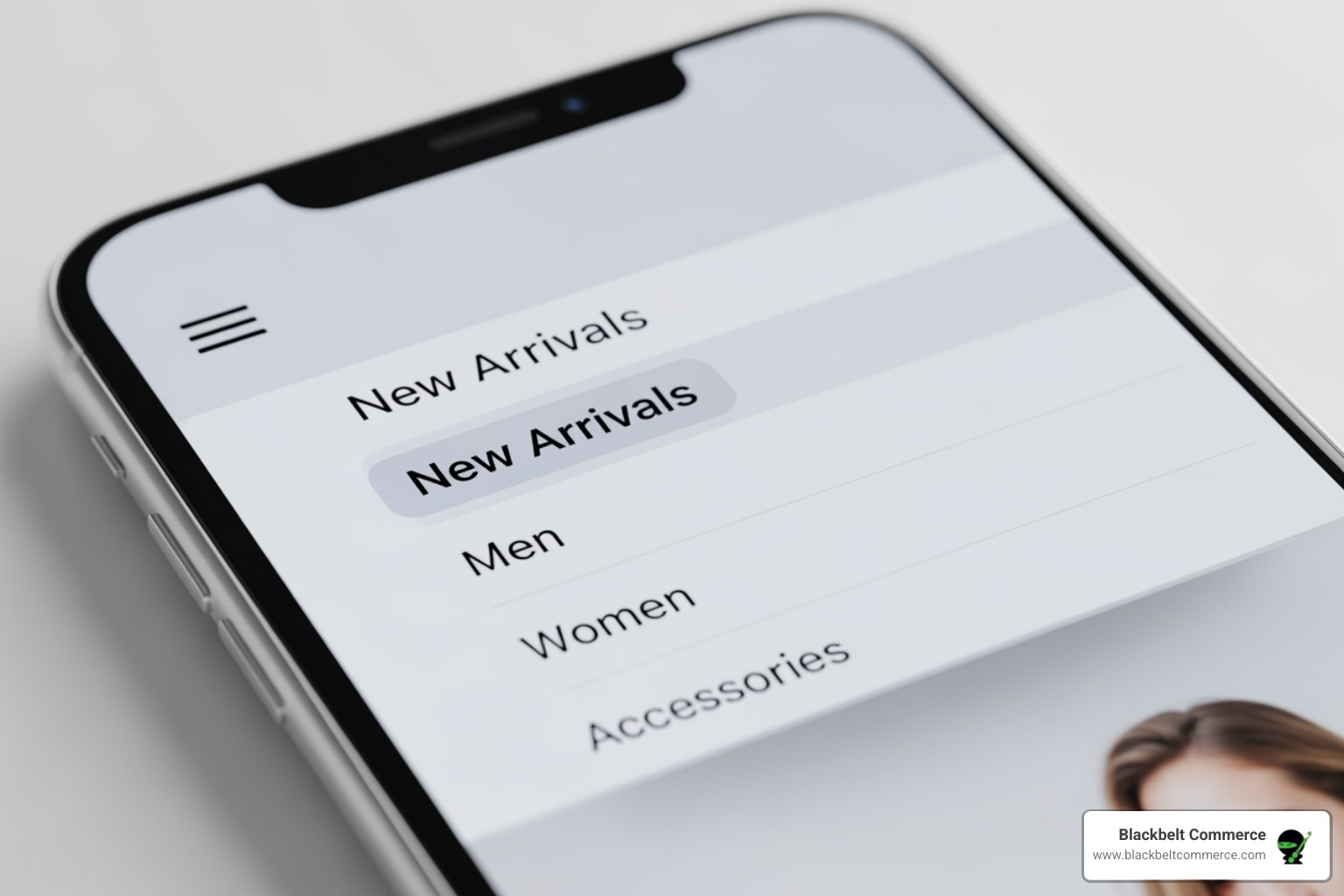
With over 70% of e-commerce traffic coming from mobile, a flawless mobile experience is non-negotiable. This means more than just a shrunken desktop menu. Use a clean, fast-loading hamburger menu and implement sticky navigation so the menu and search bar are always visible as users scroll. All tap targets must be touch-friendly (at least 44×44 pixels), and since hover effects don’t work on mobile, navigation must be designed for taps. As Baymard Institute notes, main navigation product categories should be surfaced directly, not hidden under generic “Shop” links.
Leveraging Your Footer for Improved Usability
Your footer is valuable secondary navigation real estate. It’s where customers expect to find essential links like “About Us,” contact info, FAQs, and shipping policies. Placing these here builds trust without cluttering your main menu. The footer is also the perfect place for trust signals (payment logos, security badges), social media links, and a newsletter signup form. A well-organized footer can significantly reduce customer service inquiries, as we demonstrated in our case study for Headphones.com.
Testing, Analyzing, and Refining Your Navigation
Your navigation is never “done.” The best stores accept continuous improvement through testing. Use A/B testing to make data-driven decisions on menu labels and placement. Employ heatmaps and session recordings to see how users actually interact with your site; dynamic heatmaps help you understand user behavior in ways analytics can’t. Dive into Google Analytics to find drop-off points and analyze user flow. Finally, use simple surveys to ask your customers for feedback. Treat navigation as an ongoing process to keep your store ahead of the competition.
Frequently Asked Questions about Shopify Navigation
How many items should be in my main Shopify menu?
Aim for 5 to 7 top-level categories. This prevents overwhelming visitors while providing a clear overview of your offerings. For larger catalogs, use logical subcategories within dropdowns or mega menus to keep the primary navigation clean and scannable. The goal is clarity, not listing every page at once.
What are the biggest navigation mistakes to avoid?
The most common conversion-killing mistakes are:
- Cluttered Menus: Too many options cause decision paralysis.
- Vague Labels: Using “Products” or “Shop All” instead of descriptive terms like “Men’s T-Shirts” tells users nothing.
- Inconsistent Design: Navigation that changes appearance or location across pages frustrates users and erodes trust.
- Poor Mobile Optimization: With most traffic on mobile, tiny tap targets and non-sticky menus are unacceptable.
- Weak or Hidden Search: Many ready-to-buy customers go straight to search. If it’s hard to find or returns poor results, you’ll lose the sale.
How does navigation impact my store’s SEO?
Great navigation creates a logical site structure that helps Google crawl and index your content efficiently. Using descriptive, keyword-rich labels in your menu creates powerful internal links that signal the importance and topic of your key pages to search engines. Good navigation also improves user engagement signals like dwell time, as visitors can easily explore your site. Google’s algorithms reward sites that provide a positive user experience, and intuitive navigation is a fundamental part of that.
Conclusion
Mastering your Shopify store’s navigation is the foundation of your customer experience. It’s the difference between a helpful guide and a confusing maze. The best navigation practice shopify stores follow is a commitment to understanding the customer journey and making it as seamless as possible.
Navigation is never “set it and forget it.” It requires continuous testing and refinement based on real user data. A simple menu reorganization can be the change that doubles your conversion rate, while an intelligent search bar can significantly lift your average order value.
The link between intuitive navigation and business success is direct causation. When customers find what they need easily, they buy more, return more often, and trust your brand. This is especially critical for Shopify Plus merchants with complex catalogs where a scalable navigation strategy is paramount.
Ready to transform your Shopify navigation from a liability into your most powerful sales tool? Contact our experts today! Let us show you how our conversion-focused approach can open up your store’s full potential. You can also learn more about our comprehensive Shopify web design services and see why top brands trust us with their e-commerce challenges.
Quick Answer: best navigation practice shopify
Best Navigation Practice Shopify should be explained through the lens of a real Shopify business decision: what the reader is trying to improve, what risks or tradeoffs matter, and what action would move the store forward. For the Shopify Growth, CRO, and Store Optimization cluster, the article should connect practical education to conversion, internal authority, and a clear strategy-call path without using filler or generic SEO copy.
Want a sharper Shopify growth plan?
If this article connects to a current store decision, use the calendar to book a strategy call and turn the idea into a practical plan.
Key Takeaways
- best navigation practice shopify should answer the reader’s immediate question and then connect the advice to a practical Shopify business decision.
- The article should feel specific, useful, and worth sharing rather than like a generic SEO insert.
- Internal links should reinforce the home page, Shopify experts, Shopify Plus agencies, and the most relevant service pages.
- The commercial bridge should connect the topic to the Shopify Growth, CRO, and Store Optimization cluster without interrupting the educational flow.
- The same-page Calendly CTA should let qualified readers book a strategy call without leaving the article.
How this connects to your Shopify growth strategy
This article should remain useful for readers researching best navigation practice shopify, but it also needs to show when the topic becomes a business decision. For the Shopify Growth, CRO, and Store Optimization cluster, the commercial bridge is practical: once the reader understands the concept, the next step is deciding whether their current Shopify setup can support the desired experience, conversion path, and operational workflow. That is where expert planning, design, development, CRO, and SEO support can turn the idea into measurable store improvements.
Want a sharper Shopify growth plan?
Use this guide as a decision tool. Then book a strategy call when you want a practical roadmap for your store.
Related Shopify resources
These internal resources support the Shopify Growth, CRO, and Store Optimization topic cluster and help connect this guide to stronger commercial next steps:
- Shopify CRO
- Shopify experts
- Shopify Plus agencies
- Shopify CRO — Parent service page for the reader’s next commercial step
- Blackbelt Commerce — Home-page authority link for brand and core Shopify expertise
- Shopify experts — Money-page link requested for expert-hiring intent
- Shopify Plus agencies — Money-page link requested for high-growth and Plus-agency intent
- Shopify custom development — Development service page for implementation and technical help
- Shopify checkout optimization — Related conversion article
- Shopify conversion optimization — Related CRO article
Questions store owners ask before taking action
Why does best navigation practice shopify matter for Shopify merchants?
best navigation practice shopify matters when it affects customer trust, store performance, conversion, operations, or the ability to grow without avoidable rework.
What should the reader do first?
They should identify the business goal, review the current customer journey, and decide which improvement would have the clearest impact.
How do internal links help this article?
Internal links connect the educational topic to related service pages, Shopify experts, Shopify Plus agency support, and deeper resources.
When is expert help useful?
Expert help is useful when the decision affects revenue, SEO, conversion, integrations, technical implementation, or a high-risk store change.
How does this article support lead generation?
It educates first, then gives qualified readers a same-page option to book a strategy call when they need help applying the advice.
Future articles needed for topical dominance
To build deeper topical authority around this cluster, these supporting topics should be created later and linked back into this article:
- Best Navigation Practice Shopify Checklist for Shopify Store Owners: Creates a practical support article that turns the Shopify Growth, CRO, and Store Optimization topic into an actionable review tool.
- Common Best Navigation Practice Shopify Mistakes and How to Avoid Them: Captures problem-aware searches and gives BBC a natural place to explain implementation risks without hard selling.
- When to Hire Shopify Experts for Best Navigation Practice Shopify: Connects informational demand to the expert-hiring money page while preserving educational intent.
Want a sharper Shopify growth plan?
Ready to turn the advice in this article into an action plan? Open the calendar here and choose a time that works for you.

