


Blog updated with the most recent Shopify and eCommerce strategies on 05/02/2026.
Unlock More Sales: Master Shopify Conversion Rate Optimization
Want to push your Shopify conversion rate way beyond the typical 1.5% to 2.5%? You need a sharp, systematic strategy for boosting conversions across your product pages, checkout, user experience, and analytics. This deep dive reveals why Conversion Rate Optimization (CRO) is your secret weapon for e-commerce revenue, packed with actionable tactics for product pages and checkout, UX upgrades, essential Shopify CRO tools and metrics, real-world wins, and best practices for making it all stick. Follow these proven methods—and see how Shopify Plus experts like BlackBelt Commerce use data to drive serious growth—to convert more browsers into buyers.
Shopify Conversion Rate Optimization Explained
Conversion Rate Optimization (CRO) is your strategic playbook for turning more visitors into buyers without just throwing more traffic at your store. It’s about pinpointing what’s holding customers back and fixing it with smart, data-backed solutions to boost your Average Order Value (AOV) and slash bounce rates.
This source breaks down CRO and why it’s critical for boosting e-commerce sales by focusing on customer behavior and smart design tweaks.
What Exactly Is Shopify CRO, and Why Should You Care?
Shopify CRO is the art and science of blending user behavior insights, sharp experiments, and design tweaks to boost the percentage of visitors who complete a purchase. Forget just chasing more traffic; CRO is about maximizing the visitors you already have. By zeroing in on friction points in your Shopify store—think confusing calls to action or sluggish pages—and applying data-driven fixes, you’ll unlock higher Average Order Value (AOV) and significantly lower bounce rates. For instance, a fashion brand boosted its Shopify checkout completion by a solid 20% just by tweaking button placement and adding trust badges, directly impacting their monthly sales. Grasping CRO’s core principles and metrics is your launchpad for every optimization move.
How Does Shopify CRO Drive More E-commerce Sales?
Shopify CRO supercharges e-commerce sales by meticulously refining every stage of the customer’s journey, from their first glimpse of a product to the final purchase confirmation. It involves using A/B testing to nail down what works best, leveraging heatmaps and user recordings to spot where customers bail, and implementing targeted fixes—like sharper product visuals or a smoother checkout—to boost both conversion rates and order values. Every small win in conversion rate adds up, leading to substantial revenue growth without needing to spend more on ads.
What Are the Must-Track Metrics for Shopify Conversion Wins?
Before you dive into any CRO effort, locking down the right metrics ensures your decisions are sharp and your results are measurable. Here are the key performance indicators (KPIs) you need to keep an eye on for your Shopify store:
Key Metrics for Shopify Conversion Success
Essential metrics for tracking Shopify conversion performance include Conversion Rate, Bounce Rate, Average Order Value (AOV), Cart Abandonment Rate, and Checkout Completion Rate. Keeping tabs on these KPIs helps your team measure the impact of every CRO tactic and pinpoint where to focus improvement efforts.
This source highlights the critical metrics for measuring the effectiveness of CRO initiatives.
Monitoring these KPIs empowers your team to see exactly what’s working and where to double down for the biggest returns. With clear targets in place, you’re ready to tackle common conversion roadblocks.
What Are the Usual Suspects in Shopify Conversion Challenges?
- Overloaded Product Pages – A messy layout or too many distractions pull focus from the “Add to Cart” button.
- Sluggish Page Speed – Every extra second a page takes to load can cost you up to 7% in conversions.
- Complicated Checkouts – Lengthy processes without a guest option are a fast track to abandonment.
- Missing Trust Signals – A lack of security badges, reviews, or guarantees leaves buyers hesitant.
Common Shopify Conversion Hurdles
Shopify store owners often grapple with four main issues that kill conversions: Cluttered Product Pages, Slow Page Speed, Complex Checkout Flows, and a Lack of Trust Signals. Tackling these head-on with smart tactics is the foundation for real conversion gains.
This source points out the common obstacles Shopify store owners face that can sabotage conversions.
Addressing these challenges with smart moves—like simplifying design, optimizing images, and adding trust badges—sets the stage for smoother customer journeys and more completed sales.
How Do You Dial In Your Shopify Product Pages for More Sales?
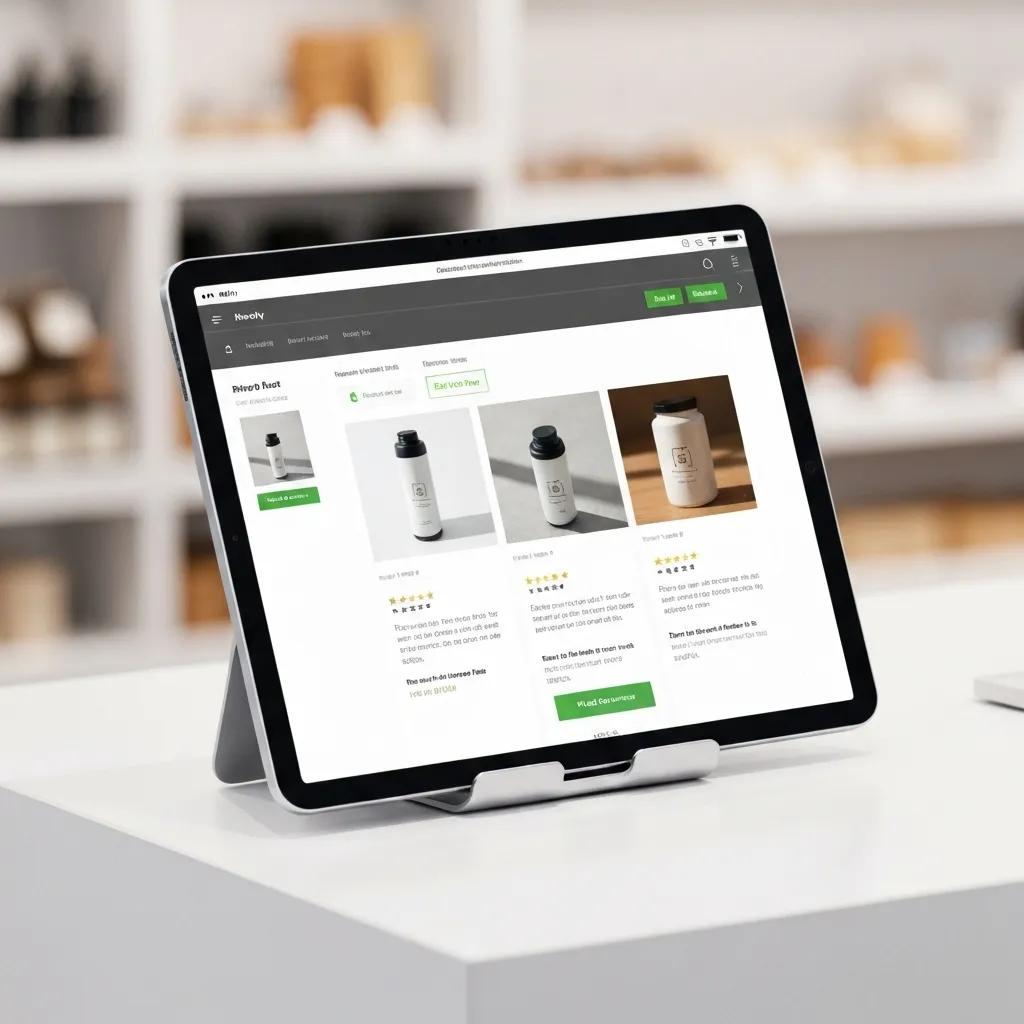
Optimizing your Shopify product pages means refining every element—from visuals to persuasive copy—to guide visitors from curious browsers to confident buyers. By focusing on layout, imagery, trust cues, and compelling descriptions, you’ll craft an engaging experience that drives purchases and fuels ongoing testing.
What Makes a Shopify Product Page Convert Like Crazy?
- Crystal-Clear Call to Action – An “Add to Cart” button that pops and is visible immediately.
- Clean, Easy-to-Scan Layout – Organized sections for features, benefits, and product options.
- Benefit-Focused Bullet Points – Quickly showcase your product’s top advantages.
- Prominent Price and Savings – Boldly highlight discounts or special offers.
- Interactive Options – Simple selectors for size, color, or other variations.
Elements of High-Converting Shopify Product Pages
High-converting product pages share five key elements that work in sync to drive sales: a Clear, Prominent Call to Action, a Compact, Scannable Layout, Bullet-Pointed Benefit Lists, a clear Price and Savings Display, and an Interactive Variant Selector. Integrating these ensures visitors instantly grasp how your product meets their needs, removing decision hurdles.
This source lists the essential components of product pages that excel at converting visitors.
Integrating these elements ensures visitors instantly grasp how your product meets their needs, removing decision hurdles.
How Do You Polish Shopify Product Images and Videos?
- Use high-resolution photos (at least 1,000 × 1,000 px) with clean, consistent backgrounds.
- Enable zoom and 360° view features for close-up inspection.
- Include short demo videos (under 30 seconds) showing the product in action.
- Optimize image files for speed using WebP format and lazy loading.
These visual enhancements build customer confidence and reduce the uncertainty that often leads to abandoned carts.
How Can Social Proof Supercharge Your Shopify Product Pages?
- Showcase star ratings and review counts right near the product title.
- Feature customer testimonials with photos or video clips.
- Embed user-generated content galleries showing real customers.
- Highlight best-seller badges and “X units sold” counters.
When shoppers see authentic endorsements, they feel less risk and are more inclined to hit that buy button.
What’s the Secret Sauce for Shopify Product Descriptions That Sell?
- Lead with the Value – Start by explaining how the product solves a problem or improves their life.
- Engage the Senses – Use descriptive language for textures, smells, or sights to paint a vivid picture.
- Weave in Keywords Naturally – Include terms like “eco-friendly,” “long-lasting,” or “handmade” where they fit.
- Keep it Scannable – Break text into short, 2–3 sentence paragraphs.
- Add a Secondary Nudge – Encourage visitors to check size guides or read reviews.
This persuasive flow guides potential customers through both an emotional and logical decision-making process, reinforcing their desire to purchase.
What Are Smart Strategies for Optimizing Your Shopify Checkout?
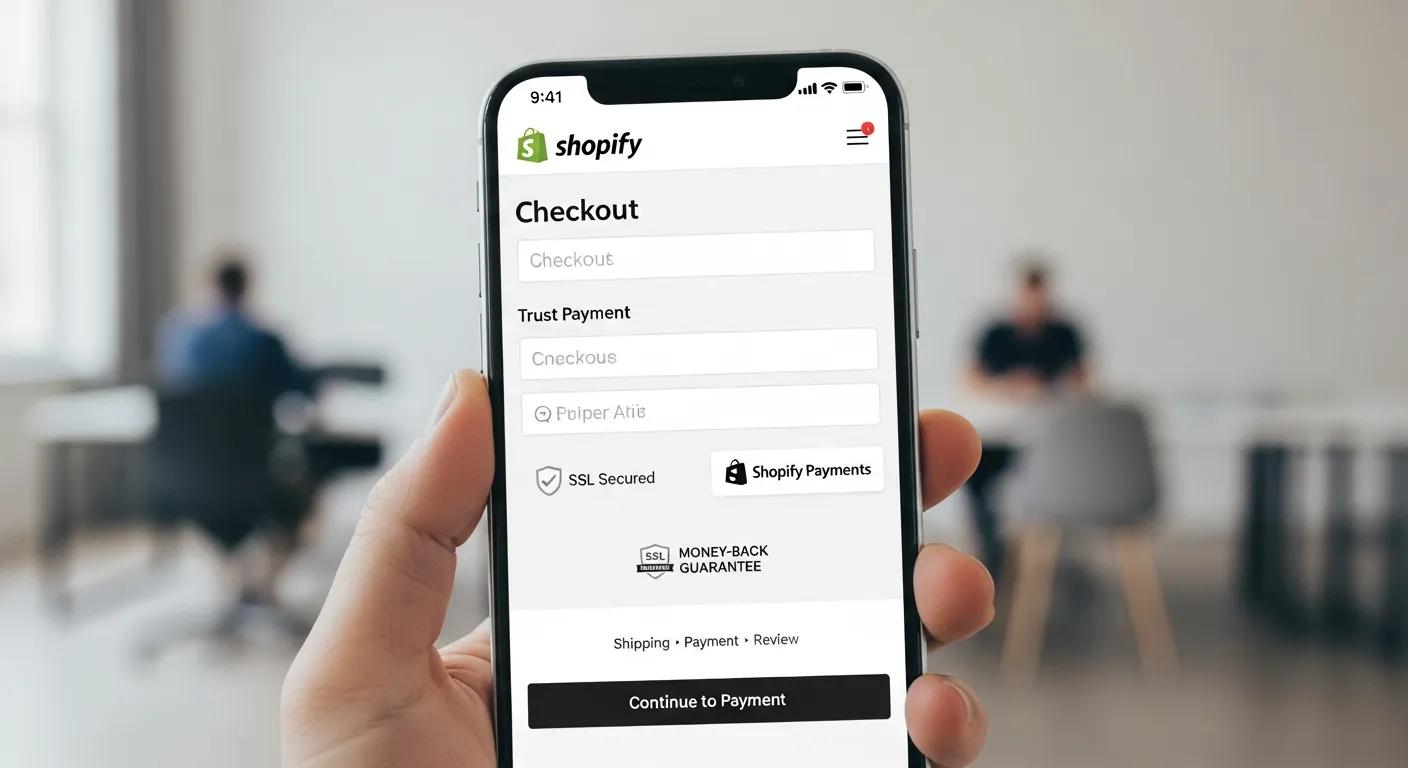
Shopify Checkout Optimization Tactics
A streamlined checkout process cuts down friction, builds trust, and speeds up purchases. By simplifying steps, offering guest checkout, and reinforcing security, you’ll dramatically reduce cart abandonment and boost conversions.
This source explains why optimizing the checkout process is so crucial.
How Do You Slash Shopify Cart Abandonment Rates?
- Send automated recovery emails within 30 minutes of abandonment.
- Deploy exit-intent popups with special offers before visitors leave.
- Show persistent cart summaries in the header for easy access.
- Remind shoppers of free shipping thresholds with dynamic progress bars.
- Simplify coupon entry by pre-applying discounts whenever possible.
These tactics recapture attention and provide the final nudge needed to complete the purchase.
What Are the Best Practices for a Smooth Shopify Checkout?
- One-Page Checkout Simplicity – Combine billing, shipping, and payment all on one screen.
- Guest Checkout Option – Let customers buy without forcing account creation.
- Smart Address Autofill – Integrate address lookup and predictive text.
- Multiple Payment Choices – Support digital wallets (Apple Pay, Google Pay) and buy-now-pay-later.
- Clear Progress Indicators – Show step numbers so customers know where they are.
By making navigation and form filling effortless, you reduce drop-offs and speed up order finalization.
How Does One-Page Checkout Boost Shopify Conversions?
- Fewer clicks and page loads mean a faster path to purchase.
- Instant error feedback right next to each field.
- Customers maintain visual context of their cart throughout.
Stores often see up to a 15% jump in checkout completion rates when moving from multi-step to a one-page flow.
Which Trust Signals Make Your Shopify Checkout More Confident?
These signals lower perceived risk and build confidence, encouraging shoppers to finalize their purchases.
How Do Shopify UX and UI Shape Your Conversion Rates?
The user experience (UX) and interface (UI) of your Shopify store directly influence how customers perceive value and navigate your brand. Optimizing for intuitive design, speed, and personalization at every touchpoint drives engagement and conversions.
Why Is Mobile-First Design a Game-Changer for Shopify Conversions?
Mobile-first design puts the experience for smartphone and tablet users front and center—and for good reason, as they now make up over 70% of e-commerce traffic. A mobile-optimized Shopify theme improves tap-to-buy ease, simplifies navigation, and cuts down on scrolling fatigue, leading to conversion rates up to 25% higher than on non-responsive sites.
Mobile-First Shopify Design Essentials
Mobile-first design prioritizes the layout, load times, and interactions for smartphone and tablet users, who now account for over 70 percent of all e-commerce traffic. A mobile-optimized Shopify theme enhances tap-to-buy functionality, simplifies navigation, and reduces scroll fatigue—leading to up to 25 percent higher mobile conversion rates compared to non-responsive layouts.
This source emphasizes the critical role of mobile-first design for Shopify stores.
How Can You Speed Up Your Shopify Site for Better CRO?
- Compress images and convert them to next-gen formats like WebP.
- Utilize browser caching and content delivery networks (CDNs).
- Minimize third-party scripts and unnecessary Shopify apps.
- Implement lazy loading for images and videos below the fold.
- Consider AMP (Accelerated Mobile Pages) for key landing pages.
These speed enhancements reduce load times and bounce rates, directly impacting how quickly sales happen.
What Intuitive Navigation Techniques Drive More Shopify Sales?
- Use mega menus to logically group collections, subcollections, and promotions.
- Incorporate a sticky header with always-visible search and cart icons.
- Add breadcrumb trails on product pages to help users backtrack easily.
- Display related products and upsell bundles on category and product pages.
Streamlined navigation shortens the path from discovery to purchase and encourages customers to explore more.
How Do Personalization Strategies Boost Shopify Store Conversions?
- Smart Product Recommendations – Show “You Might Also Like” suggestions based on browsing history.
- Localized Promotions – Display offers and shipping info relevant to the visitor’s region.
- Targeted Email Campaigns – Send personalized cart reminders or product suggestions.
- On-Site Popups – Trigger messages based on time or behavior, offering custom incentives.
Each personalized interaction increases relevance, strengthening the connection that leads to a sale.
Which Shopify CRO Tools and Analytics Are Key to Maximizing Conversions?
Essential Shopify CRO Tools and Analytics
A powerful suite of analytics and experimentation platforms is your key to gathering insights, running tests, and continuously refining your Shopify store. Choosing the right tools accelerates meaningful CRO results.
This source underscores the importance of leveraging analytics and experimentation platforms.
How Does Hotjar Uncover Shopify User Behavior?
Hotjar offers heatmaps, scroll maps, and session recordings that show you precisely how visitors interact with your Shopify pages. By spotting where attention is focused, where users drop off, and why forms are abandoned, you can make informed design changes—like moving call-to-action buttons or adjusting content hierarchy—to boost engagement and conversions.
What Are the Best Practices for A/B Testing on Shopify with Optimizely and VWO?
- Test one element at a time (e.g., button color or headline).
- Run tests until they reach statistical significance to avoid misleading results.
- Segment your audience by device, traffic source, or location.
- Prioritize testing on high-traffic pages (homepage, top product pages, checkout).
Following these guidelines ensures your test outcomes are reliable and your optimizations are effective.
How Can Google Analytics Track Your Shopify Conversion Performance?
Google Analytics (GA4) tracks how users find your Shopify store, how they behave, and key e-commerce events. By setting up enhanced e-commerce tracking, you gain deep insights into your view-to-cart, cart-to-checkout, and checkout-to-purchase funnels. Custom dashboards for conversion funnels and attribution reporting help you direct your marketing budget to the channels that perform best.
What Advantages Does Littledata Offer for Advanced Shopify Analytics?
Littledata connects directly with Shopify to seamlessly sync order attribution data with Google Analytics and Segment. This eliminates data errors and provides accurate insights into lifetime value, repeat purchase rates, and marketing ROI. Savvy merchants trust Littledata to simplify their analytics setup and rely on its data for strategic CRO decisions.
What Real-World Shopify CRO Success Stories Prove the Power of Optimization?
Real-World Shopify CRO Case Studies
Tangible examples of Shopify store turnarounds demonstrate how targeted CRO tactics deliver measurable results. These real-world case studies showcase the most effective optimizations for various business models.
This source highlights the value of looking at real-world case studies.
How Did Shopify Stores Boost Conversions by Optimizing Mobile Checkout?
A direct-to-consumer electronics brand overhauled its mobile checkout by switching to a one-page flow, enabling digital wallets, and cutting form fields from eight to just four. This mobile-focused redesign boosted their mobile conversion rate by 18% and overall revenue by 12% in just six weeks.
What Were the Before-and-After Results of Shopify Product Page Optimization?
An artisan home goods store ran an A/B test comparing standard product page images against ones featuring a 360° view and customer testimonials. The enhanced version drove a 25% increase in “Add to Cart” clicks and a 30% surge in completed purchases, proving the impact of immersive visuals and social proof.
How Have Shopify Plus Brands Achieved Higher Sales with Custom CRO?
A high-volume fashion retailer on Shopify Plus implemented dynamic personalization rules that adjusted homepage banners, suggested upsells based on browsing behavior, and triggered exit-intent offers. These custom CRO tactics led to a 22% increase in average order value and a sustained 10% rise in monthly revenue.
Your Top Questions Answered: Maximizing Shopify Conversion Rates
E-commerce leaders often seek clarity on four key areas of conversion—quick wins, performance benchmarks, app recommendations, and checkout enhancements—all vital for a solid CRO strategy. Here’s a quick rundown to address those common questions.
- Fast Conversion Boosts: Implement one-page checkout, prominent trust badges, and high-impact A/B tests on product pages for initial gains within weeks.
- Measuring Success: Aim for a 2%+ conversion rate; benchmark against industry reports and adjust based on device and traffic source data.
- Top CRO Apps for Shopify: Use Hotjar for user insights, Littledata for analytics accuracy, and Optimizely or VWO for structured testing.
- Optimizing Checkout Conversions: Reduce form fields, enable guest checkout, support digital wallets, and display security seals prominently to minimize drop-offs.
How Do You Effectively Implement and Monitor Shopify CRO Strategies?
A successful CRO program requires strategic planning, continuous iteration, and diligent monitoring of key metrics. By establishing a clear roadmap and using the right tools, you ensure every optimization cycle delivers measurable improvements.
What KPIs Should You Track to Gauge Shopify CRO Success?
- Organic Traffic Growth – Shows how well SEO-driven optimizations are working.
- Conversion Rate Uplift – Quantifies the impact of design and UX changes.
- Average Order Value (AOV) – Indicates revenue quality and the effectiveness of upsells.
- Cart Abandonment Reduction – Reflects improvements in the checkout flow.
- Customer Lifetime Value (CLV) – Validates long-term retention and repeat purchase strategies.
How Do Internal Linking and Content Structure Boost Shopify CRO?
Internal linking and a logical content structure guide visitors to relevant resources—like detailed product guides or case studies—keeping them engaged and boosting SEO authority. Linking from blog hubs like this guide to specific pages on product page optimization and checkout strategies reinforces topical relevance and reduces bounce rates, ultimately leading to more conversions.
Which Tools Help You Keep a Constant Eye on Shopify CRO Performance?
- Google Search Console – Tracks organic impressions and rich snippet visibility.
- GA4 – Measures user behavior, conversion funnels, and attribution.
- SEMrush/Ahrefs – Monitors keyword rankings, site audits, and backlink profiles.
- Hotjar – Provides ongoing heatmaps and session recordings.
- Littledata – Ensures accurate data sync between Shopify and analytics platforms.
How Often Should You Refresh Your Shopify CRO Content and Tactics?
- Quarterly Check-ins – Update stats, refine underperforming copy, and test new variations.
- Biannual Content Audits – Ensure your content structure is still relevant and identify new opportunities.
- As-Needed Updates – Respond quickly to major Shopify platform changes, new tool releases, or emerging industry research.
A consistent update schedule keeps your content fresh, maintains search visibility, and drives ongoing conversion improvements.
By implementing these proven Shopify CRO tactics—covering product page enhancements, checkout streamlining, UX/UI optimization, data-driven experimentation, and strategic monitoring—you’ll build a robust framework that consistently elevates your store’s performance. BlackBelt Commerce’s specialized Shopify CRO services combine deep platform expertise with advanced analytics to accelerate your growth and deliver tangible results. Apply these recommendations systematically, track your KPIs diligently, and you’ll maximize your Shopify conversion rates while setting your brand up for lasting success.
Quick Answer: Shopify conversion rate optimization
Shopify conversion rate optimization is the process of finding and reducing the friction that stops qualified visitors from buying or taking the next step. A strong CRO plan reviews traffic quality, product-page clarity, mobile UX, speed, trust signals, cart behavior, checkout confidence, analytics, and testing priorities.
Key Takeaways
- Shopify CRO should diagnose the full buying journey: traffic quality, product clarity, speed, trust, mobile UX, cart behavior, and checkout confidence.
- The article should answer search intent with practical conversion tactics while making the case for expert review when revenue is at stake.
- Internal links should reinforce Shopify CRO, conversion optimization, Shopify experts, Shopify Plus agency support, and custom development.
- The commercial bridge should show when better conversion from existing traffic is a higher-leverage move than buying more traffic.
- Use the same-page Calendly CTA so qualified merchants can book a strategy call without being pushed into a long form.
How this connects to your Shopify growth strategy
This article should remain useful for readers researching Shopify conversion rate optimization, but it also needs to show when the topic becomes a business decision. For the Shopify CRO cluster, the commercial bridge is practical: once the reader understands the concept, the next step is deciding whether their current Shopify setup can support the desired experience, conversion path, and operational workflow. That is where expert planning, design, development, CRO, and SEO support can turn the idea into measurable store improvements.
Related Shopify resources
These internal resources support the Shopify CRO topic cluster and help connect this guide to stronger commercial next steps:
- Shopify CRO
- Shopify experts
- Shopify Plus agencies
- Shopify CRO — Parent service page for the reader’s next commercial step
- Blackbelt Commerce — Home-page authority link for brand and core Shopify expertise
- Shopify experts — Money-page link requested for expert-hiring intent
- Shopify Plus agencies — Money-page link requested for high-growth and Plus-agency intent
- Shopify custom development — Development service page for implementation and technical help
- Shopify checkout optimization — Related conversion article
- Shopify conversion optimization — Related CRO article
Questions store owners ask before taking action
What is Shopify conversion rate optimization?
It is the process of improving the store experience so more qualified visitors buy, add to cart, subscribe, request help, or take another valuable action.
What should merchants optimize first?
Start with the highest-friction parts of the journey, such as product pages, mobile UX, site speed, trust signals, cart, checkout messaging, and offer clarity.
Can CRO help before buying more traffic?
Yes. Improving conversion can make existing traffic more valuable before the merchant spends more on ads or traffic generation.
When should CRO involve experts?
Expert support is useful when analytics, UX, testing, theme code, apps, checkout constraints, or revenue-critical changes are involved.
How should this article lead to a strategy call?
It should show readers where conversion friction appears, then invite them to book a call for a prioritized CRO roadmap.
Future articles needed for topical dominance
To build deeper topical authority around this cluster, these supporting topics should be created later and linked back into this article:
- Shopify Conversion Rate Optimization Checklist for Shopify Merchants: Creates a practical support article that turns the Shopify CRO topic into an actionable CRO review workflow.
- Shopify Product Page CRO: Trust Signals, Copy, and CTA Placement: Builds topical authority around product-page conversion and creates natural links to Shopify CRO and expert support.
- When to Hire Shopify Experts for Shopify Conversion Rate Optimization: Connects CRO education to expert-hiring intent while preserving editorial usefulness.

