


Unlock Your Shopify Store’s Potential: The Ultimate Playbook for Speed, SEO, and Conversions
Supercharge your Shopify store by transforming sluggish pages into blazing-fast, search-engine-friendly powerhouses that drive sales. This isn’t just about tweaking; it’s a strategic fusion of speed optimization, SEO mastery, and conversion rate wizardry. In this deep dive into optimizing your Shopify store, you’ll uncover battle-tested tactics—from crushing Core Web Vitals to mastering omnichannel secrets—designed to elevate your customer experience and skyrocket revenue. Get ready to explore:
- Speed Optimization Tactics (Core Web Vitals, image/code wizardry, deep dives)
- SEO Essentials (on-page power, technical foundations, app integrations)
- CRO Strategies (product page magic, checkout flow hacks, testing)
- Data-Driven Dominance (key metrics, Google integrations, actionable insights)
- Omnichannel Mastery (email, journey mapping, channel synergy)
- Shopify Plus Edge (custom themes, advanced code, AI personalization)
- Technical SEO Audits (crawlability, structured data, duplicate fixes)
- Image Optimization Deep Dive (WebP, lazy loading, compression tools)
- Future-Proofing (mobile commerce, emerging tactics, evolving CWV)
We’ll kick things off with actionable speed optimizations, showing you how to serve up faster pages, conquer search rankings, and convert more visitors—all backed by the real-world expertise of BlackBelt Commerce – Your Shopify Experts & Shopify Plus Partners.
How Can You Ignite Your Shopify Store’s Performance with Speed Optimization?
Supercharging your Shopify store means fine-tuning performance metrics, slashing asset sizes, and dissecting theme and app behavior to achieve warp-speed load times and boost customer engagement. By zeroing in on Core Web Vitals, optimizing images and code, and auditing your entire setup, you’ll unlock both speed and conversion gains.
What Are Core Web Vitals and Why Are They Crucial for Shopify Performance?
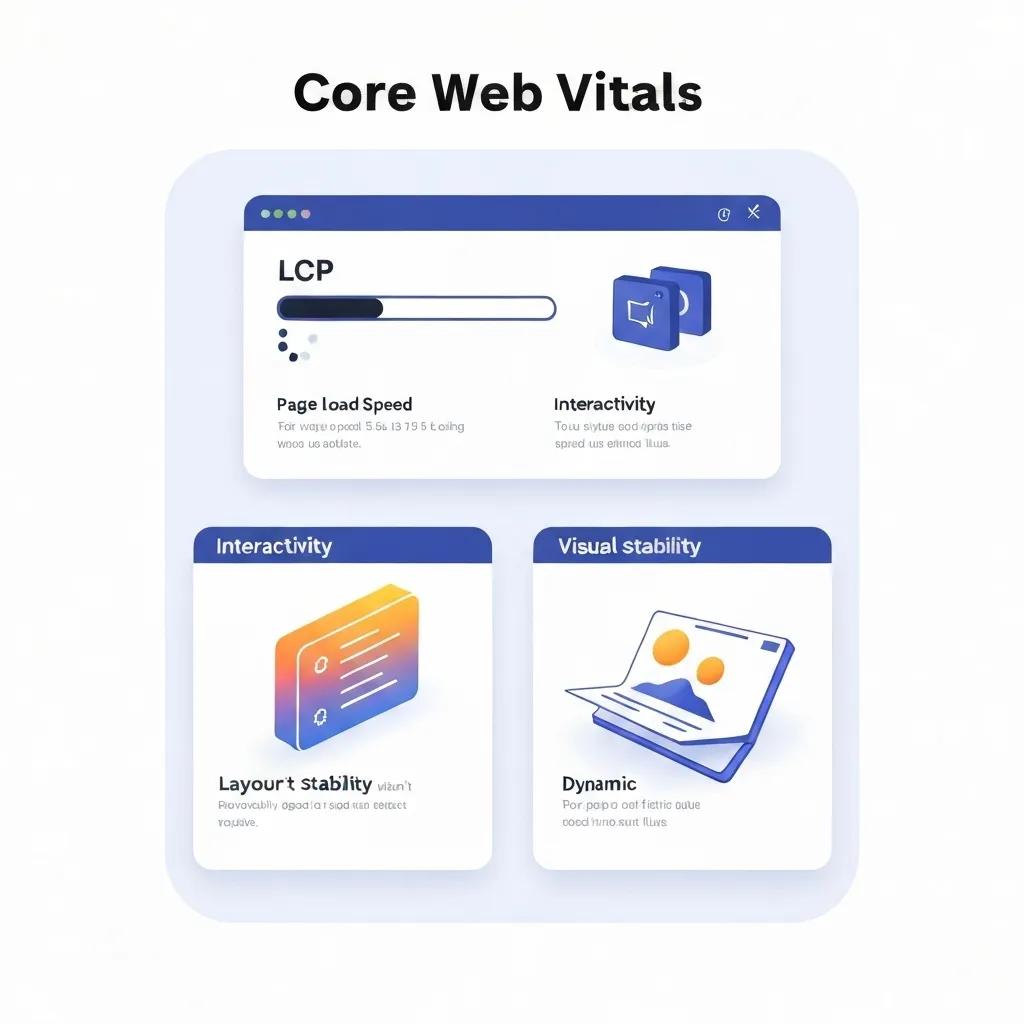
Core Web Vitals are your key indicators for user experience—Largest Contentful Paint (LCP), First Input Delay (FID), and Cumulative Layout Shift (CLS)—measuring loading speed, interactivity, and visual stability. Nail these, and you’ll see direct improvements in engagement and search rankings, thanks to faster content rendering, snappier interactions, and a smoother visual journey for your visitors.
- LCP: How long it takes for the biggest visible element to load; aim for under 2.5 seconds.
- FID: The delay before your site responds to a user’s first interaction; keep it below 100 milliseconds.
- CLS: How much content shifts unexpectedly during loading; target a score under 0.1.
Core Web Vitals: The User Experience Game-Changer
Research consistently shows that boosting Core Web Vitals, like Largest Contentful Paint (LCP), directly fuels better user engagement and higher search rankings. Faster load times and a stable visual experience are non-negotiable for a superior user journey.
This underscores why mastering Core Web Vitals is paramount for any high-performing Shopify store.
A stellar Core Web Vitals profile not only boosts your Google ranking potential but also slashes bounce rates, setting the perfect stage for advanced image and code optimization.
How Do Image Optimization Tools Like WebP and TinyPNG Elevate Shopify Speed?
Images are often the biggest culprits for page bloat. Converting your assets to WebP and compressing them with tools like TinyPNG or TinyIMG can slash file sizes by up to 70%—without sacrificing quality. This means faster visual rendering and a significant boost to your LCP scores.
- Embrace the WebP format for your product visuals to achieve file sizes 25–40% smaller than JPEGs.
- Integrate TinyPNG compression directly into your theme’s build process or leverage dedicated Shopify apps.
- Pair these with lazy loading to ensure images only load when they’re about to enter the viewport.
The Power of Optimized Images
Studies reveal that converting images to WebP and using compression powerhouses like TinyPNG can shrink file sizes by up to 70%, dramatically accelerating page load times and improving LCP. This directly translates to better SEO and happier customers.
Smart image handling doesn’t just speed things up; it actively enhances your Core Web Vitals, paving the way for superior SEO and user satisfaction.
How Can You Fine-Tune Liquid and CSS Code for Faster Shopify Themes?
Your Liquid templates and CSS styles have a direct impact on parsing speed and render-blocking behavior. By streamlining Liquid loops and conditionals, inlining critical CSS, and deferring non-essential styles, you’ll slash server processing and client rendering times.
- Simplify your Liquid logic by consolidating loops and purging unused snippets.
- Inline your above-the-fold CSS and load the rest asynchronously.
- Minify your CSS files and harness critical-path CSS tools within your theme’s build process.
Leaner code means a faster server response time and a quicker First Contentful Paint, directly boosting user experience and search visibility.
What Are the Go-To Strategies for Auditing Shopify Theme and App Performance?
Auditing your themes and apps is key to pinpointing performance bottlenecks and making targeted improvements. Leverage tools like Lighthouse, PageSpeed Insights, and GTmetrix to measure speed metrics and identify resource-heavy assets or scripts.
These audits reveal prime opportunities to disable or replace underperforming apps, optimize theme code, and significantly accelerate page load speeds for a superior UX and higher conversions.
What Are the Top Shopify SEO Tactics to Conquer Search Rankings?
Mastering Shopify SEO means weaving together on-page keyword optimization, technical enhancements, smart app integrations, and rich product listing strategies to dominate organic search results.
How Do You Optimize Product and Collection Pages for Maximum Shopify SEO Impact?
Elevate your product and collection pages by crafting unique titles, compelling meta descriptions, and keyword-rich content. A solid heading hierarchy and descriptive alt attributes will further cement your relevance in the eyes of search engines.
- Title Tags & Meta Descriptions: Front-load your primary keyword and keep it concise (50–60 characters).
- H1 & Subheading Strategy: Feature product names in your H1 and category descriptors in H2/H3 tags.
- Alt Text & Filenames: Use keyword-rich phrases to describe your images (e.g., “navy blue vegan leather tote bag”).
- Rich Snippets & Review Stars: Implement JSON-LD product schema directly within your Shopify settings.
E-commerce SEO: The Foundation for Success
Implementing essential on-page SEO tactics, including optimized title tags, meta descriptions, and structured data, significantly boosts your website’s relevance and click-through rates, establishing authority for your target queries.
These on-page efforts amplify relevance signals, improve click-through rates, and build crucial authority for your targeted search terms.
What Technical SEO Elements Are Non-Negotiable for Shopify Stores?
Solid technical SEO ensures your store is easily crawlable, indexable, and ready for global audiences. Key elements include canonical tags, hreflang implementation, XML sitemaps, and a flawless mobile-first experience.
- Canonical Tags: Prevent duplicate content headaches by specifying canonical URLs for product variants.
- Hreflang Tags: Guide international visitors to the correct language or regional versions of your site.
- XML Sitemap: Generate and submit your Shopify sitemap to Google Search Console for efficient indexing.
- Robots.txt & Crawl Budget: Configure robots.txt to steer search engines away from irrelevant paths and optimize your crawl budget.
Maintaining these technical pillars safeguards your store’s search performance and expands your global reach.
Which Shopify SEO Apps Are Your Secret Weapons for Visibility?
Leverage Shopify SEO apps to automate metadata management, schema markup, and performance monitoring, freeing you up to focus on what truly matters: killer content.
- Plug-in SEO: Automatically generates and analyzes meta tags across your entire site.
- Smart SEO: Effortlessly implements structured data for products, articles, and breadcrumbs.
- SEO Manager: Offers real-time optimization suggestions and robust sitemap control.
Harnessing these tools streamlines your SEO workflow, ensures best practices are consistently applied, and uncovers hidden optimization opportunities.
How Does Google Merchant Center Integration Supercharge Your Shopify Product Listings?
Connecting Google Merchant Center with Shopify syncs your product catalog directly to Google Shopping, unlocking powerful product ads and boosting visibility for transactional searches.
A seamless Merchant Center feed expands your reach, drives highly qualified traffic, and accelerates revenue growth through targeted shopping campaigns.
How Can You Skyrocket Your Shopify Conversion Rate with Proven CRO Strategies?
Conversion Rate Optimization (CRO) for Shopify is all about refining your product page design, simplifying the checkout journey, and implementing personalized experiences to turn more browsers into buyers.
What Are the Ultimate Tactics for Optimizing Shopify Product Pages for Higher Conversions?
High-converting product pages are a blend of persuasive copy, crystal-clear calls to action, and powerful trust signals designed to guide shoppers seamlessly toward purchase.
- Stunning Imagery & Galleries: Showcase products from every angle with zoom capabilities.
- Benefit-Driven Descriptions: Focus on the problems you solve and the unique value you offer.
- Leverage Social Proof: Display customer reviews, ratings, and user-generated content.
- Compelling CTA Buttons: Use contrasting colors and action-oriented text like “Add to Cart.”
These elements build confidence, reduce friction, and directly boost your add-to-cart rates.
How Do You Streamline the Shopify Checkout Process to Slash Cart Abandonment?
A frictionless checkout experience minimizes steps, clarifies all costs upfront, and offers guest checkout options to drastically reduce abandonment rates.
Simplified flows and diverse payment options shorten the path to purchase and recover potentially lost sales.
How Can A/B Testing and Personalization Supercharge Your Shopify Store Conversions?
A/B testing different headlines, layouts, and offers helps you pinpoint your highest-performing variations, while personalized recommendations can significantly increase your average order value.
- Headline & Hero Section Tests: Compare messaging to find what resonates most.
- Product Recommendation Blocks: Utilize purchase history or browsing data for dynamic, relevant offers.
- Cart Abandonment Pop-ups: Experiment with timing and discount strategies to recover carts.
Data-driven testing refines your entire store experience, enabling continuous CRO improvements and deeper customer engagement.
How Do Shopify Analytics and Data-Driven Optimization Fuel Business Growth?
Leveraging Shopify analytics and integrated data tools empowers merchants to meticulously track performance, uncover hidden opportunities, and make smarter optimization decisions.
What Are the Must-Track Metrics in Your Shopify Analytics Dashboard?
Keeping a close eye on metrics like conversion rate, average order value (AOV), and traffic sources provides a crucial performance baseline.
- Conversion Rate: The percentage of sessions that successfully result in a purchase.
- Average Order Value: Total revenue divided by the number of orders placed.
- Cart Abandonment Rate: The percentage of initiated checkouts that don’t get completed.
- Traffic Sources: A breakdown of where your visitors are coming from (organic, paid, social, referral).
Monitoring these key indicators reveals your store’s strengths and weaknesses, guiding your optimization efforts across speed, SEO, and CRO.
How Do You Seamlessly Integrate Google Analytics and Google Merchant Center with Shopify?
Linking Google Analytics unlocks advanced user behavior tracking, while Merchant Center integration is essential for powering your shopping campaigns.
- Google Analytics 4 Setup: Input your Measurement ID in Shopify Admin → Preferences.
- Enhanced Ecommerce Tracking: Enable this in GA4 to capture product impressions, add-to-cart events, and more.
- Merchant Center Feed: Install Shopify’s Google channel app and configure your product listings for optimal sync.
Together, these integrations provide unified data streams for comprehensive performance analysis and campaign optimization.
How Can Data Insights Sharpen Your Shopify Optimization Decisions?
Analyzing user flow, identifying drop-off points, and understanding cohort behavior are critical for prioritizing your optimization efforts.
Data-driven strategies eliminate guesswork, focusing your development resources where they’ll deliver the highest return on investment.
What Are the Secrets to Winning Omnichannel Marketing for Your Shopify Store?
Omnichannel marketing is about creating a unified, seamless customer experience across email, social media, ads, and in-store touchpoints to foster loyalty and drive repeat business.
How Does Email Marketing with Omnisend Elevate Shopify Customer Engagement?
Omnisend automates personalized email sequences—from welcome series and cart recovery to tailored product recommendations—powered by your customer’s purchase and browsing data.
- Abandoned Cart Series: Deploy up to three timed reminders featuring dynamic product blocks.
- Post-Purchase Follow-Up: Encourage reviews and suggest complementary items.
- Segmentation & Tagging: Target specific customer groups based on order value, browsed categories, or location.
Automated flows nurture customer relationships, boost repeat purchases, and build lasting brand trust.
What Is Customer Journey Mapping and How Does It Drive Shopify Sales?
Customer journey mapping visually charts every touchpoint a customer has with your brand, from initial discovery to post-purchase engagement, revealing friction points and untapped opportunities.
- Discovery Phase: Track ad click-through rates and landing page engagement.
- Consideration Phase: Monitor product page depth and review interaction patterns.
- Decision Phase: Analyze checkout drop-offs to pinpoint and eliminate barriers.
- Retention Phase: Measure repeat purchase rates and email engagement metrics.
By optimizing each stage of the journey, you create smoother experiences that lead to higher lifetime customer value.
How Can You Integrate Multiple Marketing Channels for Ultimate Shopify Success?
Unifying your paid ads, social media, email, and SMS efforts ensures consistent messaging and coordinated promotions across all platforms.
Integrated channel strategies maintain brand consistency, maximize your reach, and drive conversions across every customer touchpoint.
What Advanced Shopify Optimization Secrets Can Shopify Plus Merchants Unlock?
Shopify Plus merchants gain access to enterprise-level capabilities—custom themes, advanced APIs, and cutting-edge AI tools—for unparalleled performance optimization.
How Does Custom Theme Development Unlock Elite Shopify Plus Performance?
Custom theme development on Shopify Plus grants granular control over code architecture, asset loading, and headless implementations. Building a theme from the ground up allows you to eliminate unnecessary bloat, implement server-side rendering, and integrate progressive web app (PWA) technologies for near-instantaneous interactions.
These advanced capabilities deliver sub-2-second load times and seamless user experiences, far surpassing the limitations of off-the-shelf themes.
What Are the Advanced Liquid and CSS Optimization Techniques for Shopify Plus?
Master advanced techniques like fragment caching, schema-driven sections, and CSS variables to minimize runtime rendering. By leveraging Shopify’s storefront API and asynchronous Liquid rendering, you can defer non-critical sections and scope CSS at the component level, drastically reducing render-blocking and improving First Contentful Paint.
These sophisticated code refinements ensure high throughput even under heavy traffic and maintain peak performance as your store scales.
How Can Shopify Plus Stores Achieve Blazing-Fast Sub-2 Second Load Times?
Achieving sub-2-second load times demands a strategic combination of CDN edge caching, inline critical CSS, lazy-loading components, and headless storefront architectures. By serving prerendered pages from Fastly (Shopify’s CDN) and deferring JavaScript execution, you eliminate latency and optimize the user experience globally.
This performance benchmark sets industry standards and directly supports higher conversion rates.
What Role Does AI Play in Personalizing Shopify Plus Store Experiences?
AI-powered recommendation engines and chatbots analyze browsing and purchase history to deliver dynamic product suggestions, predictive search results, and highly tailored landing pages. These machine-learning models significantly boost engagement by surfacing the most relevant items and personalizing content in real-time.
AI personalization drives higher average order values and cultivates deeper customer loyalty by presenting the right products at precisely the right moment.
How Do You Conduct a Rock-Solid Shopify Technical SEO Audit?
A comprehensive technical SEO audit for Shopify meticulously examines crawlability, indexability, structured data, and content duplication to ensure search engines can fully understand and rank your site effectively.
What Are the Critical Crawlability and Indexability Checks for Shopify?
Ensuring proper crawlability and indexability confirms that search engines can access all your important pages and interpret their content accurately.
- Robots.txt Review: Verify that essential pages are not inadvertently blocked from search engine crawlers.
- XML Sitemap Validation: Confirm your sitemap is up-to-date and correctly submitted in Google Search Console.
- 404 & Redirect Analysis: Identify and fix broken links, implementing 301 redirects where necessary.
- Page Speed and Mobile-First Testing: Validate responsive design and ensure optimal load performance across all devices.
These essential checks maintain uninterrupted indexing and ensure accurate ranking signals are passed to search engines.
How Do You Implement Structured Data and Canonical Tags Correctly on Shopify?
Structured data enriches your search results with eye-catching rich snippets, while canonical tags are crucial for preventing duplicate content issues.
- Product Schema Markup: Add JSON-LD within your `theme.liquid` file to define product name, image, price, and availability.
- Breadcrumb Schema Markup: Define `breadcrumbList` markup to clearly outline your category hierarchy.
- Canonical URLs: Automatically insert the correct “ tag for variant pages using Liquid.
Proper markup enhances your SERP real estate and consolidates crucial ranking signals for better visibility.
How Can You Conquer Common Shopify SEO Challenges Like Duplicate Content and Hreflang?
Duplicate content often stems from pagination, product variants, and multiple CMS pages. Strategically use canonical tags and `meta robots noindex` directives on parameterized URLs. For international stores, implement hreflang tags to serve language-specific versions and prevent indexing conflicts.
By diligently resolving these issues, you preserve your site’s authority and ensure the right content reaches the right audience.
How Does Shopify Image Optimization Elevate Store Speed and User Experience?
Shopify image optimization combines modern formats, smart lazy loading, and powerful compression tools to slash file sizes and accelerate visual rendering, directly impacting Core Web Vitals and conversion rates.
What Are the Key Advantages of Using WebP and Lazy Loading on Shopify?
WebP images offer superior compression efficiency, while lazy loading intelligently defers off-screen images until they’re needed. Together, they significantly reduce initial page weight and boost LCP and CLS scores by prioritizing the loading of critical visuals.
This approach ensures a faster first paint and prevents jarring layout shifts as images load dynamically.
How Do Tools Like TinyPNG and TinyIMG Compress Shopify Images with Maximum Effectiveness?
TinyPNG and TinyIMG employ intelligent lossy compression algorithms to shrink PNG and JPEG files without any noticeable degradation in quality. By integrating these tools via Shopify apps or your build pipeline, you automate compression at the point of upload, ensuring your assets are optimized at scale.
Consistent image compression maintains visual clarity while maximizing performance gains.
How Does Image Optimization Directly Impact Core Web Vitals and SEO Performance?
Optimized images reduce LCP by enabling the largest visible element to load faster, and they minimize layout shifts by specifying dimensions and deferring lazy-loaded visuals. Improved Core Web Vitals translate directly to better user satisfaction and enhanced organic rankings, creating a powerful feedback loop between speed, UX, and search performance.
What Are the Top Shopify Performance Optimization Strategies for 2025 and Beyond?
Staying ahead of the curve in 2025 means anticipating the continued growth of mobile commerce, embracing new SEO paradigms, and aligning with evolving Core Web Vitals thresholds.
How Will the Surge in Mobile Commerce Reshape Shopify Store Optimization?
With mobile sales projected to command over 60 percent of e-commerce by 2025, prioritizing responsive design, AMP-like experiences, and intuitive touch-friendly UI components is no longer optional—it’s critical. Lightning-fast mobile loads and simplified navigation are essential for strong engagement on smaller screens and maintaining conversion rates.
Meeting the expectations of mobile shoppers is now a fundamental competitive imperative.
What Emerging Trends Should Shopify Merchants Keep an Eye on for Speed and SEO?
Key trends to watch include refinements to Core Web Vitals, the rise of AI-driven content generation for scalable SEO, increased adoption of headless commerce for highly tailored experiences, and the expansion of rich results (like multi-entity carousels). Merchants who proactively embrace these developments will position themselves for greater visibility and resilience against future algorithm shifts.
Future-proofed stores are integrating decoupled architectures and sophisticated semantic content strategies.
How Can You Future-Proof Your Shopify Store for Google’s Evolving Core Web Vitals?
Proactive monitoring of LCP, FID, and CLS through automated Lighthouse audits and Web Vitals JavaScript libraries is key to catching regressions early. Implement continuous performance budgets within your CI/CD pipeline, optimize hosting at the edge, and refactor your code according to Google’s latest guidelines.
Staying aligned with these evolving metrics ensures sustained ranking performance and continued user experience leadership.
When speed, SEO, and conversions align through systematic optimization—grounded in Core Web Vitals mastery, technical SEO rigor, proven CRO best practices, data-driven insights, and seamless omnichannel execution—your Shopify store transforms into a high-performance growth engine. Apply these secrets consistently, adapt to emerging trends, and partner with experts to unlock your store’s ultimate potential.
