


Quick answer
Custom HTML lets you add sections a Shopify theme cannot build on its own — things like custom layouts, embeds, tables, or promo blocks. You add it through the theme editor's Custom Liquid/HTML section or a custom section file. It is the fastest way to get a specific look or feature without rebuilding your whole theme, and you do not need to be a developer for simple additions.
Why Custom HTML Shopify Templates Transform Your Online Store
Custom html shopify templates offer a powerful way to break free from default Shopify settings and create unique, high-converting store experiences. If you feel trapped by your theme’s limitations, custom HTML sections let you build exactly what you envision, from interactive product showcases to embedded video galleries.
Quick Answer for Adding Custom HTML to Shopify:
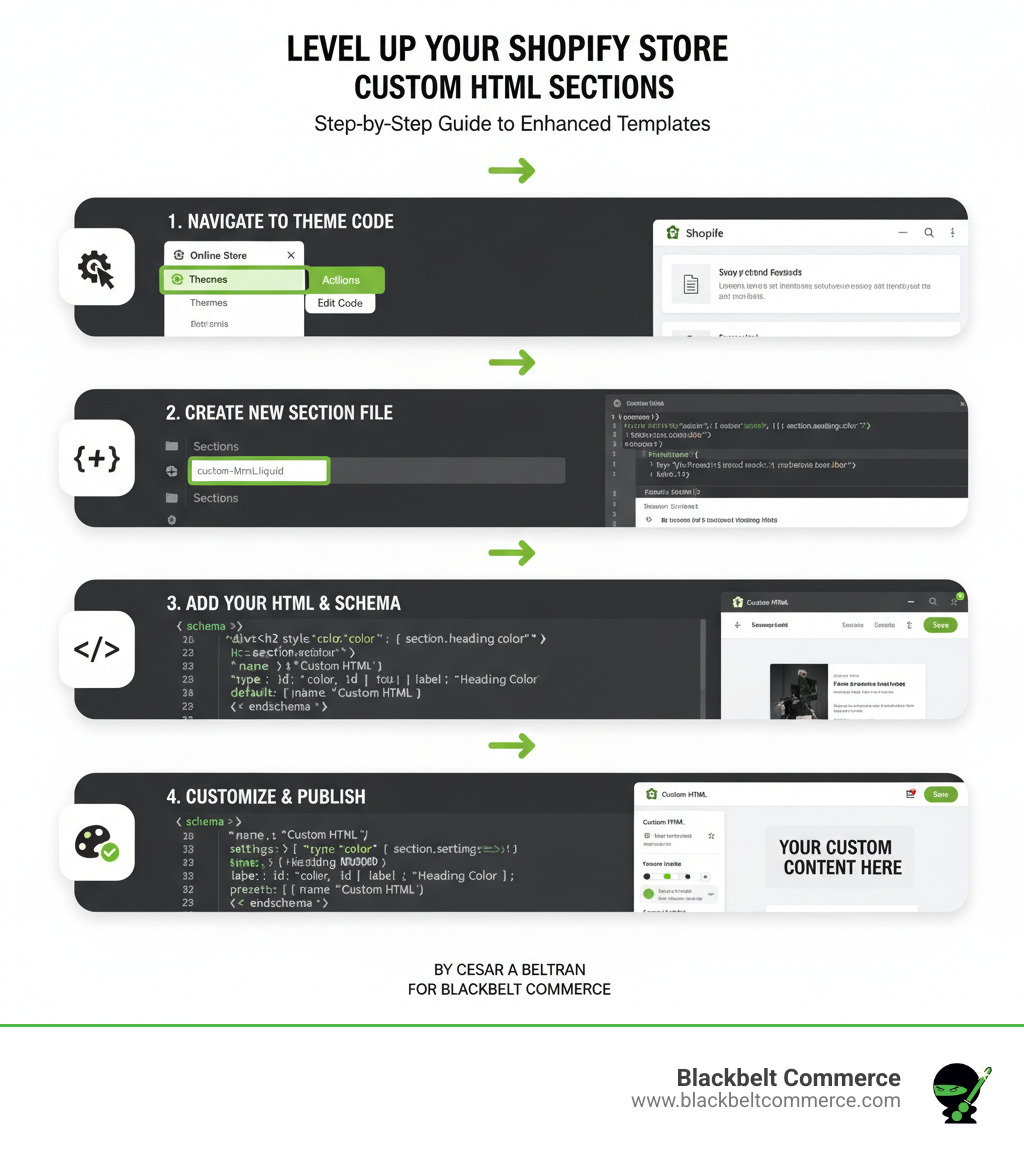
- Steer to Online Store > Themes > Edit Code
- Create a new section file (e.g.,
custom-html.liquid) - Add your HTML code with schema settings
- Insert the section into a page template
- Customize and save your changes
Beyond aesthetics, custom templates directly impact your bottom line by building customer trust, improving user experience, and boosting conversions. They allow you to highlight your unique selling points exactly where they matter most.
I’m Cesar A Beltran, Founder and CEO of Blackbelt Commerce. With over 15 years in e-commerce, I’ve helped over 1,000 businesses scale through strategic Shopify development. I’ve seen how custom html shopify templates transform stores into conversion powerhouses that reflect a strong brand identity.
Custom html shopify templates terms you need:
- customize shopify theme code
- how to build a custom shopify theme
- how to add custom css to shopify theme
Understanding Shopify Templates: The Foundation of Your Store’s Design
A Shopify theme is the blueprint for your online store. Understanding how custom html shopify templates fit into this structure is key to successful customization. Shopify’s theme architecture uses templates, sections, and blocks. Templates control page rendering, defining the layout for each page type.
The Online Store 2.0 update was a game-changer, making sections editable on almost every page. This allows you to drag, drop, and customize sections directly in the theme editor, breaking free from rigid layouts.
JSON vs. Liquid Templates
You’ll encounter two template types: JSON and Liquid. Understanding the difference is crucial.
| Feature | JSON Templates | Liquid Templates |
|---|---|---|
| Flexibility | High merchant flexibility – add, remove, and reorder sections visually without touching code | High developer flexibility – direct control over HTML, CSS, and Liquid markup |
| Merchant Experience | Excellent – visual customization without coding knowledge, superior theme editor performance | Requires coding knowledge – changes involve direct code editing |
| Data Storage | Stores data directly within template files, making management and version control easier | Data managed through theme settings or individual section settings |
| Use Cases | Perfect for most pages where section flexibility matters (product, collection, standard pages). Maximum 1000 JSON templates per theme | Essential for specific templates like gift_card.liquid or robots.txt.liquid. Ideal for complex HTML structures |
JSON templates are data files that tell Shopify which sections to display, giving merchants visual control without code. Liquid templates are markup files for writing direct HTML and Liquid, offering granular control for developers. Certain templates, like password pages, must be Liquid files.
Common Shopify Template Types
Every Shopify store relies on key templates. Knowing them helps you decide where custom html shopify templates will have the most impact. These include:
- Product pages: Your conversion workhorses for showcasing items and sealing the deal.
- Collection pages: Digital storefronts that organize products for easy browsing.
- Standard pages: Pages like ‘About Us’ and ‘Contact’ that build trust and support customers.
- Blog pages: Marketing tools for content, SEO, and product promotion.
- Homepage: The first impression of your brand, communicating your value proposition.
- Utility pages: Essential templates like 404 pages, search pages, and password pages that guide and protect.
Creating multiple templates for different products or purposes allows you to tailor the design to match specific goals, creating a cohesive shopping experience.
The Power of Customization: Why Use Custom HTML?
Most Shopify stores use default theme settings, making them look generic. Custom html shopify templates let you break free from cookie-cutter designs and create a store that truly represents your brand.
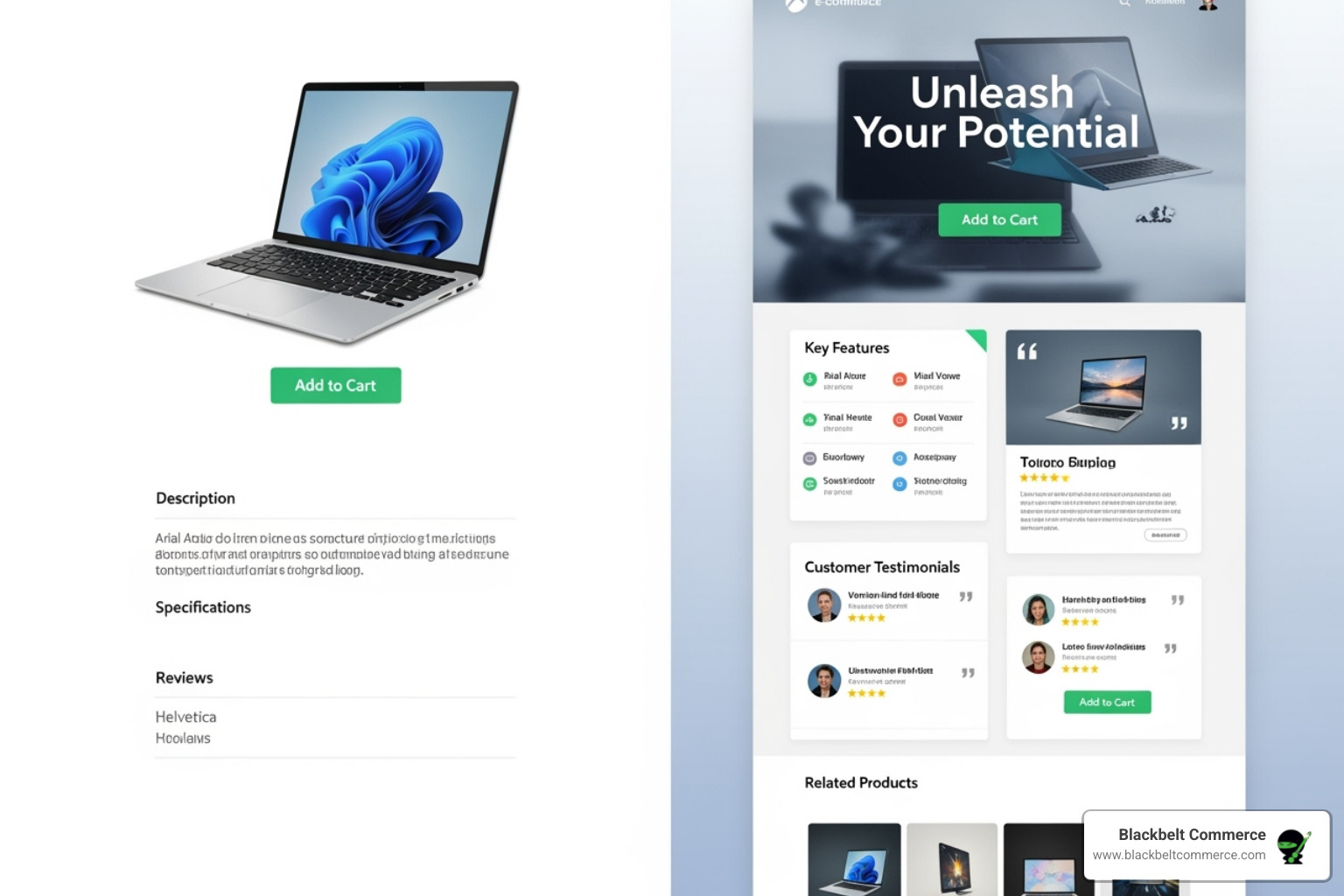
By implementing custom HTML, you create custom layouts that highlight your products’ unique selling points. This goes beyond aesthetics; a professional appearance builds customer trust, improves the user experience, and leads to higher conversion rates. If you’re ready to lift your store, our Shopify Web Design services can provide that competitive edge.
Common Use Cases for Custom HTML Sections
Custom HTML sections add functionality that standard themes lack. Popular uses include:
- Custom banners, sliders, and animations to create eye-catching promotions.
- Embedded videos from YouTube or Vimeo for dynamic product showcases and brand storytelling.
- Embedded Google Maps to guide local customers and boost local SEO.
- Third-party widgets like social media feeds, review platforms, or live chat.
- Custom forms for surveys, detailed inquiries, or lead capture.
- Unique product showcases for items that don’t fit standard layouts.
Benefits for Your Brand and Bottom Line
Custom templates deliver strategic improvements that impact your success. They ensure brand consistency, help you stand out from competitors, and offer scalability as your business grows. Properly coded custom HTML also includes SEO-friendly features that can boost search rankings. You can even implement dynamic content personalization to show targeted promotions. Finally, well-structured templates allow for faster launch times than full custom development, letting you respond quickly to market changes.
How to Create and Add Custom HTML Sections in Shopify (Step-by-Step)
Ready to add custom html shopify templates to your store? This step-by-step guide will walk you through the process.
First, a golden rule: Always duplicate your theme before editing. This creates a safe backup. From your Shopify Admin, go to Online Store > Themes, duplicate your theme, and click Edit Code on the copy. For a deeper dive, see our Shopify Theme Customization with Liquid guide.
Step 1: Create a New Section File
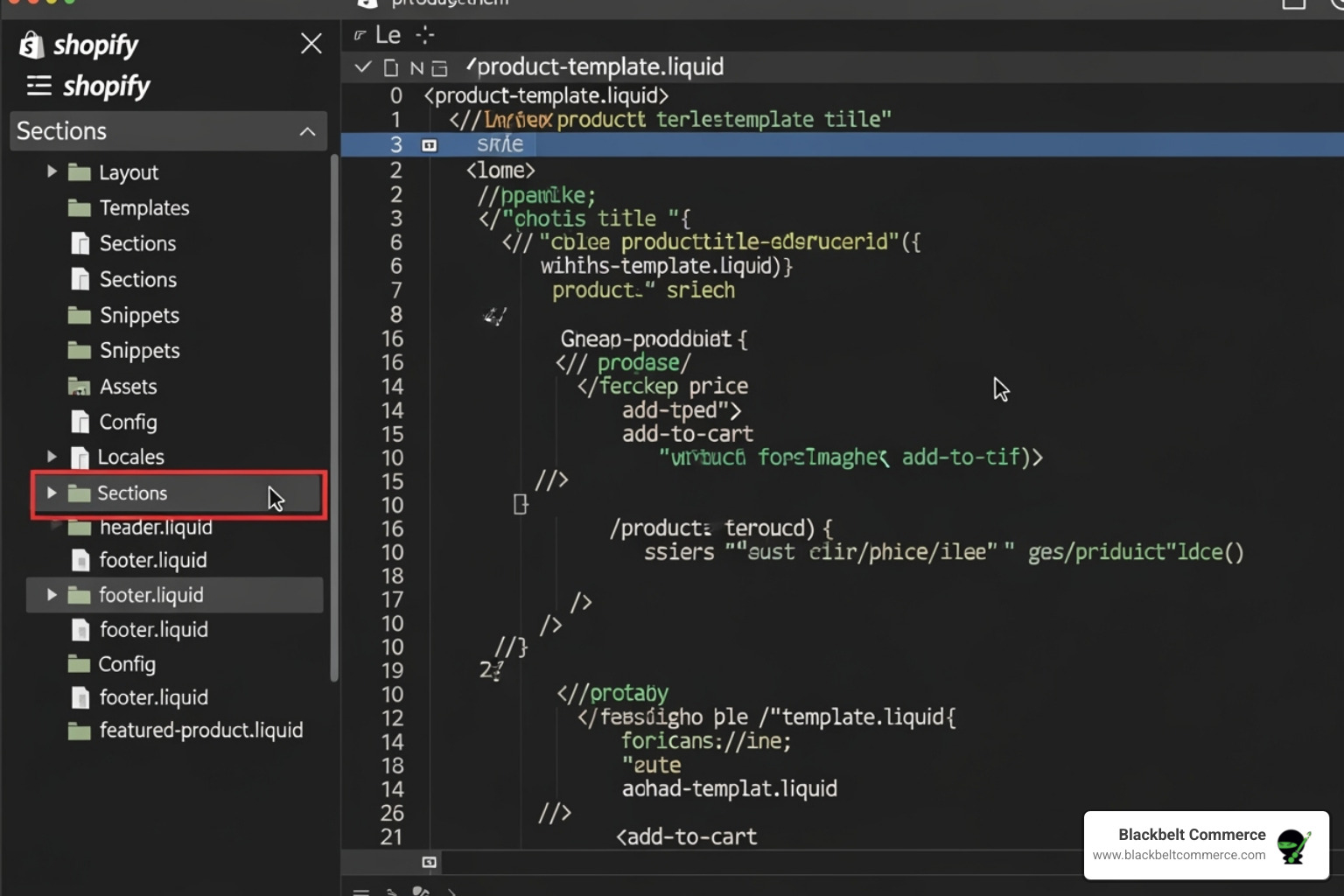
In the theme code editor, find the Sections directory in the left sidebar. Click Add a new section and name it custom-html.liquid. Paste the following code into the new file. This creates a user-friendly interface in your theme customizer.
<div class="custom-html-section"> {% if section.settings.custom_code != blank %} {{ section.settings.custom_code }} {% else %} <p>Your custom HTML will appear here. Edit this section in the theme editor.</p> {% endif %} </div> {% schema %} { "name": "Custom HTML", "settings": [ { "type": "html", "id": "custom_code", "label": "Custom HTML/Liquid", "default": "<p>Add your custom HTML or Liquid code here.</p>", "info": "Paste your custom HTML, CSS, or Liquid code." } ], "presets": [ { "name": "Custom HTML Section" } ] } {% endschema %} Step 2: Add the Section to a Page Template
Go back to Online Store > Themes and click Customize on your duplicated theme. In the theme customizer, select the page you want to edit from the top dropdown menu. In the left sidebar, click Add section and choose your new “Custom HTML” section. You can then use drag-and-drop to position it on the page.
Step 3: Insert Your HTML Code
Click on your new Custom HTML section in the customizer to open its settings. You’ll see the “Custom HTML/Liquid” field we created. Paste your HTML code here. For example, to embed a responsive YouTube video:
<div style="position: relative; padding-bottom: 56.25%; height: 0; overflow: hidden; max-width: 100%;"> <iframe src="https://www.youtube.com/embed/kuzW3-iNCeI" frameborder="0" allowfullscreen style="position: absolute; top: 0; left: 0; width: 100%; height: 100%;"></iframe> </div> Remember to replace the example video ID with your own. You can also add CSS in <style> tags. For more, see our Custom CSS Shopify Theme Guide. Click Save, and preview your changes.
Beyond Code: Using Blackbelt Commerce’s Custom Page Design Services
Not everyone wants to wrestle with code. While manual custom html shopify templates offer control, no-code and low-code solutions provide stunning results without the technical headaches. Modern page builders use drag-and-drop options and pre-built elements to make custom design accessible to everyone.
At Blackbelt Commerce, we use these tools to deliver cost-effective alternatives to traditional development. Our custom Shopify design services, including our Shopify Landing Page Design services, blend page builder efficiency with our expert oversight to create sophisticated, high-converting layouts.
Advantages of Professional Custom Page Design
Working with an experienced team on your custom html shopify templates project offers significant advantages:
- Faster implementation: We can build and launch custom pages in days, not weeks.
- No coding required: You can focus on your business while we handle the technical work.
- Expertise and support: You get access to our team of specialists in conversion-focused design.
- Advanced capabilities: We leverage tools for A/B testing and seamless integration with design platforms like Figma.
- Personalized support: As a leading Shopify agency, we specialize in complex projects and are committed to your success.
When to Choose Professional Services vs. Manual Coding
The choice between DIY and professional services depends on your timeline, complexity, and performance goals.
Choose professional services for quick, polished results, especially when launching new products or campaigns. Our approach also helps in avoiding app dependency, as we can build functionality directly into your theme, keeping your site fast. This is a core part of our Build Custom Shopify Theme Guide philosophy.
Choose manual coding for highly complex or unique functionality that requires precise control. Even then, a professional consultation can help you avoid common pitfalls and ensure your project is successful.
Rather have an expert handle the setup?
We do this for Shopify merchants every week — done right, fast, and built to convert.
Best Practices for Designing High-Converting Custom Templates
Creating custom html shopify templates that convert requires more than just good looks; it’s about guiding customers toward a purchase. We prioritize several key factors in our design process.
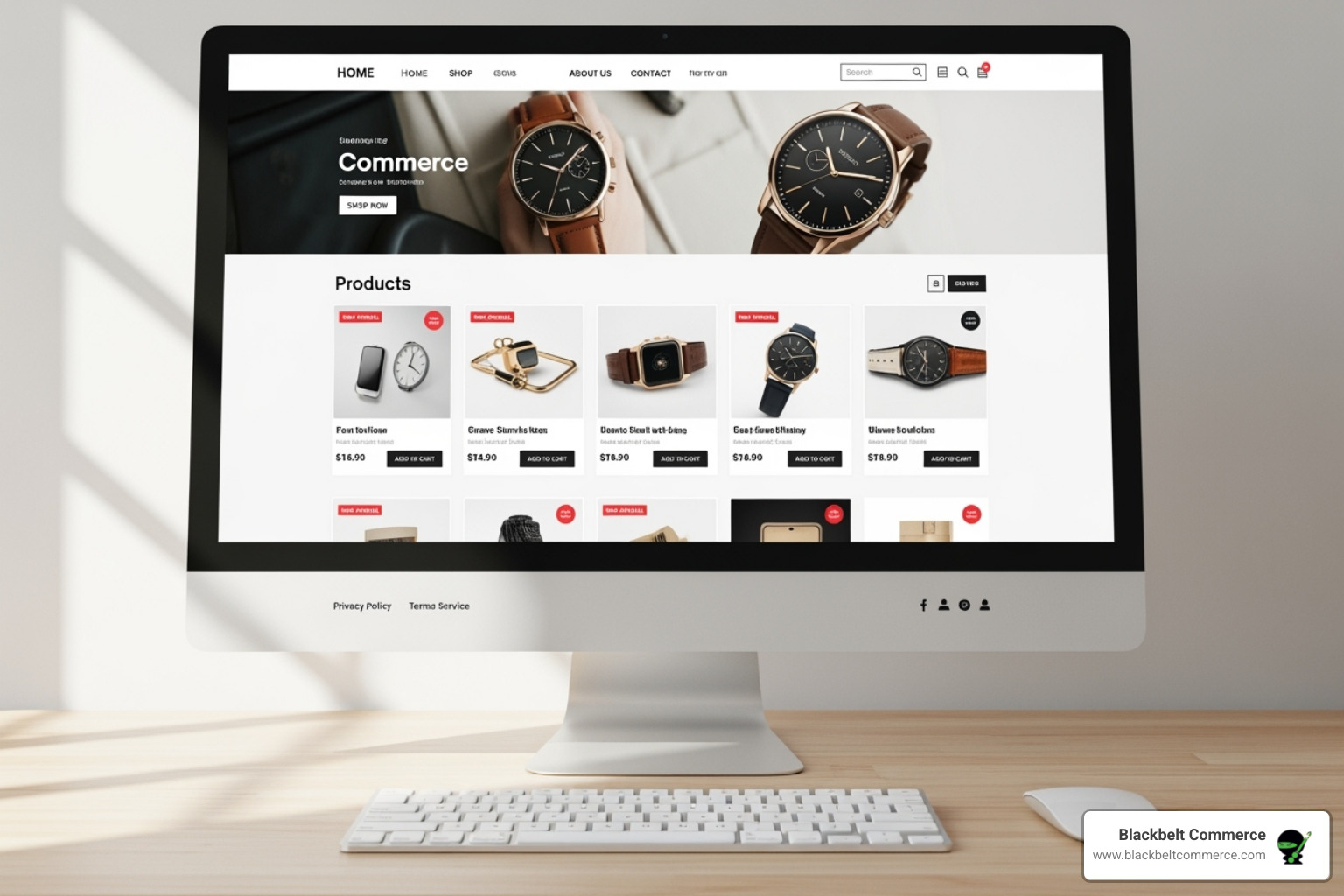
First, a mobile-first design is essential, as most shoppers use their phones. We also focus on page load speed by writing clean, efficient code and optimizing images. A well-organized layout with semantic HTML and a clear visual hierarchy helps both users and search engines. Finally, every section must have clear call-to-action (CTA) buttons that stand out and guide visitors to the next step.
Visuals and Branding
Your visual identity sets you apart. When creating custom html shopify templates, we reinforce your brand through every element.
- Typography and readability: We choose fonts that reflect your brand and are easy to read on all devices.
- Consistent color palette: Using your brand colors consistently creates a cohesive, professional experience.
- High-quality images and videos: Crisp, optimized visuals are non-negotiable for building credibility.
- Brand storytelling: We use custom layouts to tell your brand’s story, creating an emotional connection with customers. This is a key part of our Custom Shopify Websites service.
Testing and Optimization for Your Custom HTML Shopify Templates
Rigorous testing ensures your custom templates perform in the real world. Our process includes:
- Previewing on multiple devices to check functionality on real phones, tablets, and desktops.
- Cross-browser testing to ensure a smooth experience on Chrome, Safari, Edge, and others.
- A/B testing elements like headlines and button colors to find what best drives conversions.
- Gathering user feedback to get fresh perspectives before launch.
- Monitoring conversion rates post-launch to track performance and make data-driven optimizations.
Conclusion: Take Full Control of Your Shopify Store
We’ve covered how custom html shopify templates give you the creative control to transform your store. By breaking free from cookie-cutter themes, you can build a unique online presence that reflects your brand and boosts conversions.
You can start small with a simple embedded video or tackle more complex features as your confidence grows. You don’t have to do it alone. The choice between DIY coding and professional services depends on your goals, timeline, and project complexity.
At Blackbelt Commerce, we’ve helped over 1,000 businesses turn their Shopify stores into conversion powerhouses. We understand that sometimes you need expert help to bring your vision to life. Whether you’re comfortable with code or prefer a hands-off approach, we’re here to support you.
Your Shopify store has incredible potential. Custom html shopify templates are a crucial tool for open uping it. Ready to take the next step? Contact Blackbelt Commerce for a consultation and let’s discuss how we can turn your e-commerce vision into a reality.
Want this done right the first time?
Blackbelt Commerce is a family-run Shopify Plus agency. We have been building, customizing, and optimizing Shopify stores since 2012 — the kind of work in this guide is what we do for merchants every day. If you would rather have an expert handle it (and make sure it is fast, mobile-friendly, and built to convert), we are the team our clients trust to get it done.
Book Your Free 30-Minute Strategy Call
Prefer to talk now? Call +1 (516) 704-9890
Frequently asked questions
What is a custom HTML section in Shopify?
It is a block you add to a Shopify page that holds your own HTML (and optionally CSS or Liquid) instead of the theme's built-in settings. You create it as a section file in the theme code, then drop it onto any page from the theme editor. It lets you add layouts, embeds, tables, or promo blocks your theme cannot build on its own.
Can I add custom HTML to Shopify without coding?
Partly. Most themes include a built-in "Custom Liquid" or "Custom HTML" section you can add from the theme editor and paste code into — no file editing needed. For anything reusable or with editable settings, you create a small section file once, and after that it behaves like any other drag-and-drop section.
Will adding custom HTML break my Shopify theme?
Not if you work on a duplicated copy of your theme first (Online Store › Themes › Actions › Duplicate). Custom HTML is sandboxed to the section you add it to, so a mistake affects only that block, not the whole store. Preview before publishing and you can always revert to the copy.
What is the difference between custom HTML and custom Liquid?
HTML is static markup — it displays exactly what you write. Liquid is Shopify's templating language that pulls live store data (products, prices, collections) into the page. You can use plain HTML inside a Liquid section, so most "custom HTML" blocks are technically Liquid sections that happen to contain HTML.
Does custom HTML affect Shopify SEO or page speed?
It can, in both directions. Clean, semantic HTML with proper headings helps SEO; heavy embeds, external scripts, or large inline styles can slow the page. Keep third-party scripts to a minimum, load images in modern formats, and test the page in Google PageSpeed after adding a block.
Why does my custom HTML section not show up in the theme editor?
The most common cause is a missing or malformed {% schema %} block with a "presets" entry — without it, Shopify will not list the section as addable. Check that the file is saved in the sections folder, the schema JSON is valid, and the section name is unique.

